Content last revised on September 14, 2026
NEC NL8060BC31-41E Incoming Inspection and Integration Review
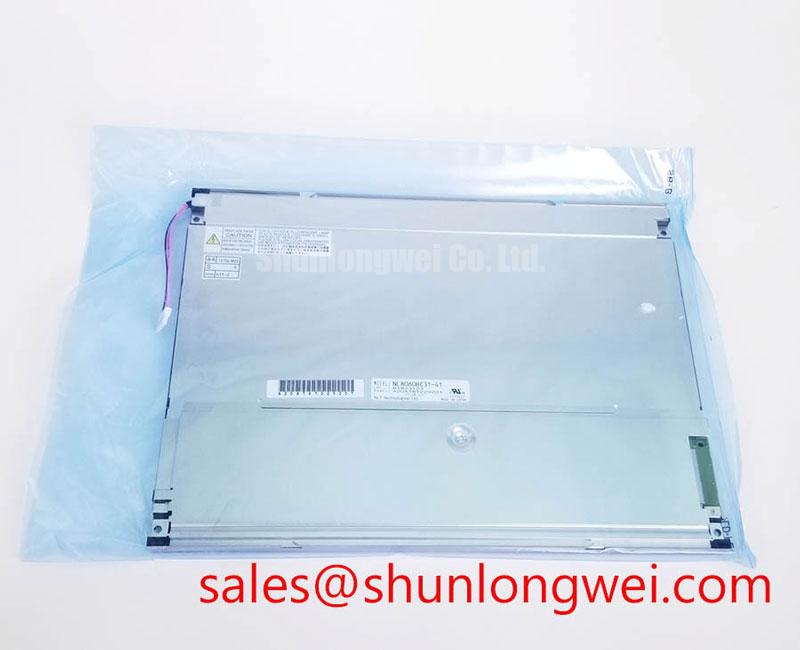
Begin incoming inspection by checking the NEC NL8060BC31-41E against the original equipment record, then examine the display module for bezel distortion, connector damage, contamination, and signs of uneven mechanical loading. The supplied factory information identifies this unit as an Industrial Grade LCD/HMI Panel with a TFT-LCD Display Module construction. The available product record marks its specification status as Official Factory Spec Verified. Resolution, active-area dimensions, interface assignment, supply voltage, backlight type, optical contrast, viewing angle, operating temperature, and response time are not included in the supplied specification set, so those values must be confirmed from the original panel documentation before electrical substitution.
| Item | Available product information | Integration implication |
|---|---|---|
| Model | NL8060BC31-41E | Use the complete suffix during equipment matching and purchasing review. |
| Manufacturer | NEC | Confirm the original equipment bill of materials and display revision. |
| Product category | Industrial Grade LCD/HMI Panel | Evaluate it as a display module within a complete HMI assembly. |
| Construction | TFT-LCD Display Module | Mechanical support, signal routing, backlight control, and enclosure design remain system responsibilities. |
| Specification status | Official Factory Spec Verified | Unlisted electrical and optical values require verification against the source equipment documentation. |
For repair procurement, the model number alone should not be treated as a complete interchangeability test. The system integrator should verify the required supply voltage from the original panel documentation, compare the connector keying and pin assignment, and confirm the host controller’s signal format. A physically similar LCD can still be unsuitable if its timing, backlight interface, mounting envelope, or cable orientation differs from the installed unit.
Backlight PWM, Acoustic Noise, and EMI Evaluation
The NL8060BC31-41E is identified in the supplied data as a TFT-LCD display module, but the available factory parameter set does not confirm whether its installed backlight is driven by a particular lamp or LED architecture. The replacement engineer should therefore begin at the host assembly rather than assuming a backlight topology. Trace the display power path, enable signal, dimming signal, and return path from the controller to the panel connector. The original equipment schematic or service documentation should be used to establish whether brightness control is analogue, pulse-width modulated, or managed by a separate backlight driver.
When the equipment uses PWM brightness control, the system designer should verify the actual switching frequency and duty-cycle behavior with an oscilloscope at the panel-side control point. A stated control band such as 200 Hz to 1 kHz is a system requirement to validate, not an official specification for this NEC model based on the information supplied here. Audible noise can arise from the interaction between the driver switching waveform, magnetic components, capacitors, mounting surfaces, and enclosure panels. The useful diagnostic sequence is to compare the sound level and waveform at several brightness commands while observing supply ripple and the backlight enable transition.
EMI evaluation should be performed with the display installed in its intended cable arrangement. Keep the signal cable and backlight power wiring routed as they were in the known-good assembly, then check whether changes in cable position alter the observed interference. The display module itself cannot be represented as independently compliant with complete-equipment EMC requirements. Radiated and conducted behavior depends on the enclosure, grounding scheme, cable shielding, controller, driver, and installation conditions.
For an earthmoving equipment telematics console, vibration can loosen a connector latch or create intermittent contact without leaving obvious visual damage. Inspect the locking mechanism, strain relief, and cable bend path during the repair. Avoid routing the flexible cable across a sharp chassis edge or forcing a bend immediately beside the connector. If a brightness fault appears only after the machine warms up or vibrates, compare the panel-side enable and dimming signals with a known-good signal path before assigning the fault to the LCD module.
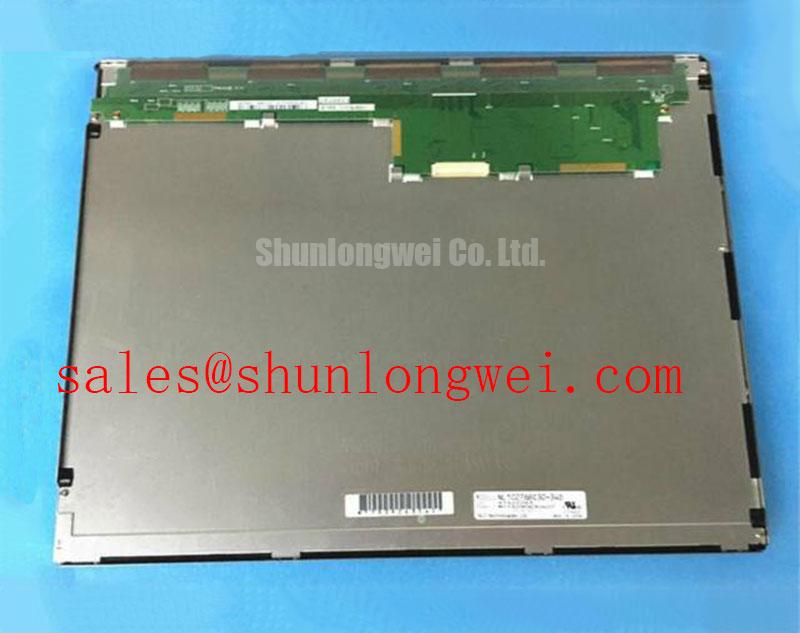
The related NL10276BC30-24D may be reviewed as a separate display solution within a compatible system topology, but its presence does not establish electrical or mechanical compatibility with the NL8060BC31-41E. Any change involving the backlight driver should be checked against the original connector definition and system control logic.
Viewing-Angle and Optical Evaluation for Multi-Angle Consoles
The supplied factory information does not identify the panel technology as Super-IPS, MVA, or TN, and it does not provide an official viewing-angle value such as 85/85/85/85. Those characteristics must not be assigned to the NL8060BC31-41E without a model-specific datasheet. For a multi-angle operator console, inspect the display from the actual seated and standing positions used by maintenance personnel. Check grayscale visibility, dark-area detail, color shift, and reflected overhead lighting rather than relying only on a nominal viewing-angle description.
Anti-glare performance is also installation-dependent. The panel surface, protective window, bezel depth, cabin lighting, and viewing direction all influence readability. If the module is fitted behind a cover glass, verify that the glass does not introduce additional reflections or an air gap that changes the optical result. The original optical stack should be documented before replacement, especially where the display is used in a sunlit cab or an outdoor service environment.
Low-temperature operation requires a controlled evaluation because liquid-crystal response can change as the panel and surrounding assembly cool. The available product record does not state an operating temperature range or response-time specification for this model. At the lowest expected ambient condition, power the complete display assembly under controlled observation and record startup behavior, image transition quality, and the time required for stable readability. If the equipment includes a heater strip or enclosure heating function, its control sequence should be verified from the machine documentation rather than assumed from the display model.
Condensation control deserves attention during rapid temperature changes. Inspect the enclosure seal, venting arrangement, rear-panel drainage path, and internal cable entry points. Moisture can affect connectors and control electronics even when the LCD glass appears clear. The display module should be allowed to reach a stable temperature before repeated power cycling during a cold-start investigation. This is a design consideration for the complete installation, not a published environmental rating for the NEC unit.
When a horizontal or vertical replacement is being considered, the NL10276BC16-06 can be reviewed as a separate product reference for comparison. Do not infer equivalent resolution, connector wiring, optical performance, or mounting dimensions from product-family naming. The correct comparison should use the original equipment drawing and the complete electrical interface record.
Mechanical Envelope and Mounting Review
Before removing the installed panel, photograph the bezel, gasket contact surface, cable route, and fastener locations. Measure the available opening and compare it with the original equipment drawing. No official outer bezel dimensions, mounting-hole pattern, panel thickness, or fastener torque are included in the supplied data for the NL8060BC31-41E. The replacement therefore requires a mechanical fit check rather than an assumption that a similar TFT-LCD module will occupy the same envelope.
Mechanical loading should be distributed evenly around the bezel. A gasket that is folded, locally compressed, or contaminated may allow dust ingress and can transfer concentrated stress into the display assembly. Use the original fastener type and the equipment manufacturer’s torque specification where available. If that information is absent, the mounting method should be established through a controlled engineering review, considering the chassis material, thread engagement, gasket construction, and panel support. The values 0.35 to 0.45 N·m are not confirmed factory parameters for this NEC model and should not be presented as a model-specific torque limit.
Install fasteners progressively in a cross pattern only when the equipment design uses a distributed multi-point mounting arrangement. The purpose is to prevent the bezel from being pulled unevenly against the chassis. After installation, inspect the image with uniform light and dark test fields. Local brightness changes can be influenced by mounting stress, gasket contact, optical contamination, cable pressure, or a panel fault; the inspection should therefore compare the display before and after mechanical tightening.
Direct sunlight evaluation should use the actual cabin or machine installation. The supplied data does not confirm a contrast ratio above 500:1 at 50,000 lux, nor does it confirm a particular anti-glare coating. Record the display position, sun angle, protective window condition, and brightness setting when assessing legibility. A contrast value from another panel or a general product family must not be transferred to this model.
Flexible printed cables require a smooth, supported route with no repeated flexing at the connector body. During service, release the connector lock before withdrawing the cable and confirm full insertion before securing the bezel. Repeated forced insertion, twisting, or unsupported cable movement can create intermittent behavior that may be mistaken for a display timing or backlight defect.
⚠️ Maintenance Note: Inspect the enclosure gasket, cable strain relief, and cooling airflow during scheduled service so dust, vibration, and condensation controls remain effective.
Incoming Benchtop Inspection and Display Bonding Review
Incoming inspection should start with an external examination under controlled lighting. Look for cracked glass, bezel deformation, damaged flexible cables, contaminated contacts, lifted protective films, and marks near the edge-bonded areas. The available factory information does not provide an internal construction drawing or a model-specific acceptance limit for COG or TAB bonding. A visible edge feature should therefore be documented and compared with the supplier’s inspection criteria rather than interpreted as a confirmed bonding failure.
Use a three-stage primary-color test on a compatible bench system after confirming the correct interface and power requirements from the original documentation. Display red, green, and blue fields separately, then inspect for fixed lines, localized dark areas, unstable columns, and color contamination. Follow with white and black fields to reveal nonuniformity and intermittent regions. The test system should be known good, current-limited as appropriate for the documented interface, and observed during warm-up and controlled cable movement.
A flashlight held at approximately 45 degrees can help distinguish surface reflections and dark-field nonuniformity from areas that do not respond to the image signal. Move the light slowly across the panel while viewing a black field, then repeat with a white field. A shadow that changes with the external light source may relate to surface or enclosure optics, while a fixed line or region that follows the image may require signal-path investigation. This method is a screening technique and does not prove a COG or TAB micro-fracture.
Backlight assessment should be separated from image-signal assessment. If the screen is dark, first verify the host controller output, panel enable state, backlight driver input, connector seating, and documented supply conditions. If the image is faint but present, compare the backlight control waveform and driver behavior with the known-good assembly. The model record supplied here does not confirm an LED backlight, a CCFL assembly, a PWM frequency, a dimming ratio, or a half-life rating. Claims such as 50,000 hours or a 1000:1 PWM dimming range require a model-specific manufacturer document before they can be used in a purchasing or reliability decision.
For a potential replacement in a heavy mining shovel or earthmoving equipment telematics display, complete the bench test before applying enclosure sealant or final bezel pressure. Verify the image interface, connector lock, cable orientation, mounting alignment, startup sequence, brightness control, and behavior during controlled temperature observation. Keep the original panel documentation with the inspection record so any unlisted electrical or optical value is resolved from the equipment source rather than inferred from appearance.
The The Ultimate Guide to Industrial TFT-LCD Technology can be used as a general reference when reviewing interface selection, optical inspection, and installation factors. It does not replace the model-specific documentation required to approve the NL8060BC31-41E for a particular machine.