

Content last revised on October 7, 2026
Controlling Edge Temperatures and Uneven Illumination
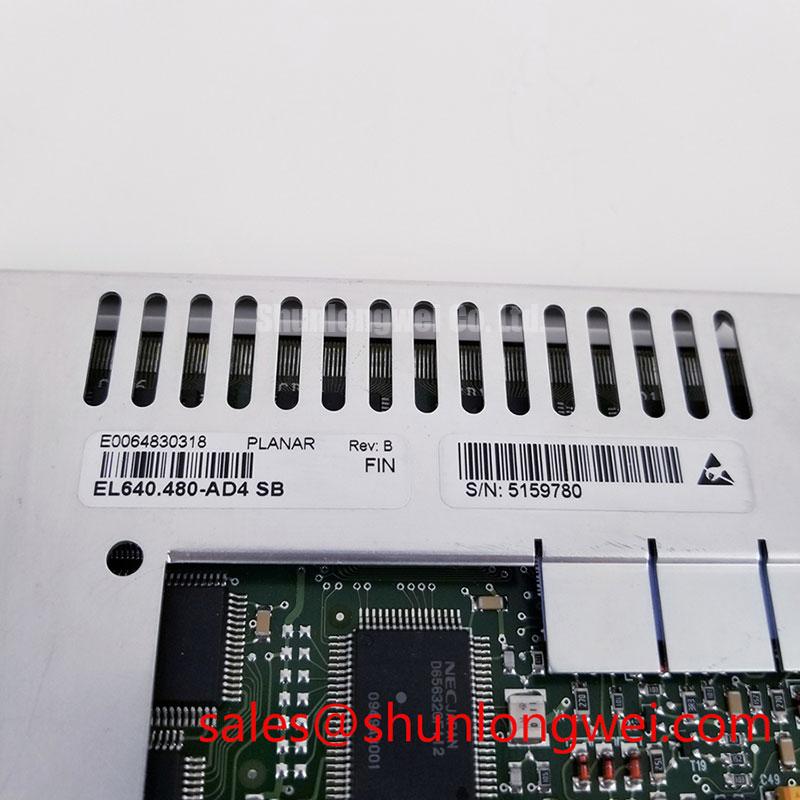
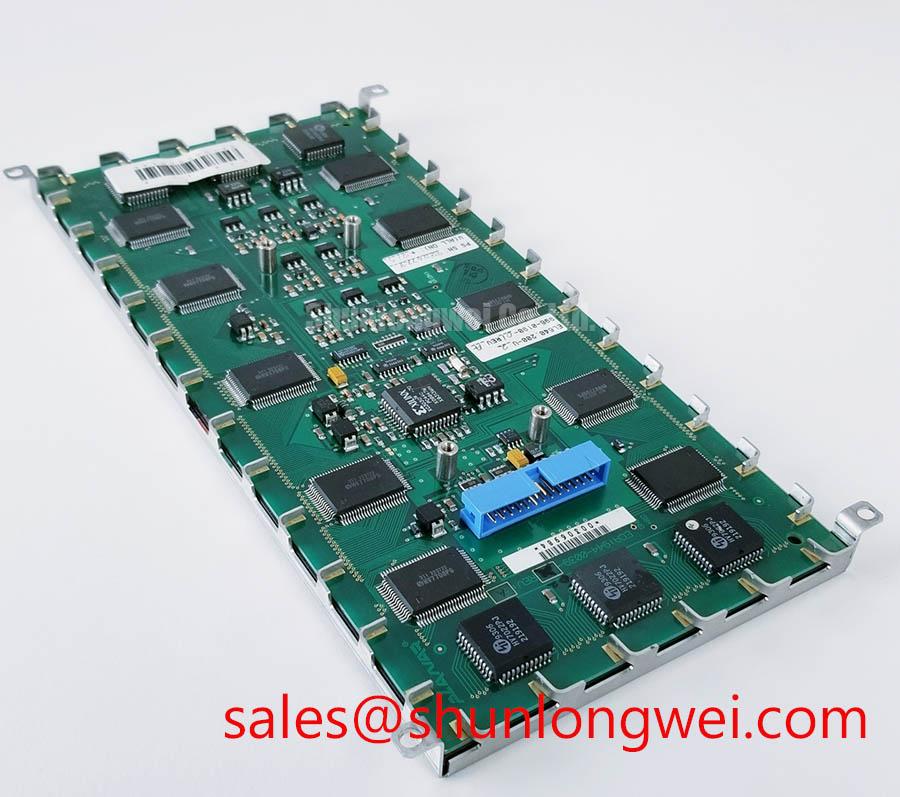
Inspect the label, connector, and mounting edges of the removed EL640-200-U2-2 before disconnecting it from the host equipment. Record the cable orientation and photograph any pressure marks around the bezel. This Planar part belongs to the electroluminescent display family; the LCD Display category used for catalog navigation must not be taken as evidence that it contains an LCD cell, LED backlight, polarizer, or TFT controller. The supplied product information does not establish its supply ratings, connector pinout, dimensions, or optical performance. Confirm those details against the original Planar documentation and the equipment drawing before applying power or approving a replacement.
Start a display inspection with the enclosure, not the image. Check whether ventilation openings are blocked, whether a nearby power supply warms one edge of the display, and whether the mounting frame bears evenly against the module. Temperature differences across an assembly can change its visible appearance and accelerate deterioration of adjacent seals or finishes. That is a Design Consideration, not a published thermal limit or lifetime rating for EL640-200-U2-2.
If one region looks dimmer after the equipment has warmed up, compare it with an image captured at startup under the same display settings. Note whether the pattern follows a mounting edge, a cabinet hot spot, or a fixed area of the image. Check for dust buildup and restricted airflow before attributing the change to the display itself. A contact temperature survey of accessible enclosure surfaces can help locate a persistent hot spot, but its acceptance limits must come from the host equipment design and applicable Planar documentation.
Do not specify an aluminum heat spreader rail solely because an edge looks warm. A rail changes the assembly’s contact pressure, heat path, and mechanical loading; the equipment engineer should assess those effects before modifying the mount. Likewise, optical yellowing attributed to a PMMA light guide and LED lumen-maintenance claims are not supported by the supplied identification of this electroluminescent module. They should not be used to predict its service life.
For a cabinet exposed to daylight, assess legibility at the installed viewing position while the intended symbols and text are displayed. Record ambient lighting, reflections from the cover window, and the display setting used for the test. No sunlight contrast ratio or anti-glare coating specification is established here. A protective window or optical bonding arrangement, if present in the host assembly, should be evaluated as part of that assembly rather than assumed to be a factory feature of the Planar module.
⚠️ Maintenance Note: Inspect ventilation paths and any perimeter gasket during scheduled service, and replace a damaged gasket according to the equipment maker’s instructions.
Verifying the Display Interface and Power Sequence
Trace the host cable to its documented connector before treating a blank screen as a failed panel. With power removed, compare the connector orientation, keyed features, cable seating, and harness drawing. Then use the original Planar documentation to identify supply pins, returns, control inputs, and the required startup sequence. The system integrator should verify the required supply voltage from that documentation; the information supplied for this page does not support a numeric rail value.
The name EL640-200-U2-2 does not establish a TTL RGB bus, LVDS link, JEIDA or VESA mapping, or a particular controller-board arrangement. Those are interface characteristics to verify, not interchangeable descriptions of industrial displays. If the host produces an unstable or displaced image, check the relevant timing signals with an oscilloscope and compare them with a known-good signal path and the documented timing diagram. Probe at accessible test points without loading or shorting adjacent conductors.
Check the supply at the module connection during startup as well as at the power supply output. A connector or harness fault may only become apparent under load. If the supply behaves differently with the display connected, isolate the fault using the equipment service procedure before changing the module. Do not transfer power-on rise-time limits from an unrelated TFT panel to this Planar display.
Cold-operation assessment needs the same restraint. Record the enclosure temperature and any change in startup or image behavior, then compare both with the specified operating range once the original documentation is available. LCD liquid-crystal response and a heater strip control scheme cannot be assumed for an electroluminescent display. If the equipment uses a heater, its set point and interlocks belong to the equipment design.
For a prospective service substitute, the linked NL192108JC18-03ND can be reviewed as a separate display candidate, but its technology, electrical interface, dimensions, and mounting must be checked individually. Similar catalog placement does not establish drop-in compatibility.
Tracing Display Noise Without Assuming EMC Compliance
When horizontal interference or image jitter appears only while nearby machinery operates, document the operating condition first. Observe whether the symptom changes when a motor drive starts, when a cabinet door closes, or when the display harness is moved within its normal routing allowance. Those observations can guide a comparison of grounding, cable condition, and host signal quality; none proves that the display module is the sole source of the disturbance.
Inspect the existing shield termination and backplate bond against the equipment drawing. A loose bond, damaged cable shield, or return path shared with noisy equipment may warrant investigation. As a Design Consideration, keep signal routing and grounding consistent with the validated host design when suppressing coupled noise, then verify the result on the complete equipment. Do not retrofit a multi-point ground, ferrite, or different cable on the assumption that one arrangement is universally correct.
No CISPR Class A or Class B result is provided for EL640-200-U2-2. Emissions compliance concerns the tested equipment configuration, including its enclosure, wiring, grounding, and operating modes; it cannot be inferred from the display’s part number. The same boundary applies to claims about a shielded LVDS cable or LED PWM dimming. Confirm the actual cable and brightness-control method from the host schematic before diagnosing noise or flicker through those mechanisms.
During maintenance, compare the displayed image with the equipment idle and operating, using the same pattern and brightness setting. If a noise band follows harness movement, inspect the connector and cable restraint. If it follows drive operation, examine the host power and grounding measurements under the service procedure. The engineer responsible for the complete system should determine whether any corrective change requires renewed EMC testing.
Inspecting the Viewing Surface and Installation Seals
Clean the exposed viewing surface only by the method approved for the host assembly, then inspect it under the lighting in which operators actually read it. Look for scratches, trapped contamination behind a protective window, uneven pressure at the bezel, and signs of moisture along the perimeter. Record whether a visible defect stays fixed when the image changes; that distinction helps separate a surface or window issue from an electrical display symptom.
Check that mounting hardware seats uniformly and that the gasket follows the intended sealing path without gaps or bunching. Uneven fastening can distort an enclosure or protective window, while excessive local pressure can damage a display assembly. The acceptable fastening sequence and torque are system-determined; no mounting torque for this Planar part is established by the supplied information. If a sealed cover is opened during repair, inspect its mating surfaces before reassembly and verify the enclosure seal by the equipment maker’s procedure.
Condensation deserves a separate inspection from dust. After a cold assembly enters warmer, humid air, moisture on a cover window can impair readability even when the display is operating normally. Check for water tracks, compromised cable-entry seals, and a blocked enclosure drain or ventilation feature where applicable. Decisions about environmental sealing or optical bonding require drawings for the complete display assembly; neither should be inferred from the module description alone.
TN grayscale inversion, IPS or MVA viewing cones, polarizer films, and LED backlight decay curves describe technologies that have not been established for EL640-200-U2-2. For this unit, compare readability from the actual operator positions and record any persistent unevenness using a repeatable image and lighting condition. For broader enclosure and maintenance test considerations, consult Industrial Display & HMI Solutions without treating general guidance as a Planar factory rating.
A marine radar or navigation bridge console is a possible equipment context for compatibility evaluation, not an approved installation claim. Before using this module in such a repair, match its documented electrical interface and mounting to the existing assembly, then assess cover-window reflections, gasket condition, moisture control, and readability in the intended console location.