


Content last revised on September 30, 2026
Silvering and Backlight Reflector Mylar Discoloration Inspection in Legacy Machine Terminals
| Model | LM12S49 |
| Manufacturer | Sharp |
| Product category | Industrial Grade LCD/HMI Panel |
| Display technology | FSTN/STN monochrome passive matrix LCD panel |
| Specification status | Official factory spec verified |
Inspect the visible display surface under controlled ambient light, then compare the affected area with an unused or known good region for uneven contrast, yellowing, cloudy patches, adhesive bubbling, or localized reflective loss.
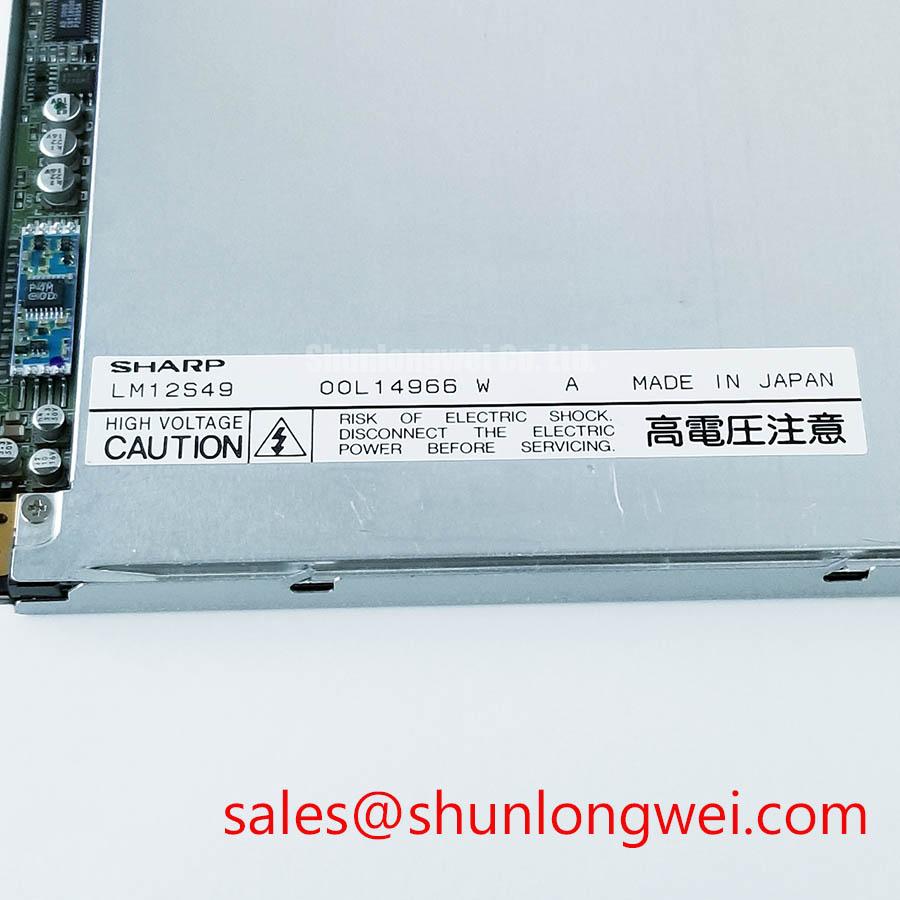
The LM12S49 is identified as a Sharp FSTN/STN monochrome passive matrix LCD panel. Its official product information does not establish a confirmed backlight type, panel dimensions, pixel resolution, or drive voltage in the supplied specification set. Those values should not be inferred from the model number. For a repair on an older machine terminal, the original panel documentation and the host controller wiring remain the controlling references for electrical and mechanical compatibility.
Contrast degradation in a legacy terminal can have several overlapping causes. Aged polarizer layers, surface contamination, optical reflector deterioration, uneven pressure from the bezel, temperature exposure, or an incorrect bias condition may produce similar visual symptoms. Use a stable inspection routine: photograph the panel at the same viewing angle, record the ambient lighting condition, and compare contrast with the terminal operating at its normal supply state. This helps separate an optical change from a display drive or power rail problem.
When the terminal uses a negative contrast or bias rail, measure that rail with an oscilloscope rather than relying only on a multimeter reading. Check ripple during display updates, startup, and the first minutes of cold operation. The supplied factory data does not confirm a VEE or V0 range for LM12S49, so the acceptable voltage window must come from the original Sharp documentation or the equipment service drawing. Do not apply a generic negative rail value to this panel without that confirmation.
Temperature tracking deserves attention in outdoor AGV and forklift telematics equipment. A contrast setting that appears acceptable in a workshop may wash out or become excessively dark after the enclosure temperature changes. A Design Consideration is to monitor the bias rail and the displayed contrast across the actual equipment temperature range, while allowing the system designer to determine any compensation curve from measured results. This is especially important where a thermistor is used in the host contrast circuit, because its resistance characteristic, placement, and thermal coupling influence the resulting bias.
Reflective performance should also be checked through the front window and bezel rather than with the panel removed only. Scratched polycarbonate, an air gap, adhesive residue, or a misaligned viewing window can be mistaken for LCD silvering or reflector discoloration. If the panel is evaluated for an AGV or forklift display, inspect it both under direct warehouse lighting and under the enclosure’s normal illumination. The application may require a different optical assessment from a benchtop repair.
For system-level background on enclosure, optical, and industrial HMI evaluation factors, engineers can consult Industrial Display & HMI Solutions. Manufacturer information may also be reviewed through the Sharp Display Solutions Official Portal and Sharp Devices Europe Industrial Display Solutions.
Cold Cathode Fluorescent Lamp High Voltage Strike Waveform and Open Lamp Trip Assessment
Probe the host backlight circuit for an ignition waveform, lamp current regulation, and open load response only after confirming that the installed LM12S49 assembly actually uses a fluorescent backlight.
FSTN and STN describe the LCD technology, not the complete illumination system. The supplied official factory parameters for LM12S49 do not confirm CCFL operation, lamp length, lamp current, ignition voltage, sustained lamp voltage, inverter type, or open lamp protection thresholds. A replacement evaluation must therefore begin by tracing the original terminal’s backlight wiring and service documentation. Do not assume that a CCFL inverter, LED driver, or a particular current setting belongs to this Sharp panel.
If the original equipment documentation confirms a CCFL system, use a properly rated high voltage probe and follow the inverter manufacturer’s measurement procedure. Observe the strike event, steady operating waveform, transformer noise, and protection response while keeping the probe ground arrangement appropriate for a floating high voltage circuit. A distorted strike waveform can arise from the inverter, lamp aging, wiring capacitance, insulation contamination, or an open connection; it should not be assigned to the LCD panel without isolating those elements.
Open lamp detection also requires a system-level assessment. An inverter may shut down because it detects an open circuit, abnormal current, repeated unsuccessful strikes, or a fault elsewhere in the high voltage path. The trip threshold is not an official LM12S49 specification in the supplied data. Engineers should compare the host inverter’s response with its own documentation and verify whether the panel assembly is electrically compatible before making a substitution.
High voltage routing is particularly important in a rugged telematics display. Keep the ignition path physically separated from low-level logic, frame synchronization, and touch or communication wiring according to the inverter and equipment safety design. Check insulation surfaces for dust, condensation, adhesive residue, and abrasion. These conditions can alter leakage behavior and create intermittent symptoms that disappear when the display is removed from the vehicle enclosure.
Cold starts need a separate test record. At low temperature, the inverter may require more time to establish stable illumination, while the LCD contrast and response can change at the same time. Record the backlight waveform, display visibility, and controller timing together rather than judging the lamp alone. Any startup delay or brightness compensation should be determined by the host system after testing the complete assembly. The model’s supplied factory data does not specify a cold start time or operating temperature range.
For an AGV or forklift retrofit, confirm the lamp connector, inverter mounting space, cable routing, and enclosure service access. A mechanically compatible LCD panel can still be unsuitable if its original illumination system cannot be integrated with the vehicle display controller. This is a compatibility assessment, not a guaranteed interchangeability statement.
Parallel Digital Signal Reflections Mitigation via Series Damping Termination Resistors
Capture the host signals at the panel connector during power up and display refresh, checking CP dot clock, LP line pulse, and FLM frame synchronization for ringing, overshoot, missing transitions, or timing instability.
Passive matrix LCD systems commonly rely on coordinated row and column drive timing, but the supplied LM12S49 information does not publish a confirmed connector pinout, logic family, data width, JEIDA or VESA format, input voltage, CP frequency, or timing table. Do not map the interface from a visually similar Sharp panel. Obtain the original panel drawing or machine wiring documentation before applying a signal source.
When the host uses a parallel interface, long cable runs and connector transitions can produce reflections that disturb the sampling margin. A Design Consideration is to keep the signal return path continuous, reduce unnecessary branch length, and assess source damping only after observing the actual waveform at the panel connector. The appropriate component value is system determined by driver impedance, trace geometry, cable construction, connector parasitics, and the receiving input characteristics. It should be selected through measurement rather than copied from another display.
Use a known-good signal path as the comparison reference. Probe CP first, then correlate LP and FLM with the display’s visible line and frame behavior. If the clock edge is clean at the controller but degraded at the panel connector, inspect the cable, shielding, connector contacts, and ground reference before changing firmware timing. If the waveform is already unstable at the controller, a panel replacement is unlikely to resolve the original source.
Power sequencing must be evaluated as a complete host-panel relationship. The supplied information does not confirm the LM12S49 logic supply or bias sequence. The system integrator should verify the required supply voltage and the correct order of logic, bias, and display enable signals from the original panel documentation. A practical Engineering Recommendation is to record each rail and control signal during startup and shutdown, looking for periods where the logic input is active while the panel supply or bias condition is outside its documented state.
White screen behavior, residual image, or a display that starts only after repeated resets can involve timing, bias, connector contact, controller initialization, or supply transients. Treat these as diagnostic observations rather than single-cause conclusions. Compare the reset sequence, signal presence, and supply stability with a known-good assembly. Do not force a negative bias rail or substitute a controller format simply because the connector appears physically similar.
💡 Pro Tip: Keep parallel signal paths physically consistent and verify clock, line, and frame timing at the panel connector to reduce the risk of attributing a cable reflection problem to the LCD cell.
For engineers assessing a same-size or same-resolution replacement path, the technical comparison between LM32K071 and PG640400RA4 provides a useful example of why resolution, interface, and mechanical data must be matched independently rather than assumed from product appearance. It should be treated as a separate selection reference, not as an automatic substitute for LM12S49.
Elastomeric Zebra Strip Connector Compression and Heat Seal Interconnect Integrity
Inspect the panel edge, elastomeric connector or heat seal area under magnification while gently checking for displaced alignment, uneven compression, cracked adhesive regions, contamination, or a row and column pattern that changes when the bezel is lightly stabilized.
The supplied LM12S49 factory information identifies the panel as an FSTN/STN monochrome passive matrix LCD, but it does not confirm whether its external connection uses a zebra strip, heat seal, FPC, or another construction. Connector technology must therefore be verified from the original assembly before any mechanical rework. Do not apply a compression method intended for a different panel construction.
For a zebra strip interface confirmed by the equipment documentation, inspect parallelism between the glass edge, elastomer, PCB contact land, and bezel. Uneven pressure can create missing rows, missing columns, intermittent characters, or contrast changes that vary with vibration. Oxidation, dust, plastic deformation, and a shifted bezel can produce similar symptoms. Cleanliness and alignment should be assessed before changing the display drive electronics.
A mechanical Design Consideration is to distribute clamping force evenly across the active connector length while avoiding local stress on the glass. The supplied specification does not establish a required compression pressure, bezel torque, adhesive curing condition, or serviceable contact life for LM12S49. Those values must be taken from the assembly drawing or controlled production process. Excess force can damage the glass or alter the optical appearance; insufficient force can allow intermittent contact during vehicle vibration.
Where an FPC or board connector is present, examine the bend path, stiffener transition, locking mechanism, and strain relief. Repeated enclosure removal can crease the flexible section or leave the latch partially engaged. A cold temperature test may expose a marginal connection because materials contract differently and the cable becomes less compliant. Record whether the symptom changes with temperature, vibration, or controlled connector movement, but avoid using movement as a permanent repair.
Long-term static display use in an HMI should also be evaluated at the system level. Passive monochrome LCD technology does not by itself define the host controller’s refresh strategy, bias waveform, or image retention behavior. If a fixed status screen remains active for extended periods, designers should verify the controller’s refresh and bias management against the original panel requirements. Any residual visual effect should be checked after returning to normal operation and compared with a reference panel, without assigning a universal burn-in limit to this model.
For AGV and forklift telematics equipment, validate the bezel opening, viewing window, connector exit direction, cable bend clearance, and vibration restraint as one mechanical assembly. The LM12S49 product category and FSTN/STN construction establish the display technology, but they do not establish the host enclosure dimensions or mounting pattern. A final fit check should therefore use the original machine drawing and a representative installed assembly.
During service, disconnect power before removing or inserting the panel connector, and keep the LCD edge and contact area free from handling contamination.