



Content last revised on September 30, 2026
Dual-Channel CCFL High-Voltage Resonant Inverter Striking Voltage & Ignition Debugging
| Factory Attribute | Verified Information |
|---|---|
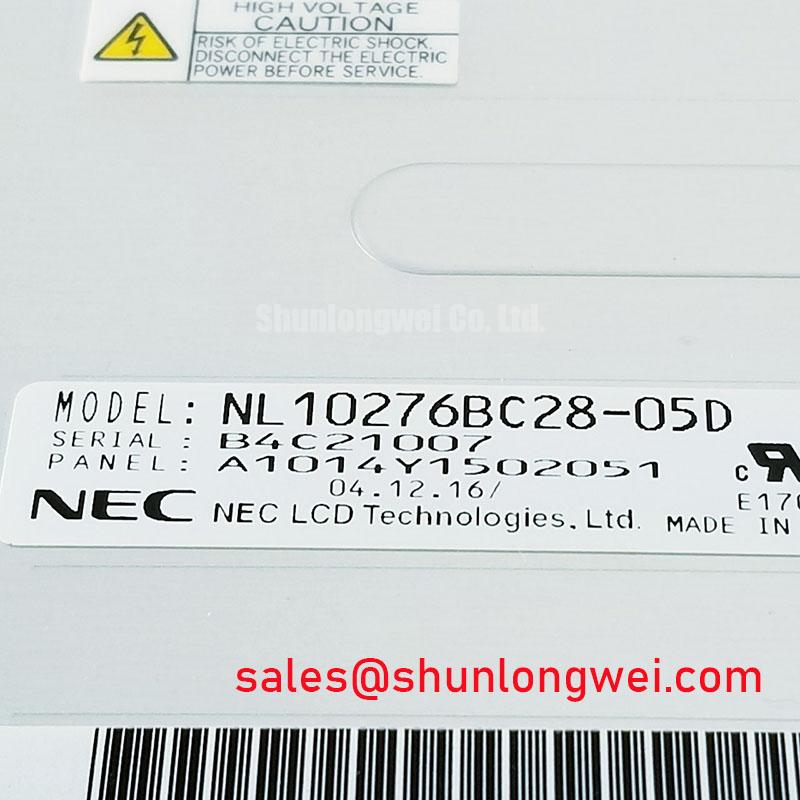
| Model | NL10276BC28-05D |
| Manufacturer | NEC |
| Product Category | Industrial Grade LCD/HMI Panel |
| Display Technology | TFT-LCD Active Matrix Color Display Module |
| Specification Status | Official Factory Spec Verified |
Measure the panel-side supply and inspect the inverter interface with the equipment fully isolated before investigating a dark screen, intermittent ignition, or audible inverter noise. The NL10276BC28-05D is identified as a TFT-LCD active matrix color display module, but the supplied factory data does not confirm a CCFL backlight, a dual-channel inverter, a cold-ignition voltage, or an LED driver architecture. Those functions must be established from the original panel documentation and the host equipment schematic rather than inferred from the model number.
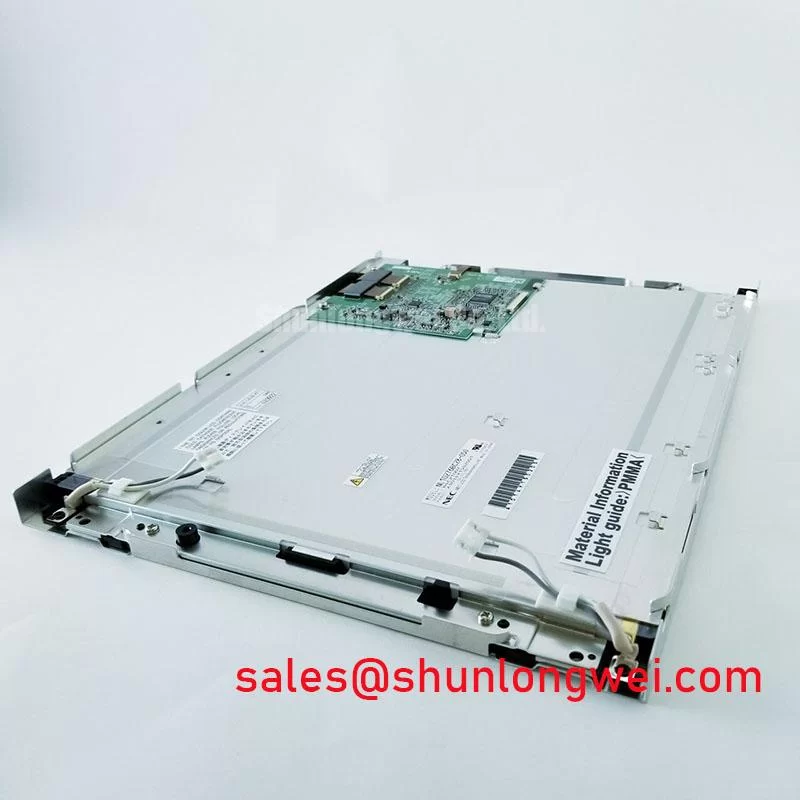
For an AGV or forklift telematics display, begin with a controlled visual inspection of the panel bezel, connector seating, flexible cable, and backlight harness. Look for uneven connector engagement, crushed cable insulation, loosened strain relief, contamination around the display opening, or mechanical pressure transferred into the glass. These conditions can interrupt a backlight circuit while leaving the display logic apparently active.
When the original assembly uses a high-voltage fluorescent backlight, the inverter should be evaluated as a system circuit. Use an appropriately rated differential probe and follow the inverter manufacturer’s measurement procedure. Do not place a standard oscilloscope ground clip on a floating high-voltage node. Check ignition behavior, steady-state current regulation, transformer noise, and shutdown response against a known-good assembly. If the equipment uses an LED backlight instead, the relevant checks are driver enable timing, regulated current, PWM input behavior, and open-load protection.
The supplied product information does not verify a 1,500 to 1,650 Vrms ignition requirement, a 1,000:1 PWM dimming ratio, or a 50,000-hour half-brightness rating for this model. Those figures should not be assigned to the display without a matching manufacturer datasheet. A constant-current LED driver and a CCFL resonant inverter have different fault signatures, voltage domains, and electromagnetic behavior.
For cable evaluation, trace the complete signal and power path from the host controller to the panel. Keep high-voltage backlight wiring physically separated from low-level display data and touch-control wiring where the equipment layout permits. If acoustic buzz appears only during dimming or cold operation, compare the inverter waveform and mechanical mounting condition with a known-good unit. Resonant frequency, transformer loading, enclosure resonance, and mounting pressure can all influence audible noise.
Designers evaluating this part for a rugged vehicle display should verify the exact backlight topology, connector pin assignment, enable polarity, dimming method, and allowable startup sequence. A replacement display is electrically suitable only when its optical, mechanical, interface, and backlight requirements match the host assembly.
Normally White TN Grayscale Inversion Mitigation & Optimal Viewing Direction Alignment
Display a grayscale test pattern from the installed controller and inspect it from the operator’s actual seated and standing positions before changing the panel or adjusting the image-processing chain. The available factory information identifies the NL10276BC28-05D as a TFT-LCD active matrix color display module, but it does not confirm TN operation, normally white behavior, viewing-angle values, anti-glare treatment, or a specific optical compensation film.
Grayscale inversion or loss of tonal separation should be assessed across the intended viewing direction, not only from a perpendicular bench position. Record whether the effect changes with vertical angle, horizontal angle, display temperature, image polarity, or backlight level. On a forklift or AGV terminal, the operator may view the screen from below, above, or from an offset position while the vehicle is moving. The mechanical angle of the display can therefore affect practical readability even when the controller and panel are functioning correctly.
Use a calibrated grayscale sequence, dark-to-light transitions, and representative application screens. Compare the suspect assembly with a known-good display using the same controller output and backlight setting. If the host system applies gamma correction, image inversion, or automatic brightness control, temporarily document those settings before making adjustments. A panel-side optical issue should not be confused with incorrect video data, a damaged cable, or an unstable supply rail.
The supplied information does not support assigning an 85°/85°/85°/85° viewing cone, a TN classification, or an IPS or MVA construction to this model. Engineers should obtain the original optical specification when the installation depends on a defined viewing direction or contrast performance. NEC’s public corporate information can be consulted through NEC Display Solutions, while the actual replacement decision still depends on the exact panel documentation for the installed assembly.
Surface treatment should be examined under the real warehouse lighting environment. Reflections from windows, overhead luminaires, safety beacons, and vehicle lamps can reduce perceived contrast even when the display electronics are healthy. Clean the viewing surface with a method approved for the installed cover lens or panel surface. Avoid abrasive materials and avoid applying pressure directly over the active area.
Backlight aging should be evaluated by measuring luminance consistently across the screen and comparing the result with the original equipment acceptance record, when available. The supplied factory data does not verify a particular LED life curve or a half-brightness duration for this model. A measured brightness change may involve the backlight, optical layers, driver current, temperature, or the measurement setup, so the diagnostic record should preserve all relevant conditions.
Maintenance Note: Inspect the cabinet airflow path and display sealing or gasket contact during scheduled service because dust, heat accumulation, and uneven compression can degrade readability and mechanical reliability.
Suppressing Pixel Jitter & Horizontal White Lines Induced by Adjacent 400V Motor Drives
Capture the panel supply, display clock, and video data at the same time that pixel jitter or horizontal white lines appear near a motor drive, then compare the result with the drive disabled under otherwise identical operating conditions. This establishes whether the disturbance follows the power-conversion event, the cable route, the grounding arrangement, or the display controller.
The NL10276BC28-05D is specified here as a TFT-LCD active matrix color display module, but the supplied data does not confirm LVDS, TTL, FFC construction, shield termination, common-mode filtering, or a particular logic voltage. Confirm the host interface from the original panel documentation before selecting a cable or changing the transmitter configuration.
Route display data and backlight wiring away from the switching node, motor phases, braking resistor wiring, and high-current return paths. Where a shielded cable is part of the original design, maintain the intended shield termination and avoid creating a long unreferenced pigtail. The system grounding strategy must account for cabinet bonding, controller reference, display frame, and drive enclosure. Adding a connection at an arbitrary point can move common-mode current into the display signal path.
For an FFC or flexible display cable, inspect the bend radius, stiffener position, latch engagement, and any evidence of repeated flexing at the connector. Vehicle vibration can gradually reduce contact reliability when the cable is unsupported or the connector latch is not fully engaged. The display should be mounted so that the bezel, cover, and cable do not transfer concentrated force into the glass or connector.
Use an oscilloscope with suitable probing practices to compare the known-good and suspect signal paths. Check whether the disturbance appears on the supply rail, common reference, clock, or data lanes. A broad horizontal band can be associated with interference, timing disruption, supply disturbance, or a display-side fault; it should not be assigned to one cause without waveform evidence. Ferrite components, common-mode filtering, and cable changes should be validated through conducted and radiated measurements at the equipment level.
Cold operation requires a separate check. Liquid-crystal response, connector materials, cable flexibility, and enclosure condensation behavior can all change as temperature falls. The provided product data does not verify an operating temperature range, a gray-to-gray response time, or a heater specification for this model. Designers should use the original NEC documentation and test the complete display assembly through the intended startup and operating temperature range.
When a heater is present in the host equipment, verify its control method, sensor placement, thermal distribution, and condensation protection as a system matter. Do not apply an assumed heater voltage or timing value to this panel. A controlled warm-up strategy may be appropriate for the enclosure, but the final sequence must be established by the equipment designer and verified with temperature and humidity measurements.
The article The Ultimate Guide to Industrial TFT-LCD Technology provides broader technical context for display interfaces, optical behavior, and common integration errors. For this model, use that background only alongside the original interface and mechanical documentation.
VESA vs. JEIDA Data Mapping Alignment & Even/Odd Channel Signal Integrity
Display a known test image and probe the controller output while checking for swapped colors, split-screen content, alternating channel errors, or an image that becomes unstable only during startup. These observations should be compared with the panel connector map and the transmitter configuration before any wiring change is made.
The supplied factory information does not confirm whether the NL10276BC28-05D uses LVDS or TTL, whether its mapping is VESA or JEIDA, whether it uses single or dual channels, or whether its logic supply is 3.3 V or 5.0 V. The system integrator should verify the required supply voltage, pin assignment, data order, clock polarity, and enable signals from the original panel documentation. Do not interchange interface standards based on connector appearance alone.
For an LVDS implementation, compare the transmitter mapping with the receiver mapping lane by lane, including color bit order, clock position, odd and even channel allocation, and unused inputs. A mapping error can produce repeatable color distortion or image segmentation without indicating physical damage to the glass. If a split-screen artifact changes when the cable is flexed, inspect connector seating and cable continuity before changing the controller firmware.
Power sequencing should be measured at the panel connector with an oscilloscope. Record the logic rail rise, reset or enable behavior, video-clock activity, and backlight enable relationship. The correct timing window is system-specific unless it is explicitly stated in the panel’s original specification. The host controller should not enable high-energy backlight operation before the display interface has reached the required state defined by the equipment design.
Signal-integrity work should preserve the original controlled-impedance architecture where possible. Keep differential pairs together, avoid unnecessary stubs, maintain consistent reference planes, and separate the display path from noisy switching circuits. The often-used 100-ohm differential target is a general design consideration for many differential interfaces, not a confirmed electrical specification for this model. The board and cable stack-up must be checked before applying that target as a manufacturing requirement.
PWM brightness control also requires confirmation at the system level. The supplied data does not verify a PWM frequency range, flicker performance, dimming ratio, or compatibility with a constant-current LED driver. Designers should verify whether brightness is controlled by an analog input, PWM input, serial command, or the external backlight unit. A frequency selected for one driver may produce visible modulation or acoustic behavior in another.
When a replacement evaluation requires a related display family, the NL8060BC21-11C can be reviewed as a separate same-class display option, subject to independent verification of dimensions, connector position, interface mapping, optical characteristics, and host compatibility. It should not be treated as an automatic substitute. For complementary display-system assessment, NL8060AC26-11 may be reviewed as a related display solution, with its electrical and mechanical interfaces checked separately.
After any interface change, validate the complete assembly with the actual controller, cable routing, enclosure, vibration condition, ambient lighting, and motor-drive operating state. Confirm that the image remains stable during power cycling, cold startup, brightness changes, vehicle movement, and adjacent drive switching. Record the measured behavior so future maintenance teams can distinguish a panel replacement issue from a host-interface or installation issue.