



Content last revised on September 30, 2026
Polarizer Durability & Optical Retardation Film Inspection under Direct Industrial Lighting
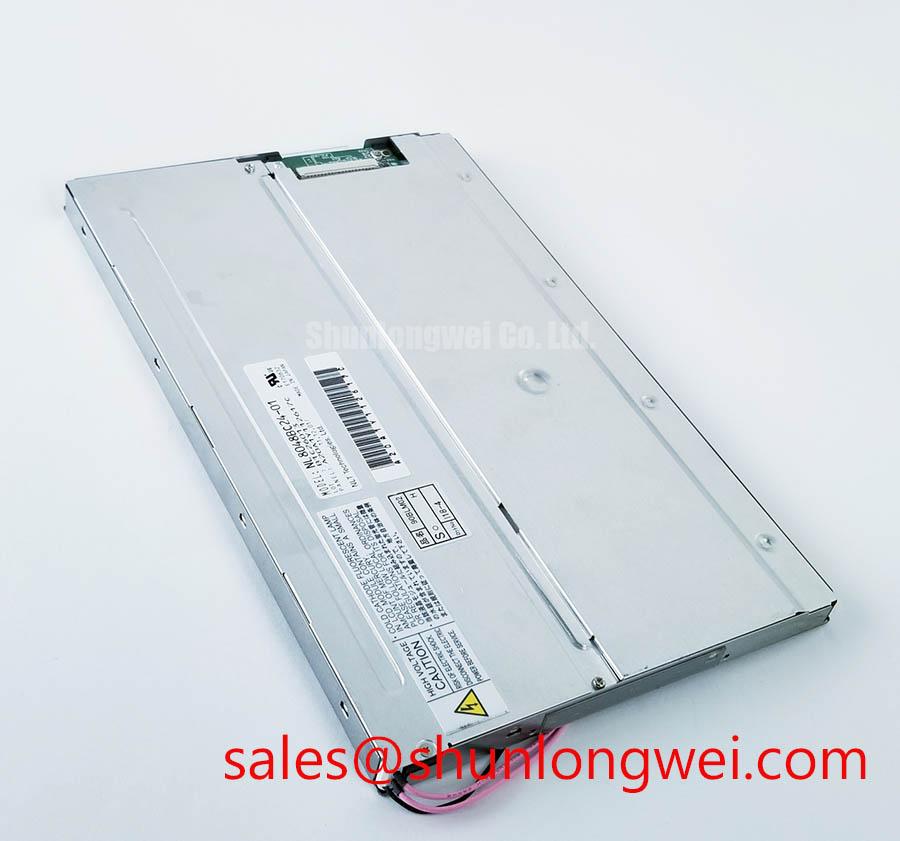
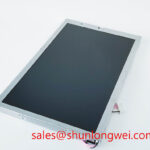
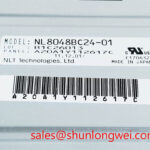
NL8048BC24-01 is an NEC industrial LCD/HMI panel supplied as a TFT-LCD active-matrix color display module (Official Factory Specification). Resolution, dimensions, supply voltage, signal interface, backlight type and operating temperature are not specified in the supplied factory parameters.
Display a full-screen white field on the NL8048BC24-01 and move a controlled light source across the face to distinguish fixed pixel defects from reflections that shift with the lamp. Repeat with black, red, green, blue and mid-gray fields, recording the position of any persistent bright point, dark point, stain or color irregularity. Keep camera exposure and viewing position consistent between tests; an automatic exposure change can make a sound panel appear to have uneven luminance.
Inspect the viewing surface both with the display powered and with it dark. Under oblique light, note scratches, haze, edge lifting or marks that remain in the same place as the lamp moves. A mark visible only when an image is displayed calls for a different investigation from a surface reflection. Record the observation rather than assigning a cause from appearance alone. Polarizer and optical-film condition matters especially where an operator reads small text beneath overhead industrial lighting.
View a grayscale ramp from the intended operator positions, including positions above and below the panel. A tonal reversal at an angle is an observable behavior; it does not, by itself, establish whether this particular module uses TN, IPS or MVA technology. Those technologies can have different off-axis color and grayscale behavior, but no viewing-angle specification or liquid-crystal mode is established here for NL8048BC24-01. As a Design Consideration, judge legibility from the installed viewing position rather than assuming that a nominal wide-angle technology will compensate for enclosure tilt or glare.
If a replacement assembly includes a cover lens or an optically bonded stack, inspect that assembly separately for edge gaps, trapped contamination and moisture paths. Optical bonding must not be assumed to be a factory feature of this module. Compare an illuminated sample at the intended ambient light level with the host enclosure in place: reflected light from a cover lens can reduce readable contrast even when the bare panel looks acceptable. The industrial-display product information from Tianma provides broader optical terminology, while NEC provides manufacturer context; neither should be treated as a substitute for this model’s electrical drawing.
During signal evaluation, identify the host transmitter and panel connector from the equipment schematic before probing a clock line. The supplied specification does not establish a TTL or LVDS interface, so neither pinout nor timing margin should be inferred from the module’s appearance. If the documented interface provides a clock, compare clock quality and data timing at the transmitter and panel ends while varying the equipment through its qualified temperature range. Any allowable jitter, setup time and hold time must come from the applicable interface documentation and be verified on the assembled system.
Industrial EMI Noise Immunity, Chassis Shielding Continuity & Common-Mode Ferrite Chokes
Freeze a test image and compare the display with nearby motor equipment idle and running; photograph any moving pixels or horizontal bands at the same camera settings. Then check whether the artifact follows the video source, cable position or chassis connection. A band appearing near a variable-frequency drive is a reason to examine coupling paths, not proof that the panel has an EMC fault.
With power isolated, inspect the display connector for incomplete seating, uneven latch engagement, damaged contacts and strain where the flexible cable leaves the housing. Trace the cable route against the host drawing and check whether its specified shield or ground connection remains continuous through the enclosure joint. A full-perimeter shield termination can be a useful Design Consideration for a shielded cable assembly, but it is not a stated feature or installation requirement of NL8048BC24-01. For an unshielded flex connection, do not improvise a chassis contact against exposed conductors.
Probe the documented signal pair or clock at both ends of the installed cable while the interference is present, using a measurement method suited to that interface. Compare the waveforms with a known-good signal path where one is available. Common-mode ferrites can be evaluated as a system-level mitigation only after the cable type, signal bandwidth and grounding scheme are known; their placement and impedance require validation on the host equipment. A ferrite should not be used to conceal a loose connector or an incorrect cable assignment.
For an AGV or forklift telematics display under consideration, vibration, cable restraint and enclosure grounding deserve inspection alongside image quality. This is a compatibility evaluation, not an assertion that the module was qualified for either vehicle. NL8048BC19-02KD is another NEC display model that may appear during equipment-level comparison; its backlight circuit, interface and connector cannot be treated as interchangeable without their respective drawings. For broader test planning around ambient light and installation conditions, consult The Ultimate Guide to Industrial TFT LCD Technology and verify the resulting limits on the complete assembly.
Aluminum Heat Spreader Sizing & Thermal Interface Placement along Narrow Display Edges
Scan the illuminated module’s accessible edges for a localized temperature rise after the host has reached a stable operating condition, then compare the image uniformity with a cold-start image. Use the same test pattern and camera settings for both captures. A bright or dark edge does not establish the location of a heat source: correlate the thermal image with the host’s backlight wiring, enclosure contact points and airflow before changing the mechanical design.
The factory facts supplied for NL8048BC24-01 do not identify a backlight technology, heat-spreader material, edge construction or thermal limit. If the host uses an aluminum rail, treat its contact area and restraint as enclosure design variables, not panel specifications. As a Design Consideration, provide a controlled heat path without pressing on the active display area or loading a flexible cable exit. Check flatness and clearance with the panel mounted as it will be used; a rail that fits a loose module may distort the assembly when enclosure fasteners are tightened.
Do not attribute color change to a particular light-guide material or project backlight lifetime from a single warm-up test. Instead, log luminance and color appearance at repeatable points across the screen and compare them under the host’s normal thermal conditions. If an edge grows visibly different as the equipment warms, investigate the backlight drive, mechanical contact and local airflow as separate possibilities. The appropriate pass criteria must come from the equipment’s optical requirements and the applicable panel documentation.
A bent flex circuit can also produce an intermittent image that appears temperature-related because enclosure expansion changes its position. Inspect the cable’s bend path with the cover fitted, looking for rubbing, pinch points and tension at the connector. No bend-life rating is established here for this module, so avoid translating a brief flex test into a durability claim. When comparing a physically different display such as NLB150XG02L-02, check the actual mounting envelope, active area, electrical interface and backlight arrangement rather than treating it as a drop-in substitute.
Preventing Frame Lag & Image Smearing in Cryogenic Storage & Outdoor Industrial Facilities
Run a moving text pattern immediately after a cold start and again after the display stabilizes, keeping the source frame timing unchanged. Record whether trailing follows the moving content, appears only in a particular region or is accompanied by delayed updates elsewhere in the system. Slower liquid-crystal response at low temperature is a Design Consideration, but no cold-temperature rating or gray-to-gray response value is established here for NL8048BC24-01. Test only within the equipment’s documented environmental limits.
Separate panel response from source lag by observing a timing reference or a known-good display on the same video source. If both images update late, inspect the controller, software rendering and transmission path before assigning the symptom to the LCD. If only the installed image smears, repeat the test at controlled temperatures and document the direction and duration of visible trailing. Do not assume that changing frame rate will correct liquid-crystal response behavior.
Check the display perimeter and enclosure seal after thermal cycling for visible gaps, condensation or mechanical displacement. These observations concern the installed assembly; they do not establish the composition or reliability of the module’s internal seal. Where outdoor or cold-storage operation is proposed, the system engineer should establish the required temperature range and moisture protection, then qualify the complete enclosure and display together.
For persistent interface graphics, alternate static text with moving patterns during inspection and look for a residual outline after the content changes. An observed afterimage warrants a controlled retest; it is not, on its own, proof of permanent damage. Check the host’s image-management settings and the panel’s documented operating guidance before changing duty patterns.
If the host dims its backlight, measure light output while changing the commanded brightness and listen for enclosure noise. The supplied factory parameters do not specify a dimming method or PWM range, so choose test conditions from the host circuit rather than assigning a frequency to this panel. Check for visible flicker with the actual operator interface, including fine text, and distinguish electrical dimming behavior from camera artifacts.
Finally, capture the display’s startup and shutdown sequence on the assembled equipment. Check that the documented panel supply, video signals and backlight control arrive and disappear in the required order; an unexpected white screen or lingering image should be correlated with measured waveforms rather than blamed on the LCD alone. The system integrator should verify the required supply voltage and sequencing from the original panel documentation. 💡 Bench Tip: Isolate power and follow ESD handling practice before reseating the display cable, then align it evenly and confirm the connector latch is fully engaged.