





Content last revised on September 30, 2026
Preventing Frame Lag & Image Smearing in Cryogenic Storage & Outdoor Industrial Facilities
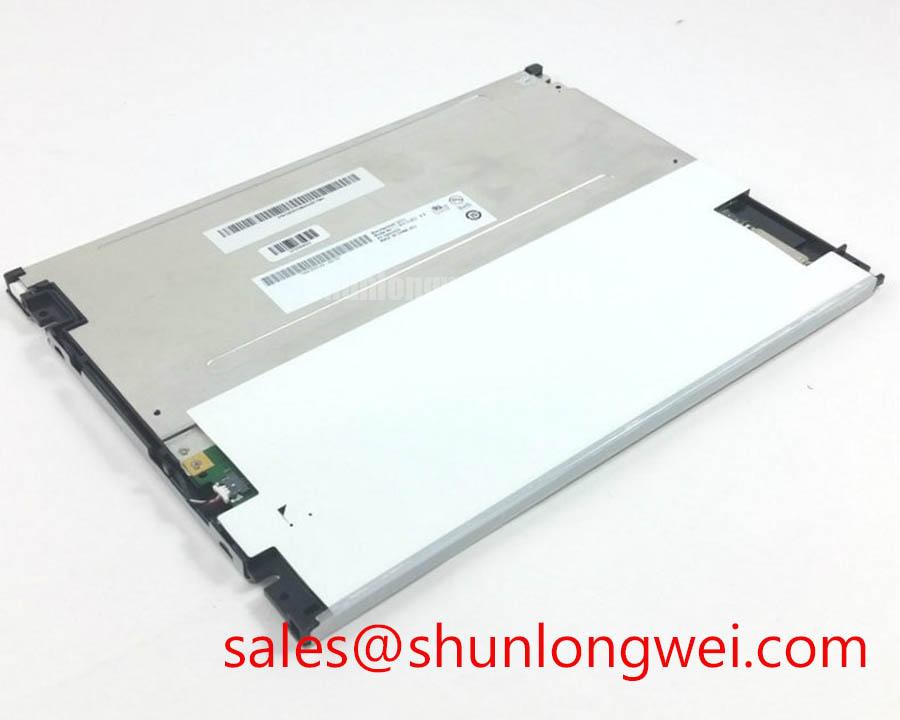
Measure the panel supply rails, inspect the display connector, and compare the incoming video clock and data activity with a known good signal path when moving images become blurred, delayed, or intermittently frozen. The G104SN02-V2 is an AUO TFT-LCD Active Matrix Color Display Module intended for evaluation in industrial HMI and monitoring equipment, but the complete response behavior depends on the panel interface, timing controller, video source, backlight system, and enclosure temperature.
At sub-zero temperatures, liquid crystal movement can slow and produce visible gray-to-gray transition delay. This may appear as trailing objects, frame persistence, or a temporary loss of smooth motion rather than a complete display failure. A cold-start test should therefore separate panel response from controller instability. Record the first image after power-up, then observe a moving test pattern while monitoring the supply behavior and the video timing relationship. If the image recovers as the enclosure warms, inspect the thermal path and the operating limits specified for the complete display assembly rather than assigning the symptom to the LCD cell alone.
TTL and LVDS systems require the transmitter clock, data timing, and receiver setup and hold behavior to remain compatible across the intended temperature range. The exact interface assignment, voltage requirement, timing window, and signal polarity must be taken from the original panel documentation and the host controller design. An oscilloscope inspection should compare clock stability, differential signal symmetry where applicable, edge quality, and data transitions at the display connector. A noisy or marginal clock can resemble slow liquid crystal response because the resulting image may show repeated frames, horizontal disturbance, or unstable grayscale transitions.
For a refrigerated cabinet or outdoor operator station, designers should evaluate the complete thermal sequence rather than applying a generic heater value. Any heater strip, fan, or enclosure warming system must be controlled by the system designer according to the panel’s approved operating conditions, condensation risk, optical uniformity requirements, and available power budget. Rapid local heating can create temperature gradients across the visible area and may produce temporary brightness variation even when the video path is correct.
The same method applies to a hazardous petrochemical Zone 2 operator station. The LCD module does not independently establish the explosion protection, ingress protection, EMC compliance, or certification status of the finished console. The enclosure, cable glands, power architecture, protective bonding, and certified system construction must be assessed as a complete assembly. Where a same-size or same-resolution reference is being evaluated, engineers can compare the host interface and mechanical constraints against NL8060BC31-17D, without treating it as an automatic replacement.
Gamma behavior should also be checked when grayscale steps appear compressed or uneven at low temperature. The T-CON and source-driver timing establish the relationship between incoming digital data and panel drive levels, while the host controller may apply its own gamma table. Use a grayscale ramp and uniform-field patterns to identify whether the defect follows the image data, remains fixed at a physical location, or changes with temperature. A defect that follows the source signal points toward timing or video processing; a fixed area may require inspection of the panel, connector seating, or optical stack.
Thermal Expansion Clearance Sizing across Heavy Industrial Metal Enclosure Cutouts
Remove the display from service, inspect the bezel contact pattern, and look for uneven compression or localized frame loading before attributing dark corners, clouding, or light-field nonuniformity to the LCD itself. The mechanical envelope of the G104SN02-V2 must be matched to the original cutout, mounting brackets, gasket arrangement, and service access provisions. The available factory information identifies the product as a TFT-LCD active matrix color module, but it does not establish a universal enclosure cutout dimension or fastening scheme.
Metal enclosures expand and contract with temperature, while the display frame, mounting hardware, gasket, and front cover respond differently. A rigid cutout with no allowance for the approved mechanical interface can transfer stress into the bezel. That stress may alter the appearance of dark-field images, create localized brightness variation, or make a connector appear intermittently defective when the real issue is mechanical movement. Inspect the panel with a uniform black field, a mid-gray field, and a white field while applying only the mounting arrangement specified for the original equipment.
Cross-pattern tightening is a useful Design Consideration for distributing load evenly, but the correct fastener size, torque, washer type, gasket compression, and bracket geometry are system-specific. A commonly used M3 mounting torque range may be suitable in some light display assemblies, yet it must not be presented as an AUO factory specification for this model. The installer should use the original equipment service procedure or a validated mechanical drawing, then confirm that the front bezel is not twisting the module.
Thermal expansion clearance should be evaluated at the enclosure corners, connector exit, cable bend area, and any metal lip near the active viewing region. Avoid allowing a rigid cover or sealant bead to press against the optical area. If sealing is required for dust or moisture control, the selected gasket or adhesive must be compatible with the panel materials and the equipment’s temperature, chemical exposure, and maintenance requirements. Claims about optical bonding, perimeter sealing, or full assembly air tightness should be made only when those features are documented for the exact display assembly.
At temperatures around the lower operating boundary of the equipment, gray-to-gray response can lengthen and may be mistaken for a backlight defect. Run a moving test pattern after thermal stabilization and compare it with a static grayscale ramp. A heater control loop may be considered when the enclosure requires rapid cold-start readability, but its sensor location, switching method, temperature limits, and protective interlocks must be determined by the system engineer. Do not place a heating element where it produces a hot spot behind one section of the display.
For procurement and repair planning, record the original bezel opening, connector orientation, mounting location, viewing direction, and cable route before ordering a replacement display. The G104SN02-V2 should be treated as a panel-level replacement candidate only after the mechanical and electrical interfaces are matched. Product category alone does not confirm connector compatibility, backlight compatibility, or enclosure fit.
Shielded FFC/FPC Flat Flexible Cable Grounding across 360-Degree Connector Shells
With power removed, reseat the display cable and inspect every contact area, then restore power and compare clock and data waveforms at the source and panel ends when pixel jitter, horizontal bands, or intermittent image loss appears. The cable, connector shell, chassis bond, and video transmitter form one signal path around the G104SN02-V2; a panel swap without checking that path can leave the original fault unchanged.
Shield termination should follow the equipment’s EMC architecture and the cable manufacturer’s construction. A shield that is bonded at the wrong point, interrupted by a long pigtail, or clamped against a painted surface may provide inconsistent high-frequency performance. A 360-degree shell connection can reduce the exposed shield path when the connector and enclosure are designed for it, but it is not a substitute for a verified grounding structure. Inspect the shell contact, conductive gasket, chassis finish, and cable strain relief together.
Variable-frequency motor drives can place strong common-mode disturbances near display wiring. When noise is reported near a motor drive, first compare the display behavior with the drive disabled under safe operating conditions, then inspect cable routing, separation, shield continuity, and bonding. A ferrite component may be evaluated as a Design Consideration when common-mode energy is present, but its impedance curve, current capability, placement, and effect on the intended signal must be tested in the finished system.
LVDS timing faults often appear as unstable pixels, color speckling, or bands that change with cable movement. Probe selection matters because an unsuitable ground lead can create a false waveform problem. Use the correct differential probing method where appropriate, compare the clock and data relationship at the transmitter and receiver, and examine whether the disturbance correlates with enclosure movement or motor switching. The exact pinout and signal voltage cannot be inferred from the model number alone.
When a replacement cable is required, match the conductor count, contact orientation, pitch, exposed contact direction, shield arrangement, bend direction, and locking method specified by the original assembly. Do not substitute a cable simply because it fits the connector housing. The system integrator should verify the required supply voltage, backlight arrangement, and interface format from the original panel documentation and host equipment drawings.
⚡ Field Alert: Disconnect equipment power and allow stored energy to discharge before inserting or removing the display cable, because contact movement during live servicing can stress signal and supply pins.
A related display solution such as NL8060BC31-02 may be reviewed as part of a broader display and backlight topology study, but it should not be treated as a confirmed companion unit for the G104SN02-V2 without interface and mechanical verification. For standards context, engineers can consult the VESA Video Electronics Standards Association official portal when reviewing general display interface and testing terminology. VESA references do not replace the original AUO panel documentation or the finished equipment compliance assessment.
Polarizer Durability & Optical Retardation Film Inspection under Direct Industrial Lighting
Inspect the powered display under a uniform white field and a black field from the normal operator position, then change the viewing angle while checking for fixed scratches, pressure marks, color shift, and reflected hot spots. This direct examination helps separate surface damage, polarizer wear, optical nonuniformity, and video gamma errors on the G104SN02-V2.
Direct industrial lighting can reveal defects that remain hidden in a shaded service room. Strong reflections may be mistaken for reduced contrast, while viewing-angle changes can expose grayscale inversion or color variation associated with the LCD mode and optical stack. The supplied product identity confirms an AUO TFT-LCD active matrix color module, but it does not confirm IPS, MVA, TN, anti-glare treatment, optical bonding, viewing-angle symmetry, or retardation-film construction. Those attributes must be matched to the exact factory documentation and original equipment specification.
Use controlled patterns when checking grayscale. A ramp from dark to light can reveal clipped levels, gamma discontinuity, or a T-CON timing issue. A full-screen gray field can expose localized mura, pressure marks, uneven backlight distribution, or contamination. If the defect changes when the video source changes, trace the signal and gamma configuration. If it remains in the same physical position across multiple patterns, inspect the panel surface, mounting pressure, optical path, and backlight uniformity.
Polarizer surfaces should be cleaned only with a method approved for the display assembly. Do not use abrasive cloths, aggressive solvents, or excessive pressure on the front surface. In a petrochemical monitoring terminal, chemical compatibility is a complete-enclosure issue involving the cover window, gasket, coating, cleaning agent, and panel surface. A protective window can improve serviceability, but it may also add reflections, reduce contrast, or create an air gap that changes the viewing result.
Optical bonding should be treated as a documented assembly feature rather than assumed from the industrial application. If the equipment requires moisture resistance or reduced internal reflection, the integrator should verify whether the original construction uses bonding, a gasketed air gap, or another optical arrangement. The selected sealing method must also preserve service access and avoid stress on the active area during thermal cycling.
Backlight uniformity requires thermal inspection as well as visual inspection. Use a consistent test image and check whether bright areas, dark zones, or color changes correlate with the rear housing, driver location, or enclosure heat source. Localized overheating can accelerate optical aging or create temporary luminance variation, but the correct thermal limit and heat-spreading method are determined by the complete display assembly and equipment design.
For a repair decision, document the connector condition, active image area, surface condition, mechanical fit, video interface, backlight behavior, and enclosure environment together. The Ultimate Guide to Industrial TFT LCD Technology provides additional practical reference material for panel selection, interface review, and common integration assumptions.