

Content last revised on September 22, 2026
Diffuser Film and Prism Sheet Thermal Buckling Prevention under Continuous Full Duty Operation
| Parameter | Factory information |
|---|---|
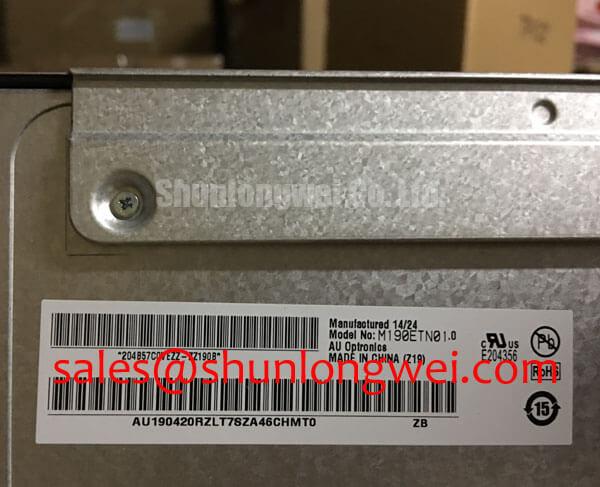
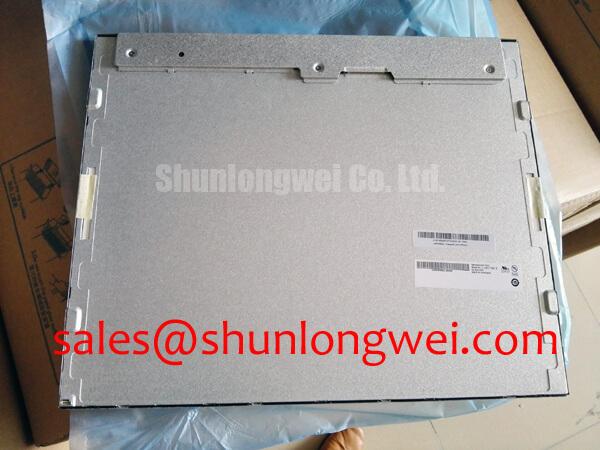
| Model | M190ETN01.0 |
| Manufacturer | Innolux |
| Product category | Industrial Grade LCD/HMI Panel |
| Display technology | TFT LCD Active Matrix Color Display Module |
| Specification status | Limited factory information available |
Inspect the display surface for localized haze, uneven brightness, optical rippling, or edge lift while the panel is operating at its normal duty level, then compare the affected area with a known good image and record the ambient and enclosure conditions.
The M190ETN01.0 is identified as a TFT LCD Active Matrix Color Display Module. Its supplied factory information does not establish a specific diffuser material, prism sheet construction, LED lifetime rating, optical bonding structure, or contrast ratio under direct sunlight. Those characteristics must not be assumed during a field replacement evaluation. The practical task is to determine whether the replacement panel matches the original optical stack, mounting pressure, backlight arrangement, and viewing environment.
Thermal nonuniformity often becomes visible first along narrow display edges or near enclosed backlight regions. As a Design Consideration, engineers should inspect the rear frame, bezel clearance, thermal contact points, and nearby heat sources before attributing a brightness defect to the LCD cell. A rail or heat spreader can be considered where enclosure measurements show a localized temperature concentration, but its dimensions, attachment method, and thermal path must be established by the system designer rather than inferred from the model number.
Do not press the active area to correct a bright or dark region. Mechanical pressure can change the appearance of the liquid crystal cell and may conceal the original fault during inspection. Check whether the symptom follows the panel, remains fixed with the display controller, or changes when the enclosure is returned to its normal clamp condition. That comparison separates a panel optical issue from a frame alignment or installation problem without assigning a single cause prematurely.
For an outdoor or cab mounted telematics display, direct sunlight can expose weaknesses that are not visible on a workshop bench. Confirm the original equipment requirement for luminance, contrast, anti glare treatment, viewing angle, and sunlight readability. The available factory information for this model does not verify a specific contrast ratio at a stated illumination level, so a system acceptance test should use the original equipment optical requirement and a calibrated measurement method.
Inspect the diffuser and prism area indirectly through uniform test patterns. Look for repeating bands, corner darkening, color drift, or a brightness change after thermal soak. These observations help identify whether the optical layers are seated consistently. Any claimed L70, B50, or half life value requires a manufacturer source for the exact backlight configuration and operating condition; it should not be assigned to this display module from general LED practice.
High Voltage Striking Potential and Secondary Coil Insulation Testing
With power isolated, identify the installed backlight architecture and inspect the connector, cable insulation, and driver output path before applying any high voltage test equipment.
The supplied information confirms the display category but does not confirm a CCFL backlight, a high voltage inverter, a constant current LED driver, a PWM dimming range, or a specific ignition voltage for M190ETN01.0. A repair engineer should therefore match the replacement to the original panel documentation and the equipment harness rather than treating CCFL and LED assemblies as interchangeable.
Where the original assembly uses a high voltage backlight inverter, insulation testing is a system level activity. Isolate the panel from sensitive controller electronics, follow the equipment service procedure, and use test equipment rated for the circuit under examination. Inspect for carbon tracking, pin contamination, cracked insulation, loose crimp terminals, and evidence of acoustic vibration from the inverter area. The test voltage and acceptance limit must come from the applicable safety procedure or original equipment documentation.
Where the equipment uses an LED backlight, verify the driver output behavior with the correct load connected and observe current regulation, enable control, and dimming response. Do not inject an assumed backlight voltage into an unidentified connector. A black screen with a visible image under angled light can justify checking the backlight path, but the observation does not by itself identify a failed driver, open LED string, or incompatible panel.
Audible buzz and visible flicker should be assessed with the display installed in its normal enclosure. If PWM dimming is present, the system integrator should verify the actual frequency, duty response, and driver compatibility from the original panel and controller documentation. Generic PWM figures cannot be presented as factory specifications for this model. Check the display at low, medium, and high brightness while monitoring supply stability and image consistency.
For equipment exposed to vibration, secure the backlight cable so that its weight and movement do not load the connector. Use the original strain relief arrangement where practical and keep high voltage wiring separated from signal wiring according to the equipment safety design. This is a Design Consideration, not a declared construction feature of the display module.
Logic Supply Voltage Sequencing to Eliminate Driver IC Latch Up Risks
Connect the oscilloscope ground at the controller reference point and capture the panel supply, enable signal, and display data activity during both startup and shutdown before changing the power sequence.
The required logic supply voltage for M190ETN01.0 is not provided in the supplied factory parameter set. The system integrator should verify the required supply voltage from the original panel documentation and measure the installed controller rail under load. Do not choose a rail based only on a connector appearance or on a similar LCD model.
A clean startup test should examine whether data activity appears before the panel supply is stable, whether the enable signal remains asserted during an incomplete ramp, and whether the controller leaves residual charge on the interface after shutdown. White screen, retained image, intermittent startup, or a split image can have multiple possible causes, including sequencing, cable contact, controller configuration, or panel incompatibility. Compare the signals with a known good assembly and document the timing relationship rather than assigning a single fault from the symptom.
The LVDS or other display interface mapping must be verified from the exact panel documentation. JEIDA and VESA mapping are not interchangeable assumptions, and a mapping mismatch may produce incorrect colors, unstable imagery, or a split screen. Confirm lane order, polarity, pixel format, connector orientation, and cable pin assignment before replacing the controller.
Signal routing should preserve the differential nature of the interface and minimize unnecessary stubs, sharp discontinuities, and common impedance paths. A 100 ohm differential target or a particular skew limit may be appropriate for a specific interface design, but those values belong to the controller and cable design record unless the original panel specification states them. Validate the assembled system with waveform quality and eye margin measurements at the panel connector.
Power down completely before removing or inserting the display cable. ⚠️ Field Alert: Disconnect power and allow stored energy to discharge before handling the panel connector, because live insertion can expose signal pins to an unintended voltage sequence.
For a heavy mining shovel or earthmoving equipment telematics display, the surrounding harness may experience vibration, contamination, and repeated service access. Examine connector retention, ground continuity, cable bend stress, and enclosure sealing as part of the installation review. The model is a panel component; system level environmental protection remains the responsibility of the equipment designer.
Additional enclosure, grounding, thermal, and service planning considerations can be reviewed in Industrial Display and HMI Solutions.
Eye Diagram Voltage Margin and Differential Noise Floor Verification in High Vibration Bays
Probe the differential display signals at the panel end while the nearby motor drive changes operating state, then compare common mode movement, eye opening, and horizontal noise bands with the equipment in its normal grounded configuration.
Noise troubleshooting should begin with the complete signal path. Inspect the cable shield termination, connector shell contact, chassis bonding, controller ground, and routing distance from variable frequency drive wiring. A shield that is connected at only one unintended point, a loose connector shell, or a cable pressed against a high current harness can alter the measured noise floor. These conditions require comparative testing rather than a fixed symptom to cause diagnosis.
Ferrite components may be evaluated as a Design Consideration when conducted or radiated interference is demonstrated, but their impedance behavior depends on frequency, current, placement, and the surrounding return path. Adding a component without observing the waveform can move the resonance or reduce the desired signal margin. Verify the result at the panel connector and at the controller output.
For high vibration bays, flex the harness only within the permitted service movement while monitoring the image and interface waveform. Look for intermittent contact, momentary lane loss, horizontal bands, pixel jitter, or a change in common mode level. A replacement cable should match the original connector, pinout, shielding arrangement, length, and mechanical retention requirements. The supplied factory data does not establish a universal LVDS cable construction for this model.
Cold operation can increase liquid crystal response time and alter the visual appearance of moving content. The operating temperature range, gray to gray response, heater arrangement, and compensation behavior must be verified from the exact panel documentation. Do not claim a particular low temperature range or guaranteed response time for M190ETN01.0 without that source. If a heater is part of the equipment design, its control should be validated against enclosure temperature, condensation risk, and the panel supplier’s permitted conditions.
Viewing angle and color shift also need to be assessed using the actual operator position. A replacement TFT LCD module can appear acceptable head on yet show a different contrast or color balance from an oblique cab position. Compare neutral gray, skin tone, warning colors, and fine text from the normal viewing locations. If optical bonding or anti glare performance is required, confirm that requirement separately because it is not established by the available factory description.
When the panel is evaluated for industrial HMI replacement, record the exact controller, cable, backlight driver, mounting frame, and environmental conditions used during the test. That record gives procurement and maintenance teams a reproducible basis for compatibility review without extending unverified specifications to the display itself.