Content last revised on October 2, 2026
Incoming Benchtop Inspection: Display Surface, Connections and Image Integrity
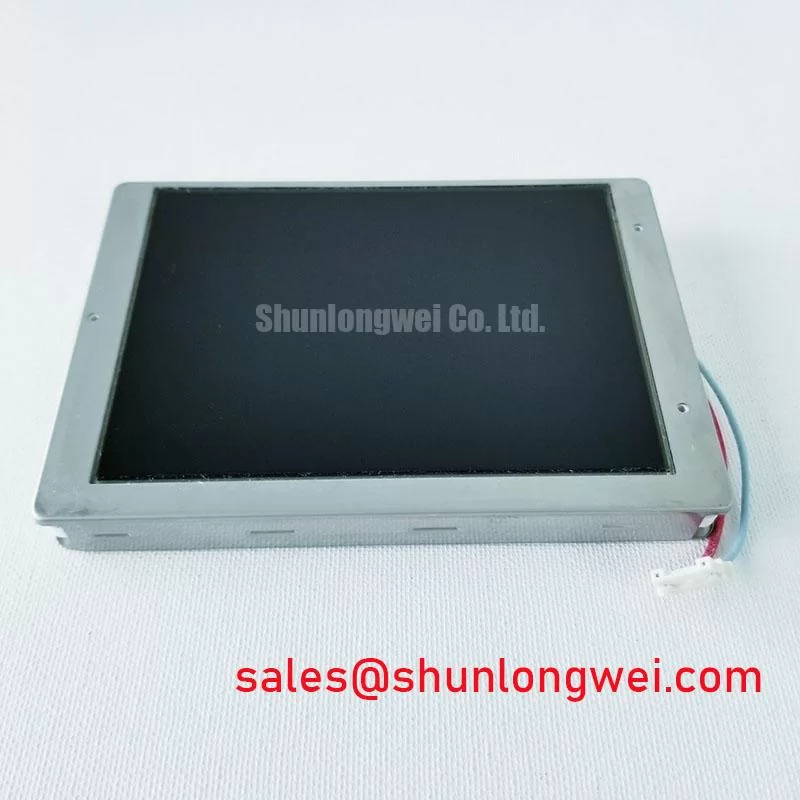
Inspect the NEC NL6448AC18-08D connector and display surface before applying power, then compare its label and mechanical fit with the panel removed from the equipment. The confirmed product classification is an industrial LCD/HMI panel in a TFT-LCD display module housing (Official Factory Specification). The information provided for this model does not establish its resolution, supply voltage, signal interface, backlight type, connector pinout or mounting dimensions. Treat those details as checks against the original panel documentation, not as assumptions drawn from a similar-looking NEC display.
Start with the module unpowered. Look across the front surface under oblique light for scratches, pressure marks and areas that appear uneven. Inspect accessible connector contacts and cable ends for contamination, deformation or poor seating. Check the frame for distortion and note how the module sat in the original enclosure before loosening any remaining hardware. These observations give a repair engineer a baseline without requiring a speculative diagnosis of the panel’s internal construction.
On a bench fixture that has already been validated for the NL6448AC18-08D, display solid red, green and blue images, followed by a dark image and a fine text pattern. This is a Design Consideration for inspection, not an NEC acceptance test. Photograph persistent lines, missing image regions and uneven illumination in the same lighting conditions. A narrow line that remains fixed across different images calls for investigation of the signal path and display assembly; it does not, by itself, identify a particular driver bond or fracture.
If a machine screen appears black, shine a flashlight across it at an angle while the host is presenting a known image. A faint visible image can help separate an illumination-path problem from a completely absent video image. Confirm that observation with checks of the host’s backlight command, driver supply and relevant cable connections. If no image is visible, verify that the controller is producing the expected output before assigning the fault to the LCD. A known-good signal path and the original equipment schematic are more useful here than a generic panel pinout.
For intermittent image faults, inspect the cable latch and strain relief before probing high-speed signals. Connector movement can change contact quality; it can also disturb a cable that was already damaged. If the original documentation identifies the interface and timing limits, an engineer can compare clock and data waveforms at the appropriate test points over the equipment’s required temperature range. The available confirmed specifications do not identify the NL6448AC18-08D interface as TTL or LVDS, so neither transmitter timing nor data-hold limits should be assigned to this model without that documentation.
Field alert: Disconnect equipment power before unplugging or reseating the display cable.
Polarizer and Optical Inspection under Industrial Lighting
Judge readability from the operator’s actual viewing position, not only from directly in front of a bench-mounted panel. Overhead lamps, a nearby window and reflections from a machine guard can expose surface damage or glare that is difficult to see in a dim workshop. With the original image source connected, compare text legibility from the positions the operator uses and document any change in contrast or color. This is particularly relevant when assessing a CNC operator panel or robot teach pendant, but suitability depends on the host’s electrical and mechanical requirements.
Do not infer a TN, IPS or MVA mode from the appearance of a powered display. Those technologies can behave differently at oblique angles, yet the confirmed information supplied for this model does not establish its LCD mode, viewing-angle ratings, surface treatment or optical-bonding construction. If an enclosure uses a separate cover lens, inspect the lens, its seal and the space between it and the LCD as separate parts of the assembly. Haze, trapped debris or moisture at that boundary should not be described as a defect inside the NEC module without further inspection.
A static industrial HMI page deserves a repeatable optical check. After operating with the equipment’s normal screen content, change to a uniform test image and observe whether a previous pattern remains visible. Record whether the effect fades and compare it with a known-good assembly under the same conditions. Screen blanking or content rotation can be considered at the system level where the controller permits it; neither practice establishes a lifetime rating for this panel.
Image instability in a noisy cabinet also requires a signal-path check. Route and shield the display cable according to the host design, keep its connectors secure, and compare suspect waveforms with the equipment maker’s interface requirements. Differential-pair impedance or skew targets apply only after the actual interface has been identified. An unrelated display listing is not evidence of pin or timing compatibility: NL10276BC30-24D can be reviewed as another NEC display option in a system-level assessment, but its documentation must be evaluated independently.
Mechanical Clearance and Mounting in Metal Enclosures
Measure the removed panel, its connector projection and its installed cable route before committing to an enclosure cutout. Check that the replacement assembly sits without twisting, that the front opening does not press on the visible display area, and that the cable can reach its mating connector without being pulled across a sharp metal edge. The confirmed product information does not provide NL6448AC18-08D outline dimensions or mounting-hole locations, so enclosure tolerances must come from the applicable mechanical drawing and the original equipment.
When fastening the panel, use the documented hardware and tightening instructions for the specific assembly. Even tightening helps avoid frame distortion, but a generic fastener torque is not an official limit for this model. If dark areas appear only after installation, compare the powered image with the module supported outside the enclosure. The result may point toward mounting pressure or cover-lens contact; verify the physical interference before changing fasteners or adding material behind the panel.
Leave room for the cable’s intended bend path and retain it as the equipment design requires. Repeated cabinet opening, vibration and a partly engaged connector can all produce intermittent symptoms, so inspect the latch and cable condition during the same visit. Do not assign a bend-life figure to an undocumented cable. Where a sealed front assembly is required, verify the enclosure gasket and cover-lens arrangement rather than assuming that the TFT-LCD module itself provides a moisture-tight barrier.
Replacement screening should be based on drawings and electrical documentation, not on a shared manufacturer name or apparent face size. Engineers considering NL10276BC16-06 alongside the NL6448AC18-08D should compare the active area, outline, mounting points, connector, signal timing, power requirements and backlight arrangement before judging interchangeability. No direct-replacement claim follows from the confirmed specifications available here.
Backlight Driver and Power-Sequence Debugging
Separate the image path from the illumination path before changing the display. With the equipment schematic at hand, check whether the host enables the backlight driver and whether its supply is present when illumination is commanded. Then inspect the driver-to-panel wiring and connector seating. A faint image found with a flashlight supports further investigation of illumination, but it does not establish whether the fault is in the driver, wiring, control signal or display assembly.
Do not select a CCFL inverter or an LED constant-current driver for this model on the strength of its product category. The confirmed information provided here does not identify the NL6448AC18-08D backlight technology, its operating current or any ignition requirement. Obtain the original panel and host documentation before energizing an unfamiliar backlight connection. Likewise, PWM frequency, dimming range and brightness-life figures cannot be treated as NEC ratings for this module without a model-specific specification.
For a white screen or an image that disappears during startup, capture the host supply, display-enable and video activity in the sequence defined by the equipment maker. Compare startup and shutdown behavior with a working machine when one is available. A white image may accompany a missing video stream, an incorrectly seated connector or a sequencing issue; the observation alone does not isolate the cause. On shutdown, document any lingering image separately from a backlight that remains on, since the two observations involve different parts of the system.
After restoring a stable image, run the machine through its normal brightness settings and operating states. Listen for noise at the driver, watch for visible flicker and check for heat or cable movement at accessible connections without touching energized circuitry. Record the conditions under which a symptom returns so that the host and panel can be assessed separately. The Industrial Display & HMI Solutions guide provides broader context for cabinet-level display checks; the original equipment documentation remains the authority for this panel’s electrical connections and operating limits.