Content last revised on October 11, 2026
Cold Start Response Time and Optical Damping in Sub Zero Environments
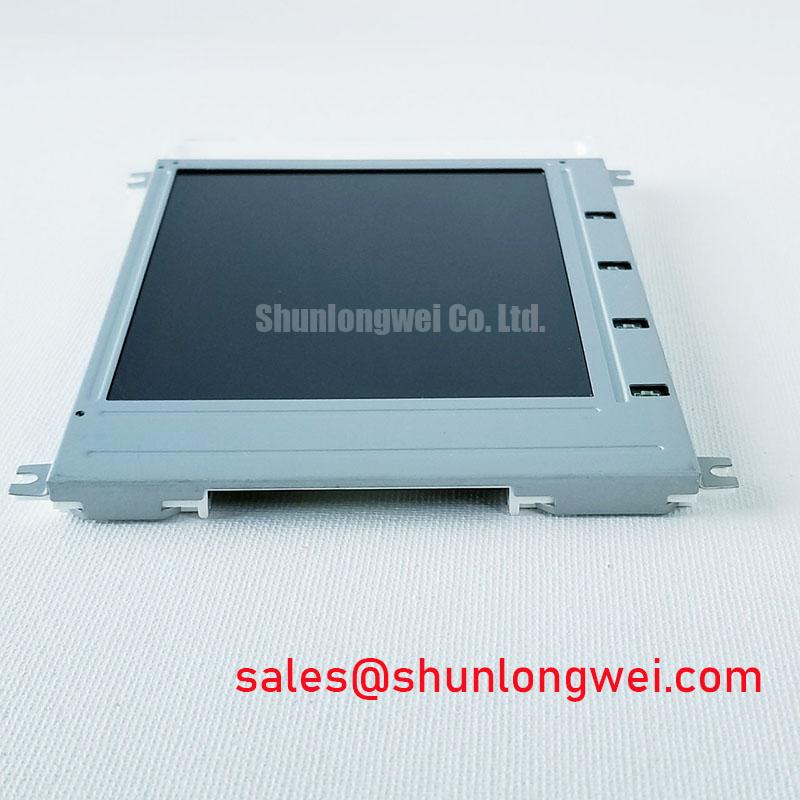
When a precision electronic test instrument shows a slow image, uneven contrast, or a dark area after a cold start, first separate the display response from the instrument’s signal path. The SX14Q002-ZZA is identified as a KOE / Hitachi Industrial Grade LCD/HMI Panel in an HMI Touch Screen Assembly format, with a decoded baseline and standard form factor. These are the confirmed product characteristics for replacement planning; supply, interface, and backlight details must remain matched to the original equipment documentation.
Cold operation can lengthen liquid crystal response and make an aging optical stack appear less uniform. A service technician should compare the panel after thermal stabilization with the same screen pattern at normal workshop temperature. Slow grey transitions, loss of reflective contrast, or bright patches should be recorded separately because they can arise from the liquid crystal cell, polarizer condition, adhesive aging, backlight behavior, or the host controller’s timing.
Legacy terminals may show polarizer discoloration, ultraviolet exposure marks, or adhesive bubbling around the viewing area. These observations are useful for replacement assessment, but they do not establish the internal construction of this specific model. Avoid pressing the active area to test a suspected bubble. Instead, inspect the display at an oblique angle under controlled illumination and compare the symptom with a known good image source.
Backlight aging also needs careful interpretation. A commonly quoted brightness decay curve, such as a nominal service-life point at which output falls to a percentage of initial brightness, is a general industry reference rather than an SX14Q002-ZZA specification. The replacement evaluation should therefore compare luminance, flicker, and driver behavior using the original equipment’s approved test method. Do not transplant an LED or CCFL assumption from another panel into this assembly without confirming the original panel documentation.
For high ambient illumination, assess the complete viewing system rather than the panel alone. Enclosure window reflections, operator angle, surface contamination, and external lighting can dominate perceived contrast. A practical service record should include the displayed pattern, ambient condition, backlight setting, and whether the symptom follows the panel or remains with the controller.
Logic Power and Liquid Crystal Bias Power Up Coordination
Power sequencing should be checked at the equipment interface before replacing a panel that appears blank during startup. The confirmed product information for SX14Q002-ZZA does not specify a logic supply voltage, liquid crystal bias voltage, TTL pin assignment, LVDS mapping, FLM timing, LP pulse, or CP clock requirement. The system integrator should verify these values from the original panel documentation and the instrument service schematic rather than selecting between commonly used voltage families by assumption.
A useful measurement is the relationship between logic power, display enable behavior, clock activity, and image data during a cold start. A panel that receives data before its required bias or enable conditions may remain blank, show unstable content, or develop stress that is difficult to distinguish from a display failure. The correct sequence is system determined and should be verified at the connector with an oscilloscope while observing the manufacturer’s timing limits.
Parallel digital buses require attention to frame synchronization, line pulses, dot clock quality, and data hold behavior. For differential links, controlled routing, a continuous return path, and termination consistent with the transmitter and receiver documentation help reduce reflections. Do not impose a generic impedance value on this model unless it is stated by the applicable interface specification. Check the signal at both ends of the cable when a pattern appears intermittent or when the fault changes as the cable is moved.
Clock jitter should be evaluated against the receiver’s timing window across the equipment’s operating temperature range. An apparently acceptable image at room temperature can become unreliable when cable loading, connector contact, or oscillator drift changes during thermal operation. If the original system uses a proprietary timing board, preserve its cable orientation and grounding arrangement during the replacement test.
⚠️ Field Alert: Disconnect equipment power before removing or reseating the display cable, because live insertion can expose signal and power contacts to unintended electrical stress.
Touch operation adds another diagnostic branch. If the image is stable but touch coordinates are absent, inspect the touch controller connection and its host interface separately from the LCD signal path. General background on projected capacitive touch systems is available through Touchscreen Capacitive Projected Multi Touch Systems. USB equipped HMI systems should also be checked against the host controller’s enumeration and grounding requirements; the interface background is described in Universal Serial Bus Interface.
Cleaning Zebra Rubber Strips and PCB Gold Contact Pads
Missing rows, missing columns, or a narrow vertical defect can change when bezel pressure or cable position changes. That pattern calls for a controlled inspection of the connector interface, not an immediate conclusion that the LCD cell has failed. The supplied product data describes an HMI touch screen assembly, but it does not confirm a zebra rubber strip construction for this exact model. Use the following method only where the assembly design visibly includes an elastomeric connector.
Power down the instrument, remove contamination with a suitable lint free method, and inspect the contact pads under magnification. Anhydrous isopropyl alcohol may be used as a cleaning consideration where it is compatible with the connector materials and the equipment manufacturer permits it. Apply the liquid to the cleaning material rather than flooding the panel edge. Allow complete evaporation before reassembly.
Alignment is more important than force. The conductive faces of a zebra connector must remain square to the pad array, while the bezel or frame should provide even compression across the contact region. Excessive local pressure can distort the assembly and create a new intermittent fault. If a mechanical specification is available for the original frame, follow that specification; do not treat a generic pressure range as an official value for SX14Q002-ZZA.
After reassembly, display a full white, black, and grid pattern while applying only the normal mechanical movement expected in service. A defect that follows the frame or changes with gentle cable movement may indicate contact alignment, contamination, or vibration displacement. A stable defect that remains independent of mechanical condition requires investigation of the display drive and panel itself.
Sub zero operation can also extend grey to grey response and make motion appear smeared. A heater strip, if present in the host equipment, is a system accessory and must not be assumed to be part of this assembly. The control strategy should be evaluated against the instrument’s approved environmental design, with attention to condensation, warm up time, and the possibility that the display surface reaches a different temperature from the surrounding electronics.
For a broader explanation of display interfaces, optical behavior, and industrial TFT integration, consult The Ultimate Guide to Industrial TFT LCD Technology.
High Voltage Lead Insulation and Secondary Transformer Screening
High voltage inspection is relevant only when the original equipment documentation confirms a high voltage fluorescent backlight architecture. The supplied SX14Q002-ZZA product data does not identify a CCFL circuit, ignition voltage, sustained lamp voltage, tube current, or transformer arrangement. Those values must not be assigned to this model from a general display repair chart.
Where a legacy instrument does contain a high voltage backlight inverter, technicians should inspect lead routing, insulation damage, connector seating, transformer potting, and evidence of corona or arcing under an approved safety procedure. The enclosure should be de energized and discharged according to the equipment service instructions before access. Screening should focus on whether the fault follows the inverter, the lamp circuit, or the display assembly.
Do not use visible brightness alone to regulate a replacement backlight. The inverter, lamp or LED driver, optical stack, and control board form a matched system. A backlight that starts slowly, cycles, or becomes uneven may involve protection behavior, aging components, connector losses, or an incompatible replacement interface. Record the symptom during startup and after warm operation, then compare it with the original service limits.
For equipment using an LED driver instead, the relevant checks shift to enable control, current regulation, thermal behavior, and connector compatibility. A commonly cited backlight decay figure such as 50,000 hours to a specified brightness percentage is not an official SX14Q002-ZZA rating in the supplied data. Treat such figures as general design references only, not as a warranty of field life. When integrating this KOE / Hitachi LCD display into a precision electronic test or field analysis instrument, confirm the mechanical fit, touch interface, signal format, power requirements, and backlight architecture against the original assembly before applying power.