Content last revised on October 25, 2026
Industrial Bezel Mechanical Envelope Tolerances and Mounting Screw Torque Optimization
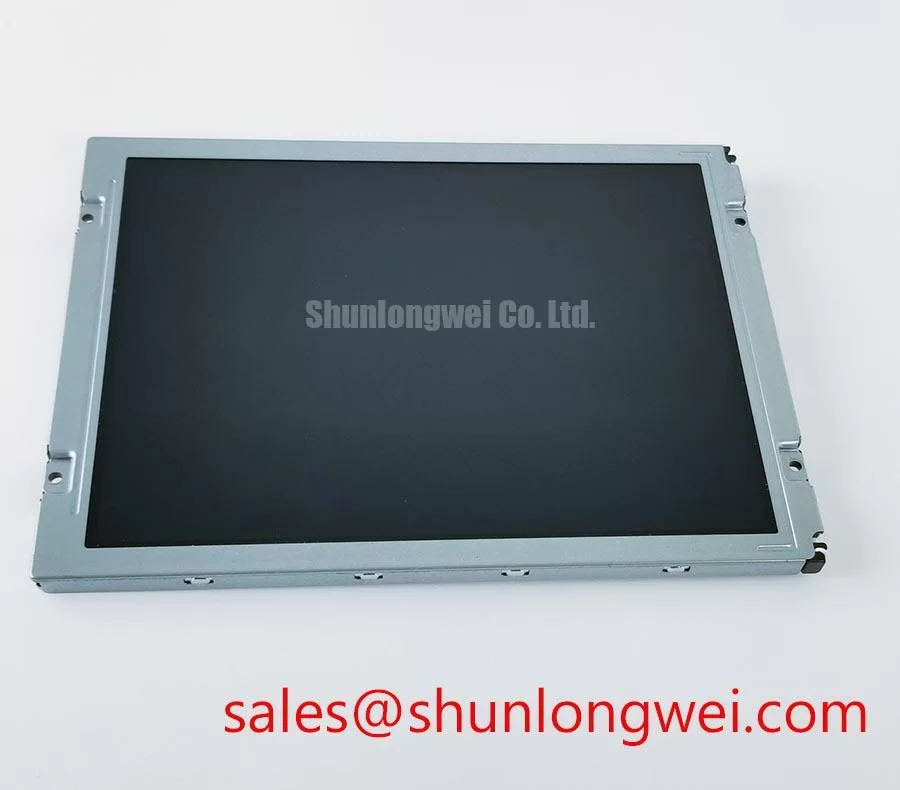
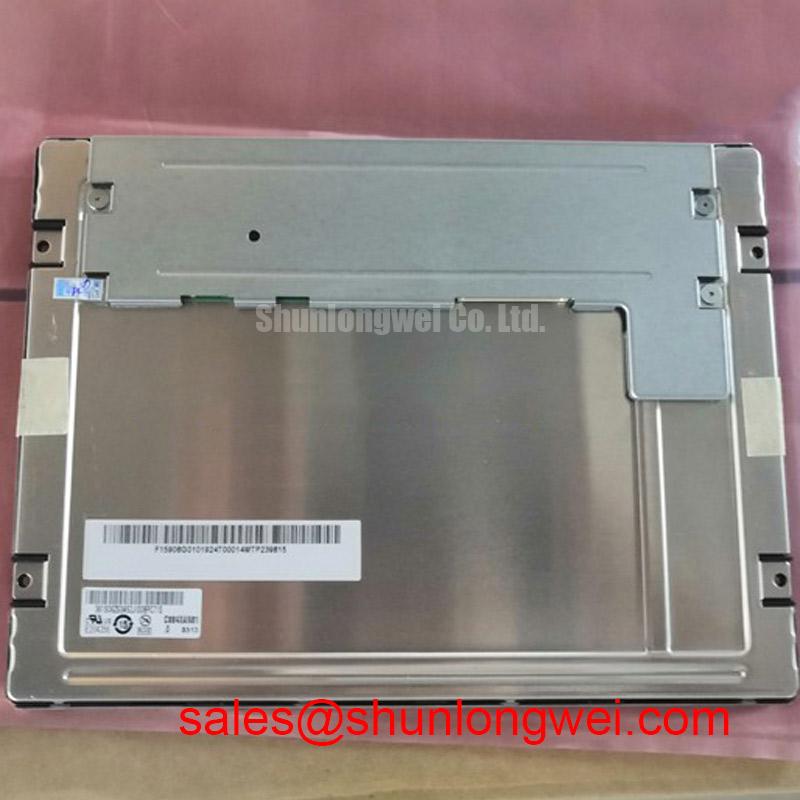
When a replacement panel is installed in a factory automation machine tool or HMI operator terminal, first compare the bezel opening, mounting-hole pattern, connector clearance, and visible display area against the removed assembly. The TCG084SVLQAPNN-AN20-SA is identified as a Kyocera Industrial Grade LCD/HMI Panel with a TFT-LCD active matrix color display module construction; the supplied product data does not define a complete mechanical drawing, so the original panel drawing remains the controlling reference for cutout and fastener locations.
Localized optical mura can appear after the panel is clamped unevenly. A practical Design Consideration is to seat the module against a flat, clean support surface and tighten M3 fasteners progressively in a cross pattern. The supplied integration target of 0.35 to 0.45 N·m should be treated as an engineering mounting reference rather than an official Kyocera specification for this exact part. The final torque must follow the enclosure material, screw type, washer arrangement, and original assembly documentation. Excessive local pressure can distort the bezel or place mechanical stress near the active viewing area, while insufficient retention can allow vibration to change the panel position.
Before applying power, check that the flex cable bends naturally without folding across the connector body. The cable should not be trapped between the display frame and the machine enclosure. Confirm that the rear cover, keypad carrier, and sealing gasket do not press directly against the module. For a CNC operator terminal, the display opening should be checked with the panel unpowered and temporarily seated so that edge loading is visible before final fastening.
The visual inspection should include dark-field and mid-gray images rather than only a bright white screen. Dark corners, pressure rings, or nonuniform areas that change when the bezel screws are relaxed indicate that the mechanical stack-up deserves further review. This observation does not establish a single fault mechanism; it helps separate enclosure loading from signal timing or backlight behavior.
Clock stability also depends on the mechanical routing around the panel. A flex cable that is sharply compressed or routed beside a switching node can introduce intermittent display faults that are difficult to reproduce during a static bench test. Kyocera’s industrial display technology information provides useful background on display construction and optical integration; engineers can consult Kyocera Industrial TFT-LCD Display Technologies when comparing the panel’s application context with the host equipment.
Controlled 100-Ohm Differential Impedance Flex Routing to Suppress High-Frequency Jitter
Interface commissioning should begin by confirming the host controller’s documented signaling format, logic rail, pixel clock behavior, and connector pin assignment before the display is connected. The product classification supplied for this unit identifies the display module and standard form factor, but it does not provide a complete pinout or confirm whether a particular machine uses LVDS or TTL. The system integrator should verify the required supply voltage from the original panel documentation and match the replacement cable accordingly.
For an LVDS implementation, controlled differential routing is a Design Consideration rather than a guaranteed characteristic of the complete machine assembly. A 100 Ω differential target with a practical evaluation window of 100 Ω ±10% can be used when reviewing the host board and flex interconnect. Pair spacing, reference-plane continuity, connector geometry, and the transition from rigid PCB to flexible cable all influence the result. The routing objective is to preserve differential balance and reduce common-mode conversion while keeping the clock and data paths consistent.
A skew review is also useful when the terminal shows split-screen artifacts, unstable columns, or color errors that vary with cabinet activity. The supplied design target of 50 ps or less should be treated as an engineering evaluation limit for the complete signal path, not as an official standalone specification for this Kyocera module. Use the known-good signal path as the comparison reference and inspect clock-to-data alignment at the receiving interface. JEIDA and VESA mapping differences can produce an apparently active image with incorrect color order, so the selected mapping must match the host timing controller and the original panel configuration.
Power sequencing deserves the same attention as data mapping. Where the host design specifies a 3.3 V or 5.0 V logic rail, measure the actual rise profile at the panel connector rather than relying on the controller output setting. A 0.5 ms to 10 ms rise-time window may be used as a system-level design consideration for evaluation, subject to the original documentation and controller requirements. Check reset behavior, enable timing, and the relationship between logic power and backlight enable during cold starts.
💡 Pro Tip: Keep each differential pair geometrically consistent through the connector and flex transition, then compare clock jitter and data eye quality with the machine’s servo and inverter operating so that high-frequency cabinet noise is evaluated under real switching conditions.
For a same-size replacement investigation, engineers may also review TCG084XGLAAPNN-AN00-S, while treating connector assignment, timing, optical stack, and mounting geometry as separate compatibility checks rather than assuming interchangeability from the similar product code.
Dual-Channel CCFL High-Voltage Resonant Inverter Striking Voltage and Ignition Debugging
Backlight troubleshooting must start by identifying the actual illumination architecture in the machine rather than assuming that every panel revision uses the same driver arrangement. The supplied product information confirms a TFT-LCD active matrix color display module, but it does not establish a CCFL or LED backlight configuration for this exact model. The original panel documentation, inverter board, harness, and service drawing should be used to identify the installed technology.
For a dual-channel CCFL system, a cold-start evaluation may examine the inverter’s ignition behavior around the supplied 1500 to 1650 Vrms engineering reference. This is a hazardous high-voltage test area and should be performed only with suitable probes, insulation, spacing, and discharge controls. Arcing, audible buzz, or repeated restart behavior can involve lamp condition, inverter resonance, harness placement, grounding, or control-loop interaction. These observations should be correlated with the inverter waveform and current regulation rather than assigned to the display module alone.
If the equipment uses an LED backlight, the relevant checks change to driver current regulation, PWM enable polarity, dimming frequency, thermal distribution, and optical uniformity. A 1000:1 PWM dimming figure may be used as a system evaluation objective only when supported by the selected LED driver and host controller. It is not presented here as an official rating of the Kyocera module. A claimed 50,000-hour half-brightness result likewise requires a manufacturer test condition, junction or panel temperature profile, drive current, and measurement method before it can be used in a procurement specification.
When a repaired HMI shows brightness pulsing, inspect the backlight enable waveform and driver supply at the same time as the image signal. A stable image with unstable illumination points the investigation toward the driver and harness, while image tearing that remains when the backlight is disabled calls for timing and interface checks. The display should be evaluated at multiple brightness settings because thermal behavior and PWM interaction can change the apparent fault.
Wide Temperature Operational Margin and Sub-Zero Liquid Crystal Viscosity
Temperature testing should be performed with the module installed in its actual enclosure, because the bezel, rear cover, controller board, and backlight assembly create a different thermal environment from an open bench. The supplied engineering scenario uses −30°C to +85°C as the evaluation window. This range should not be treated as an official operating rating unless it is confirmed by the applicable Kyocera datasheet for the exact suffix.
At sub-zero temperature, liquid-crystal response can slow as viscosity increases. The practical symptom may be longer gray-to-gray transitions, motion smearing, or temporary tonal nonuniformity during the first minutes after power-up. Test patterns should include gray ramps, moving bars, and alternating high-contrast fields. Record the image behavior during temperature stabilization and after the enclosure reaches equilibrium. Avoid correcting a cold-start response issue by altering gamma values until the panel temperature and controller timing have been checked.
The T-CON and gamma path should be reviewed as an integrated system. Gray-scale behavior depends on source timing, reference voltages, gamma correction, frame rate, and panel temperature. If gray steps collapse or colors shift across the temperature cycle, compare the host waveform and gamma behavior with a known-good panel configuration. A mismatch in T-CON timing can resemble an optical response problem, while a thermal optical change can remain even when the digital waveform is clean.
Perimeter sealing and mechanical support also deserve inspection after thermal cycling. Differences in expansion between the panel frame, bezel, gasket, and enclosure can alter pressure distribution or create edge nonuniformity. Designers should check the panel after cold soak, warm operation, and return to room temperature, looking for changes that persist after mechanical relaxation. Backlight thermal mapping is valuable for locating localized hot regions near the driver or light-emitting area, but the acceptable temperature limit must be taken from the selected panel and driver documentation.
For a broader explanation of TFT architecture, selection factors, and common integration errors, see The Ultimate Guide to Industrial TFT-LCD Technology.