Content last revised on October 19, 2026
AA084VC06 Replacement and Integration Checks
- Isolate equipment power before inspecting the AA084VC06 connector, cable orientation, and contact condition against the original display assembly.
- Check the bezel opening, mounting supports, and gasket seating for uneven compression or pressure on the display surface.
- Compare the controller’s output format and connector pin assignment with the panel documentation before connecting the replacement.
- Inspect the enclosure for blocked airflow, moisture traces, and cable strain before powered testing.
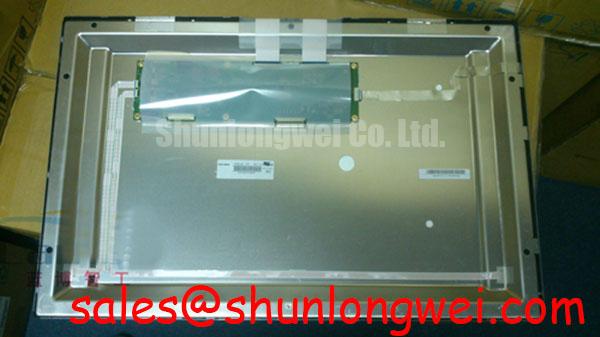
The AA084VC06 Mitsubishi Electric LCD display has an 8.4-inch diagonal, 640 × 480 VGA resolution, and a 31-pin CMOS interface. Replacement assessment should keep those electrical characteristics separate from mechanical fit: matching the diagonal alone does not establish connector compatibility or correct image timing.
| Parameter | Product specification | Integration relevance |
|---|---|---|
| Manufacturer and model | Mitsubishi Electric AA084VC06 | Match the complete model designation. |
| Screen diagonal | 8.4 inches | Check the mechanical drawing separately. |
| Resolution and aspect ratio | 640 × 480 pixels; 4:3 | Match controller output and image scaling. |
| Typical luminance | 500 cd/m² | Typical luminance is not an ambient contrast guarantee. |
| Operating temperature | −30 to +80 °C | Assess conditions at the installed panel. |
| Interface | CMOS, 31 pins | Do not treat the connector as an LVDS interface. |
| Additional integration details | Consult datasheet | Supply voltage, timing, pinout, optical mode, backlight requirements, and mounting dimensions. |
Dynamic Contrast Ratio Stabilization & Liquid Crystal Birefringence Temperature Tracking
Compare grayscale patches from the intended operator position before adjusting brightness or changing the mounting arrangement. As a Design Consideration, liquid crystal optical behavior varies with temperature and viewing direction; a washed-out image therefore needs comparison under controlled conditions rather than an immediate backlight diagnosis. Hold the test pattern, viewing position, and ambient illumination constant while the assembly reaches thermal equilibrium.
TN grayscale inversion and the wider viewing behavior associated with IPS or MVA are technology-level distinctions, not interchangeable specifications. Do not assign an optical mode, symmetric viewing cone, or anti-glare surface treatment to AA084VC06 without its corresponding optical specification. Observe whether apparent contrast changes with viewing angle, surface reflections, or bezel pressure. These checks help separate viewing geometry from installation-related nonuniformity.
The 500 cd/m² typical luminance describes light output, not guaranteed sunlight readability. Ambient reflections can raise apparent black levels and reduce usable contrast. Evaluate the assembled cover window and display together under the installation’s actual illumination, including reflections from nearby lighting. Avoid adding films or changing the optical stack solely to compensate for a symptom that originates in mounting pressure.
During replacement screening, the TCG084XGLAAPNN-AN00-S can enter a separate comparison of outline, resolution, interface, and optical requirements. Its inclusion in that comparison does not establish drop-in compatibility with AA084VC06.
TTL 24-Bit Digital RGB Bus Synchronization & Logic Power Rail Verification
Trace the 31-pin CMOS interface through the equipment schematic before assigning RGB signals, clock, synchronization, or power connections. The heading’s TTL and 24-bit terminology must not be interpreted as a confirmed AA084VC06 bus width or logic threshold. Connector count alone cannot establish either characteristic.
Engineering Recommendation: compare the controller waveform at the receiving connector with the panel’s specified input timing. Check clock stability, data alignment, synchronization polarity, and supply behavior during startup and shutdown. Capture these together where practical; a steady supply reading after startup can miss sequencing disturbances. Investigate split images or unstable colors by comparing timing and mapping with a known-good signal path, rather than assigning a single cause from the displayed symptom.
CMOS parallel signaling should not inherit differential-link routing prescriptions. JEIDA/VESA mapping conventions and differential characteristic impedance belong to the relevant link architecture, not automatically to this panel connection. An HDMI interface likewise requires appropriate conversion to the receiving panel interface; a passive connector change does not perform that conversion.
For controller and illumination integration, the LQ074V3DC01 technical comparison provides a separate display-system reference, not a matched driver prescription. Where an ultrasound console or surgical-navigation terminal is being assessed, verify the complete equipment’s image performance and integration requirements; these panel specifications do not establish clinical suitability.
Preventing Frame Lag & Image Smearing in Cryogenic Storage & Outdoor Industrial Facilities
Compare moving edges and grayscale transitions after temperature stabilization, keeping the image source and controller settings unchanged. As a Design Consideration, lower temperature can increase liquid crystal response time, making motion trails more noticeable even when frame delivery remains stable. Distinguish that behavior from repeated frames or interrupted data by observing the source timing alongside the image.
The AA084VC06 operating range is −30 to +80 °C; it does not specify constant gray-to-gray response throughout that range. Nor does an operating limit establish a thermal-cycle qualification or authorize testing beyond the upper boundary. Evaluate panel temperature inside the enclosure, where nearby electronics and restricted airflow can produce conditions different from room measurements.
After transfer between cold and warm environments, allow the assembly to equilibrate and assess condensation before energizing it. Seat dust gaskets evenly and keep their compression from loading the display surface. Localized pressure can contribute to visible nonuniformity; compare the image with the approved mounting arrangement rather than compensating through gamma adjustments.
Maintenance Note: Inspect airflow paths and gasket condition periodically so accumulated dust or displaced seals do not compromise the installed assembly.
The Industrial Display & HMI Solutions resource offers broader enclosure and environmental integration guidance. Any supplemental thermal control should follow equipment-level testing, including temperature distribution and moisture behavior, rather than being treated as a standard panel accessory.
Eye-Diagram Voltage Margin & Differential Noise Floor Verification in High-Vibration Bays
Observe clock and data transitions relative to the panel’s signal reference while nearby switching equipment operates. For this CMOS interface, receiver-level voltage margin, ringing, and timing alignment are more directly relevant than assuming an LVDS differential eye test. Use probing methods that minimize added loading and reference-loop pickup, then compare results with the applicable input limits.
Engineering Recommendation: inspect connector retention, cable strain relief, and return-path continuity when image disturbances correlate with vibration. Route display wiring away from switching-power conductors where the equipment layout permits. Shield termination or suppression changes should follow measured coupling paths and system validation; neither is an automatic cure for horizontal bands or pixel instability.
Separate illumination changes from image-data errors by checking whether brightness variation affects the entire field while image content remains stable. The general operation of backlight units explains why illumination deserves its own diagnostic path. Measure the installed backlight supply and control behavior against its requirements, and inspect for localized heating without assuming a particular internal light-source construction.
Track brightness under repeatable temperature, warm-up, and measurement conditions. A reduction in measured luminance is not, by itself, an MTBF result or a remaining-life estimate. If noise persists, correlate image disturbance with supply ripple, clock behavior, cable position, and backlight operation to identify which path warrants corrective work.