Content last revised on October 7, 2026
Differential Display Timing, Pixel Clock and Data Mapping
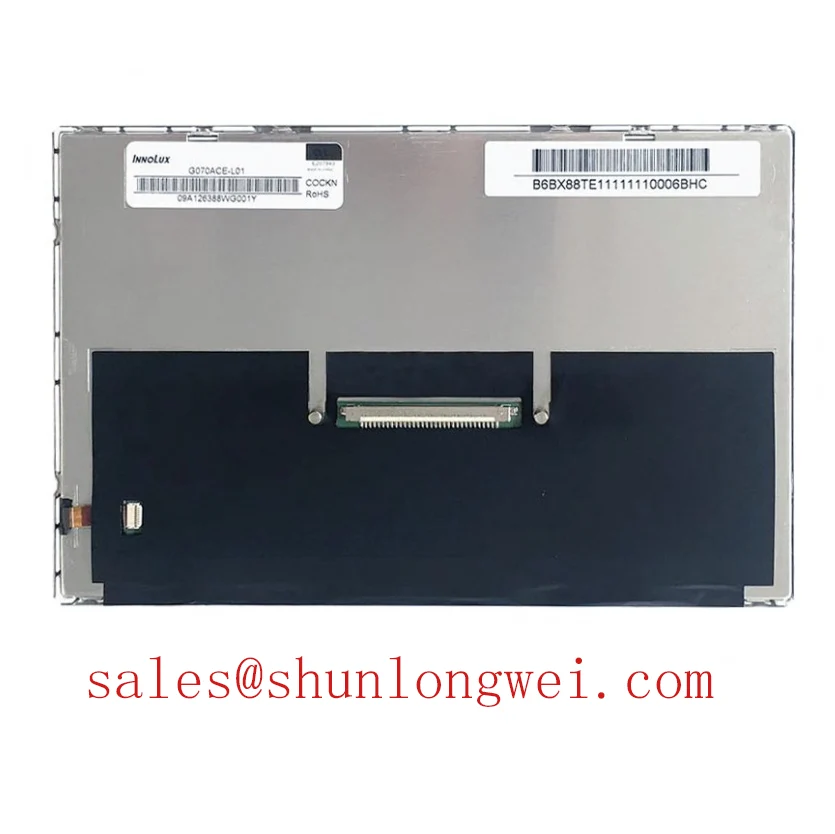
Disconnect power, inspect the panel connector for bent contacts, and compare the installed module’s label with G070ACE-LH2 before disturbing the display cable. The verified factory information identifies this AUO product as an industrial grade TFT LCD display module. It does not establish its supply voltage, connector pin count, resolution, optical mode, backlight rating, or operating temperature in the information available here. Those details must be checked against the original panel documentation and the host equipment schematic before a replacement is energized.
A display that fits the opening can still be electrically incompatible with its controller. Before connecting G070ACE-LH2, identify the interface and connector pin assignments from the applicable factory drawing. Confirm the positions of power, ground, image signals and backlight connections against the existing harness. Do not infer a pinout from connector appearance or from another AUO module with a similar model name.
If the documented interface is LVDS, compare the host transmitter’s lane assignment, pixel clock range and data mapping with the panel requirements. JEIDA and VESA mapping are not interchangeable assumptions: a mismatch can produce incorrect colors even when an image is otherwise stable. A split image, intermittent pixels or color errors warrant a comparison of the transmitter configuration with the documented panel mapping before changing hardware. Clock jitter and signal skew also need to be assessed at the connector under the equipment’s actual operating conditions, rather than judged solely from a static test pattern.
💡 Pro Tip: As a Design Consideration, preserve the specified differential pair routing and verify its impedance through the cable and connector before attributing intermittent pixels to the panel. A nominal 100 Ω differential path is a common LVDS design consideration, not a confirmed G070ACE-LH2 factory specification. The system integrator should verify the required impedance, logic supply, power sequencing and backlight control method in the original documentation. If the equipment uses PWM dimming, check its waveform and brightness response against that documentation rather than assigning an unsupported frequency or duty cycle to this module.
Polarizer and Optical Inspection under Direct Lighting
Place a uniform gray image on the installed display and inspect it from the operator positions used by the equipment. Record whether contrast, color or grayscale changes with viewing angle. This is particularly relevant when assessing a panel for a surgical navigation or ultrasound display terminal, where clinicians may view the same image from different positions. That application calls for system-level optical and regulatory evaluation; the industrial grade designation alone does not establish suitability for medical use.
Do not assume a particular liquid-crystal mode or viewing cone for G070ACE-LH2 without its optical specification. TN grayscale inversion and the more symmetric viewing behavior often associated with IPS or MVA are useful comparison concepts, but neither identifies this module’s construction. Compare candidate panels using the factory viewing-angle, contrast and color specifications, then inspect them in the intended enclosure with its actual ambient lighting. Surface reflections can obscure low-contrast image features even when an electrical test image looks correct at the bench.
Check the polarizer and front surface under both diffuse light and the equipment’s direct lighting. Look for scratches, pressure marks, uneven reflections and local discoloration; distinguish these observations from changes in the image itself by switching between a dark screen and uniform color fields. If the assembly includes a protective cover or optical bonding, inspect the complete stack for reflections and trapped contamination. The presence or sealing performance of bonding cannot be inferred from the panel model alone. For broader enclosure and optical evaluation practices, see Industrial Display & HMI Solutions.
Glass Support, Cable Strain and Line Defect Diagnosis
Before seating the module, compare its outline, active area, connector location and mounting points with the original mechanical drawing. A matching diagonal class is not enough to establish fit. The bezel and supports should hold the module without twisting its glass or forcing the connector cable into a tight bend. Verify opening tolerances with the cover and gasket installed, since pressure that appears harmless on an unpowered assembly may become visible as image nonuniformity.
For a bench check, display red, green and blue fields in sequence, followed by black and mid-gray fields. Note whether a line remains fixed in the same location, changes with cable movement, or appears only at particular brightness settings. With the equipment safely configured for inspection, an oblique flashlight view of a dark screen can help distinguish a backlight illumination defect from an image-data defect. It cannot, by itself, identify a specific internal bond or driver failure. Compare the result with a known-good signal path and the equipment’s service information before assigning a cause.
When evaluating a possible replacement, compare TX20D200VM2BVA only as a separate candidate requiring its own mechanical, electrical and optical compatibility review. Do not treat a similar size or apparent image format as evidence of interchangeability with G070ACE-LH2. The decisive checks are the documented pinout, supply and sequencing requirements, image timing, backlight interface, mounting geometry and display performance needed by the host system.
Thermal Distribution and Color Shift at the Display Edges
Inspect the installed module for localized warmth and visible color differences after it has operated in its normal enclosure. Compare the center and edges using uniform white and gray images, and note whether nonuniformity changes as the equipment reaches a stable operating condition. A bright or yellowed region has several possible contributors, including illumination, optical layers and the surrounding assembly. Visual inspection alone does not establish a material failure or a remaining service life.
Review how the enclosure moves heat away from the display and whether nearby electronics create a concentrated hot spot. An aluminum rail may be evaluated as part of an enclosure thermal design, but its dimensions and contact arrangement must be determined by the equipment designer using mechanical and temperature measurements. Avoid adding a rigid contact that transfers chassis distortion into the panel. If brightness changes during operation, measure the backlight drive and confirm the documented control method before treating the change as optical aging.
For G070ACE-LH2, no backlight lifetime rating, lumen-maintenance curve, optical-film material or approved heat-spreader design is established by the supplied factory information. Decisions about continuous operation should therefore use the applicable factory limits and measured temperatures in the finished equipment. Where image consistency is critical, record the same test pattern, brightness setting, viewing position and ambient conditions for each inspection so that a developing change can be compared meaningfully.