Content last revised on October 12, 2026
Eye-Diagram Voltage Margin and Differential Noise Floor Verification in High-Vibration Bays
When a CNC operator panel shows pixel jitter, intermittent horizontal bands, or unstable graphics near a variable-frequency motor drive, start at the display link rather than replacing the panel immediately. Inspect the FFC or LVDS connection for incomplete insertion, uneven contact pressure, shield termination problems, and routing that places the cable alongside high-energy motor conductors.
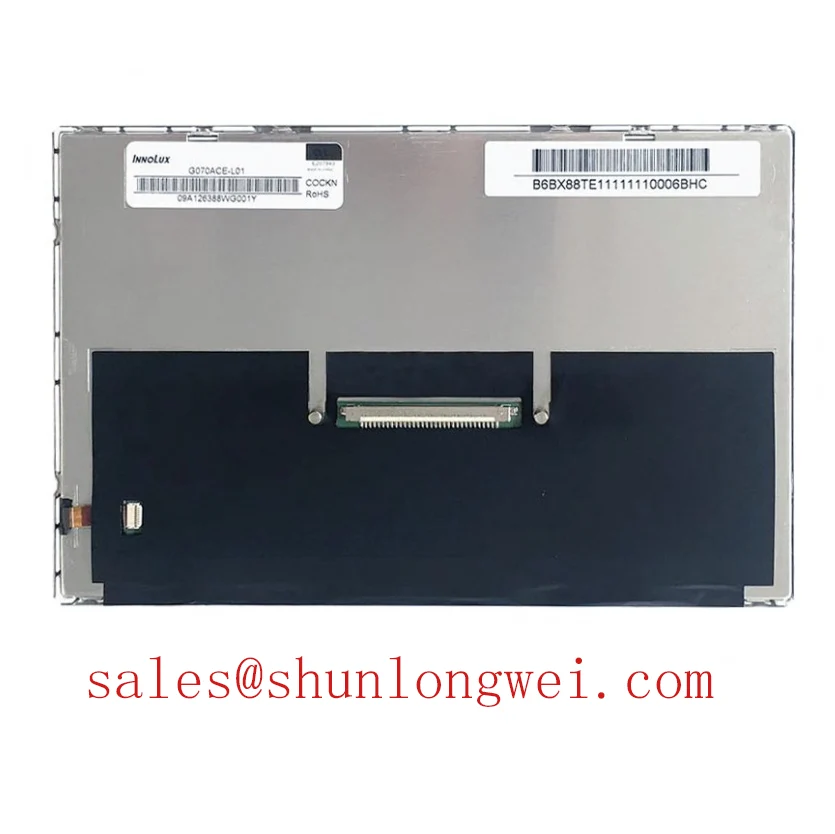
The G070ACE-LH3 is identified as an AUO industrial grade LCD/HMI panel using a TFT-LCD active matrix color display module. The host system remains responsible for supplying the correct interface, timing, and power conditions defined by the original panel documentation. The system integrator should confirm whether the existing controller uses LVDS, TTL, or another display interface before fitting a replacement.
For a high-interference cabinet, the cable shield should form a continuous low-impedance path to the chassis reference selected by the equipment designer. Avoid leaving a long unshielded section near servo amplifiers, contactors, or inverter output wiring. A common-mode ferrite can be considered when conducted or radiated interference is present, but its effectiveness depends on cable construction, frequency spectrum, grounding arrangement, and the complete enclosure design.
As a Design Consideration, differential display links are commonly routed with controlled differential impedance near 100 ohms with a tolerance selected by the interface specification. Pair-to-pair skew should also be controlled so that the clock and data relationship remains inside the receiver timing window. These are system-level routing targets, not confirmed factory specifications for the G070ACE-LH3. During diagnosis, compare the suspect panel path with a known-good signal path using the same probe method and grounding arrangement. An eye diagram that closes only after the cable is installed may indicate impedance discontinuity, excessive common-mode noise, connector contact variation, or an unsuitable cable length.
Use the display technology references for the physical signal context: Thin-Film-Transistor Liquid-Crystal Display technology explains the active matrix display principle, while the controller and cable determine how image data reaches the panel. For wider troubleshooting context, see The Ultimate Guide to Industrial TFT LCD Technology.
Surface Anti-Glare and Anti-Reflective Treatment for High Ambient Readability
Check the viewing surface under the actual cabinet lighting before judging a display fault: overhead LED reflections, protective windows, fingerprints, and a steep operator angle can make a correctly driven image appear washed out or uneven. The product information identifies the G070ACE-LH3 as a TFT-LCD active matrix color display module, but it does not establish a specific AG surface, AR coating, IPS cell, MVA cell, or viewing-angle rating.
AG and AR are different optical functions. Anti-glare treatment diffuses reflected light to reduce sharp reflections, while anti-reflective treatment reduces reflected intensity through surface optical control. Diffusion can improve readability under bright ambient illumination but may also affect perceived sharpness and black-level contrast. A bonded cover lens, protective film, or recessed bezel can change the result, so the complete HMI assembly must be evaluated rather than the bare panel alone.
Do not assume that a replacement with the same diagonal format will have the same viewing behavior. TN, IPS, and MVA technologies can produce different grayscale transitions, contrast perception, and off-axis color behavior. The IPS panel reference describes the wide-angle behavior associated with IPS technology, but it does not confirm that construction for this AUO model.
For a CNC operator panel or robot teach pendant, evaluate the image from the operator’s real working position, including vertical and horizontal offset. Display a grayscale ramp, fine text, and representative alarm screens. Look for grayscale inversion, loss of dark detail, color shift, or reflections introduced by the surrounding bezel. These observations help separate optical integration issues from T-CON timing, gamma control, cable integrity, or backlight performance.
The T-CON and host graphics path determine grayscale voltage control, gamma correction, frame timing, and image stability. If text remains sharp but gray levels are abnormal, inspect the controller configuration and the panel timing data before modifying the mechanical installation. The required supply voltage, interface assignment, and timing values should come from the original panel documentation and the equipment service records.
Industrial Bezel Envelope and Mounting Interface
Before installing the G070ACE-LH3 into a replacement bezel, compare the panel outline, active display opening, connector clearance, mounting-hole pattern, and cable exit direction with the removed unit. A similar form factor does not by itself establish interchangeability between two displays.
Mechanical pressure is a frequent source of optical nonuniformity after an emergency replacement. A bezel that contacts the visible area, a distorted mounting frame, or uneven fastener loading can create localized brightness variation, edge shadows, or mura-like patterns. The correct mounting method depends on the host chassis, gasket arrangement, bracket stiffness, and the panel drawing. The display should be supported across its intended mounting features without transferring enclosure distortion into the active area.
Cross-pattern tightening is a useful Design Consideration for distributing load across a rectangular display assembly. Any fastener torque must be selected from the panel mechanical drawing, screw size, insert strength, bracket material, and gasket compression requirement. The commonly cited values in a generic installation guide must not be treated as AUO factory specifications for this model. Use a calibrated driver and confirm that the chassis does not twist as the fasteners are secured.
When a dark region appears after installation, loosen the enclosure hardware in a controlled sequence and observe whether the optical pattern changes. This does not prove that mechanical compression is the only cause; inspect the backlight uniformity, cable seating, viewing angle, cover lens, and display drive condition as part of the same assessment. Avoid pressing directly on the panel surface during testing.
For outdoor-facing or wash-down equipment, the enclosure sealing method is a system responsibility. The G070ACE-LH3 product identification does not establish an ingress protection rating, optical bonding construction, gasket material, or conformal sealing capability. Designers should verify those requirements against the complete HMI assembly and the equipment environmental specification.
Wide Temperature Evaluation and Sub-Zero Response Behavior
At low ambient temperature within the documented operating limits, begin evaluation with the panel powered from the approved host system and allow the display to reach the actual enclosure condition before assessing motion quality. Liquid-crystal response can change with temperature, so scrolling text, moving alarm graphics, and grayscale transitions may appear slower in a cold cabinet even when the link remains electrically stable.
The available product information does not confirm an operating temperature range for the G070ACE-LH3. Do not assign a temperature rating from the phrase “industrial grade” alone. Verify the approved operating and storage limits from the applicable AUO documentation before using this model in an unheated CNC cabinet, robot pendant, or other equipment exposed to sub-zero conditions.
A heater may be considered in a system that requires stable low-temperature response, but it is not established as an integrated feature of this panel. Heater control must account for enclosure airflow, thermal gradients, startup sequencing, condensation risk, and the temperature limits of the panel, cable, adhesive, and controller. The integrator should measure the panel surface and nearby enclosure temperature rather than relying only on the cabinet air sensor.
During cold-start testing, record the time from power application to readable image, the behavior of the backlight, grayscale transition quality, and any change in flicker or line artifacts. A slow visual response may be optical and temperature-related, while intermittent image loss can also involve connector contraction, cable stress, supply instability, or controller timing. Compare the same test at room temperature and use the known-good signal path to isolate the changing variable.
Thermal cycling should be assessed at the assembly level. The panel, bezel, protective window, cable, adhesive interfaces, and controller can expand at different rates. Inspect for connector movement, bezel loading, condensation, and image nonuniformity after cycling. The G070ACE-LH3 remains an AUO TFT-LCD active matrix color display module; final environmental acceptance belongs to the equipment designer and must be verified against the original display documentation and system test criteria.