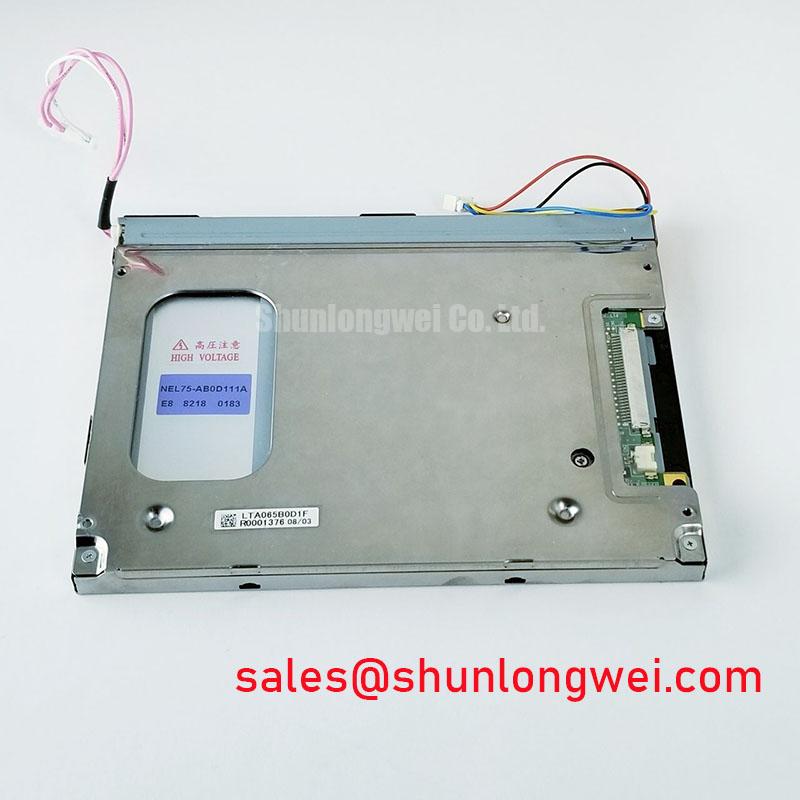
Content last revised on October 1, 2026
Grayscale Inversion and Viewing Direction Alignment
| Hardware specification | G070VTN04.0 |
|---|---|
| Manufacturer | AUO |
| Product category | LCD display module |
| Module construction | Active-matrix color TFT-LCD module |
Display a grayscale ramp on the installed G070VTN04.0 and inspect it from the operator’s normal viewing position before changing the mounting angle. If dark steps merge or appear to reverse as the observer moves, repeat the test with a known-good video source and the enclosure open. That comparison separates a viewing-angle effect from image processing in the host. It also gives a repair engineer a more useful observation than a photograph taken directly in front of a panel that is normally viewed from below or to one side.
Viewing-direction behavior depends on the optical design of the exact panel revision. The verified identification for this module establishes an AUO active-matrix TFT-LCD color display; it does not establish a normally white TN mode, an IPS or MVA viewing cone, or a preferred viewing direction. Treat those characteristics as acceptance-test items rather than replacement specifications. For a console mounted above eye level, check whether alarm colors, small labels and subdued gray backgrounds remain distinguishable at the positions where operators stand or sit. Compare the result with the equipment’s display requirements, not with a generic viewing-angle claim.
Under strong ambient illumination, inspect both the displayed image and reflections from the front surface. A washed-out grayscale chart can result from reflected light, reduced backlight output or a changed video signal; appearance alone does not establish which one is responsible. Shade the display temporarily while leaving its electrical operating conditions unchanged. If legibility improves, examine the enclosure window, viewing geometry and any documented surface treatment. Do not assign this model an anti-glare etching process or a contrast ratio at a specified sunlight level without an optical specification for the exact module.
For compatibility evaluation, a high-voltage substation protection terminal or SCADA dispatch console is one possible equipment context, not a declared design assignment for the panel. Designers should judge the mounted display using the actual enclosure, ambient lighting and operator position. The distinction between panel contrast, reflected-light contrast and viewing-angle behavior is useful when planning that test; The Ultimate Guide to Industrial TFT LCD Technology provides broader industrial TFT-LCD context. AUO’s industrial display and embedded systems information is also relevant background, but characteristics of another AUO display should not be transferred to G070VTN04.0.
Cold-Start Gray-Level Response and Image Stability
Run a moving grayscale pattern immediately after a cold machine start, then repeat it after the display has warmed under the same video settings. Record whether moving edges trail, whether intermediate shades change slowly, and whether the effect is present across the full image. Keep the source pattern fixed throughout the comparison. A sluggish image during cold start may reflect temperature-dependent liquid-crystal response, but it does not by itself identify a defective panel or establish a response-time rating for this model.
Use the host’s temperature record and the panel’s documented operating limits when deciding whether the test represents permitted operation. The verified product facts supplied here do not include an operating-temperature range or a gray-to-gray response-time value. An assumed industrial temperature range would be a poor basis for accepting a replacement, especially where a protection interface must show changing status text promptly. As a Design Consideration, test response at the equipment’s relevant cold-start condition and judge it against the system’s required readability, with the final acceptance criterion set by the equipment designer.
If the cold-start image looks uneven, inspect it again after warming with a uniform gray field. A persistent edge pattern, pressure mark or local dark area calls for a different investigation from uniform motion blur. Check the bezel and mounting surfaces for pressure that changes as the enclosure temperature changes; avoid pressing on the active area to “prove” an internal fault. The panel identification does not establish a perimeter sealant material or its thermal-cycle performance, so those details should not be inferred from an external symptom.
Then examine the video path for source-dependent effects. Compare a static test image with moving content, and compare the suspect input with a known-good signal path where the equipment permits it. Gamma processing in a host controller or timing circuitry can alter the visibility of gray steps, while a slow physical transition can make moving boundaries look smeared. Those mechanisms require different evidence. Keep observations tied to temperature, source pattern and viewing position so the next technician can reproduce the condition rather than relying on a description such as “faded when cold.”
Vertical Hairline Defects and Backlight Fault Localization
Show solid red, green and blue images in sequence and note whether a vertical hairline remains at the same screen coordinate. Repeat with a uniform gray image and the host’s normal operating screen. A fixed line across changing content points the investigation toward the panel signal path, its connection or associated driving circuitry; it is not proof of an open column connection. A line that moves with a window or graphic belongs first in the source-image investigation.
With the displayed pattern held steady, illuminate the front surface obliquely with a flashlight and observe the suspect area from an angle. A dark patch that follows illumination conditions may warrant a backlight or optical-path check, whereas a sharply located color or column defect calls for signal-path comparison. This angled-light check is a screening method, not a diagnosis of a particular internal attachment method. The verified module facts do not establish a chip-on-glass construction or a specific fracture mechanism.
If the screen appears black, first check whether any image becomes visible under oblique light. Next inspect the panel cable seating, host video output and the separate backlight supply path identified in the equipment documentation. Measure at accessible system test points with the appropriate service procedure rather than probing unidentified panel contacts. A visible but unlit image shifts attention toward illumination power or control; no visible image leaves both the video and power paths under investigation. Neither result justifies assigning a fault to the glass without further comparison.
Field alert: Disconnect power and allow the equipment to reach its documented safe state before reseating a display cable.
When brightness fluctuates rather than disappearing, observe the backlight control and supply signals with instruments suited to the equipment. Dimming behavior, driver instability and a loose connector can produce similar visible symptoms. Any pulse-width modulation frequency or duty-cycle requirement must come from the installed driver and panel documentation; a generic frequency range is not an official G070VTN04.0 specification. Record whether the fluctuation changes with commanded brightness, because that relationship helps distinguish a control-path problem from an intermittent connection.
Display Interface Routing, Power Sequencing and Split-Screen Checks
Check the panel connector seating and host-side display signals when a split image, intermittent colors or unstable text appears. Start with the equipment wiring diagram and connector identification, then compare the suspect path with a known-good assembly if one is available. The confirmed product description does not specify this module’s connector pinout, supply voltage, interface type or data mapping. The system integrator should verify the required supply voltage and signal assignments from the original panel documentation before energizing an unfamiliar cable arrangement.
Separate the questions of signal integrity and pixel mapping. A loose contact or damaged cable can disturb image data intermittently, often as the harness position changes. A consistently incorrect color order or split image may instead call for checking host configuration and the mapping specified for the panel. Do not select a JEIDA or VESA mapping by appearance alone. Likewise, do not describe an unidentified connection as an LVDS differential interface or apply a differential-impedance target to it: the interface must be identified before its routing rules can be assessed.
For a documented differential interface, a Design Consideration is to preserve the cable and connector geometry specified for that interface, then compare signal quality at the receiver with the system’s timing limits. If the documented interface is not differential, that test plan must change. Clock instability, contact resistance and incorrect timing configuration can overlap in their symptoms; an oscilloscope comparison against a known-good path is more informative than assigning one cause to a flickering screen. The equipment designer determines acceptable jitter and routing margins from the actual transmitter, receiver and cable assembly.
Capture the panel supply and control sequence during a failed start and a successful start using the same measurement reference. Compare the observed order and rise behavior with the original panel and host requirements. No power-on rise-time window or logic-supply rating is established by the verified facts on this page, so neither should be treated as an AUO limit for G070VTN04.0. A display that works after a restart but not from a cold power-up deserves particular attention to connector contact, supply behavior and host initialization.
Finally, inspect illumination while the unit operates at the brightness demanded by its equipment. Uneven brightness may involve the driver, mounting conditions or the optical assembly; it does not establish a backlight lifetime or a specific internal heat-distribution design. For a replacement assessment, compare the panel’s documented interface, power requirements, mechanical fit and displayed image with the original equipment records. Those checks resolve the installation question without treating an unverified life estimate or a generic industrial-display specification as a property of this module.