
Content last revised on September 11, 2026
AUO G185BGE-L01 Industrial LCD Display Module
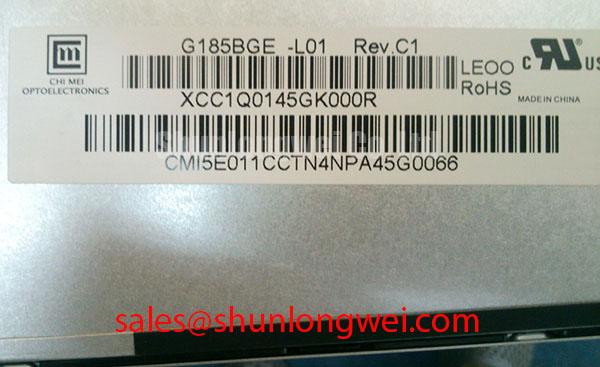
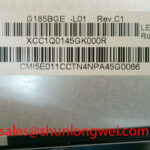
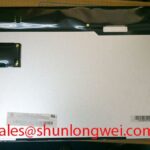
Begin a replacement inspection by checking the panel label, connector condition, mounting frame, and visible glass or bezel damage before applying power. The G185BGE-L01 is an AUO TFT LCD display module used in industrial LCD and HMI applications. The available product information identifies its package as a TFT LCD Display Module.
| Parameter | Specification |
|---|---|
| Model | G185BGE-L01 |
| Manufacturer | AUO |
| Product category | TFT LCD Display Module |
| Package or enclosure | TFT LCD Display Module |
Because the supplied factory data does not confirm the active area, resolution, interface mapping, backlight architecture, supply voltage, or operating temperature range, the system integrator should verify those values against the original panel documentation and the equipment service manual. Do not assume that a replacement display has the same connector pinout or backlight drive requirements as another panel with a similar diagonal size.
Backlight and Inverter Compatibility Verification
If the removed display is connected to a dual channel CCFL inverter, inspect the lamp wiring, insulation, connector seating, and chassis clearance before energizing the circuit. Do not assume that the G185BGE-L01 is compatible with a dual channel CCFL inverter based on the model designation alone. If the original equipment documentation specifies a high voltage ignition requirement, measure the inverter output using a suitably rated differential probe and follow the instrument manufacturer’s safety procedure.
A constant current LED driver must not be connected unless the replacement panel documentation confirms LED backlight compatibility. The system integrator should verify the required backlight technology, current regulation method, dimming input, and enable timing from the original panel documentation. Audible buzzing, delayed illumination, or uneven brightness should be investigated by comparing inverter waveforms, cable routing, connector contact, and mechanical pressure around the display rather than assigning a single cause.
Cold machine starts can lengthen liquid crystal response and alter the visual appearance of moving diagnostic content. Designers should evaluate the complete panel and enclosure across the intended temperature range, including condensation control and any approved heater or environmental control system. No field lifetime or half life value is assigned here because such data is not included in the supplied official parameters.
Industrial EMI Immunity and Chassis Shielding Continuity
For installation near variable frequency motor drives, first inspect the LVDS or FFC cable path for crushed sections, loose shield contact, and parallel routing beside high current switching conductors. A display fault that appears as pixel jitter or horizontal bands may involve signal integrity, grounding, cable damage, or conducted noise. Verify the suspected path with an oscilloscope against a known good signal path while the machine operates through its normal switching states.
Shield continuity should be maintained from the display cable termination to the intended chassis reference without creating accidental return paths through the mounting bezel. Common mode ferrite components can be considered where conducted interference is confirmed, but their impedance profile and placement must be validated with the actual cable and interface. Differential pair routing, characteristic impedance, clock quality, and pair skew remain system level design considerations; the supplied data does not define a specific LVDS impedance or skew budget for this model.
Mechanical installation also affects image quality. The frame should support the module evenly, with fasteners tightened progressively so that local stress is not concentrated at one corner. Seal compression should be checked around the complete perimeter where the display is mounted in an industrial HMI or medical imaging enclosure.
For broader enclosure, grounding, and environmental integration guidance, review Industrial Display & HMI Solutions.
Managing GTG Response Changes During Cold Start
Before replacing a panel suspected of slow image response, record the startup image, ambient condition, source timing, and warm-up behavior. Gray to gray response is influenced by liquid crystal temperature, drive waveform, source timing, and the display controller. A slow transition therefore requires comparison with the original signal path and confirmation that the controller settings match the panel documentation.
Perimeter sealing and bezel contact should be examined after repeated thermal operation. The enclosure design should limit moisture entry, allow appropriate heat dissipation, and avoid uneven compression that can produce visible mura or localized light variation. Any epoxy, gasket, or adhesive used during service must be compatible with the original assembly and the intended thermal environment; the supplied data does not confirm a specific sealant material or thermal cycle rating.
In surgical navigation or ultrasound diagnostic display equipment, image stability must be assessed with the complete controller, cable assembly, and backlight system. If a same size or same resolution alternative is being evaluated, compare the interface, mounting geometry, optical requirements, and timing data rather than relying on the product name alone. The M185XW01 VE can be reviewed as a separate panel option for engineering comparison.
Logic Supply Sequencing and Display Interface Checks
Before connecting the G185BGE-L01, isolate power and document every connector position. The required logic supply voltage, power sequencing, display data mapping, and backlight enable behavior must be verified from the original panel documentation. The available official parameters do not confirm whether a particular installation uses a 3.3 V or 5.0 V logic rail, nor do they confirm JEIDA or VESA mapping.
Designers should confirm that the controller output format matches the replacement panel and should observe the power rise, reset behavior, clock stability, and data validity during startup. Split screen images, missing columns, unstable graphics, or a dark panel may require inspection of mapping, timing, ground reference, connector contact, and controller configuration. Avoid changing several variables at once because that makes it difficult to distinguish a panel mismatch from a system wiring fault.
⚠️ Maintenance Note: Check the cabinet airflow path and display sealing gasket during scheduled service, and disconnect power before removing or inserting display cables.