




Content last revised on September 13, 2026
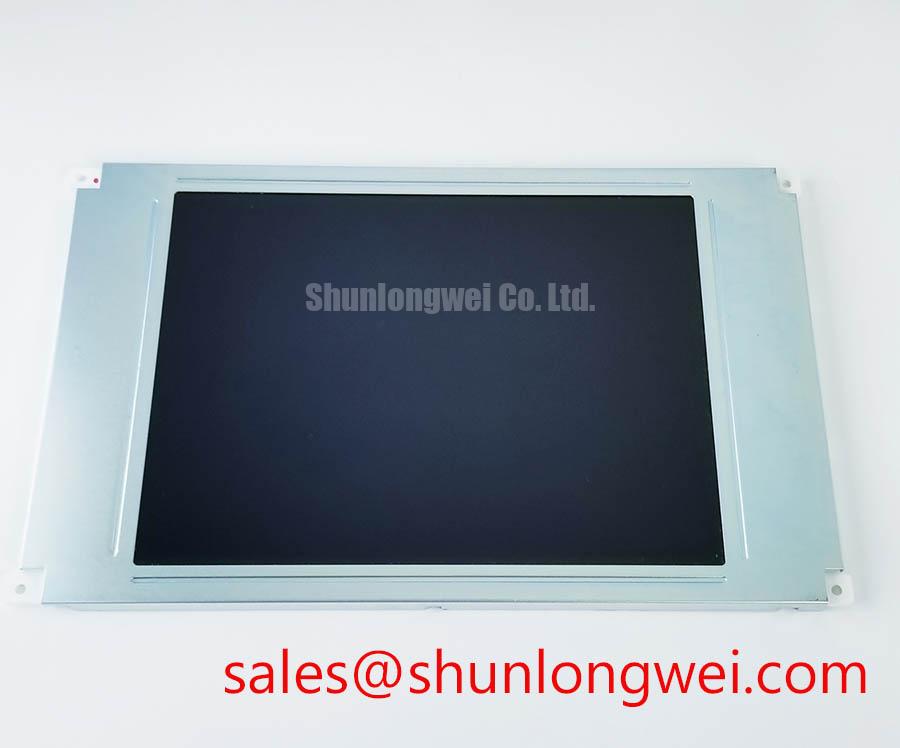
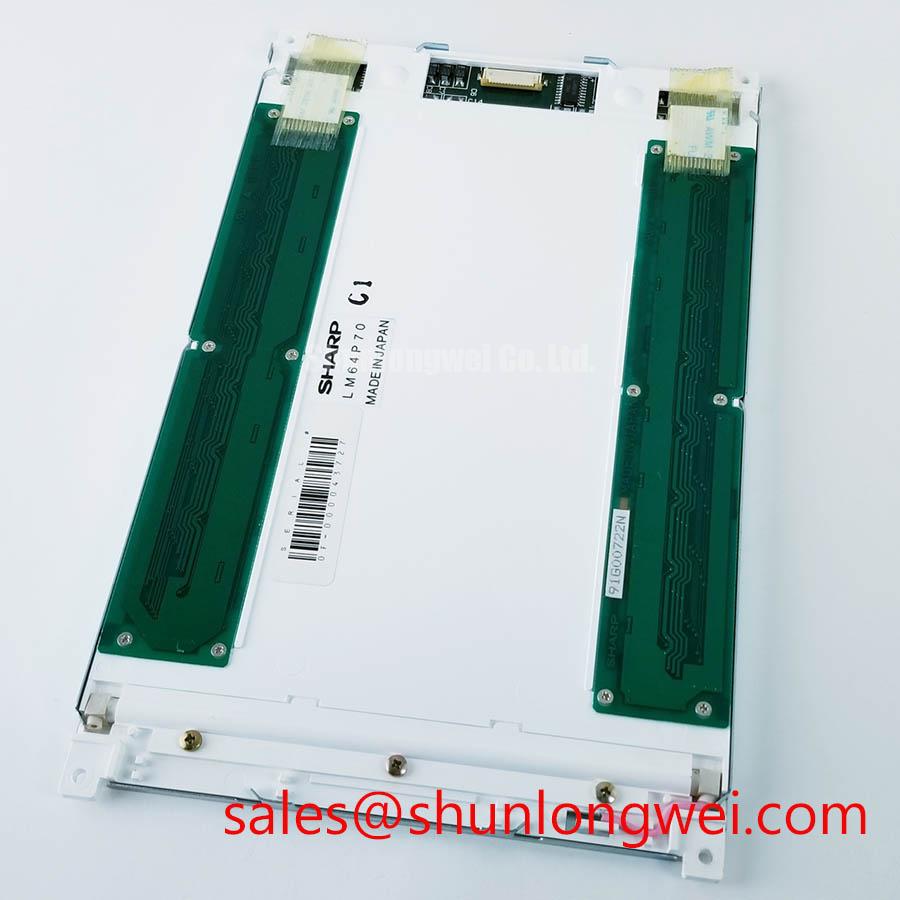
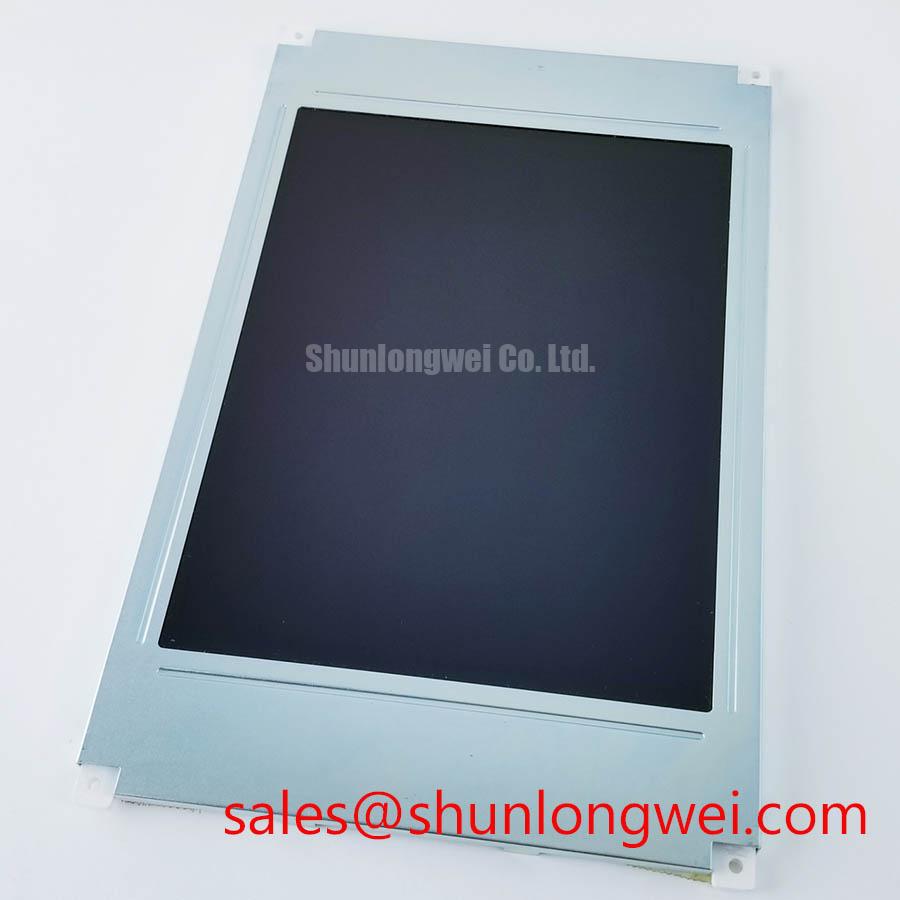
LM64P701 Sharp TFT LCD Display Module for Industrial HMI Integration
Begin incoming inspection by confirming the LM64P701 marking, checking the TFT LCD module for cracked glass, bezel distortion, connector damage, and visible contamination, then compare the replacement unit with the original panel documentation before applying power. The available factory context identifies this product as a Sharp Industrial Grade LCD/HMI Panel supplied as a TFT LCD Display Module. It does not provide a complete public electrical pinout, optical table, mechanical drawing, backlight circuit specification, or interface mapping in the supplied data, so those items must be verified against the equipment service documentation before installation.
| Model | LM64P701 |
| Manufacturer | Sharp |
| Product category | Industrial Grade LCD/HMI Panel |
| Construction | TFT LCD Display Module |
| Specification status | Factory identity context available; detailed specifications require verification |
| Typical evaluation context | Industrial HMI, AGV telematics, and forklift display replacement assessment |
For repair engineers and procurement teams, the important distinction is between a confirmed panel identity and a system-level compatibility assumption. Sharp is the stated manufacturer, while the LM64P701 designation identifies the replacement candidate. The host system still determines connector mating, signal format, power sequencing, backlight drive requirements, mounting clearance, touch interface compatibility, and environmental protection. A panel that appears mechanically similar may require a different controller configuration or cable arrangement, so the original panel documentation should remain the reference document for final approval.
For industrial equipment such as an Automated Guided Vehicle or a rugged forklift telematics display, inspect the complete assembly rather than the LCD glass alone. Record the original connector orientation, cable exit direction, bezel contact points, display window size, and control-board arrangement before removing the failed unit. If the application includes a resistive or capacitive touch overlay, verify that the overlay is part of the replacement assembly and that its controller and cable are compatible. The supplied factory information confirms the LCD/HMI panel category but does not confirm a touch technology, touch sensitivity specification, glove operation, or wet-touch performance.
Preventing Frame Lag and Image Smearing in Cold Storage and Outdoor Industrial Facilities
When evaluating the LM64P701 in a cold storage area or an outdoor industrial enclosure, begin with a controlled visual test at the lowest temperature specified by the original equipment documentation. Watch moving text, status icons, and scrolling alarm messages rather than relying only on a static test image. Slow gray transitions can appear as image smearing, but the observed result may also be influenced by the controller timing, source frame rate, cable quality, temperature stabilization, or backlight behavior. The panel’s supplied factory data does not state a Gray-to-Gray response time or a verified operating temperature range, so no particular cold-temperature performance should be assigned to this model without the applicable Sharp documentation.
Liquid-crystal response can change as temperature changes, which makes a before-and-after comparison useful during incoming inspection. Display a white, black, and mid-gray pattern, allow the assembly to stabilize, and photograph the same moving test sequence at each approved test condition. Keep the test method consistent: identical source timing, identical brightness setting, and the same viewing angle. If the image becomes slow only after the complete equipment enclosure is installed, check heat transfer, controller loading, and cable routing before attributing the behavior to the panel.
Outdoor and high-EMI installations also require signal-path verification. If the system uses a differential display interface, the integrator should confirm the cable’s characteristic impedance, pair assignment, termination practice, pair-to-pair skew, and connector pinout from the original panel and controller documentation. A nominal 100-ohm differential target and a particular skew limit may be used by a system designer as an Engineering Recommendation, but these values are not confirmed LM64P701 factory specifications in the supplied information. The final design should be validated with the actual transmitter, cable, receiver, enclosure, and switching environment.
Thermal cycling deserves a physical inspection as well as an image test. Look for bezel stress, cable strain, sealant separation, and changes in the display window after the approved temperature cycle. The proposed range of minus 30 degrees Celsius to plus 85 degrees Celsius is a test condition requiring source documentation, not an LM64P701 rating established by the supplied specification. Engineers should use the Sharp environmental specification or the host equipment qualification plan to define the valid test limits.
For a potential AGV or forklift telematics installation, compare the display during vehicle vibration, motor acceleration, and radio activity. Image interruptions that coincide with vehicle movement may involve connector retention, harness strain, grounding, or power disturbance. Verify the known-good signal path with an oscilloscope and inspect the display connector under magnification before replacing additional electronics. The Industrial Display & HMI Solutions resource can provide broader system-level context, while the LM64P701-specific acceptance decision should remain tied to its documented interface and environmental limits.
Flashlight Dark-Shadow Optical Diagnostic to Isolate Logic and Backlight Faults
A dark screen should not immediately be classified as a failed LCD panel. In a dim test area, apply a known display command, inspect the screen at a shallow viewing angle, and use a flashlight held approximately 45 degrees to look for a faint image beneath the dark field. A visible image may indicate that the display logic is producing content while the illumination path is not operating, but this is a diagnostic indication rather than a single-cause verdict. Confirm the result by checking the approved backlight supply, enable signal, protection response, and connector continuity against the equipment schematic.
Use a simple three-pattern bench sequence: full red, full green, and full blue, followed by white and black fields. These patterns help expose stuck or inactive pixels, vertical or horizontal line defects, uneven illumination, color contamination, and intermittent cable contact. Conduct the test at controlled brightness and record the result with the same camera position. A line that changes when the cable is touched should be treated as a physical connection or assembly concern until the signal path has been verified; it should not be assigned automatically to a particular internal failure mechanism.
The supplied factory context does not confirm whether the LM64P701 uses an LED or another backlight arrangement, and it does not publish a backlight current, open-load threshold, short-circuit threshold, PWM frequency, luminous output, color temperature, or lifetime value. The integrator should verify the required backlight architecture from the original Sharp panel documentation. A proposed PWM range of 200 Hz to 1 kHz may be relevant to a separate system design discussion, but it must not be presented as an LM64P701 specification or as proof of flicker-free operation.
When the backlight is driven by an external board, inspect the driver output during startup and during a commanded brightness change. An open circuit, a protection shutdown, an unstable enable signal, or an incorrect current-control loop can all produce a dark or intermittently lit display. Measure only within the limits of the service procedure and use the equipment schematic to identify test points. Do not apply an unverified voltage directly to the panel connector.
Brightness uniformity should be checked across the full active area using a white field, with attention to corners, edges, and areas affected by the bezel. Dark-field shadows can result from optical assembly pressure, uneven mounting, cable placement, or illumination nonuniformity. The supplied LM64P701 data does not confirm an anti-glare or anti-reflective coating, contrast ratio, sunlight readability, or backlight MTBF. Claims such as 50,000-hour MTBF or a contrast ratio above 500:1 require a specific manufacturer datasheet or qualification report and should not be inferred from the model name.
💡 Bench Tip: Disconnect power before inserting or removing the display cable, use ESD protection, and ensure the flex cable is fully square before locking the connector.
Flush-Mount Open-Frame Bezel Integration and Perimeter Gasket Shock Isolation
Before fitting the LM64P701 into an open-frame chassis, create a mechanical comparison sheet from the original panel. Measure the visible window, mounting-hole pattern, connector clearance, cable bend path, and rear-component envelope. The supplied factory parameters confirm the TFT LCD module form but do not include outer dimensions, mounting-hole tolerances, fastener size, or bezel compression limits. These values must be taken from the Sharp mechanical drawing or the equipment’s approved installation drawing rather than estimated from photographs.
A flush-mounted display should be supported by its designated frame or mounting points without forcing the glass assembly against an uneven chassis. Check the chassis for burrs, twisted sheet metal, and local high spots. Any gasket should provide environmental separation without transferring concentrated force into the active display area. The proposed M3 torque range of 0.35 to 0.45 N·m is a general installation reference requiring confirmation from the mechanical design authority; it is not an LM64P701 official factory specification. Use a cross-pattern tightening sequence only when it is permitted by the approved assembly procedure.
After mounting, repeat the black and white field tests before closing the enclosure. Compare the corners and perimeter for new bright spots, dark regions, color changes, or nonuniform areas. If an optical defect appears only after the fasteners are tightened, release the assembly, inspect frame flatness, and verify the gasket position. This controlled comparison can separate an installation-induced optical change from a defect that was present during incoming inspection.
Do not assume that a replacement display has the same interface timing as the removed unit. The supplied information does not state whether this model uses TTL, LVDS, JEIDA mapping, VESA mapping, a particular pixel clock, data hold time, or clock-jitter limit. Confirm the transmitter and receiver requirements from the original controller documentation. If the host uses an LVDS connection, verify pair order and polarity rather than relying on connector appearance. A screen with scrambled colors, a split image, or a missing region may reflect mapping or timing incompatibility, but the signal should be compared with a known-good assembly before a panel-level conclusion is made.
Controlled Differential Flex Routing to Suppress High-Frequency Jitter
Route the LM64P701 flex cable according to the host equipment’s signal-integrity rules, keeping the cable away from high-current motor conductors, switching nodes, and noisy power converters where practical. Avoid sharp folds, unsupported cable spans, repeated flexing at the connector, and pressure from the rear cover. The design objective is to preserve signal integrity and connector reliability under the actual enclosure and vibration conditions; the system engineer must select the routing geometry and validate it with the installed cable.
If the interface is differential, the integrator should verify the required characteristic impedance, pair continuity, polarity, termination, and receiver common-mode limits. A 100-ohm differential route may be a system-level target for a compatible transmitter and cable, but it is not confirmed as an LM64P701 factory parameter in the supplied data. Similarly, a power-on rise-time window such as 0.5 ms to 10 ms must come from the original panel documentation or controller design specification. Do not connect a presumed 3.3 V or 5 V supply without verifying the required logic supply voltage from the original panel documentation.
Power sequencing should be observed at the panel connector during a cold start, warm restart, and fault recovery. Record the logic supply, display enable, backlight enable, and reset behavior only where the service documentation identifies those signals and safe measurement points. Delayed image appearance can involve controller initialization, source timing, backlight protection, or cable contact. Compare the startup waveform with a known-good unit and review the controller configuration before changing the panel.
In direct sunlight, evaluate readability with the intended cover glass, bezel, viewing angle, brightness setting, and ambient light. The supplied data does not confirm an AG or AR surface treatment, a sunlight contrast ratio, or a specified performance at 50,000 lux. Those characteristics require documented optical data. For an AGV or forklift display, assess reflections from the operator’s position and check whether protective windows or enclosure seals create additional glare. Touch operation, if fitted, should be tested separately with bare fingers, gloves, and moisture only when the touch panel and controller specifications permit those tests.
For a mechanical or interface comparison, engineers may also evaluate the documented characteristics of LM64P10, but no replacement suitability should be assumed from model numbering or visual similarity. Final approval requires matching the electrical interface, optical requirements, mechanical envelope, touch arrangement, backlight system, and host-controller configuration.
