Content last revised on October 3, 2026
Interface Timing, Pixel Clock and Cable Compatibility
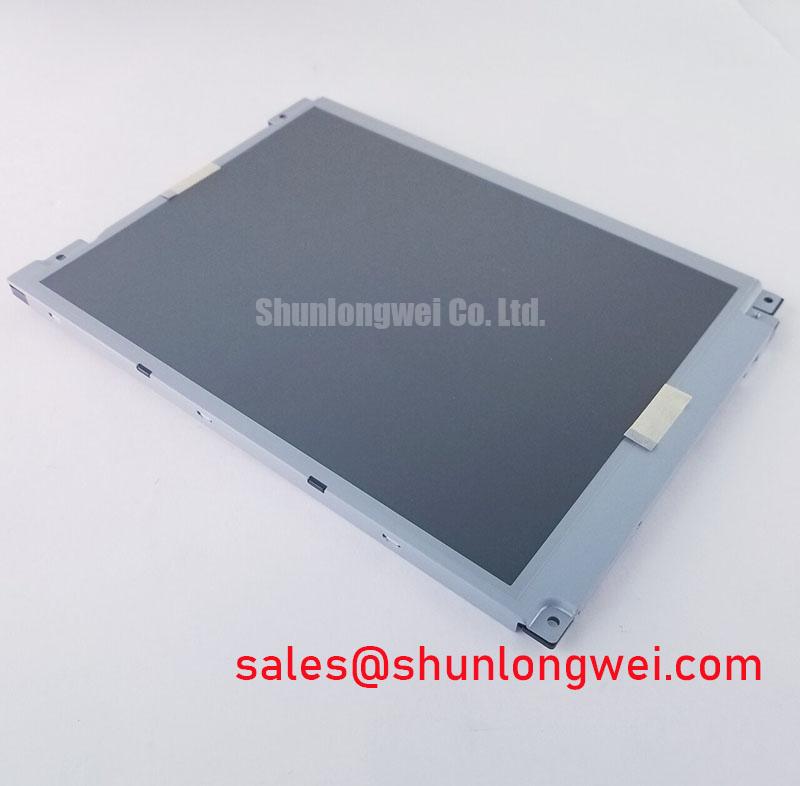
With the host powered down, inspect the connector, cable routing and mounting points before evaluating a LTM104S2-L01 replacement. The identified product is a TFT-LCD display module. That identification does not, by itself, establish the connector pinout, display resolution, supply voltage, backlight requirements or mechanical dimensions. Match those details against the original panel documentation and the unit removed from the equipment before applying power.
Start at the host display connector rather than the controller’s software settings. Record the mating connector orientation, contact arrangement, cable exit direction and markings on the removed module. Trace the host interface through its schematic or service documentation, then compare each supply, ground, control and video connection with the documentation for the exact LTM104S2-L01 revision. A connector that fits mechanically is not evidence of electrical compatibility.
Do not assign a 20-pin or 30-pin pinout, or assume an LVDS or TTL interface, from the model name alone. The system integrator should verify the required supply voltage from the original panel documentation. If that documentation identifies an LVDS interface, check the specified data mapping, clock polarity and timing before enabling video. A JEIDA/VESA mapping mismatch can alter displayed colors; clock or data timing errors can appear as unstable pixels or partial images. The actual interface specification and measured host signals must decide the diagnosis.
For a documented differential interface, routing symmetry and connector continuity are useful design considerations when investigating intermittent images. Compare the video clock and data at the transmitter with signals at the panel connector using suitable probes, particularly if a cable has been replaced or rerouted. An engineering recommendation is to preserve the documented pair assignments and control relative routing length so that the host’s timing margin can be confirmed during switching and temperature tests. No universal trace-length or skew limit can be assigned to this module without its verified interface specification.
Power sequencing deserves the same check as pixel timing. Establish when the host enables panel power, video and backlight, and observe their shutdown order against the original system requirements. A white screen does not uniquely identify a failed panel: absent video, an incorrect enable sequence or a connector fault can produce a similar observation. Likewise, an image that remains briefly visible after shutdown calls for measurement of the relevant power rails and control signals rather than an assumed panel fault.
For sourcing comparisons, TCG084SVLQAPNN-AN30-S can be reviewed as a separate display reference. It should not be treated as a drop-in alternative until the active area, mounting geometry, connector and electrical timing have all been checked against the equipment drawings.
Thermal Fit and Mechanical Support During Continuous Operation
Before closing the enclosure, check whether its bezel presses on the viewing area or leaves the module unsupported near its mounting points. Compare the removed panel’s outline, active-area position, connector clearance and cable path with the proposed unit. The mounting method should accommodate the equipment’s vibration and operating-temperature range without transferring concentrated force through the glass. Those clearances are system-level design considerations, not published dimensional tolerances for LTM104S2-L01 in the information provided here.
Thermal assessment should begin with the installed assembly. Run the display in its normal enclosure and operating mode, then inspect for localized heating near the backlight connection and along the edges without obstructing the viewing area. If a mechanical heat-spreading feature is being considered, verify that it does not load the panel, cover a ventilation path or interfere with cable movement. No internal diffuser material, LED lifetime rating or backlight construction should be inferred from the module category.
The backlight driver is part of the host-level compatibility check. Identify its required electrical output and dimming method from the original display and equipment documentation before connecting it to a replacement panel. Where the documented design uses PWM dimming, assess visible flicker and noise over the actual operating range; a frequency or duty-cycle target cannot be prescribed without the confirmed backlight and driver specifications. NL10276BC30-18 is another display module that can inform a comparison of complete display assemblies, but its lighting and interface arrangements should not be attributed to LTM104S2-L01.
Inspect any flexible cable at its connector latch and along the route into the enclosure. A sharp fold, a cable held in tension or a latch that has not fully seated can make a fault appear temperature- or vibration-dependent. Support the cable in the position required by the host’s mechanical design and check that the cover does not move it as the enclosure is closed.
Pro Tip: Disconnect power and allow the host rails to discharge before reseating the display cable.
Full-Screen Color and Uniformity Checks
Use controlled full-screen test images after the electrical and mechanical checks are complete. Display red, green and blue fields separately, then inspect neutral and dark fields at the equipment’s normal viewing distance. Note the location and repeatability of any fixed sub-pixel, line, color shift or unevenly lit region. Record the host settings and test conditions so a later inspection can distinguish a persistent defect from a changing signal-path problem.
If a line defect appears, verify the source image and connector signals before assigning the cause to the panel. A line that changes when the cable is gently repositioned warrants inspection of the cable, latch and mating connector; a line that remains fixed needs further comparison with a known-good signal path. Avoid attributing it to a particular internal bond or driver structure without supporting inspection data. Similarly, uneven brightness can involve the backlight drive, optical assembly, enclosure pressure or viewing conditions, so a single photograph is rarely enough to isolate it.
For a panel being evaluated for a high-voltage substation protection terminal or a SCADA dispatch console, test the actual interface screens as well as color fields. Small text, alarm colors and persistent status regions matter more to that assessment than an attractive test image alone. Long-duration static screens should be reviewed for temporary image retention under the host’s intended brightness and usage pattern. Changes to screen content or brightness are possible system design measures, but their suitability depends on the verified panel specification and the equipment’s operational requirements.
Photograph anomalies with consistent exposure and viewing angle, and record whether they occur immediately at startup, only after warm-up or following a change in dimming. That chronology helps separate a repeatable panel observation from an intermittent host or connection issue without inventing defect thresholds for this model.
Polarizer Condition and Visibility Under Industrial Lighting
Inspect the viewing surface with the display off and again with representative content running under the lighting used at the installation site. Look for scratches, edge lifting, pressure marks and reflections that obscure text. Rotate the viewing position through the angles operators actually use. Do not assume a TN, IPS or MVA mode, a particular viewing cone, or an anti-glare treatment for LTM104S2-L01 without documentation for the exact module revision.
If grayscale or alarm colors change markedly with viewing position, compare the effect against the original equipment acceptance criteria. Check that the bezel does not press on the active viewing region when fitted; pressure-related appearance changes can be mistaken for a display-format problem. A screen that is readable on a bench may also be difficult to read beneath direct industrial lighting, so reflection and contrast should be evaluated in the proposed enclosure rather than inferred from the bare panel.
Cold operation needs an equally practical check. Observe startup, motion and readability at the equipment’s specified ambient limits, using the verified module operating range as the boundary. Liquid-crystal response can change with temperature, but no particular sub-zero rating or heater requirement is established for this model here. If the host includes temperature control, its settings and sequencing belong to the equipment design and should be validated with the installed display.
For broader terminology when documenting interface, optical and enclosure checks, consult The Ultimate Guide to Industrial TFT LCD Technology. For this particular module, the decision remains with the exact revision’s documented ratings and a fit-and-function test in the intended host.