Content last revised on October 3, 2026
Viewing Direction, Grayscale Inversion, and Glare Checks
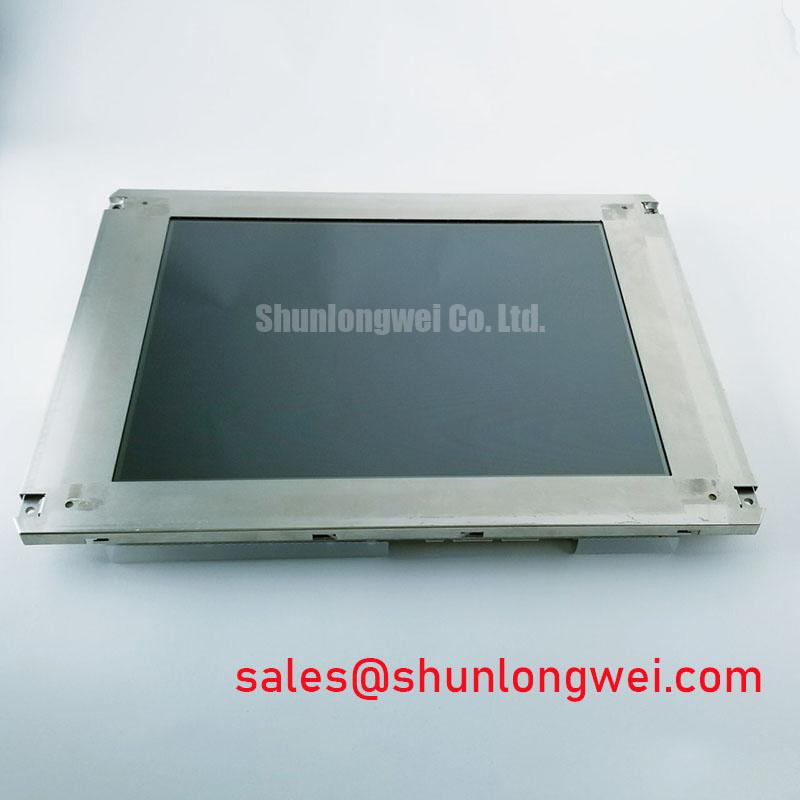
Disconnect the display harness, inspect its contacts, and compare the panel label with the equipment drawing before applying power to an AUO M270HTN01-1. This TFT-LCD display module is identified as an industrial LCD/HMI panel (Official Factory Specification). That identification does not, by itself, establish its connector pinout, supply voltage, backlight type, viewing direction, dimensions, or optical ratings. For a repair decision, match those details against the original panel documentation and the host equipment configuration.
Start a viewing complaint with a stable test image rather than the machine’s changing interface. Display a grayscale ramp beside the colors used for alarms and operator prompts. Observe the screen from the operator’s normal eye position, then move above, below, and to either side. If dark shades merge, pale areas reverse in apparent contrast, or an alarm color becomes difficult to distinguish, record the viewing angle and compare it with the machine’s mounting position. This separates an installation-level visibility problem from a fault that is present even when the screen is viewed head-on.
Twisted-nematic panels can show direction-dependent grayscale inversion, while other LCD modes have different viewing behavior. The supplied identification for the M270HTN01-1 does not verify its LCD mode or a viewing-angle rating, so neither a TN classification nor an IPS-like symmetric viewing cone should be treated as a specification for this unit. As a Design Consideration, check the approved panel drawing before changing the mounting angle. An apparent improvement from tilting a loose panel is not enough if the installed bezel returns the operator to an unfavorable viewing position.
Under strong ambient light, compare the image with and without the enclosure cover in place. Reflections from the cover window, contamination on either surface, and the panel’s own surface treatment can produce similar complaints at a glance. Clean only according to the equipment’s service instructions; an unverified anti-glare or anti-reflective coating should not be assumed to tolerate a particular solvent. A useful bench record includes the displayed test image, viewing position, cover-window condition, and whether the complaint persists after ambient reflections are removed.
If the image is faint but recognizable under external illumination, investigate the backlight supply and its controller before assigning the fault to LCD grayscale processing. Brightness loss alone does not establish a backlight lifetime or failure mechanism. The backlight technology, brightness specification, and any lifetime test conditions for this exact panel must come from its original documentation. For wider context on comparing LCD optical specifications and test conditions, consult The Ultimate Guide to Industrial TFT LCD Technology.
Glass Stress, Color Tests, and Dark-Image Diagnosis
Before clamping the module into a repaired housing, check that the support surfaces are clean, the mounting points align, and the frame does not force the glass assembly to conform to a twisted enclosure. As a Design Consideration, mechanical restraint should support the module without bending it; the acceptable mounting method and tolerances are determined by the panel drawing and the equipment design. Do not use tightening force to correct a visible gap caused by a misaligned bracket.
Run a primary-color bench test using separate red, green, and blue full-screen images, followed by a dark image and a grayscale ramp. Mark whether a defect remains fixed in one location, follows a particular color, or appears only after the enclosure is secured. A fixed line or band warrants checks of the source signal, cable seating, panel electronics, and mechanically stressed connections. Its appearance alone cannot identify a fractured internal connection. If a line appears only when the bezel is fitted, repeat the test with the panel supported as specified and inspect the enclosure for uneven contact.
For a dark screen, shine a flashlight across the display at an oblique angle while a known test image is being sent. A faint image suggests that image data may be reaching the LCD while illumination needs investigation; no visible image calls for additional checks of power, signal, control states, and the host output. The flashlight test is a sorting step, not a definitive diagnosis. Check backlight-controller status and fault outputs only if the equipment documentation identifies them, and measure supply rails at the points specified by the host service procedure.
Field Alert: Switch off and isolate the equipment before reconnecting a display cable or backlight lead.
A replacement search also needs more than a similar photograph or model prefix. The M185XW01 VE is a separate panel listing that procurement teams may encounter while reviewing display options, not a confirmed substitute for the M270HTN01-1. Compare documented active area, mechanical outline, connector position and pinout, supply requirements, signaling, and backlight interface before treating any other panel as compatible.
Backlight Supply and Driver Fault Isolation
Trace the illumination path from the host power source through the backlight controller to the panel connection. First establish whether the host is commanding the display and illumination on. Then check the documented supply and enable signals under the conditions specified by the equipment maker. If illumination starts briefly and stops, note the timing and inspect any documented driver fault indication. Protection against an open or shorted load may exist in the host driver, but its behavior cannot be attributed to the M270HTN01-1 without the relevant circuit documentation.
Do not choose a test instrument, replacement driver, or connection method on the assumption that this module uses either CCFL or LED illumination. The supplied factory identification confirms a TFT-LCD display module, but does not identify its backlight technology. High-voltage ignition tests are appropriate only when the original panel and driver documents establish a CCFL system and define a safe test method. Likewise, constant-current checks apply only after an LED backlight and its driver topology are confirmed. In either case, the host designer’s specifications determine acceptable operating limits.
Where a documented LED driver provides dimming and diagnostic outputs, compare brightness behavior at a steady command with behavior during dimming. A flicker complaint may originate in the command signal, driver regulation, a connection, or an intermittent load. Capture the relevant signals using the host schematic and suitable instruments rather than inferring a cause from the visible symptom alone. Where the equipment reports a backlight fault, preserve the reported state before cycling power; clearing it too early can remove a useful clue.
Backlight brightness also changes with operating conditions and use, but no lifetime curve or half-brightness duration has been established here for this model. As a Design Consideration, evaluate a returned unit against the manufacturer’s stated measurement conditions if those documents are available. A subjective comparison between an installed screen and a loose bench panel is less useful unless image settings, ambient light, cover window, and drive conditions are controlled.
Pixel Jitter and Horizontal Lines Near Motor Drives
When jitter or horizontal bands appear near operating motor equipment, first determine whether the disturbance is present in the source image or arises along the display path. Hold a static test pattern on screen, record when the artifact appears, and compare that timing with motor-drive activity. Inspect the display cable for looseness, damaged contacts, an altered route, or a missing chassis connection. Restore the equipment’s documented cable routing before adding suppression parts; a rerouted harness can change the problem without revealing its origin.
The M270HTN01-1 identification supplied here does not establish a TTL or LVDS interface, differential-pair impedance, pin assignment, or clock-skew budget. Verify the interface from the original panel drawing and host schematic before probing or replacing the cable. If the documented interface is differential, preserving its specified pair construction, termination, and shield connections is a Design Consideration when investigating noise pickup and reflections. The actual acceptance limits must come from the applicable panel and host documentation, not from a generic cable rule.
Use an oscilloscope and an appropriate probing method to compare a known-good signal path with the suspect installation when the equipment design permits access. Look for correlation between the visible disturbance and changes at the source, cable, or panel input. A common-mode ferrite or a different shield termination should be evaluated only within the host’s grounding and EMC design; neither is a guaranteed cure, and changing a shield connection can alter other equipment behavior. The panel alone cannot be assigned an EMC compliance rating for the assembled machine.
For a possible AGV or forklift telematics installation, compatibility remains an equipment-level question rather than an assumed application of this module. Confirm the enclosure’s mechanical support, operator viewing position, power sequencing, cable retention, and documented display interface against the M270HTN01-1 requirements before installation. If lines remain after the cable and host output have been checked, document the test pattern, operating state, and measured signals so the next repair step can distinguish a panel-side fault from a recurring system fault.