Content last revised on October 18, 2026
Incoming Benchtop Inspection: COG/TAB Anisotropic Conductive Film Integrity
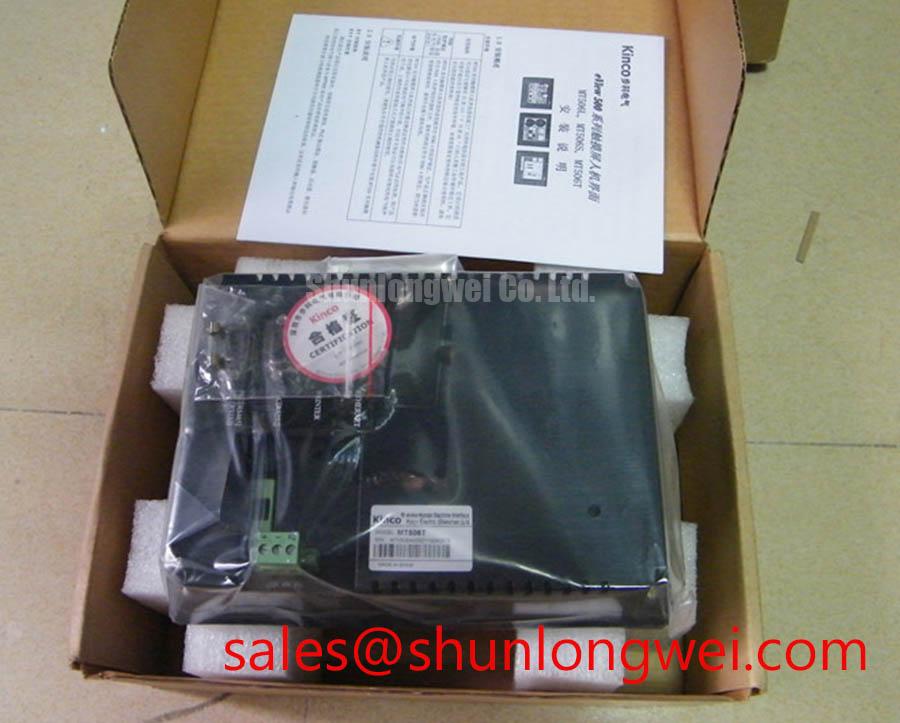
With the panel unpowered, inspect the glass edge, flexible connections, connector housing, and visible bezel surfaces before applying any test signal. The MT510TW4CN is listed as an AUO TFT LCD Active Matrix Color Display Module. This identification supports replacement screening, but mechanical and electrical compatibility still depends on the host equipment.
Use a controlled primary-color sequence during bench testing. Red, green, blue, white, and black screens make it easier to distinguish a display-drive line defect from a lighting or optical problem. A persistent vertical line, localized color loss, or repeated column artifact should be compared across several color fields rather than assigned to one component immediately.
A 45-degree flashlight inspection is useful when the image appears dark. Sweep the light across the front surface while the module displays a uniform field. If image information remains visible beneath a dark field, the fault may be associated with illumination, optical coupling, or the backlight drive path. If the defect follows a fixed row or column while the illumination is present, inspect any accessible COG or TAB bonding region and its flexible connection for mechanical stress or intermittent contact.
Design Consideration: High-speed display links require controlled differential routing, a continuous reference plane, and closely matched pair geometry. A commonly used 100 Ω differential target may be appropriate for a compatible LVDS interface, but the actual interface requirement must come from the panel and host documentation. Confirm the connector pinout, signal polarity, data format, and clock relationship before applying a replacement panel.
When evaluating the module for a factory automation machine tool or HMI operator terminal, compare the known-good panel image with the candidate under identical supply sequencing and cable orientation. Avoid flexing the glass edge during probing. COG and TAB regions can respond to localized pressure, so mechanical handling should be limited to the rigid frame and approved connector areas.
Flush-Mount Open-Frame Bezel Integration & Perimeter Gasket Shock Isolation
Start mechanical integration by matching the host cutout, visible area, mounting-hole pattern, connector clearance, and bezel depth to the MT510TW4CN package. For installation in an open-frame assembly, the finished HMI assembly must provide its own retention, sealing strategy, cable relief, and front-surface protection.
A perimeter gasket should distribute enclosure contact around the frame instead of transferring concentrated force to the glass or flexible bonding zones. Fasteners should be tightened in a cross-pattern using the enclosure designer’s specified torque and a rigid backing surface. Excessive compression can create non-uniform optical pressure, dark-field mura, or intermittent image behavior after thermal cycling.
Check the bezel opening with the display installed, not only with an empty chassis. The aperture must not overlap the active viewing region, pinch the flexible cable, or obstruct the connector latch. A trial assembly with the intended gasket, cover lens, and front frame is a practical way to identify tolerance stack-up before production release.
For bright factory floors, evaluate the complete optical stack under the actual ambient lighting rather than relying on a nominal contrast value. Reflections from a cover window, recessed bezel, or overhead light can reduce readability even when the panel image is electrically correct. Anti-glare or anti-reflection treatment belongs to the complete display assembly and should be selected with attention to haze, touch performance, cleaning chemicals, and viewing angle.
The module may be evaluated for CNC operator pendants, industrial HMI consoles, and variable-frequency-drive cabinet interfaces when the enclosure, thermal path, connector system, and display timing are compatible. Practical repair references for demanding installations are available in Industrial Display & HMI Solutions.
Radiated Emissions Control via Backplate and Cable Shield Bonding
Control radiated noise at the system boundary by coordinating the panel cable, host board, metal backplate, and enclosure return and shielding paths. A shielded FFC or LVDS cable should terminate with a low-inductance connection appropriate to the host chassis, while signal return paths should remain controlled rather than being routed through arbitrary mounting hardware.
Near high-power motor drives, pixel jitter and horizontal bands can result from several interacting conditions, including common-mode coupling, poor cable placement, return-current interruption, supply noise, or an incompatible clock relationship. Move the display cable away from switching nodes during diagnosis, then compare the image with the final cable routing. A common-mode ferrite can be considered when measurements show conducted or radiated coupling, but its impedance behavior must match the interference frequencies without compromising signal integrity in the complete cable assembly.
Star-grounding language should not be interpreted as permission to create long signal-return paths. The enclosure bonding scheme, cable shield termination, and protective-earth arrangement should be reviewed together. The LCD module itself should not be described as independently passing CISPR Class A or Class B requirements; emissions compliance belongs to the completed equipment and its verified installation.
Measure the transmitter clock and data eye at the receiving interface with the approved probing method. Confirm setup and hold margins across the intended operating temperature range, cable length, connector stack, and host supply conditions. TTL and LVDS are not interchangeable simply because both carry display timing, and a connector that fits mechanically may still use a different electrical assignment.
For background on industrial display technologies and alternative module families, engineers can consult Winstar TFT-LCD modules and the optical principles described in Mini-LED backlight architecture. These references provide industry context, not a substitute for the MT510TW4CN host-interface documentation.
VESA vs. JEIDA Data Mapping Alignment & Even/Odd Channel Signal Integrity
Resolve data-mapping compatibility before diagnosing image artifacts as a panel failure. Where an LVDS interface is used, JEIDA and VESA arrangements can place color bits differently across the same apparent LVDS channel structure, producing incorrect colors or grayscale when the host transmitter and panel receiver are not aligned. Split images, reversed pixel groups, or unstable synchronization also require checks of channel assignments and display timing.
Verify the logic supply requirement, connector pin assignment, channel count, clock polarity, and power-on sequence from the original panel documentation and host design. Do not assume that a matching connector proves electrical compatibility. The system integrator should verify the required supply voltage from the original panel documentation before energizing a replacement unit.
Power sequencing should be checked with an oscilloscope at the panel connector, including the rise behavior of the logic rail, any enable or reset signals, and the arrival of valid display data. Follow the documented sequence and interface-state requirements. This approach helps separate a sequencing fault from a mapping error without repeatedly stressing the module.
Backlight troubleshooting should begin at the host backlight connector and driver feedback path. An open or short condition may cause the driver to shut down, latch a protection state, or report a fault even when the LCD image data remains valid. Check the driver status, output behavior, cable continuity, and connector seating as a complete path. The panel listing does not establish a universal backlight voltage, current, dimming method, or protection threshold.
PWM dimming should be assessed for visible flicker, acoustic interaction, and brightness linearity after the correct backlight interface has been established. Select the control method according to the host driver and the panel documentation, then observe the result with the intended cover lens and ambient lighting. 💡 Pro Tip: Keep high-speed differential pairs short, closely coupled, and length-matched through the connector transition to reduce clock distortion and intermittent image noise.
When the image is divided, shifted, or populated with repeating color errors, compare the host transmitter mapping with the panel receiver assignment one signal group at a time. This targeted check is more reliable than changing the backlight or applying mechanical pressure to the glass, and it preserves the distinction between an interface configuration issue and a physical display defect.