Content last revised on October 10, 2026
Display-Edge Bond Integrity and Benchtop Inspection
Begin the optical check with a full-white, full-black, red, green, and blue image sequence while observing the panel from a normal viewing position. A narrow line, missing color region, unstable column, or edge-dependent artifact should be recorded by location and repeatability rather than assigned to one cause immediately. Repeat the same image sequence after gently changing the viewing angle, without pressing the glass or bonded edge.
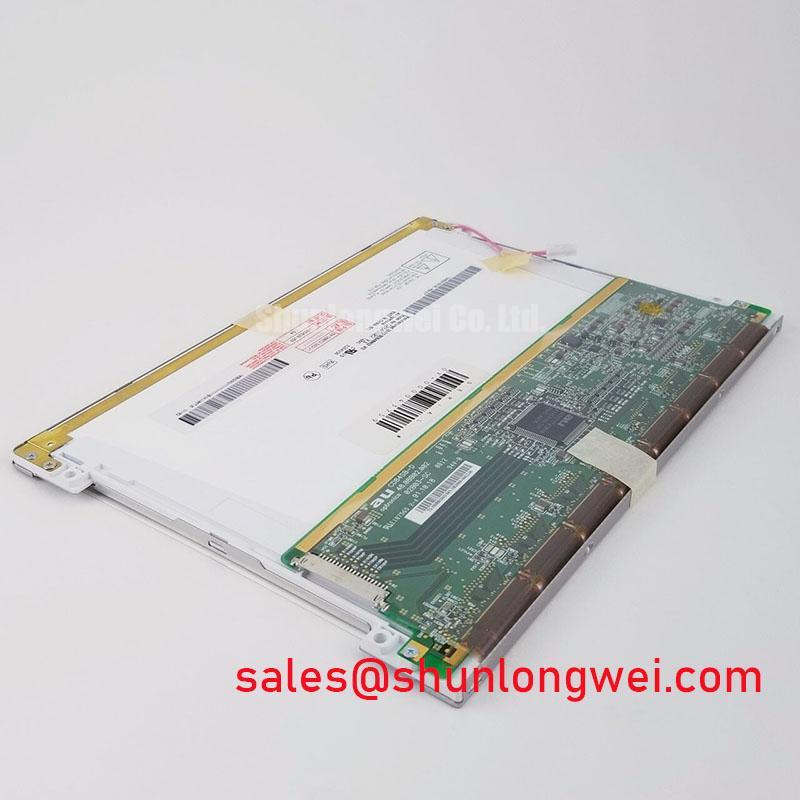
A 45-degree flashlight inspection is useful when the screen is black or displaying a uniform dark field. Sweep the light across the front surface and bezel perimeter to reveal localized shadows, pressure marks, loose edge materials, or uneven illumination. A defect that remains fixed relative to the bonded edge may require inspection of the driver connection region, while a broad luminance change may point toward the backlight path, optical stack, or enclosure pressure. This distinction prevents a backlight repair from being attempted when the visible symptom is actually associated with a bonded driver line.
When the host system uses PWM backlight control, treat 200 Hz to 1 kHz as a design evaluation range rather than an official rating for this Kyocera model. Observe brightness linearity at low, mid, and high duty settings with the intended controller, checking for visible flicker, audible switching noise, or abrupt brightness steps. The final frequency and duty behavior remain system-dependent and should be verified with the installed backlight driver and camera-based or photometric testing where the HMI is safety-relevant.
Inspect the FPC bend path without folding the cable sharply at the connector exit. If the connector has a locking actuator, it must close evenly across the connector width, and the cable should not be pulled sideways by the cabinet harness. A display that passes a static image test but changes during controlled harness movement may have a connection, strain, or routing issue rather than a panel imaging fault.
Flush-Mount Open-Frame Bezel Integration and Perimeter Gasket Shock Isolation
Set the display into the chassis without forcing the bezel against an uneven cutout. The perimeter gasket should contact consistently, while the open-frame assembly remains supported by the intended mounting surfaces instead of the glass or optical area. Localized compression can create dark-field mura, edge shading, or apparent leakage that changes when the fasteners are tightened.
For a small M3 fastener pattern, a cross-pattern tightening sequence is a practical design consideration. A typical starting torque range of 0.35 to 0.45 N·m may be used only where the chassis, insert, gasket, and panel construction have been approved for that load; it is not an official Kyocera rating for this model. Tighten progressively and inspect the black and white test fields after each adjustment. If the image changes with bezel pressure, release the load and review the cutout flatness, gasket thickness, washer contact, and fastener alignment.
| Evaluation item | TCG084VGLAAAFA-AA20 | Reference unit |
|---|---|---|
| Manufacturer | Kyocera | NL8048BC19-02KD, subject to separate documentation |
| Product category | Industrial Grade LCD/HMI Panel | Display module reference for compatibility review |
| Display construction identified in supplied data | TFT-LCD Active Matrix Color Display Module | Confirm from the original product documentation |
| Mechanical and electrical interchangeability | Requires equipment-level verification | Requires equipment-level verification |
The linked NL8048BC19-02KD can be used as a neutral comparison reference during sourcing, but the two model numbers should not be treated as interchangeable without matching the connector, timing, mounting envelope, backlight control, and optical requirements. For TTL or LVDS systems, clock stability, data hold behavior, cable routing, and ground reference should be checked across the intended temperature window with the actual controller. Do not infer a pinout from connector appearance alone.
Power sequencing deserves the same attention as mechanical fit. The system integrator should verify the required supply voltage from the original panel documentation, then confirm that logic power, display enable, backlight enable, and image data become valid in the required order. A white screen, intermittent image, or residual image at startup can involve sequencing, reset behavior, cable integrity, or controller timing. Use the original known-good signal path as the comparison reference during oscilloscope testing.
Preventing Frame Lag and Image Smearing in Cryogenic Storage and Outdoor Industrial Facilities
Allow a cold-stored display assembly to stabilize gradually before applying power, especially when it has moved from a low-temperature enclosure into humid ambient air. Condensation on connectors, the bezel perimeter, or the front surface can produce temporary image irregularities and may compromise insulation during the first energization. The panel’s actual storage and operating limits must come from the applicable Kyocera documentation and the equipment environmental specification.
Liquid-crystal viscosity generally increases at sub-zero temperatures, so gray-to-gray transitions can appear slower even when the image source is correct. When the HMI must remain readable during cold starts, evaluate the complete system at the intended ambient condition, including controller timing, backlight behavior, enclosure airflow, and any approved cabinet temperature-control method. A heater strip must not be assumed to be part of this display module; if used by the equipment designer, its control method should prevent local thermal gradients and condensation.
Perimeter sealant and gasket compression should be inspected after thermal cycling. Look for separation, hardening, gaps, or movement that could allow moisture ingress or transfer stress into the display edge. A frame-lag complaint that disappears after warm-up should be documented with ambient temperature, startup time, image pattern, and supply behavior. This creates a useful service record without treating one symptom as proof of a single failed component.
For CNC operator panels and robot teach pendants, test text, diagonal lines, alarm icons, and rapidly changing status fields rather than relying only on a static logo. These patterns expose motion smearing and timing irregularities more effectively. Long flexible cables should be supported so vibration does not repeatedly load the connector latch or bend zone.
Backlight Thermal Dissipation and Light Guide Preservation
Review the backlight heat path before enclosing the display behind a sealed machine bezel. Narrow edge regions can become warmer than the center when the LED rail, chassis, and airflow path are poorly coupled. A practical design consideration is to provide an approved aluminum spreader or thermal interface arrangement that distributes heat into the enclosure without transferring concentrated pressure to the optical stack.
Do not assign an L70 or B50 lifetime value to this model without a manufacturer-backed backlight specification. Those metrics depend on LED construction, drive current, temperature, optical materials, and test criteria. During qualification, measure brightness uniformity and bezel temperature at the intended brightness setting, then repeat after thermal exposure. Any visible yellowing, edge darkening, or local hot spot should be correlated with the backlight assembly and mechanical contact conditions.
PWM control should be evaluated across the same 200 Hz to 1 kHz design range only as a system-level starting window. Confirm that the controller produces stable duty-cycle response, does not create visible banding, and does not introduce acoustic noise into the operator station. If analog dimming or another control method is specified by the original equipment, preserve that interface rather than substituting a generic backlight driver.
Maintenance Note: Inspect the cabinet ventilation path, perimeter gasket seating, connector lock, and FPC strain relief during scheduled service before cleaning or reconnecting the display.
For broader enclosure, sealing, vibration, and HMI integration practices, consult the Industrial Display and HMI Solutions engineering resource.