Content last revised on October 3, 2026
Eye-Diagram Voltage Margin & Differential Noise Floor Verification in High-Vibration Bays
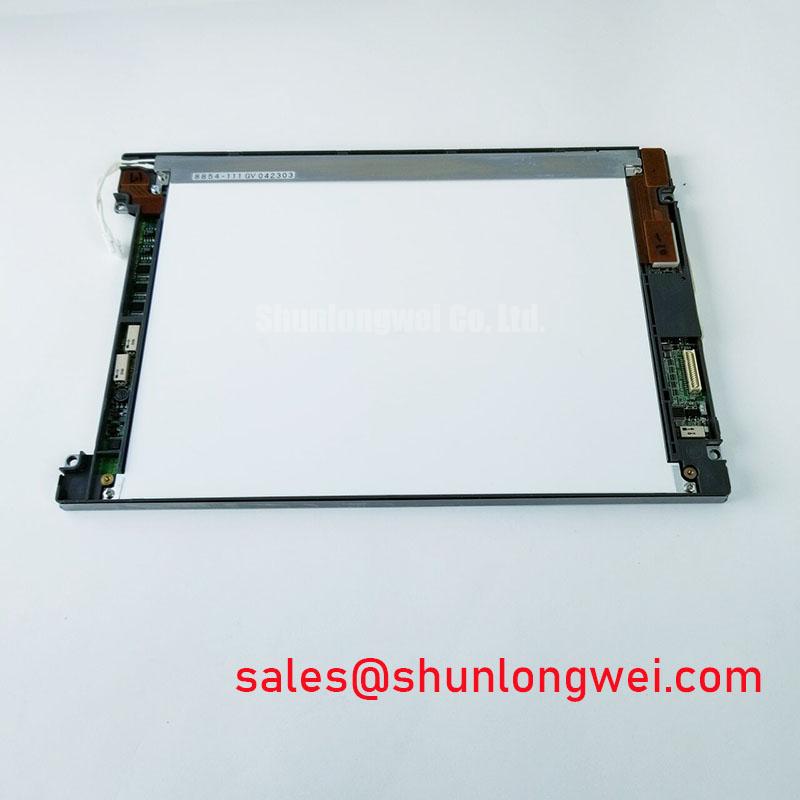
Check the connector orientation and mounting points of the removed display before connecting TX17D02VM2CAA-2 to a repair bench. The verified factory identification describes a KOE / Hitachi TFT-LCD display module in the industrial LCD/HMI panel category. It does not, by itself, establish a supply voltage, video interface, backlight driver, dimensions, or operating temperature range. Those details must be checked against the original panel documentation and the equipment wiring drawings before power is applied.
A display that develops horizontal bands or intermittent pixel errors when nearby drives operate needs a signal-path investigation, not an immediate panel replacement. As a Design Consideration, inspect cable seating, connector retention, shield continuity, and the route shared with motor wiring. Compare the affected video signals with a known-good installation using an oscilloscope and the original interface specification. An eye diagram is useful only after the interface type, signal levels, and test point have been confirmed; an assumed LVDS test setup could lead to the wrong diagnosis if the equipment uses a different interface.
For a high-vibration cabinet, examine the cable at its bend and retention points while the equipment is safely isolated. Movement at a connector can produce an intermittent symptom that resembles display timing trouble. A surrounding shield and common-mode ferrite are potential system-level noise controls, but neither is an established requirement for TX17D02VM2CAA-2. If such changes are considered, the system engineer should verify signal integrity and display behavior in the assembled cabinet rather than treating a cleaner bench waveform as proof of a durable repair.
Compatibility screening for a substation protection or SCADA dispatch console begins with the existing assembly: compare the original drawing, connector pinout, active display area, mounting envelope, and controller output before considering a replacement. The TX20D200VM2BVA is another display listing that procurement teams can place in a comparison review; compatibility with TX17D02VM2CAA-2 should not be inferred from either model name.
Suppressing Acoustic Capacitor Buzz & EMI Emissions in Backlight Control
When audible noise changes with brightness, first locate its source in the assembled display system. The driver, its components, and the surrounding mechanical structure can all contribute. The supplied identification does not establish the backlight technology or driver requirements for TX17D02VM2CAA-2, so neither a high-voltage lamp driver nor a constant-current LED driver should be connected on the strength of a category label. The system integrator should verify the required supply voltage, backlight connection, and control method from the original panel documentation.
As a Design Consideration, compare sound and visible flicker at the brightness settings used by operators, then check the relevant driver waveforms against the equipment design. A change in pulse-width modulation can affect both perceived flicker and mechanical noise, but there is no verified model-specific frequency or dimming ratio available here. The acceptable setting is therefore a system test result, not a preset value for this panel.
Keep panel identification separate from the power-stage diagnosis. The LM190E08-TLG6 is a separate display listing, not an identified backlight driver or auxiliary power part for this module. If both appear in a purchasing review, assess each against its own documentation. No backlight lifetime or brightness-decay figure is established for TX17D02VM2CAA-2 by the supplied factory identification.
Before attributing a white screen to the LCD glass, check whether the host enables video and backlight power in the sequence specified for its original assembly. Record what happens during both startup and shutdown. A missing video supply, an absent enable signal, or residual image behavior can call for different checks; none can be assigned a single cause from the visible symptom alone.
Thermal Cycling Degradation of Polarizer Adhesives & Sealant Gasket Integrity
Inspect the perimeter of the installed module for uneven gasket contact, trapped dust, and evidence of condensation. Those observations matter to a maintenance team because enclosure sealing and mounting pressure are controlled by the equipment assembly, not established by the display category. A local bright patch or nonuniform image warrants comparison with the same test image on a known-good unit, followed by an inspection of bezel pressure and mounting alignment. Do not tighten one corner to correct an optical symptom without checking the assembly procedure.
Liquid-crystal response can change in the cold, so apparent motion lag during a low-temperature test should be assessed alongside the panel temperature and the original operating limits. No verified temperature range or gray-to-gray response specification is supplied for TX17D02VM2CAA-2. A heater strip, if present in the equipment, is a system component whose control and clearance must be checked against the equipment drawings; its presence must not be taken as evidence that the panel is rated for sub-zero operation.
For long-term cabinet maintenance, compare gasket compression around the full opening and check that the enclosure’s intended ventilation path remains clear. Maintenance Note: Inspect the cooling path and perimeter gasket during scheduled service before reseating or tightening the display assembly. Moisture control, mounting stress, and accessible inspection points are treated in the Industrial Display & HMI Solutions engineering guide; the equipment’s own sealing and environmental requirements still govern this installation.
Suppressing Localized Thermal Gradients to Prevent Chronic Optical Yellowing (Color Shift)
With the enclosure closed and operating normally, compare image uniformity after thermal stabilization with a baseline captured under the same brightness and viewing conditions. A warmer edge and a color shift do not, on their own, identify an internal material failure. Check nearby heat sources, airflow obstruction, driver placement, and contact between the display frame and surrounding metalwork. Changes to a heat spreader or mounting rail should be evaluated for both temperature distribution and mechanical pressure on the panel.
Viewing-angle changes can also be mistaken for deterioration. Compare the display from a repeatable position before investigating optical compensation, gamma behavior, or controller timing. The supplied factory identification does not verify an IPS or MVA mode, a particular timing-controller architecture, or an optical-bonding construction for TX17D02VM2CAA-2. Those features should be confirmed from the original drawings or specification before they become repair criteria.
If the image changes after a controller-board repair, verify the host’s video timing and power sequence against its documented settings before adjusting brightness control. Record whether the affected area remains in the same position across test images and operating temperatures. That comparison helps separate a repeatable optical observation from a signal or drive issue without assuming a particular internal light-guide material, backlight lifetime, or failure mechanism.