

Content last revised on September 22, 2026
Viewing Direction Alignment and Grayscale Inversion Mitigation
When a replacement display is evaluated in an operator station, first observe the screen from the actual seated or standing position used by the machine operator. A normally white TN display can show grayscale inversion when viewed away from its preferred optical direction. This effect may appear as a change in contrast, dark tones becoming visually compressed, or status colors losing separation. The observation should be made with the original machine graphics, since a static test image may not reveal the same visibility problem as alarm text, trend curves, or camera overlays.
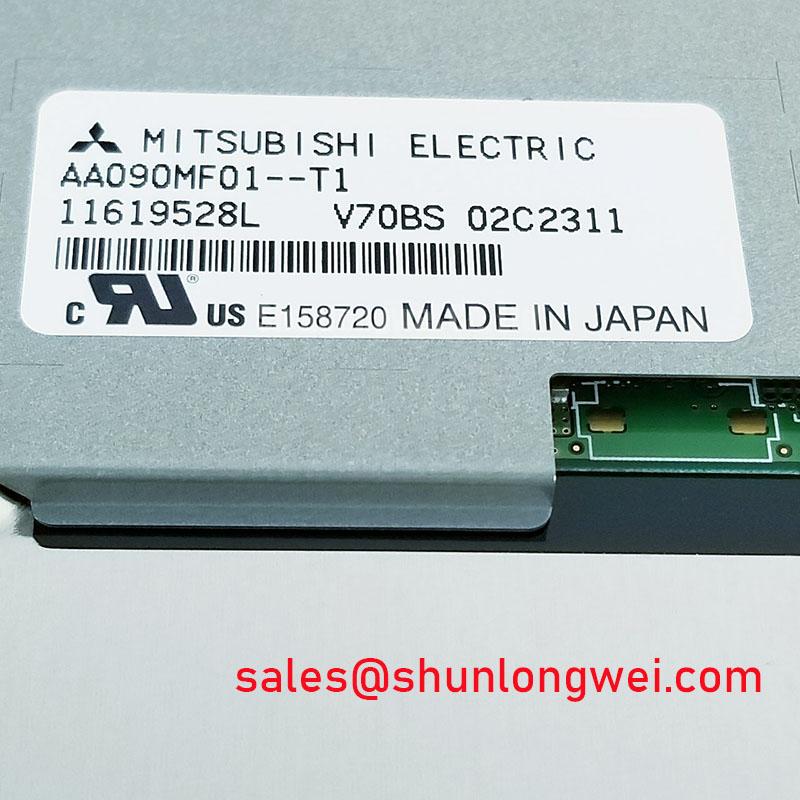
The AA090MF01-T1 is identified in the supplied data as a Mitsubishi Electric TFT-LCD module, but the provided factory parameter set does not confirm whether its optical cell is TN, IPS, MVA, or another panel technology. The system integrator should therefore verify the actual viewing-angle and grayscale characteristics from the original panel documentation rather than transferring assumptions from another LCD family. IPS and MVA panels are often evaluated where wider viewing symmetry is required, but that general characteristic does not establish compatibility with this model.
High ambient illumination creates a second evaluation point. A surface treatment described as anti-glare, anti-reflection, or hard coating must be confirmed from the panel documentation. AG and AR are not interchangeable terms: an anti-glare surface scatters incident light, while an anti-reflection treatment is intended to reduce reflected intensity through optical design. Under direct sunlight or strong work lights, compare reflected ceiling or window images, black-level visibility, and alarm text legibility at the installation angle. Do not infer the presence of an AG etch or AR coating from appearance alone.
Digital timing should also be checked at the system boundary. The supplied information does not define whether this module uses TTL, LVDS, or another display interface, and it does not provide transmitter clock limits, data setup time, or data hold time. The replacement procedure should therefore begin with connector and pinout verification against the original documentation. If the interface is LVDS or TTL, an oscilloscope comparison with a known-good signal path can help identify clock instability, missing pairs, incorrect polarity, or a timing mismatch across the equipment’s operating temperature range. These are system-level checks, not confirmed specifications of the AA090MF01-T1.
For maintenance teams comparing physically related Mitsubishi Electric display options, AA084VC01 may be reviewed as a separate device candidate. Mechanical dimensions, optical direction, connector assignment, backlight requirements, and timing compatibility still require verification before any substitution is approved.
Mitigating Gray-to-Gray Response Escalation During Cold-Start Machine Power-Up
Cold-start testing should be performed with the display installed in its intended enclosure and with the same startup sequence used by the host controller. Observe the first several screen transitions, including the company logo, diagnostic page, alarm list, and live process screen. A slow gray-to-gray transition can be mistaken for a controller delay, a weak backlight, or a source-data problem. Compare the panel image with the source signal at the same time so that display response and system boot timing are evaluated separately.
Liquid-crystal viscosity generally changes with temperature, and this can influence optical transition behavior during a cold start. That statement is a general LCD design consideration, not a confirmed operating-temperature specification for the AA090MF01-T1. The available factory data supplied for this page does not state a temperature range, GTG response value, heater requirement, or thermal-cycle qualification. Engineers should obtain those values from the original Mitsubishi Electric datasheet before applying the module to an exposed cab, outdoor control cabinet, or heavy equipment telematics display.
Perimeter sealing should be inspected without assuming a particular adhesive, epoxy, or frame construction. Look for lifted edges, contamination at the optical perimeter, pressure marks, and evidence of condensation after a cold-to-warm transition. A sealed enclosure can still trap moisture if the cabinet warms rapidly while the panel surface remains below the local dew point. The enclosure designer should control the air path and confirm condensation behavior through system testing rather than relying on the module name alone.
Display timing faults require the same disciplined separation. If the original documentation identifies a TTL or LVDS interface, verify the correct data mapping, clock polarity, lane arrangement, termination method, and power-up order. Clock jitter and data hold performance must be checked against the transmitter and receiver requirements stated for the actual panel. A flickering image, intermittent color channel, or unstable startup may also involve cable routing, connector retention, grounding, or the host board, so a single symptom should not be assigned to the LCD without comparative measurements.
Power sequencing is especially important when a legacy panel is installed in a modern control assembly. The required supply voltage, enable timing, backlight command, and discharge behavior are not provided in the supplied specifications. The system integrator should verify the required supply voltage from the original panel documentation and should not assume that a visually similar Mitsubishi Electric module has the same electrical sequence.
Backlight Architecture and Secondary-Side Insulation Testing
Before diagnosing a dark screen, determine whether the original panel uses a CCFL backlight, an LED backlight, or another documented arrangement. The supplied information does not confirm the backlight technology of AA090MF01-T1. A CCFL assembly may require a high-voltage inverter during ignition, while an LED assembly normally requires a current-regulated driver. These architectures are not interchangeable, and an inverter output measurement should never be applied to a panel unless the service documentation specifically identifies that circuit.
Where the original documentation specifies a CCFL circuit, high-voltage testing should follow the equipment manufacturer’s safety procedure and use instruments rated for the circuit. A stated striking range such as 1500 to 1650 Vrms must not be assigned to this model without a source in the applicable factory documentation. Inspect the harness, lamp connectors, transformer area, and insulation barriers for carbon tracking, discoloration, looseness, or moisture. Secondary-side insulation evaluation should be performed with the assembly isolated and with a test method approved for the actual inverter design.
For a documented LED version, inspect the driver’s open-load and short-load response before replacing the display. A backlight that briefly illuminates and then turns off may involve driver protection, an open LED string, connector resistance, an enable signal, or a host-board fault. Measure the driver output only within the limits of the service documentation. Do not use a generic LED voltage assumption, because string count and current regulation vary across panel families.
PWM dimming also requires confirmation from the original panel and driver specifications. A proposed control frequency, duty-cycle range, or dimming ratio should be treated as a system design parameter unless it is explicitly listed for this model. Engineers evaluating visible flicker should compare the backlight command with the camera or photodiode observation and should check whether acoustic noise originates from the driver, transformer, mounting structure, or enclosure resonance. A constant-current driver may reduce some backlight variation, but it does not by itself prove compatibility with the AA090MF01-T1.
Claims about half-life, MTBF, or service life require an official source and defined test conditions. No field-life figure or guaranteed operating-hour value is provided in the supplied data, so purchasing and maintenance decisions should use the original Mitsubishi Electric reliability documentation where available. The related AA104VC01 can be reviewed as a separate Mitsubishi Electric display solution in the same broader equipment-selection process, subject to independent electrical and mechanical verification.
Maintenance Note: Disconnect power before removing the display cable, and inspect the cabinet airflow path and perimeter gasket condition during scheduled service.
Flush-Mount Bezel Integration and Perimeter Gasket Shock Isolation
For a flush-mounted installation, begin with a mechanical comparison between the removed module and the replacement unit. Confirm the outer envelope, active-area position, connector clearance, mounting-hole pattern, cable bend space, and bezel opening from the original drawing. The supplied factory information identifies the package as a TFT-LCD Display Module but does not provide outer dimensions, mounting tolerances, fastener size, gasket compression, or allowable frame load. Those values must be obtained before machining a new carrier or reusing an existing bezel.
Uniform support is more important than simply tightening every fastener. A rigid bezel can transfer local force into the glass or optical stack, producing pressure marks, non-uniform brightness, or visible mura. Use the documented mounting method for the actual panel and tighten in a controlled cross-pattern only when the manufacturer’s mechanical instructions define that method. The supplied information does not establish an M3 fastener torque of 0.35 to 0.45 N·m for this model, so that value should not be treated as an AA090MF01-T1 factory requirement.
A gasket should close the enclosure interface without becoming a concentrated load path. Check for folds, gaps, hard spots, contamination, and compression against connector areas. In vibrating equipment such as a heavy mining shovel or earthmoving machine telematics display, the enclosure designer should evaluate shock transfer, cable strain relief, panel retention, and bezel resonance as a complete assembly. The LCD module itself should not be described as qualified for that equipment unless the relevant Mitsubishi Electric environmental and mechanical specifications confirm it.
After installation, run a dark-field and mid-gray inspection from the normal operator position. Uneven regions should be compared before and after fastener adjustment, while avoiding repeated tightening that could permanently distort the frame. Check the display both cold and warm, then inspect the image while the enclosure is subjected to the machine’s normal vibration environment. Any abnormality should be correlated with mechanical pressure, signal integrity, backlight behavior, and temperature rather than assigned to one cause without evidence.
For broader background on panel interfaces, optical behavior, and industrial TFT-LCD selection, consult The Ultimate Guide to Industrial TFT-LCD Technology. The system integrator should use that general reference alongside the original Mitsubishi Electric documentation, the host controller manual, and the verified mechanical drawing for AA090MF01-T1.