
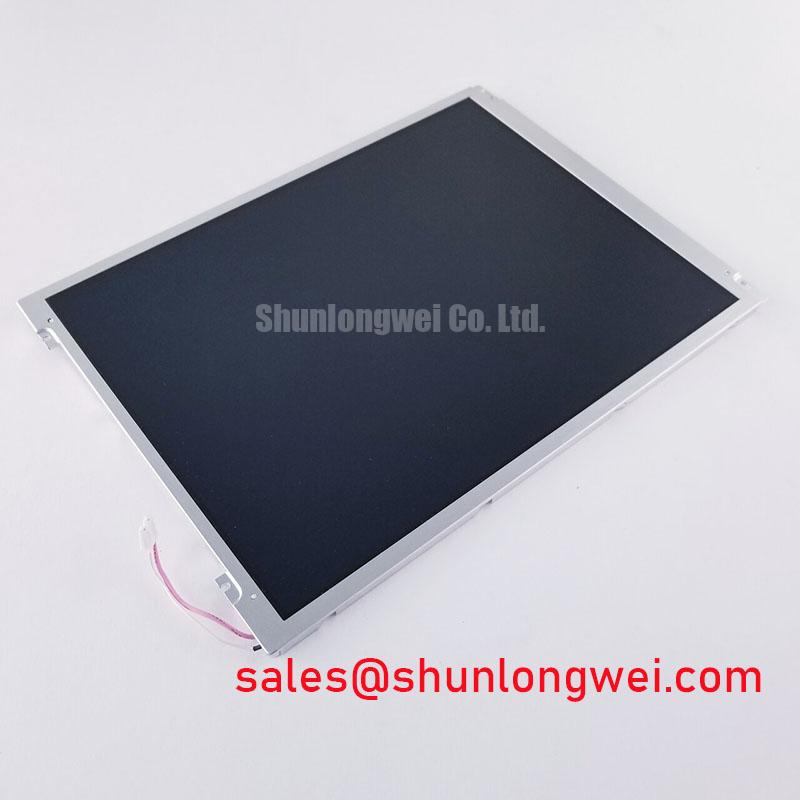


Content last revised on September 24, 2026
Preventing Frame Lag and Image Smearing in Cryogenic Storage and Outdoor Industrial Facilities
| Model | B104SN02 V1 |
| Manufacturer | AUO |
| Product category | TFT LCD Display Module |
| Display technology | TFT LCD Active Matrix Color Display Module |
| Specification status | Product identification |
Check the panel image with a moving grayscale pattern while monitoring the display enclosure temperature, then compare gray transition behavior with the original service unit under the same signal timing. A slow transition, trailing edge, or temporary image retention can involve the liquid crystal response, source timing, backlight control, supply stability, or temperature distribution around the panel. It should not be assigned to a single cause without comparing the complete signal path.
B104SN02 V1 is identified as an AUO TFT LCD Active Matrix Color Display Module for industrial LCD and HMI integration. The supplied factory information does not define a guaranteed operating temperature range, gray to gray response value, luminance value, backlight specification, resolution, or input voltage. Those parameters should therefore be taken from the original panel documentation used by the equipment manufacturer before a service replacement is powered.
At sub-zero temperatures, liquid crystal movement can become slower and the visible effect may appear as frame lag or smearing during camera movement, scrolling data, or rapidly changing ultrasound imagery. This is a general display engineering consideration rather than a verified performance rating for this model. Test engineers should record the first visible response change during a controlled temperature transition and compare it with the known-good display, paying attention to the panel surface, enclosure air temperature, and image source timing.
Backlight control also requires a system-level check. If the host uses PWM dimming, the controller should be evaluated for flicker, duty-cycle linearity, audible interference, and interaction with the camera or optical sensor used in the equipment. The appropriate PWM frequency and duty-cycle behavior are system design choices and are not official specifications provided here for B104SN02 V1. A constant-current backlight driver, enable signal, and brightness command should be verified against the original display assembly rather than assumed from the panel model alone.
Thermal cycling can expose mechanical and optical weaknesses around the panel perimeter. Inspect the bezel contact pattern, cable strain, adhesive condition, and signs of condensation after the unit has returned to a stable inspection temperature. Do not infer a particular epoxy sealant, optical bonding method, or internal material from the TFT LCD category. If the display is considered for an outdoor control cabinet or cold storage monitor, the integrator should validate enclosure sealing, heater control, humidity management, and image recovery through the full equipment test plan.
For a same-size or same-resolution replacement assessment, engineers can place NL10276BC30-18 beside the original unit for a connector, mounting, optical, and timing comparison. Similar appearance does not establish electrical interchangeability. The FPC or board connector position, pin assignment, power sequence, backlight interface, pixel timing, and mechanical envelope must all agree with the equipment documentation.
Suppressing Pixel Jitter and Horizontal White Lines Induced by Adjacent 400V Motor Drives
Probe the display supply rails and the source interface at the same time that the nearby motor drive changes state, then compare the disturbance with the appearance of pixel jitter or horizontal white bands. Use a known-good cable path where available, inspect the shield termination at both ends, and check whether the symptom follows the cable, the display controller, or the physical routing. This differential test is more useful than treating every horizontal line as a confirmed panel fault.
Variable frequency drives can produce common-mode and radiated interference that couples into long display cables, power leads, frame ground, or unfiltered control wiring. A 360-degree shield connection may be considered where the cable and enclosure design support it, but the correct termination method depends on the equipment grounding architecture and safety requirements. The display itself should not be described as independently compliant with industrial EMC standards without a complete system test.
Ferrite components may be evaluated as a design consideration when common-mode noise is present, but their impedance behavior depends on cable construction, interference frequency, current, placement, and the intended signal interface. Adding a component without observing the waveform can alter edge shape or create a new signal-integrity problem. Verify the differential signal eye opening, clock stability, and supply ripple at the display connector while the adjacent 400V drive operates through its normal switching states.
Sub-zero conditions can extend display response time while the electrical interface remains within its digital timing limits. Separate those effects during troubleshooting. First confirm that the source clock and data remain stable. Then inspect the panel image under static and moving test patterns. If the jitter changes with cable position, cabinet door position, or drive loading, investigate coupling and return-current paths. If it remains unchanged while the signal interface is clean, the display timing controller, backlight system, or panel assembly requires further comparison testing.
Transient current measurements can be useful when a drive event produces a short disturbance on the display supply. A Rogowski coil can observe fast changing current without placing a conventional shunt in the circuit; the Rogowski coil principle should be applied with suitable bandwidth, integration, calibration, and safety procedures. This reference does not provide an electrical specification for B104SN02 V1, and it should not replace direct voltage and signal measurements at the display connector.
For surgical navigation or ultrasound diagnostic display equipment, cable routing should keep high-energy motor wiring physically separated from low-level display and control wiring where the cabinet design permits. The system integrator should verify the required supply voltage from the original panel documentation. LVDS, TTL, backlight, and power connections must not be inferred from the product category alone, because an incorrect pin assignment can produce a blank image or permanent damage.
Bench Tip: Use ESD protection, keep the flexible cable perfectly flat in its connector, and close the locking bar evenly before applying power or moving the panel.
Suppressing Localized Thermal Gradients to Prevent Chronic Optical Yellowing
Scan the screen with a uniform white field and a neutral gray field, then compare the center, corners, narrow edges, and regions close to the backlight or chassis before investigating color shift. A localized yellow or warm area may relate to temperature gradients, optical stack aging, backlight imbalance, contamination, mechanical pressure, or image source calibration. Record the location and shape of the shift rather than assigning it to a particular internal material that has not been documented.
An aluminum heat spreader rail can be evaluated as a general mechanical and thermal design consideration when a narrow edge of the display runs warmer than the active area. Its effectiveness depends on contact area, insulation, airflow, chassis construction, and heat sources elsewhere in the enclosure. It should not obstruct the panel perimeter, compress the display, interfere with the FPC, or create a new stress concentration. The appropriate dimensions and attachment method must be established by the equipment designer through thermal and mechanical testing.
The supplied product information verifies the TFT LCD active matrix color display category, but it does not state an LED lifetime value, L70 or B50 rating, color-temperature tolerance, luminance uniformity, or optical bonding construction for B104SN02 V1. These values should not be presented as factory characteristics. For a high-precision surgical or ultrasound display, the complete display assembly should be evaluated with the system’s image calibration procedure, ambient light condition, backlight setting, and operating temperature profile.
Signal integrity can influence perceived color stability when clock jitter, data hold timing, or intermittent bit errors disturb the image. Use an oscilloscope or suitable high-speed measurement method at the receiving interface and compare the clock and data relationship with a known-good assembly. The acceptable timing margin is determined by the transmitter, receiver, cable, connector, panel controller, and operating temperature. It is not established by the model number alone.
Long-term static screen use also deserves a controlled image-management strategy. Fixed menus, measurement scales, logos, and diagnostic overlays can create uneven visual aging or temporary image retention depending on the display architecture and operating conditions. Designers should consider screen blanking, controlled image movement, brightness management, and scheduled inspection where the equipment remains on the same interface for extended periods. These are system recommendations, not a guaranteed anti-burn-in feature of this panel.
Optical bonding and enclosure sealing should be treated as assembly-level decisions. If the replacement is installed behind a protective window, verify pressure distribution, dust control, humidity exposure, cleaning-fluid compatibility, and service access without assuming that the B104SN02 V1 itself has a specific fully bonded construction. In medical imaging equipment, the replacement display should also be checked for grayscale appearance, viewing-angle behavior, touch or overlay clearance where applicable, and compliance of the finished equipment with its own regulatory requirements.
Engineers evaluating harsh-environment HMI integration can use the practical service and test considerations collected in Industrial Display and HMI Solutions. That reference supports system-level evaluation; it does not convert general design guidance into an AUO factory rating for this model.
Preventing Localized Light Guide Plate Compression Warp on Dark Screen Fields
Display a near-black test field and inspect the perimeter, corners, screw zones, and cable exit area at a controlled viewing angle before loosening or tightening the chassis. Bright spots, dark patches, and uneven bands can be associated with bezel pressure, uneven support, backlight distribution, contamination, cable interference, or panel deformation. Mark the affected location and compare it with the uninstalled panel state whenever possible.
The outer bezel should provide even support without pressing directly into sensitive display edges. A cross-pattern tightening sequence is a common mechanical design consideration for distributing load, but the correct fastener size, thread engagement, washer arrangement, and torque must come from the equipment assembly drawing. The suggested range of 0.35 to 0.45 N·m for an M3 fastener is only a typical starting point for bench evaluation, not an official B104SN02 V1 specification. Final assembly torque must be verified against the chassis and fastener manufacturer requirements.
Do not use the bezel to correct a connector alignment problem. The FPC should enter the connector squarely, with its exposed contacts fully seated and its bend radius controlled by the equipment geometry. Repeated sharp folding can damage the flexible circuit or weaken the connector interface even when the display initially produces an image. During incoming inspection, record the cable exit direction, locking mechanism condition, and any evidence of rubbing against the metal frame.
Dark-field mura testing should be performed at more than one brightness level because backlight drive and camera exposure can change the apparent severity. Capture the same field with a fixed optical setup and compare the panel before and after mounting. If a defect appears only after the bezel is secured, release the mechanical load and repeat the test before changing display settings. If the defect remains unchanged, inspect the backlight, optical layers, contamination, and source image uniformity as separate possibilities.
Clock and data timing should be verified after final cable routing, not only on an open bench. A cable that passes an initial test may experience altered impedance, shielding, or connector stress when the enclosure is closed. Compare the transmitter waveform, receiver response, and ground reference during cold and warm operation. The required clock-jitter and data-hold margins are system determined by the selected controller and panel interface, and no such timing values are included in the supplied factory data for B104SN02 V1.
High-voltage diagnostic methods do not substitute for low-voltage display inspection. Partial-discharge analysis is relevant to insulation systems in suitable high-voltage assemblies, as described in this reference on partial discharge detection; it is not evidence of a display panel rating or a necessary test for this LCD module. For the display, concentrate on connector continuity, supply sequencing, interface waveforms, thermal distribution, mechanical pressure, and optical uniformity.
When integrating this AUO panel into a surgical navigation display or ultrasound diagnostic terminal, verify the complete replacement stack: panel mounting points, FPC access, controller compatibility, backlight drive, enclosure clearance, optical window pressure, and the host system’s power-on and power-off sequence. A blank screen during startup or residual image after shutdown can originate in the host controller, enable timing, discharge path, or signal sequencing, so compare each stage with the original working assembly rather than changing the panel mechanically first.



