Content last revised on September 25, 2026
Incoming Inspection and Product Identification
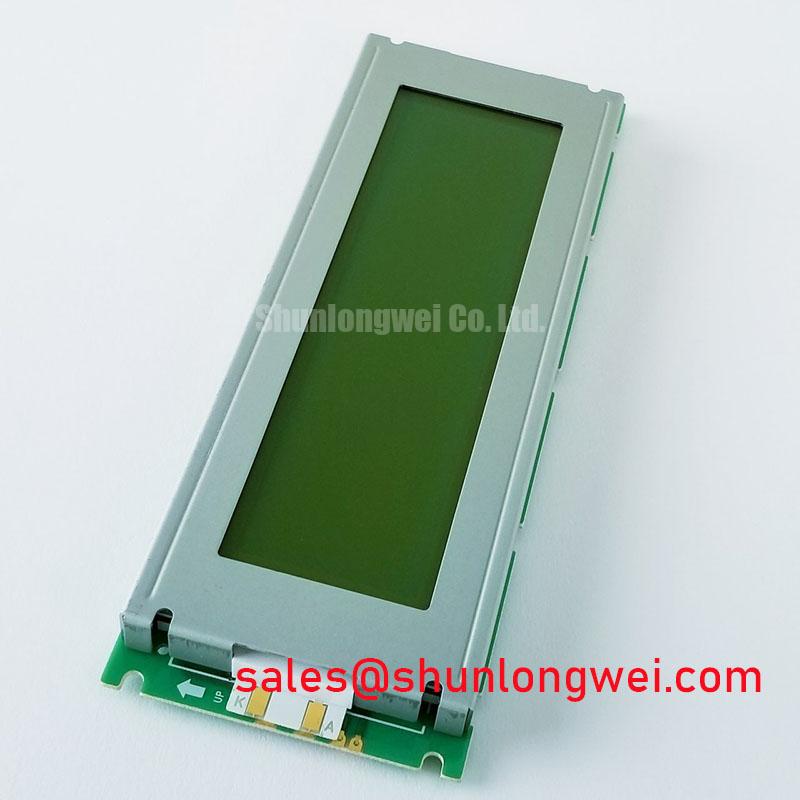
Begin incoming inspection of the DMF5005N-COE-DDN by checking the TFT-LCD display module housing, viewing surface, connector area, and product label under neutral bench lighting before applying power. This establishes whether the replacement panel has shipping damage, contamination, edge stress, or connector deformation that could complicate a later electrical diagnosis. The DMF5005N-COE-DDN is an Industrial Grade LCD/HMI Panel from Kyocera / OPTREX, supplied as a TFT-LCD Display Module. Its factory specification status is recorded as Official Factory Spec Verified.
For repair evaluation, the model number and physical module form should be matched against the removed unit and the equipment documentation. The available official product identification confirms the manufacturer, industrial LCD/HMI category, and TFT-LCD module construction. Supply voltage, connector pinout, signal format, display resolution, optical treatment, backlight arrangement, touch technology, operating temperature range, and mechanical dimensions must be verified from the original panel documentation or the equipment service record before integration. They are not established by the available factory identification data.
Thermal Interface Assessment at the Display Edge
Inspect the narrow edges of the DMF5005N-COE-DDN before it is placed behind an industrial bezel. Look for witness marks from the prior enclosure, trapped debris, uneven foam residues, or areas where an adjacent metal bracket could create localized pressure. These observations are useful because mechanical compression and concentrated environmental heat can both alter the visual appearance of an LCD assembly, yet they require different corrective actions.
Design Consideration: When an operator panel enclosure includes metal rails, heat-generating controller boards, power supplies, or high-current wiring near the display, the system designer should assess the enclosure thermal path rather than assume the display itself can absorb or spread that heat. A rail used as a heat spreader should not transfer concentrated mechanical load into the visible-area stack or connector region. The appropriate rail profile, interface material, clearances, and attachment method depend on the original enclosure and must be validated on the finished assembly.
Do not assign an LED backlight lifetime, brightness retention curve, or L70/B50 figure to this model without the matching Kyocera / OPTREX factory documentation. Long-term optical behavior depends on factors including drive conditions, panel temperature, enclosure ventilation, duty cycle, and the original backlight architecture. During an incoming check, a practical baseline is to display neutral white, mid-gray, and black test fields after stable operation, then record photographs using fixed camera exposure and fixed viewing geometry. Those records allow later comparison without presenting a visual observation as a quantified lifetime prediction.
Where an installation is intended for extended equipment service, maintenance teams can use the broader guidance in Industrial Display & HMI Solutions to evaluate enclosure conditions, inspection practice, and system-level environmental controls. This is a Design Consideration for the assembled HMI, not an official thermal or optical guarantee for the DMF5005N-COE-DDN.
A display that appears uneven under a plain field should be assessed from more than one viewing angle. Reflections from a protective window, pressure from a bezel, contamination on a cover lens, and changes in the driving electronics can produce different visual signatures. Remove external variables methodically before attributing a visible condition to the panel module.
Signal Interface Verification Before Power Application
The connector should be inspected with magnification before mating the replacement module. Confirm that the cable latch, connector keying, contact alignment, strain relief, and cable routing correspond to the original equipment. The available official product data identifies the unit as a TFT-LCD display module, but it does not confirm a 20-pin or 30-pin interface, LVDS operation, TTL operation, logic-supply requirement, timing sequence, pixel clock, or data mapping. The system integrator should verify the required supply voltage and interface requirements from the original panel documentation.
In CNC operator panels and robot teach pendants, a screen can remain dark, show unstable content, or display image artifacts when the source board, cable, and panel do not share the required electrical interface. A connector that physically mates is not evidence of signal compatibility. Before power-up, compare the original module label, cable part number, host-board documentation, and panel datasheet. Confirm the intended pin assignment and power sequencing at the equipment level using the approved service information.
Design Consideration: If the verified system interface uses differential signaling, controlled differential impedance, pair symmetry, return-path continuity, and source timing margins should be evaluated as properties of the complete cable and host-board path. Their targets are determined by the documented transmitter, receiver, cable length, layer stack-up, and operating environment. Engineers should inspect signal quality at the known-good path and verify that peak behavior remains within the limits of the validated system design.
Industrial cabinets can expose display cables to switching noise from servo drives, contactors, and power conversion equipment. Cable separation, shield termination, grounding strategy, routing, and enclosure bonding are system-level EMC decisions. A line filter can address conducted interference in the relevant power path, while it does not substitute for correctly routed display signaling. For general background on filter function, see common-mode and differential-mode line filtering. This external reference does not constitute an EMC certification or product-specific compliance claim for the display module.
Field Alert: Disconnect equipment power and follow the host system's discharge procedure before connecting or releasing the display cable, because live connector handling can damage a panel or controller interface.
A bench test should use the original compatible controller path where possible. Observe the first image after power-up, a stable static test image, and a changing image sequence. Compare behavior with the removed panel only when the host, cable, firmware state, and test conditions are controlled. An apparent split image or intermittent image may indicate a cabling, mapping, timing, controller, or panel issue; it should be isolated through measurement and substitution against a known-good signal path.
Full-Screen Optical Inspection and Vertical-Line Localization
Run the DMF5005N-COE-DDN through full-screen black, white, red, green, and blue fields once compatible power and signaling have been confirmed. Use a clean viewing surface, subdued reflections, and a repeatable viewing distance. This test sequence helps distinguish a fixed bright or dark pixel-area observation from a color-dependent image issue. It also provides a practical record for receiving inspection and equipment repair documentation.
A single vertical hairline can have several possible origins. It may be associated with the incoming signal path, cable contact condition, host controller output, panel-side connection, local pressure, or an internal panel condition. The field observation alone is insufficient to identify one cause with certainty. Test the panel with a documented compatible source and compare it with a known-good display path before concluding that the module is responsible.
For a dark-scene inspection, use a flashlight at an oblique angle to identify whether an external protective window, overlay, or surface contamination is influencing the appearance. This observation should be performed gently and without pressing the display area. Do not flex the module, load the edges, or attempt to manipulate concealed panel connections. Such actions can introduce a new defect and invalidate the inspection result.
Industrial HMI equipment may use a separate touch overlay, a bonded front assembly, or a display-only construction depending on the original equipment design. The available official information does not define a capacitive touch screen, resistive touch screen, glove operation, or wet-touch behavior for DMF5005N-COE-DDN. Where touch response is part of the repair concern, inspect and test the touch subsystem as a separate verified assembly rather than assigning its behavior to the TFT-LCD module.
Surface glare, reflections, and apparent contrast loss should also be documented rather than assumed to indicate a specific anti-glare or anti-reflective treatment. The available official identification does not state an AG or AR surface specification. Verify the original panel documentation and compare the module under the same front window and illumination arrangement used by the equipment. This matters particularly for operator stations where overhead lighting, machine lamps, and protective cover materials affect perceived readability.
When recording an optical condition, keep the image source, brightness setting, ambient light, camera exposure, and viewing angle consistent. A disciplined record gives repair engineers a repeatable basis for deciding whether an observed issue follows the module, the cable, the controller, or the external mechanical assembly.
Bezel Fit, Mounting Load, and Cold-Ambient Evaluation
Before final installation, place the DMF5005N-COE-DDN into the unpowered bezel and verify that its supported edges, mounting points, cable exit, and visible area align with the original assembly. The official data supplied here does not specify an outer-bezel envelope, mounting-hole pattern, screw size, fastener torque, or allowable mechanical load. Those values must be taken from the original panel drawing and equipment documentation, not inferred from another TFT-LCD module.
Engineering Recommendation: Tighten documented display fasteners progressively in a cross-pattern where the original mounting design uses multiple attachment points. This helps the technician observe uneven seating before the enclosure is fully clamped. The correct torque is determined by the verified fastener, mounting boss, bezel construction, gasket arrangement, and manufacturer drawing. Do not apply a generic M3 torque value to this model without the applicable official mechanical specification.
Check that the bezel does not contact the active viewing region, pinch the signal cable, or force the module into a bowed position. After fastening, repeat the white, gray, and black image inspection. New localized shadows, color variation, edge leakage, or intermittent behavior after mounting can indicate an enclosure-fit or cable-routing issue and should be investigated before the equipment is returned to service.
Liquid-crystal response can change at low ambient temperature, but no operating-temperature range or response-time characteristic has been provided for this model. The equipment integrator should verify the approved ambient range from the original Kyocera / OPTREX documentation and validate complete HMI operation in the intended enclosure. If the equipment uses a heater, temperature sensor, or cold-start control, treat these as host-system functions whose setpoints and operation must be established by the system design documentation.
For potential use in an industrial automation CNC operator panel or robot teach pendant, compatibility depends on the exact mechanical envelope, electrical interface, controller firmware, environmental protection, and host display architecture. The DMF5005N-COE-DDN should therefore be evaluated as a matched replacement TFT-LCD module using the original equipment records and controlled bench testing.