Content last revised on October 15, 2026
Elastomeric Zebra Strip Connector Compression & Heat-Seal (HSC) Interconnect Integrity
Display a full screen background on the DMF5005N, then alternate filled and cleared pixel patterns while checking for missing rows, persistent columns, and uneven illumination. Keep the viewing angle and ambient lighting consistent so that contrast changes are distinguishable from pixel addressing faults. Record defects by screen position before disturbing the cable or mounting frame.
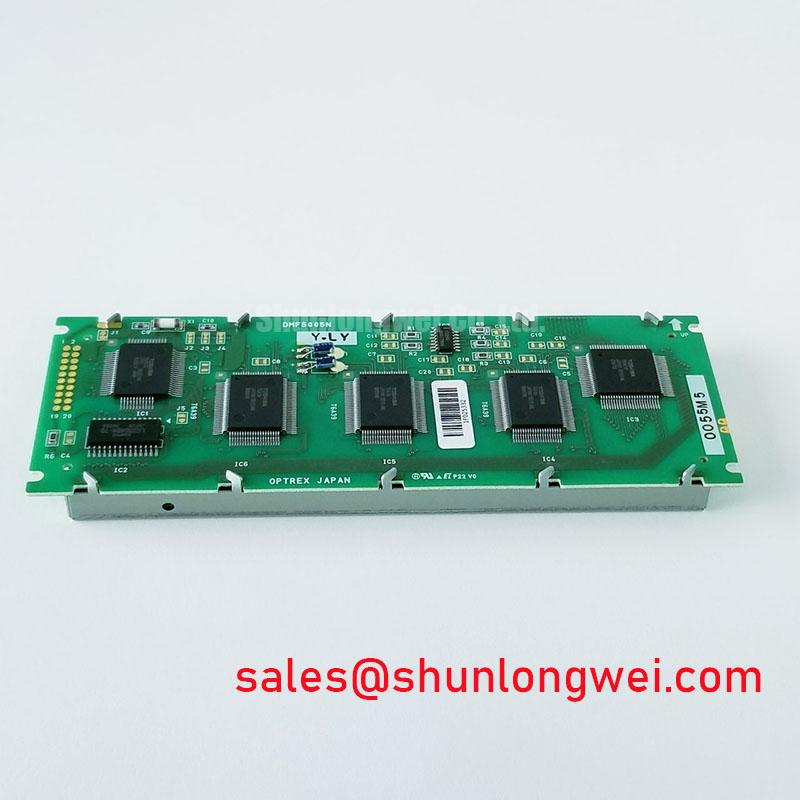
The Kyocera / OPTREX DMF5005N is a monochrome passive matrix LCD panel within the supplied FSTN / STN product classification. For replacement assessment, match the complete suffix on the installed assembly with the DMF5005N product reference. Electrical ratings, optical mode, dimensions, connector assignments, and backlight configuration require the matching manufacturer datasheet; the abbreviated model alone does not establish interchangeability.
Inspect the accessible connector seating, cable alignment, and bezel mounting before attributing missing pixels to the LCD glass. As a Design Consideration, uneven mechanical loading can affect contact stability where a display assembly uses pressure dependent interconnections. Identify the actual construction from the assembly drawing before attempting internal work; neither an elastomeric strip nor a heat seal connection should be assumed from the DMF5005N model designation.
Use alternating row and column patterns to separate a repeatable addressing defect from a fault that changes after cable reseating. With power removed, examine exposed contacts for contamination, displaced cable reinforcement, or damaged locking features. Restore the documented mounting arrangement without adding shims or tightening the bezel to increase pressure. A change after reassembly supports further investigation of the connection, but does not establish the failed part by itself.
For an identified elastomeric connection, alignment and compression depend on the connector geometry and frame tolerances. Apply only the assembly specified loading. Heat seal joints require their own documented service process; pressing or reheating them without that process can introduce additional damage. Cleaning exposed contacts also requires compatibility with nearby coatings, adhesives, and plastics rather than an assumed universal solvent.
💡 Bench Tip: Remove power, apply ESD precautions, and seat the display cable squarely before closing its connector lock.
When evaluating another display, compare the active area, mounting pattern, connector position, addressing format, and electrical interface individually. The LM32K071 comparison provides a separate selection reference, without establishing compatibility with DMF5005N.
Liquid Crystal Threshold Voltage (V_th) Tracking across Industrial Operating Temperatures
Track contrast against measured panel temperature while keeping the displayed pattern and observation geometry unchanged. As a Design Consideration, passive matrix LCD contrast depends on the effective drive waveform and temperature dependent liquid crystal behavior. A pale image during temperature changes therefore calls for simultaneous examination of the display drive and supply behavior, rather than immediate adjustment of the contrast control.
Measure the designated contrast or bias node against its documented reference, using probe connections that avoid loading the circuit. Compare startup behavior, steady operation, and transitions between sparse and dense patterns. Ripple coincident with visible banding warrants investigation of the bias source, grounding, and coupling from adjacent circuitry. Determine acceptable voltage and ripple from the matching panel and controller specifications instead of applying a generic negative supply range.
If the host schematic includes temperature compensation, check the sensor location, electrical continuity, and resulting bias adjustment as temperature changes. A sensor near a warm power component can track a different condition from the display surface. Compensation should preserve the specified drive conditions throughout the permitted temperature range; it should not be used to conceal an unstable supply or intermittent connection.
Interface terminology also matters during replacement review. The I2C bus reference explains a serial interface used by some peripheral controllers, but does not establish an I2C interface or touch function for DMF5005N. Follow the actual connector pin definitions and controller timing when checking host compatibility.
CCFL Ballast Capacitor Impedance Matching and Tube Operating Current Stabilization
Identify the backlight assembly and its driver before connecting test equipment to the illumination circuit. As a Design Consideration, CCFL ballast and tube current checks apply only to an assembly documented as using that technology. Establish the lamp specification, inverter connection, and operating limits from the installed assembly before selecting a test method.
For a documented CCFL system, ignition behavior and sustained operation require different observations. Use appropriately rated equipment and the inverter manufacturer’s measurement procedure to examine starting behavior and current stability. Ballast capacitor impedance interacts with switching frequency and lamp characteristics, so replacement assessment must include the specified capacitance, voltage capability, and circuit arrangement. Set clearance requirements from the applicable equipment design and insulation requirements rather than a generic striking voltage.
Evaluate illumination uniformity with a consistent background pattern and controlled ambient light. Record brightness at repeatable screen locations, then compare the spatial pattern after warmup. Uneven brightness, delayed illumination, and visible flicker can have different electrical or optical contributors; correlate them with driver behavior before assigning a cause. For monochrome viewing, illumination color consistency remains useful, but no color temperature tolerance should be imposed without an acceptance specification.
The LM64C15P is a separate display reference for reviewing module and host integration requirements, not an identified DMF5005N backlight driver. Keep its electrical information separate from this panel’s limits. Brightness control compatibility must likewise be established from the actual driver documentation rather than inferred from another display.
Cold-Start Response Time Viscosity Damping across Sub-Zero Machine Environments
Capture text transitions immediately after a permitted cold soak, then repeat the same transitions as the display approaches thermal equilibrium. As a Design Consideration, lower temperature can slow liquid crystal response and produce visible trailing even when addressing remains correct. Distinguish transition delay from missing pixels by comparing static patterns with changing text at the same measured temperature.
Keep environmental testing within the documented operating limits and manage condensation during transfers. Inspect the viewing surface under controlled reflected and transmitted illumination for haze, localized discoloration, or visible separation. These observations help locate optical deterioration without assigning an unverified polarizer chemistry, adhesive construction, or aging mechanism to DMF5005N.
For potential installation in a precision electronic test and measurement instrument, engineers should compare cold startup readability, enclosure lighting, controller timing, and mechanical fit with the host’s acceptance criteria. The Industrial Display & HMI Solutions reference supports broader integration review, while Kyocera display technology information provides manufacturer context without extending current display specifications to this legacy model. Accept the replacement against recorded image quality and interface tests at the required operating conditions.