


Content last revised on October 3, 2026
Inspecting the DMF50174-ZNF-FW-17 Before Installation
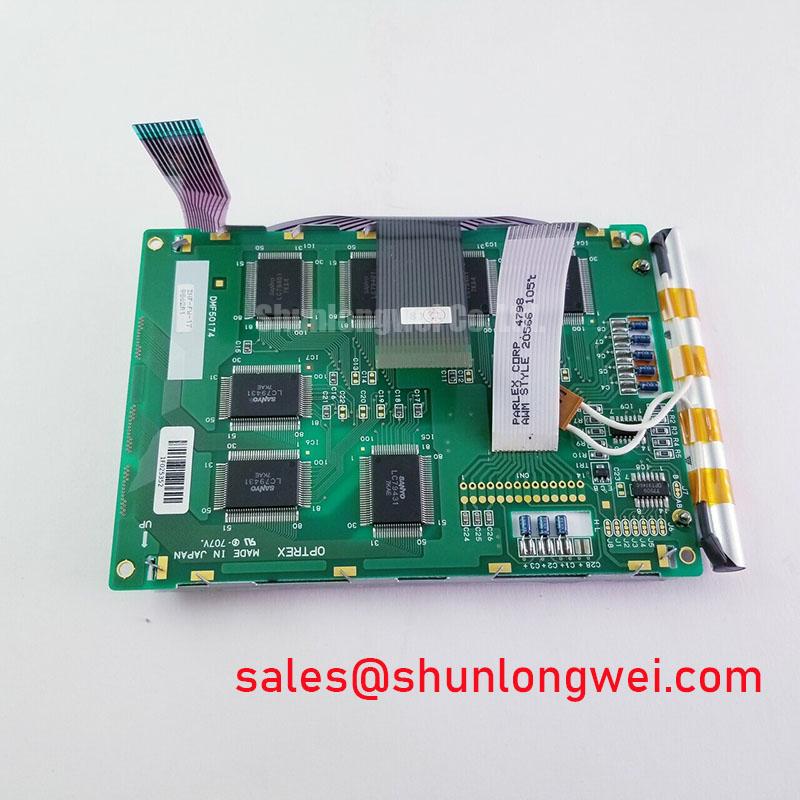
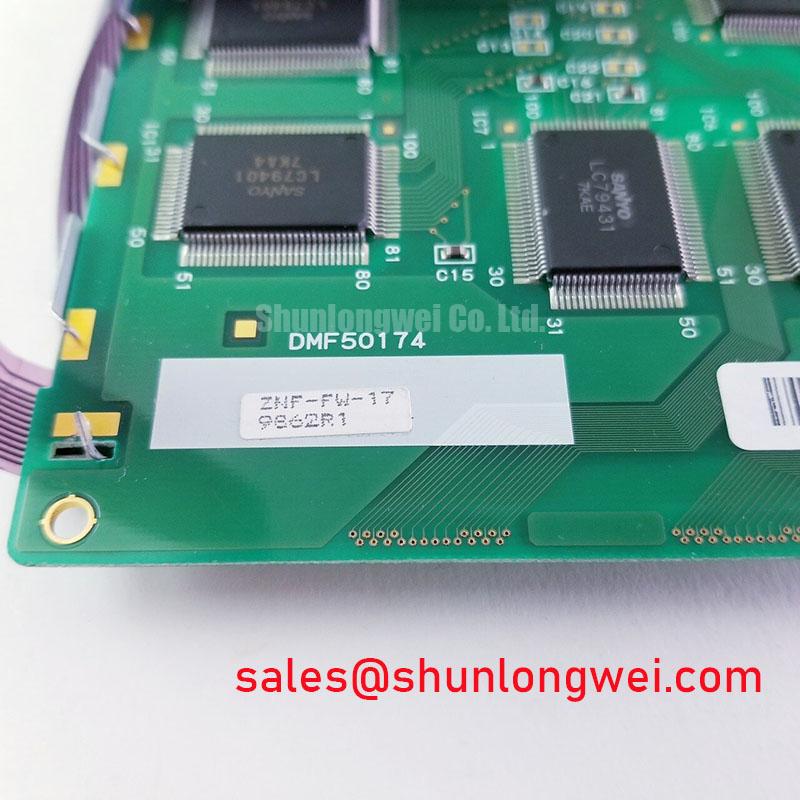
With the cabinet power isolated, inspect the bezel opening, mounting points and display connector before fitting a DMF50174-ZNF-FW-17. Record the markings on the removed unit and photograph its cable orientation; a matching model number alone does not establish that the host cable, mechanical supports or display settings are correct. The supplied factory identification lists this Kyocera / OPTREX part as an industrial-grade TFT-LCD display module (Official Specification). Electrical ratings, optical performance and operating-temperature limits are not included in the supplied specifications, so those values must be checked against the original panel documentation rather than inferred from its product category.
Viewing Angles, Glare and Signal Timing at the Console
Stand where an operator actually reads the screen before judging a replacement display. A panel that looks clear from the workbench can become difficult to read when viewed through a cabinet window or from a vehicle seat. For DMF50174-ZNF-FW-17, neither a viewing-angle figure nor a named liquid-crystal viewing technology is established by the supplied specifications. Do not assign it an IPS, MVA or TN performance claim without the relevant factory optical data. If the maintenance requirement includes off-axis legibility, compare the original panel documentation and assess the assembled screen from the required positions.
Grayscale inversion, color shift and reflected light call for separate checks. A change in dark tones as the observer moves may be a viewing-characteristic issue; a bright reflection across an otherwise legible image concerns the enclosure window, surrounding light and surface finish. The supplied specifications do not establish an anti-glare treatment for this model. An integrator should therefore examine the complete display stack under representative lighting before specifying an additional window or surface treatment. Avoid attributing a reflection from the enclosure cover to the LCD itself.
The module identification also does not establish a TTL or LVDS pinout, pixel clock or timing margin. During a repair, compare the host display-board schematic, cable part number and original panel timing documentation before connecting power. If text edges break up or colors change intermittently, inspect connector seating first, then compare the video signals with a known-good signal path using appropriate instrumentation. Clock jitter, data hold time and temperature-sensitive signal integrity are legitimate design considerations, but acceptable limits must come from the documented interface and measurements on the host system.
For a proposed automated guided vehicle or forklift telematics display, viewing position and daylight exposure are compatibility questions, not evidence that this module was specified for either machine. Check the equipment drawing for the active viewing area, bezel clearance and operator sightline. A physical fit should be followed by an image test with the intended graphics, including small text and low-contrast status indicators.
Backlight Supply and Insulation Checks Before Power-Up
Trace the existing backlight connections before reusing a driver. The supplied factory identification does not specify the backlight technology, its electrical input, a striking voltage or a dimming method for DMF50174-ZNF-FW-17. A high-voltage ignition procedure must not be applied on the assumption that this LCD has a particular lamp arrangement. Likewise, an LED constant-current driver is not a verified match merely because it is installed in a similar-looking display assembly. Obtain the original panel and host-driver documentation to identify the required connections and ratings.
When investigating a dark screen, establish whether image data is still present before changing backlight hardware. Under safe viewing conditions, a faint image can help distinguish an illumination problem from a missing video signal, but it does not identify the failed part. Check the host supply and enable behavior against the equipment schematic, inspect the cable and connector, and test the driver only by the procedure appropriate to its documented design. If insulation testing is required, disconnect sensitive electronics as directed by the equipment service documentation; an arbitrary test voltage could damage the assembly.
Audible noise or visible flicker during dimming may originate in the driver, its mounting or the host control signal. As a Design Consideration, assess those elements together at the brightness settings operators use. The supplied specifications do not support a particular PWM range, dimming ratio, optical contrast under sunlight or backlight lifetime for this model. Procurement should request those figures from the applicable factory documentation when they are acceptance criteria, rather than treat a general display-industry value as a rating for this module.
Keep the optical inspection practical. Look for uneven illumination with a uniform test image, then repeat the check with the enclosure window installed and the equipment at its normal operating brightness. Note whether the pattern moves with the viewing angle, follows a mechanical pressure point or remains fixed on the image. Those observations narrow the next inspection without assigning a single cause to a visual symptom.
Humidity, Cold Starts and Mechanical Stress Around the LCD
Inspect the enclosure gasket and its mating surfaces when a display is removed. Dust tracks, displaced gasket sections and evidence of moisture near a connector matter even if the LCD face appears intact. The supplied specifications provide no humidity-storage rating, thermal-cycle range or condensation tolerance for DMF50174-ZNF-FW-17. Treat those limits as documentation items to verify before approving an installation exposed to washdown, outdoor transitions or cold storage.
At low temperatures, liquid-crystal response can slow; the visible effect may be most apparent in moving text or changing gray tones. This is a Design Consideration, not a quantified response-time claim for this model. Assess a cold-start requirement using the documented operating range and a representative display test after the complete assembly has reached the specified condition. If the equipment uses a heater, its control and placement belong to the host design and must be checked against the original equipment documentation. Do not assume that warming the air near the panel establishes a safe operating condition for its connectors or backlight supply.
Condensation deserves attention during the return from cold storage to a warmer, humid workspace. Inspect for moisture before energizing the assembly and follow the equipment maker’s acclimation procedure. A seal that blocks dust can still be compromised by poor seating or uneven bezel pressure. During installation, support the module at its intended mounting features and bring fasteners into contact evenly. Excess localized force can distort the visible image or load the panel frame; the correct fastening method and any torque value must come from the mechanical documentation for the assembly.
The flexible cable needs a separate visual check. Confirm that its route does not pull against the connector latch when the cabinet door closes, and that it is not trapped beneath a bracket. A crease, abrasion or loose latch can produce an intermittent display fault that resembles a timing problem. Repeated movement also belongs in the equipment-level service assessment: the supplied panel identification does not establish an FPC bend-life rating. ⚠️ Maintenance Note: Isolate power before reseating the display cable, and inspect the cooling path and enclosure gasket while the assembly is open.
Long-lived static HMI graphics should be assessed on the installed system. If a faint trace remains after a fixed screen changes, record when it appears and whether it clears during normal operation; do not label it permanent damage from one observation. As a Design Consideration, interface designers can evaluate screen changes or other content-management measures where fixed graphics remain displayed for extended periods. The panel’s actual behavior and the equipment’s duty cycle determine whether such measures are appropriate. For broader enclosure and integration context, see Industrial Display & HMI Solutions.
Chassis Continuity and Display Noise Near Motor Drives
If horizontal bands or unstable pixels appear while nearby equipment operates, document the conditions before changing the LCD. Note whether the disturbance follows motor-drive activity, cabinet-door position, cable movement or backlight dimming. These observations help separate a video-path issue from a power, grounding or illumination issue. The supplied specifications do not identify this module’s cable shield construction or establish an EMC immunity rating, so no compliance conclusion can be drawn from the panel name alone.
Check the installed cable against the host schematic and the original assembly drawing. Inspect shield termination where one is specified, verify that chassis contacts are clean and mechanically secure, and keep signal routing away from identified noise sources where the enclosure permits. A ferrite or revised shield connection is a system-level Design Consideration, not a prescribed accessory for DMF50174-ZNF-FW-17. Its location and suitability should be determined by measurements on the assembled equipment; an added part should not conceal a loose connector or an interrupted chassis bond.
Compare the display with a known-good signal source or cable when the service procedure allows it. If the symptom persists only with the installed host, examine the supply and video waveforms under the same operating conditions that produced the fault. If it follows the display assembly, return to connector seating, cable strain and backlight-driver checks before assigning the fault to the LCD glass. This sequence supports a repair decision without assuming that a visible noise pattern has one cause.
Before releasing the equipment, verify stable text and graphics with the cabinet closed, the normal brightness controls active and nearby machinery in its representative operating state. Record the panel marking, cable arrangement and test conditions in the service log. That record gives the next technician a usable comparison point while keeping any claim about environmental suitability or EMC performance tied to the complete, tested system.