

Content last revised on September 14, 2026
VESA vs. JEIDA Data Mapping Alignment & Even/Odd Channel Signal Integrity
Start replacement work by identifying the video interface standard used by the original controller board and by confirming that the host system’s data mapping agrees with the panel documentation. VESA and JEIDA mapping differences can produce incorrect color ordering, abnormal grayscale presentation, or image segmentation even when the physical connector appears compatible. A powered image with distorted colors should therefore be treated as an interface verification task rather than immediate evidence of a defective LCD module.
The system integrator should verify the required logic supply voltage, connector pin assignment, input channel arrangement, and power sequencing requirements from the original panel documentation. These values must not be assumed from the module size, the display appearance, or a nearby LCD reference. In particular, the documented rise time limits for the logic rail and the timing relationship between video data and panel enable signals should be checked against the equipment controller output.
Signal routing is also a design consideration for an industrial HMI assembly. Differential video pairs should preserve their intended pair relationship, maintain controlled impedance appropriate to the transmitter and receiver specification, and avoid unnecessary stubs that can degrade the eye pattern. If a display shows split areas, alternating line behavior, intermittent color shifts, or image instability after cable replacement, inspect even and odd channel continuity and compare waveform behavior against a known good signal path with suitable test equipment.
Cold equipment starts require separate attention. Liquid crystal response can become visibly slower at reduced ambient temperature, but the LC185EXN-SCA1 should not be assigned a low temperature operating limit unless that limit is confirmed in its applicable documentation. Where a telematics enclosure operates in cold warehouse yards or vehicle cabins, engineers should evaluate whether the enclosure, heater control strategy, power up sequence, and actual display response remain acceptable at the equipment’s qualified environmental condition.
For a same class display comparison, the NL192108JC18-03ND can be reviewed as a separate technical reference. Any cross model substitution still requires a direct comparison of mechanical outline, interface assignment, optical behavior, electrical requirements, and the original controller configuration.
Mitigating Gray to Gray Response Time Escalation during Cold Start Machine Power Up
During a cold start inspection, first allow the HMI enclosure to stabilize under its normal machine power condition, then observe full screen gray ramps, moving text, and primary color transitions. A delayed transition between gray levels can arise from temperature dependent optical response, while apparent blur can also be caused by an unstable input signal, unsuitable timing configuration, or the host graphics source. These conditions should be separated through controlled observation rather than assigning one cause from a single visual symptom.
The perimeter seal and front assembly deserve attention where displays are exposed to repeated temperature changes. Moisture ingress risk is influenced by enclosure sealing, gasket compression, panel mounting stress, cable entry sealing, and condensation control within the finished equipment. Use an installation method that distributes clamping force evenly around the specified mounting points so the display is not locally twisted. Uneven mechanical loading can contribute to visible nonuniformity and can complicate diagnosis of optical artifacts.
Direct ambient lighting introduces another evaluation point. Contrast and readability are properties of the complete viewing system, including the LCD module, cover lens, anti reflective treatment, enclosure angle, and the surrounding illumination. Do not assign a sunlight readability ratio or anti glare coating specification to the LC185EXN-SCA1 unless it is confirmed in the relevant module specification. Instead, assess the installed assembly with the intended cover window and real operating illumination.
For AGV and forklift telematics displays, vibration isolation and enclosure retention should be evaluated as system level conditions. The module itself is one part of a display assembly that may also include a touch overlay, bezel, controller board, power harness, and protective lens. Engineers should verify that vibration does not progressively load the panel edge, connector, or cable routing during normal equipment movement.
⚠️ Maintenance Note: Inspect cooling air paths, enclosure gaskets, and cable strain relief during scheduled service because accumulated dust and weakened sealing can raise condensation and thermal stress risk around the display assembly.
Polarizer Durability & Optical Retardation Film Inspection under Direct Industrial Lighting
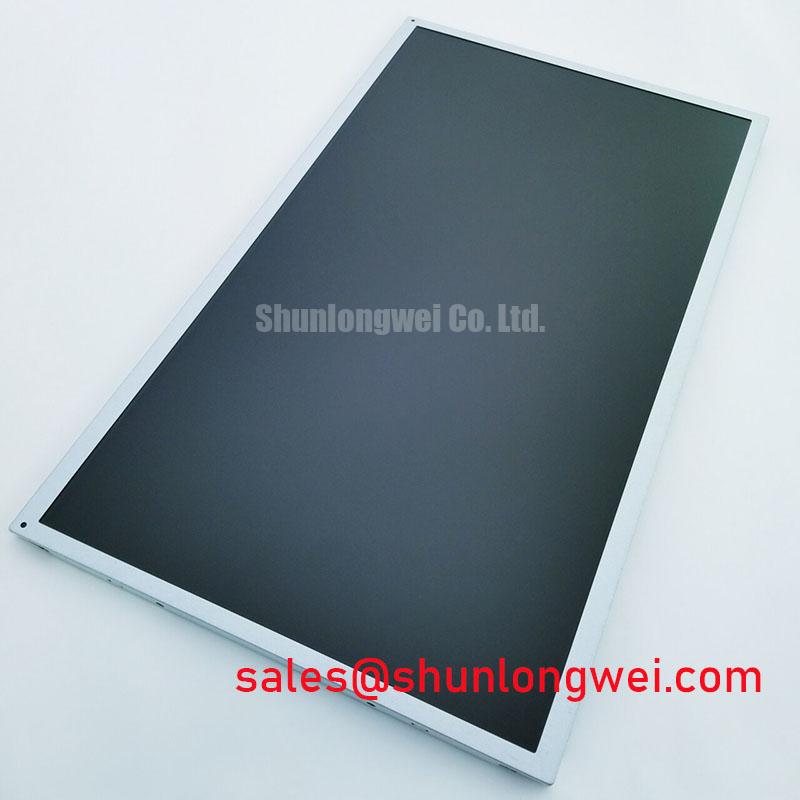
Inspect the front optical surface with the panel powered off and illuminated from multiple angles. Look for changes in apparent haze, localized pressure marks, surface contamination, edge lifting, or nonuniform reflections that may affect usability under work lights. Clean only according to the equipment manufacturer’s approved display maintenance process, because unverified solvents, abrasive wipes, and excessive pressure can change the appearance of the finished display surface.
Viewing angle behavior should be assessed using the actual mounting orientation rather than assumed from display technology terminology. TN, IPS, and MVA descriptions represent different display approaches, but no panel mode or viewing cone specification should be attributed to the LC185EXN-SCA1 without the applicable official module data. Observe normal operating pages from the operator’s expected position, including black text on bright backgrounds, alarm colors, small fonts, and low contrast symbols.
Where the host system uses pulse width modulation for brightness control, flicker assessment should cover the complete backlight drive arrangement and the viewing environment. Audible noise, visible modulation, or camera banding can originate in the controller, driver, harness, power supply, or mechanical mounting arrangement. The system integrator should verify dimming frequency, control polarity, duty behavior, and grounding against the original display system documentation instead of applying assumed values to this model.
Power conductor design can also influence noise behavior around a display controller. At higher switching frequencies, current distribution in conductors changes due to the skin effect in high frequency conductors. This is a general electrical principle rather than an LC185EXN-SCA1 specification. When troubleshooting backlight or display supply noise, evaluate cable construction, return paths, connector contact condition, and measured ripple at the system level.
A related display solution such as LQ201U1LW31 may be reviewed when documenting display subsystem alternatives or complementary assemblies. Its electrical and optical requirements must be assessed independently, with no assumption of direct interchangeability.
Incoming Benchtop Inspection: Bonded Interconnect Integrity
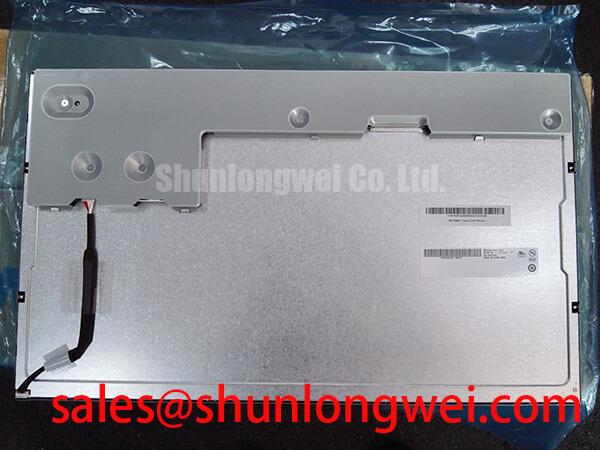
Use a controlled bench procedure before installing the LC185EXN-SCA1 into an industrial enclosure. First, inspect the connector and module edges without applying force to bonded areas. Next, connect the panel through the correct host interface or validated test fixture and display solid red, green, and blue fields, followed by black, white, and gray patterns. Finally, observe the image while gently checking cable retention and connector strain relief without pressing on the active area or bonded edges.
A flashlight inspection at an oblique angle can help distinguish broad backlight nonuniformity from narrow, repeatable line defects. It is a diagnostic aid rather than a definitive fault classification. A line that remains fixed across multiple color patterns may warrant further checks of the input signal, connector contact, panel bonding area, and host board output. A dark region may also require evaluation of the display power path and backlight subsystem. Record observations across more than one test condition before deciding whether the module or the host assembly is responsible.
Clock stability, differential signal quality, and timing margins should be measured at the interface when an image is present but unreliable. The system integrator should verify transmitter configuration, clock jitter allowance, data hold requirements, and temperature dependent behavior against the original panel and controller specifications. Avoid treating a connector fit as proof of electrical compatibility.
For broader diagnostic practices covering sealing, thermal exposure, interface verification, and industrial HMI maintenance, consult Industrial Display & HMI Solutions. This supports a structured evaluation of the complete display assembly while keeping the LC185EXN-SCA1 assessment tied to its identified product identity and the host equipment documentation.