Content last revised on October 7, 2026
Preventing Frame Lag and Image Smearing in Cryogenic Storage and Outdoor Industrial Facilities
For a panel used in a cold equipment room or an outdoor enclosure, conduct a controlled visual inspection while the unit moves through the intended operating temperature range. Look for slow grayscale transitions, retained image traces, uneven startup illumination, and changes around the perimeter seal. These observations are useful screening points, but they should not be converted into a guaranteed temperature performance claim for the LM190E05-SL01 unless the original LG Display documentation confirms the relevant limits.
Liquid crystal response can become slower at low temperature as the material response changes. This is a general display engineering consideration rather than a verified characteristic unique to this model. When a service team evaluates image smearing, it should compare the same test pattern at a stable reference condition and at the target enclosure temperature. The test should also record source timing, refresh configuration, backlight state, and the condition of the display controller. A change in any of these factors can influence perceived motion response.
High temperature operation requires a different inspection approach. Check whether the enclosure allows heat to accumulate behind the panel, and examine the perimeter for signs of mechanical stress after thermal cycling. The supplied product data does not specify a confirmed operating range such as minus 30 to plus 85 degrees Celsius, so that range should not be assigned to this model without the original factory specification. Sealant stability, gasket compression, and enclosure ventilation remain system integration considerations.
The supplied information also does not confirm a backlight technology, rated brightness, color temperature, or a backlight life value. A statement such as 50,000 hours to 50 percent brightness therefore cannot be treated as an LM190E05-SL01 factory rating. For incoming evaluation, measure luminance at multiple screen locations using the same optical setup and compare the result with the equipment maker’s acceptance criteria. A constant current backlight driver should be checked for stable operation, but the required supply voltage and current must be verified from the original panel documentation.
When evaluating a railway passenger information display or cab signalling terminal, verify the panel’s thermal environment together with the host controller. The display may be acceptable at the panel level while the enclosure, power converter, cable routing, or control board creates a different practical limit. The The Ultimate Guide to Industrial TFT LCD Technology provides broader background for engineers reviewing TFT display selection and system integration.
Polarizer Durability and Optical Retardation Film Inspection under Direct Industrial Lighting
Inspect the front surface under diffuse light before applying a full white, black, red, green, and blue test sequence. Record scratches, pressure marks, localized haze, dust, and nonuniform regions. Direct industrial lighting can make surface reflections appear similar to pixel or polarizer defects, so the inspection should be repeated with controlled ambient illumination and with the display operating at several image levels.
The supplied factory data identifies the unit as a TFT LCD Display Module but does not confirm IPS, MVA, TN, or another panel architecture. It also does not provide a verified viewing angle, optical retardation value, anti glare treatment, contrast ratio, brightness rating, or color uniformity specification. Values such as a symmetric 85 degree viewing cone must therefore remain unassigned to this model. Engineers comparing grayscale inversion or off axis color shift should use the original LG Display panel documentation and the acceptance limits of the host equipment.
Optical inspection is especially important when the display is installed behind a cab window, protective cover, or information terminal bezel. Reflections from the cover can alter the apparent black level, while pressure from an incorrectly fitted frame can create localized optical nonuniformity. Do not press the active area during inspection. Use the mounting reference surfaces and the original mechanical drawing to determine whether the panel is being supported evenly.
Interface verification should be completed before optical troubleshooting. The supplied context does not confirm whether this particular configuration uses LVDS, TTL, or another display interface, and it does not define connector pin assignments, clock frequency, data hold time, or transmitter jitter limits. The system integrator should verify the required interface and supply voltage from the original panel documentation. If the picture shows intermittent bands, unstable grayscale, or a displaced image, compare the signal at the panel connector with a known good assembly and inspect the cable seating before assigning the fault to the display glass.
Where a compatible replacement is being assessed, mechanical and electrical comparison must be performed together. The NL192108JC18-03ND can be reviewed as a separate display option, but its suitability for a given host system must be established from connector definition, timing, optical requirements, and mounting documentation rather than from size or category alone.
Bench Tip: Use ESD protection, keep the flex cable level with the connector opening, and lock the connector only after confirming full insertion and correct alignment.
Flush Mount Open Frame Bezel Integration and Perimeter Gasket Shock Isolation
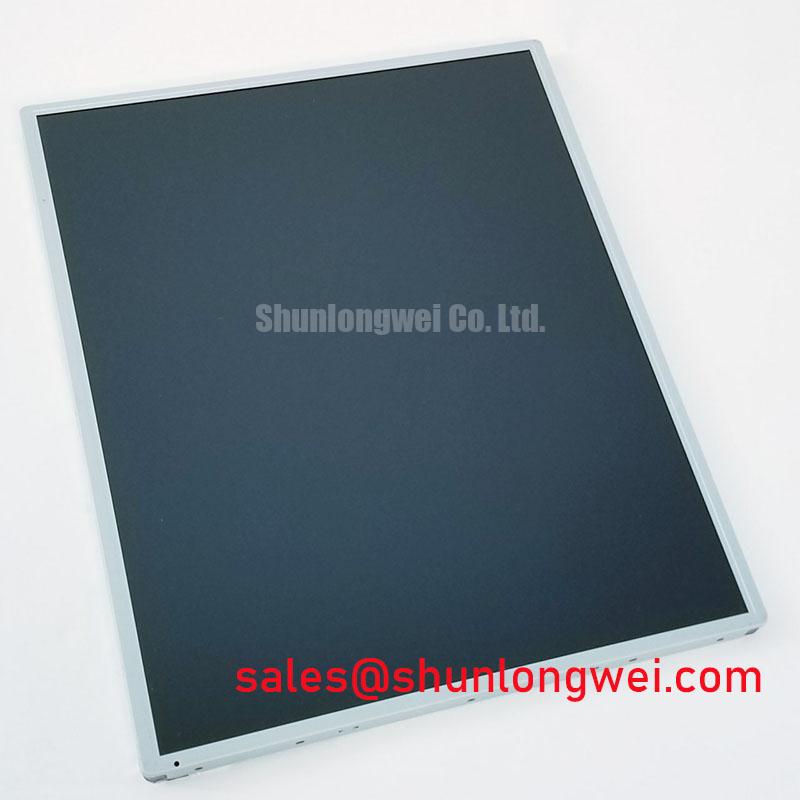
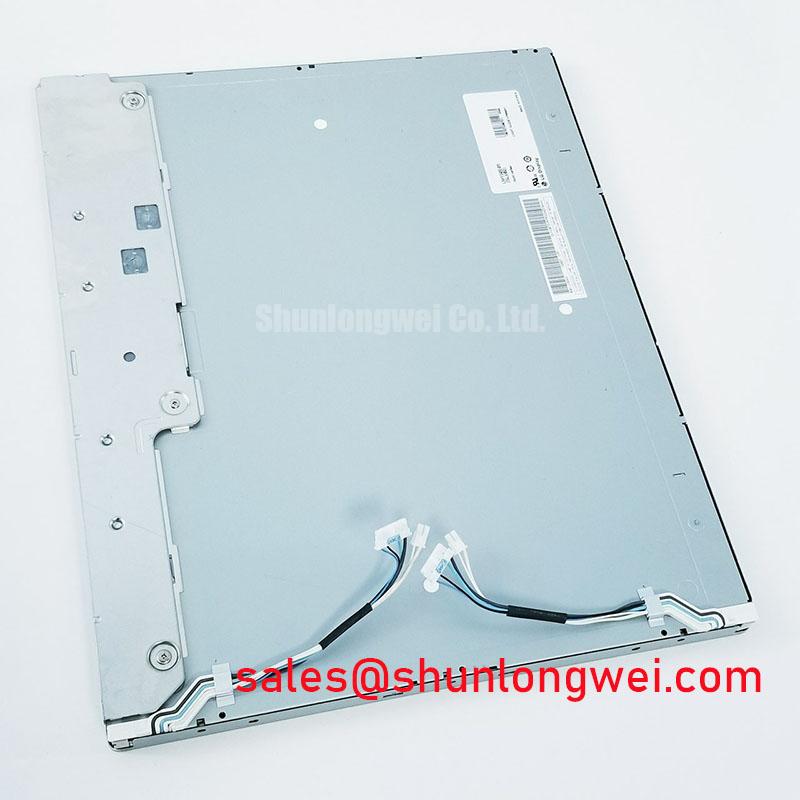
Before fitting the LM190E05-SL01 into an open frame or flush mount assembly, compare the original panel outline, active area position, connector clearance, mounting holes, and bezel opening with the equipment drawing. The supplied product information does not include confirmed outer dimensions, hole locations, fastener size, or allowable bezel tolerance. These values must be taken from the original mechanical specification or measured against the service unit.
A display frame should support the panel without twisting it. This is a design consideration intended to reduce pressure marks, uneven illumination, and mechanical stress during vibration or transport. The panel should not be clamped by an opening that is smaller than the documented envelope, and the bezel should not contact the active viewing area. Gasket material and compression should be selected by the system designer after checking the enclosure structure, shock environment, service access, and thermal expansion.
The supplied data does not specify an M3 fastener torque for this model. A value such as 0.35 to 0.45 N·m must not be presented as an LM190E05-SL01 factory requirement. If the equipment drawing provides a torque value, follow that document and tighten in a cross pattern while observing the panel for frame distortion. If no approved value is available, the mechanical designer should establish one through the bezel, fastener, gasket, and support structure rather than applying a generic figure as a guaranteed limit.
Backlight control also requires documentation review. The supplied information does not confirm PWM frequency, duty cycle range, dimming linearity, or whether the panel is intended to be controlled directly by the host system. The integrator should verify the backlight interface and driver requirements from the original panel documentation. During commissioning, observe both low brightness and full brightness conditions for visible flicker, brightness steps, audible driver noise, and thermal concentration near the backlight area.
For a railway passenger information display or cab signalling terminal, the front bezel may also influence readability through reflections and shadowing. Test the assembled unit with the actual protective window, ambient lighting, and viewing direction. A panel that passes a bench test can show different optical behavior after installation because the bezel and cover modify the viewing environment.
Industrial EMI Noise Immunity, Chassis Shielding Continuity and Common Mode Ferrite Chokes
Begin interference troubleshooting by separating the display signal path from nearby motor, servo, relay, and switching power cables, then compare the image with the machine in standby and under normal drive operation. Check the connector shell, cable shield termination, chassis bonding path, and panel mounting contact. These checks can reveal an impedance or grounding problem, but horizontal bands, pixel jitter, or intermittent loss of image should not be assigned to one cause without measurement.
The supplied factory data does not confirm the LM190E05-SL01 interface type, cable construction, differential impedance, skew tolerance, or electromagnetic compatibility rating. Therefore, values such as 100 ohms differential impedance with a plus or minus 10 percent tolerance, or a skew budget of 50 picoseconds, are not official specifications for this model. If the host uses a differential display link, the system designer should follow the transmitter, receiver, and cable manufacturer requirements, maintain consistent pair routing, minimize unnecessary discontinuities, and verify signal quality at the operating temperature and cable length used in the equipment.
A shielded cable can help control radiated coupling when its termination and chassis bonding are appropriate for the system topology. The correct method depends on the enclosure, cable entry, safety architecture, and signal reference design. Common mode ferrite components may be evaluated when measured interference indicates a common mode path, but their electrical effect should be checked against signal rise time, eye opening, and the actual display timing. They should not be added as a universal cure for every display disturbance.
When a panel is installed near a variable frequency motor drive, route display wiring away from high energy conductors where practical and avoid creating large loop areas. Verify the host controller ground reference, cable continuity, connector retention, and shield contact under vibration. Use an oscilloscope or suitable signal integrity instrument to compare a disturbed channel with a known good path. The display module, cable, controller, and enclosure should be tested as one assembly before a service release is approved.
The LM190E05-SL01 should be integrated only after its required supply conditions, interface definition, mechanical envelope, optical criteria, and environmental limits have been confirmed from the original documentation. This approach supports a controlled replacement decision without treating unverified system values as factory specifications.