

Content last revised on September 26, 2026
LM195WD1-TLA1 Identification and Replacement Checks
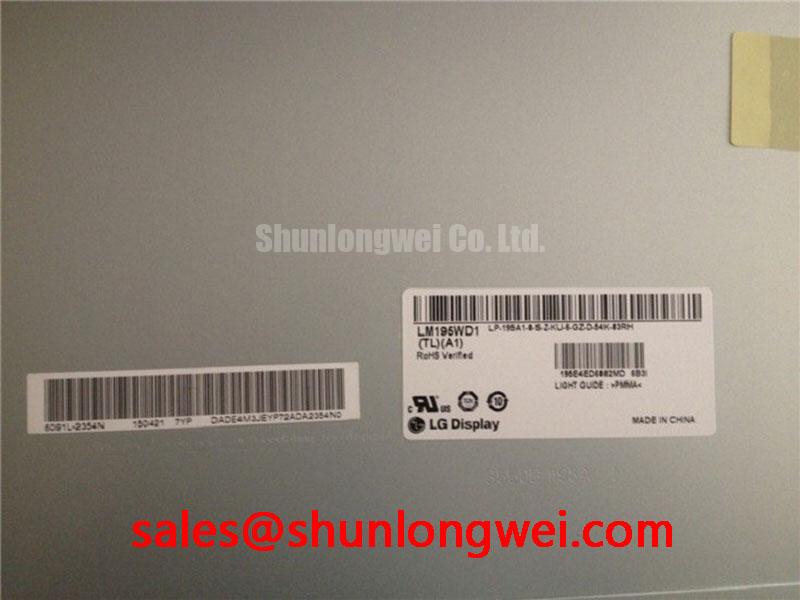
Before energizing a replacement panel, inspect the bezel, flex connections, sealing surfaces, and visible glass area, then compare the identification label with the equipment service record for LM195WD1-TLA1. This unit is identified as an LG Display TFT-LCD module. The available information does not confirm every interface, electrical limit, optical treatment, or backlight characteristic. Those items should be verified from the original panel documentation and the host equipment before installation.
For maintenance teams working on surgical navigation displays or ultrasound diagnostic terminals, mechanical and electrical compatibility should be checked as separate tasks. The replacement must match the original mounting pattern, active display area, connector position, signal interface, power sequencing, and backlight control method. A visually similar LCD can still be unsuitable if its timing controller, cable pinout, supply requirement, or brightness-control method differs from the installed unit.
| Parameter | Available information |
|---|---|
| Model | LM195WD1-TLA1 |
| Manufacturer | LG Display |
| Construction | TFT-LCD display module |
| Specification status | Model-specific specifications require verification against manufacturer documentation |
| Application evaluation | Industrial HMI, monitoring, surgical navigation, and ultrasound display assemblies, subject to system compatibility verification |
The available information does not state the panel resolution, viewing angle, luminance, contrast ratio, response time, operating temperature, storage temperature, interface type, input voltage, backlight type, connector pin assignment, or dimensional drawing. These values should not be inferred from the model reference alone. The system integrator should verify the required supply voltage from the original panel documentation and confirm the host controller output before applying power.
Evaluating Surface Treatment and High-Ambient Readability
When this LG Display module is evaluated for a surgical navigation console or ultrasound diagnostic terminal, begin with a controlled visual comparison against the panel being replaced. Check the screen with the equipment powered down, then inspect reflected ceiling lights, operating lamps, enclosure windows, and nearby instrument surfaces. Surface treatment is not confirmed in the available information, so an anti-glare or anti-reflective layer should not be assumed solely from the product category.
Ambient readability depends on the complete optical stack, including the panel surface, protective cover, air gap, lighting geometry, display brightness, image content, and viewing position. A glossy cover can introduce strong reflected images even when the LCD itself has acceptable contrast. A textured surface may reduce mirror-like reflections but can alter perceived sharpness in fine medical text, measurement overlays, and ultrasound annotation characters. Designers should evaluate the complete front assembly rather than judging the LCD panel in isolation.
Viewing-angle performance also requires confirmation from the original LG Display documentation. The available information does not establish a TN, IPS, MVA, or other liquid-crystal mode, and it does not verify a symmetrical viewing cone such as 85 degrees in each direction. When several clinicians or operators view the same image from different positions, check grayscale stability, color shift, black-level uniformity, and measurement visibility across the actual installation angle. This is especially important where a display is mounted beside a patient bed or integrated into a movable imaging cart.
Backlight aging should be assessed through measured brightness rather than an assumed service-life figure. The available information does not provide a 50,000-hour half-brightness rating or a verified MTBF value for the backlight. If the host system uses constant-current control, the maintenance team should record brightness, current-control behavior, and thermal conditions during scheduled inspection. Any decay trend must be evaluated against the equipment manufacturer’s acceptance criteria.
Mechanical installation can also affect visible uniformity. The bezel should support the module evenly, without concentrated pressure around the glass edge or cable exit. The sealing gasket should contact the enclosure continuously, while fasteners should be tightened in a crosswise sequence using the equipment manufacturer’s specified torque. Maintenance Note: Inspect the bezel gasket and cooling path during scheduled service because compression loss or blocked airflow can increase contamination and localized heating around the display assembly.
For a same-size or same-resolution replacement study, engineers may compare the interface drawings and mechanical data of LQ201U1LW31. This is an engineering comparison only, not a direct substitution recommendation. The connector orientation, mounting geometry, signal timing, optical characteristics, and host firmware must all be checked before any cross-model decision.
Temperature Requirements, Liquid-Crystal Response, and Moisture Checks
The available information for LM195WD1-TLA1 does not confirm an operating range of -30°C to +85°C. That range should therefore be treated as a system-level requirement to verify, not as an official rating for this model. For equipment that may move between a cool storage area and a warm diagnostic room, allow the complete display assembly to reach a stable condition before judging image quality or applying full operating load.
At low temperature, liquid-crystal response can become slower, which may be visible as motion smearing, gray-level transition delay, or temporary image hesitation. These effects can also be influenced by the timing controller, graphics source, frame rate, image-processing path, and backlight control. A field check should use moving grayscale patterns, fine text, and the actual ultrasound or navigation image rather than relying on a static color screen.
Condensation requires particular attention when a cold panel enters a humid environment. The enclosure should prevent direct moisture entry, and the gasket should remain properly seated around the display opening. Designers should verify the enclosure’s ventilation and moisture-management method without assuming that the LCD module itself provides a sealed optical assembly. Optical bonding, cover-glass sealing, and internal moisture resistance are not confirmed in the available product data.
Perimeter sealant stability across repeated thermal cycling also requires manufacturer documentation or system qualification testing. It should not be presented as a confirmed feature of this model without a supporting specification. During evaluation, inspect the perimeter for separation, haze, trapped moisture, or changes in pressure against the bezel. These observations help distinguish an environmental integration issue from a panel-electronics problem.
PWM dimming must be confirmed from the original backlight and controller documentation. A 200 Hz to 1 kHz range is not an established parameter for this model in the available information. If the host uses PWM, the integrator should verify the accepted frequency, duty-cycle behavior, minimum pulse width, and control polarity. A camera-based flicker test can complement direct electrical measurement, but it should not replace checking the backlight driver waveform at the actual connector.
Power sequencing deserves the same attention as temperature. Apply the panel supply, logic signals, enable line, and backlight control according to the host equipment service documentation. White-screen startup, intermittent image loss, or residual image after shutdown may involve timing conflicts, an incorrect enable state, unstable supply rails, or a cable connection problem. Verify the sequence with a suitable oscilloscope and compare it with a known-good assembly instead of assigning a single cause from the visual symptom.
Diagnosing a Single Vertical Hairline Defect
A narrow vertical line should first be documented with a neutral gray screen, then checked with red, green, blue, black, and white test images. This color check helps determine whether the defect follows a single column, affects selected sub-pixels, or changes with image content. The result should be recorded together with the panel temperature, connector condition, and display-source status.
A line that remains fixed across all image sources may require inspection of the panel-side flex connection, timing-controller path, or column-drive region. A line that changes with the input image can point toward a signal-processing or source-path issue. These are diagnostic directions rather than definitive conclusions. The panel should not be flexed, pressed, or tapped during testing because mechanical force can create a new defect or alter the symptom temporarily.
A 45-degree flashlight inspection can help separate a surface or backlight issue from a pixel-addressing defect. With the display unpowered, shine the light across the glass at a shallow angle and look for scratches, pressure marks, contamination, or localized shadowing. With the display operating, compare the same area on dark and bright images. If the line appears to be an optical shadow rather than a fixed pixel column, inspect the diffuser, cover surface, and enclosure pressure before investigating the signal path.
The available information does not confirm a COG driver construction, a specific open-circuit failure mode, or a repairable column-driver architecture. A visible hairline therefore should not automatically be attributed to a micro-fracture. When the symptom persists, compare the panel with a known-good source, confirm connector seating, inspect the cable for creasing, and measure the display interface only according to the documented pinout.
If the module uses an LVDS connection, the system engineer should verify the documented differential-pair routing and receiver requirements. A commonly used differential impedance target may appear in a host design guide, but 100 Ω ±10% and a particular skew budget are not confirmed specifications for this model. The practical design principle is to preserve controlled routing, minimize discontinuities, and validate signal integrity at the receiver under the installed cable and enclosure conditions.
In a high-EMI factory environment, compare the differential waveform, common-mode behavior, clock quality, and data eye at the panel connector. A service oscilloscope measurement can reveal a cable or grounding problem that is not visible in a static image. Avoid adding shields, ferrites, or termination components without checking their effect on the original interface design. Any change should be tested for image stability, startup behavior, and conducted or radiated emissions at the equipment level.
For broader background on TFT-LCD optical behavior, timing interfaces, and practical selection factors, engineers can consult The Ultimate Guide to Industrial TFT-LCD Technology. The guide can support system-level troubleshooting, while the original LG Display documentation remains the reference for model-specific electrical and mechanical limits.
Investigating Backlight Noise, Dimming, and EMI
The backlight architecture of LM195WD1-TLA1 is not identified in the available information. The panel should therefore not be described as a CCFL or LED assembly without confirmation from the original documentation. A replacement evaluation should begin by identifying the installed backlight connector, driver board, enable signal, dimming method, and power requirements from the equipment service records.
Acoustic noise near a display can originate from the backlight driver, an external power converter, enclosure resonance, cable vibration, or another nearby circuit. A frequency relationship between audible noise and a dimming waveform can be investigated with an oscilloscope and an acoustic recording, but correlation alone does not establish the source. Test the display at several commanded brightness levels while monitoring the driver output and enclosure surfaces. Do not modify the drive frequency until the permitted operating range of the original driver is known.
A 1500 to 1650 Vrms cold-ignition range, 1000:1 PWM dimming ratio, and greater-than-50,000-hour half-life claim are not confirmed for this model by the available information. They should not be used as acceptance criteria for LM195WD1-TLA1. Any high-voltage backlight measurement must be performed with equipment rated for the circuit and by personnel qualified to work on the relevant power stage.
EMI evaluation belongs to the complete display assembly and host equipment. The LCD module itself should not be represented as independently compliant with CISPR, EN 55011, or another system-level emissions standard. Designers should examine cable routing, chassis bonding, supply filtering, backlight current loops, and enclosure openings while verifying emissions under the final operating conditions.
TTL or LVDS clock jitter, data hold time, and timing margins also require the actual interface documentation. The available product data does not provide model-specific jitter or hold-time values. Confirm the controller output format, pixel clock, lane arrangement, polarity, and power-on timing before connecting the module. A display that illuminates but shows unstable graphics may still have a timing, mapping, or signal-integrity mismatch.
For a comparison of display power and interface requirements, the LQ10D321 page may be used as a reference point for evaluating another display design. It should not be treated as a confirmed companion device for LM195WD1-TLA1. The final decision depends on the original equipment topology, connector definition, backlight controller, thermal enclosure, and documented LG Display panel requirements.