Content last revised on October 3, 2026
Differential Display Timing, Pixel Clock and Data Mapping
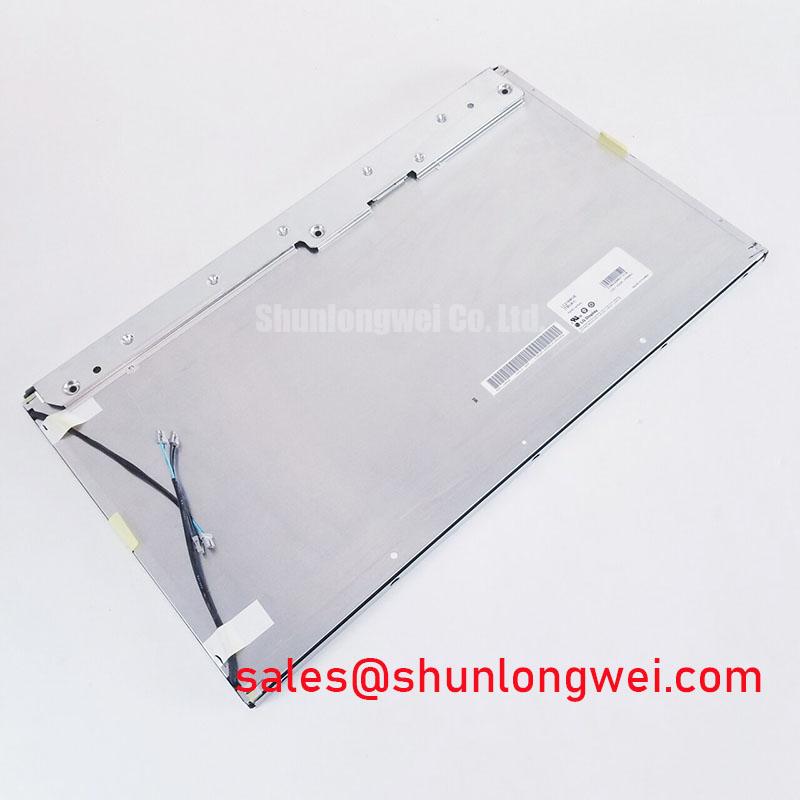
Check the rear label and connector orientation on the removed display before connecting a replacement LM200WD1-TLA2. Record the host board revision, cable routing, mounting points and visible image area while the assembly is still accessible. LG Display identifies this model as a TFT-LCD display module (Official Factory Specification). That identity establishes the starting point for procurement, but it does not establish the voltage, pin assignment, backlight circuit or mechanical interchangeability of the equipment surrounding it.
Begin at the host schematic rather than the cable. Identify the display supply rail, the point at which the host enables it, and the signals present at the display connector. The system integrator should verify the required supply voltage and power sequence from the original panel documentation. Applying a voltage inferred from another LG Display panel is not a valid compatibility check, even when the connectors appear alike.
If the documented interface is LVDS, compare the host transmitter assignment with the panel receiver assignment contact by contact. Check clock and data pairs, polarity, return connections and any control pins before considering connector pitch or pin count. The connector position alone does not establish whether an existing harness carries the signals in the correct order. A cable assembled for a different panel can fit mechanically while presenting an incompatible electrical map.
Pixel clock compatibility needs the same discipline. Compare the panel’s documented timing requirements with the host’s programmed output, including active image area, blanking intervals and synchronization behavior. Where the transmitter offers selectable data mapping, confirm that its setting matches the panel documentation rather than assuming a JEIDA or VESA format. An image with displaced colors, unstable edges or a divided appearance warrants a check of mapping, clock quality and signal integrity against a known-good configuration; none of those symptoms identifies a single cause on its own.
💡 Pro Tip: As a Design Consideration, route documented differential pairs as a controlled, closely coupled path and verify timing at the installed connector, where the actual cable and host transmitter affect the received signal.
For a cross-model evaluation, NL192108JC18-03ND can be placed in the comparison worksheet alongside LM200WD1-TLA2. Its connector, timing, display area, supply and mounting details require independent verification; a similar application or apparent size is not evidence of interchangeability.
Shielded Display Cable Grounding and Connector Retention
Inspect the removed harness before disturbing its route. Note where the cable is supported, how its shield terminates, whether the connector has a latch, and how much movement reaches the display when the enclosure closes. These observations matter because a bench test with an unsupported cable can pass while the installed assembly places repeated strain on its connector.
For an FFC or FPC connection, examine the exposed contacts and the locking feature under adequate light. Confirm that the cable enters squarely and that the lock closes as intended for that connector design. As a Design Consideration, provide strain relief outside the mating area and avoid a tight fold at the connector exit. Bend-life expectations depend on the actual cable construction and motion profile; they should not be assigned to LM200WD1-TLA2 without the relevant cable specification and equipment test.
If the equipment uses a shielded display cable, trace the shield termination through the connector and chassis rather than assuming that a metal shell supplies a continuous ground path. Connector shells, brackets and coatings can change the assembled contact path. Near variable-frequency motor drives, intermittent image noise may justify checking cable routing, shield contact and common-mode behavior while the machine operates in its normal configuration. A ferrite or a revised ground connection is a system-level candidate for evaluation, not a guaranteed remedy or a panel specification.
Disconnect power and follow the equipment’s discharge procedure before releasing or reseating the display cable.
The backlight connection deserves a separate trace. Confirm its connector assignment, driver topology, dimming method and enable sequence in the equipment documentation before connecting the module. Do not treat a working image with a dark screen as proof of a failed panel: the backlight supply, control signal, cable and light source remain separate possibilities. LQ201U1LW31 is another display product that may appear in a broader equipment comparison, but its backlight arrangement must not be transferred to LM200WD1-TLA2 by assumption.
Local Thermal Gradients and Long-Term Image Assessment
After electrical operation is confirmed, inspect the installed display with uniform test images and with the equipment at a stabilized operating condition. Compare the center and edges for changes in brightness or color, then repeat the observation after the unit has warmed in its normal enclosure. This sequence helps distinguish an immediately visible assembly effect from a change associated with enclosure temperature; it does not, by itself, diagnose an internal optical material.
Map nearby heat sources before altering the chassis. A power supply, backlight driver or restricted ventilation path can warm one edge differently from the rest of the assembly. As a Design Consideration, review airflow and bracket contact where a persistent local gradient is observed, then recheck the image after any enclosure change. Do not specify a heat spreader or claim that it prevents yellowing without a documented thermal limit, mechanical clearance and optical validation for this panel.
For an industrial HMI that holds the same graphics on screen for long periods, assess image retention with a controlled change of test content. Record whether a faint pattern changes after normal operation, and compare observations under consistent brightness and temperature. Content rotation or brightness management may be evaluated at system level if the equipment permits it. Neither a retention threshold nor a service-life prediction can be inferred from the model number.
Cold-start behavior also requires testing at the equipment level. Where the machine must operate in a cold environment, confirm the panel’s documented temperature limits first, then observe response, contrast and host timing through the specified start-up sequence. Slower visible transitions should be documented against the required interface performance rather than “corrected” with an assumed drive adjustment. For background on display technologies and selection criteria, see The Ultimate Guide to Industrial TFT LCD Technology; any lifetime or environmental acceptance target still needs a defined specification and test method for the assembled equipment.
LM200WD1-TLA2 may be evaluated for an ultrasound diagnostic display or surgical navigation terminal where its documented image performance and interfaces meet the equipment requirements. That is a compatibility assessment, not a claim that the module has a particular medical approval or was designed for that use. The equipment manufacturer’s optical, electrical and regulatory requirements remain the controlling criteria.
Chassis Fastener Loading and Optical Mura Inspection
Before fastening the display, compare the replacement module’s outline, visible area, connector clearance and mounting features with the removed assembly and the chassis drawing. Pay particular attention to bezel overlap: a window can expose the correct image area yet still press unevenly on the module edge. Check for cable interference as the panel is lowered into place, because a trapped harness can alter seating before any fastener is tightened.
Use the mounting hardware and tightening instructions specified for the actual chassis and panel assembly. The fastener size alone does not establish an allowable torque for LM200WD1-TLA2. As a Design Consideration, bring the assembly into even contact without using a screw to pull a distorted bracket flat. Where vibration or shock is part of the equipment requirement, evaluate support and restraint using the equipment’s mechanical test plan; extra clamping force is not a substitute for that validation.
With the enclosure assembled, display a uniform dark field and then a uniform light field. Look for pressure-related patches, edge shading or changes that appear only after the bezel is secured. If the pattern changes when the mounting stack is reassembled correctly, inspect bracket flatness, spacer placement and bezel contact before attributing it to a panel defect. Repeat the inspection at the intended operating temperature, since the final enclosure fit is the condition the repair must satisfy.
Record the verified interface documentation, host settings, harness identification and mechanical inspection results with the equipment service record. These checks give the next technician a defensible basis for assessing LM200WD1-TLA2 fit without turning an unverified connector detail or installation practice into a factory rating.