Content last revised on October 19, 2026
Combating Contact Resistance Escalation at Display Contact Fingers under Mechanical Vibration
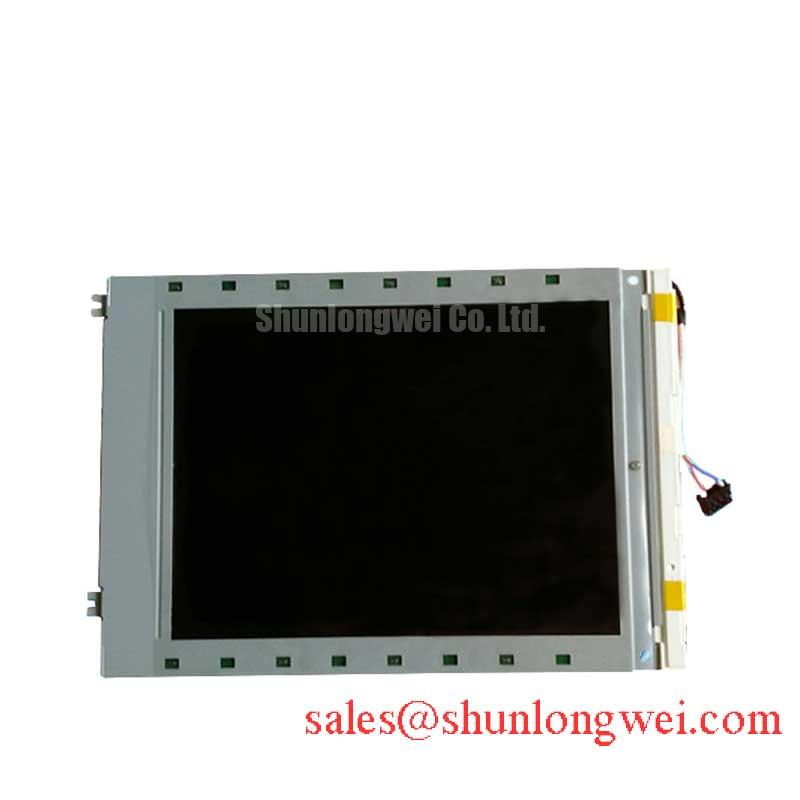
When rows or columns disappear intermittently, I first inspect the elastomeric zebra strip alignment against the panel’s contact fingers and check whether the bezel applies even compression across the full contact width. The LM64P723 is identified as a Sharp FSTN/STN monochrome passive matrix LCD panel in a standard form factor, so the mechanical interface is just as important as the electrical drive path during a replacement assessment.
A zebra connector that is slightly displaced can create a moving display fault when the equipment experiences vibration. Remove contamination with a process approved for the assembly, keep the contact surfaces free from fingerprints, and refit the strip without twisting it. Bezel pressure should remain uniform rather than being concentrated at individual screws. A general mechanical design consideration is a controlled clamping range around 0.2 to 0.3 MPa, but the actual value must be governed by the original bezel, gasket, connector geometry, and panel supplier documentation.
For an incoming inspection, display a full black field, a full white field, vertical bars, horizontal bars, and alternating checker patterns. Missing rows that change when the bezel is gently supported point toward contact alignment or mechanical pressure distribution, while fixed defects should be traced through the signal path and panel interface. This avoids treating every line defect as a panel failure.
The contrast rail also deserves attention during a replacement. If the host design uses a negative LCD bias supply identified as Vee or V0, examine ripple under active display conditions rather than only measuring the unloaded rail. A system may use a negative rail in the approximate −15 V to −24 V range, but that is a host circuit consideration, not a published LM64P723 rating. Thermal drift in the bias network can change contrast, particularly when a thermistor is used for temperature compensation.
For dimensional or resolution matching, engineers can place the neutral comparison unit LM64C15P beside the LM64P723 during a retrofit review. Compare the mechanical opening, contact pitch, viewing area, connector position, and controller timing before treating either part as a direct substitute.
CCFL Ballast Capacitor Impedance Matching and Tube Operating Current Stabilization
The LM64P723 listing identifies the display as an FSTN/STN monochrome passive matrix panel, but the supplied product information does not establish a specific backlight type or an integrated CCFL ballast. During a field replacement, the existing backlight assembly must therefore be treated as a separate subsystem. Do not connect a replacement panel to a ballast until the original panel documentation and wiring arrangement have been matched.
Where the equipment uses a CCFL inverter, ballast capacitor selection affects striking behavior, operating current, electromagnetic noise, and tube stress. A system-level design target sometimes used for legacy monochrome display assemblies is approximately 5.0 mA ± 0.5 mA tube current. The target belongs to the inverter and lamp assembly, not automatically to the LM64P723 panel. The ignition circuit may also generate a high-voltage striking pulse in the kilovolt range, followed by a lower sustained operating voltage. These values should be handled as hazardous host circuit conditions, with clearances and insulation verified by the equipment designer.
During troubleshooting, monitor the inverter output with a suitable high-voltage probe and inspect the current regulation response during cold start. A delayed strike, visible flicker, or repeated restart can involve lamp aging, ballast impedance, wiring capacitance, connector contact, or inverter protection behavior. Replacing the panel alone will not correct an unstable ballast loop.
Contrast testing should be performed under the actual enclosure lighting rather than only under laboratory darkness. Reflective ambient light can make a monochrome display appear washed out even when the electrical contrast is correct. At low temperature, liquid crystal response can become slower because viscosity changes; allow the assembly to reach its test condition before judging character transitions. The Sharp Display Solutions official portal provides useful manufacturer context for industrial display and optical evaluation.
⚠️ Field Alert: Disconnect the display and allow the backlight inverter to discharge before removing the panel cable or touching the ballast wiring.
Transflective and Reflective Polarizer Iodine Bleaching and UV Degradation
Legacy industrial terminals often spend years under fluorescent lighting, sunlight, or high enclosure temperatures, making polarizer condition a key part of incoming inspection. Inspect the LM64P723 across several viewing angles and compare a bright white field, black field, and normal text screen. Look for uneven haze, yellowing, localized bubbling, edge lifting, or a contrast change that follows the viewing angle rather than the electronic input.
Iodine-based polarizer systems can lose optical performance after prolonged thermal and ultraviolet exposure. A surface may still appear intact while reflective contrast has deteriorated, particularly in a railway passenger information system or cab signalling display exposed to strong ambient illumination. This is an optical ageing consideration, not a confirmed construction detail for every individual panel. The replacement decision should be based on measured readability, enclosure lighting, and the original display specification.
Anti-glare and anti-reflection treatment should be checked as an external surface characteristic. Do not assume that a replacement panel has the same AG or AR behavior as the removed unit. A glossy surface can produce distracting reflections in a driver cab, while an overly diffusive surface can soften small monochrome characters. Evaluate the panel with the actual bezel, cover window, and illumination geometry installed.
Adhesive bubbling or edge whitening should be recorded by location and extent. Photograph the display under consistent lighting, then repeat the inspection after thermal stabilization. This separates a persistent optical defect from temporary condensation or surface contamination. Sub-zero testing should also include character response time and contrast retention, since cold liquid crystal behavior can reduce perceived sharpness without indicating a broken electrode.
For engineers reviewing the broader display technology background, The Ultimate Guide to Industrial TFT LCD Technology offers a comparative reference for optical construction, interface assessment, and environmental evaluation. Its TFT focus should not be used to infer undocumented features of this passive matrix model.
Suppressing Ghosting and Crosstalk via Precision Multi-Level Bias Voltage Dividers
Ghosting on a passive matrix display should be assessed with character patterns, alternating bars, and a rapidly changing page rather than with a single static image. Check whether the defect follows particular rows, columns, or character positions. That pattern helps separate bias network behavior, contact alignment, controller timing, and panel electrode faults without assigning one symptom to one cause.
If the host circuit uses a Vee or V0 negative bias rail, measure the rail at the panel connector while the display is operating. A design consideration for legacy systems is a negative range around −15 V to −24 V with ripple control approaching 20 mV peak to peak; these are system targets and must not be presented as LM64P723 factory ratings. Excess ripple can modulate the effective segment voltage and appear as contrast movement, ghost characters, or unstable text.
Multi-level bias dividers should be checked for resistor drift, thermistor response, connector resistance, and loading changes when the panel is connected. Temperature compensation that is correct at room temperature can shift at the operating extremes, so record the rail and displayed contrast together. If a waveform changes substantially at the panel connector compared with the controller output, inspect cable routing, return paths, connector seating, and grounding before changing the divider.
Backlight control requires the same separation between panel facts and host design. If an external LED driver is used, PWM dimming in the approximate 200 Hz to 1 kHz region may be selected by the system designer to balance visible flicker, camera interaction, acoustic behavior, and driver losses. The LM64P723 product classification does not confirm an integrated LED backlight, PWM input, 50,000-hour MTBF, or open- and short-circuit protection. Those functions belong to the installed backlight and driver assembly and should be verified at the subsystem level.
When the display is part of a cab signalling console or passenger information terminal, validate the complete chain with the original controller, bias supply, cable, bezel, and illumination conditions. The companion Sharp display reference LM12S49 can support a broader system comparison, while the LM64P723 remains identified here as a Sharp FSTN/STN monochrome passive matrix LCD panel in a standard form factor.