
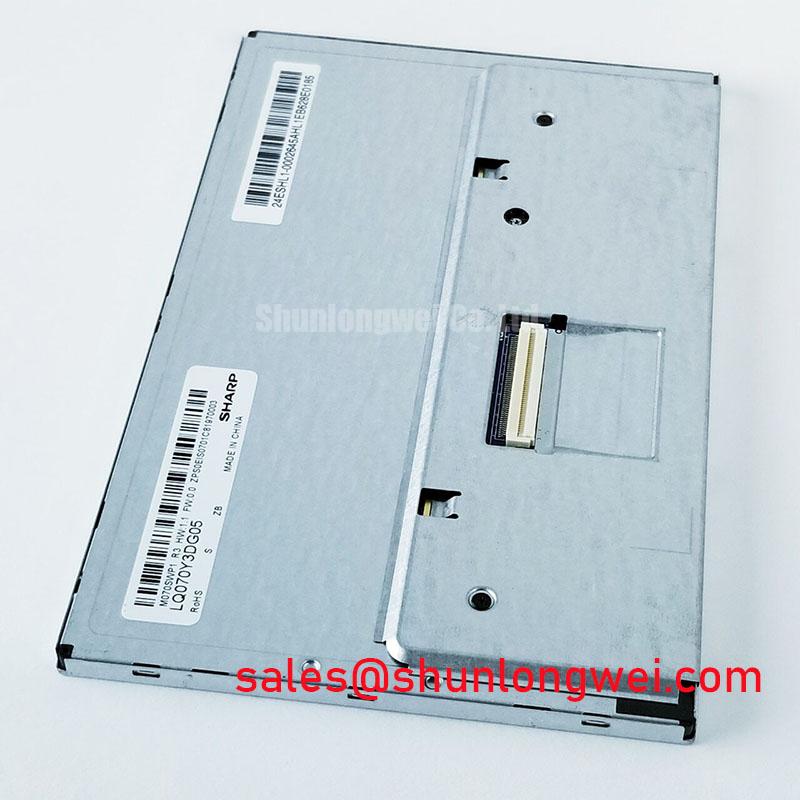




Content last revised on October 15, 2026
Single Vertical Hairline Defect and Sub-Pixel Column Driver Open-Circuit Localization
Set the panel on an ESD-safe bench, display solid red, green, blue, white, and black test fields, and inspect the same vertical coordinate across every field before removing it from the instrument. A line that remains fixed through all primary colors deserves a different diagnostic path from a brightness irregularity that changes with the displayed image.
For the Sharp LQ070Y3DG05, the first useful distinction is between a column-addressing defect and an optical or backlight-related non-uniformity. A narrow vertical line that is sharply aligned with the pixel grid can point toward the panel signal path, bonding region, or an open connection associated with column addressing. A broad shadow, glow, or low-contrast band is more consistent with illumination distribution, diffuser alignment, contamination, or pressure on the display assembly. These observations are screening indicators rather than a substitute for the original service documentation.
Use the primary-color sequence at controlled brightness and record whether the defect changes width, color, or intensity. A column-related fault can appear as a missing color component on one field and as a dark or bright line on another. Photographing each field at the same camera exposure makes comparison easier for incoming quality records. Black-field inspection is useful for identifying light leakage and edge pressure, while a white field exposes broad luminance variation.
A 45-degree flashlight inspection can help separate a surface or illumination effect from a pixel-column defect. With the panel unpowered, sweep the light across the front surface without pressing the glass. A surface mark, protective-layer reflection, or local contamination usually changes appearance as the viewing angle moves. A defect that tracks the same pixel coordinate after the panel is powered is more relevant to the electrical display path. Do not press the active area to test whether a line changes; pressure can create a new temporary or permanent artifact.
When a single line is present, compare its position with the known-good panel and with the mechanical aperture in the host instrument. A shifted bezel, uneven cushion, or frame contact can introduce local stress even when the panel itself initially passes an electrical test. The panel is identified here as an active-matrix color display module, but a complete pixel pitch, active-area drawing, and bonding layout should be taken from the applicable Sharp documentation before mechanical rework.
Backlight evaluation should be kept separate from pixel defect classification. If the illuminated field is generally dim or uneven, measure the host backlight drive and inspect the optical cavity, connector seating, and current-control circuit according to the original equipment procedure. Do not assign a particular lamp technology, drive topology, brightness rating, or half-life value to this model without a supporting Sharp specification. A claimed brightness-decay curve, including a 50,000-hour point, is a product or system reliability statement that requires a traceable source and test condition.
For precision electronic test and measurement instruments, inspect the panel after the instrument has reached its normal operating state and again after a controlled restart. A defect visible only during startup may relate to display initialization or supply sequencing rather than a permanent column fault. A fixed vertical defect present in every operating state should be documented with its exact pixel position, field color, temperature, and host unit identification.
Suppressing Acoustic Capacitor Buzz and EMI Emissions across PWM Frequencies
Identify the actual backlight architecture in the host equipment before investigating audible noise or radiated interference. The product information provided for LQ070Y3DG05 establishes its display-module category and form factor, but it does not establish a CCFL ignition voltage, an LED current rating, a PWM dimming ratio, or a guaranteed brightness half-life.
An acoustic buzz heard near the display may originate in the instrument power converter, an inductor, a transformer, a capacitor, or a mechanical panel support. It should not automatically be attributed to the LCD module. Use a microphone or contact probe to compare the sound level at the display frame, the backlight driver, and the main power board while changing brightness through the equipment’s approved control range. The purpose is localization, not a presumption that one component is responsible.
For EMI work, capture the conducted and radiated behavior with the display installed in its final enclosure. Cable routing, shield termination, chassis bonding, converter switching edges, and aperture geometry often dominate the result. Module-level test results do not by themselves establish compliance of the complete instrument with system-level standards such as CISPR 11 or EN 55011. System compliance depends on the complete instrument configuration and its test setup.
When the host uses PWM brightness control, compare the operating condition that produces the noise with a steady-brightness condition. Observe the backlight control waveform at the driver interface with a suitable probe and keep the probe return path short. If the noise tracks the control frequency, examine wiring loops and converter mechanical vibration before changing the panel. If it remains unchanged while the control waveform varies, the source may lie elsewhere in the power architecture.
A constant-current LED driver and a high-voltage fluorescent backlight driver require different safety and measurement procedures. Do not apply a high-voltage ignition assumption to this Sharp module unless the equipment documentation explicitly identifies that architecture. Likewise, do not connect an LED driver based on a generic seven-inch panel listing. The system integrator should verify the required backlight supply, connector assignment, current control, and dimming method from the original panel and instrument documentation.
For a replacement assessment, an engineer may review the LQ084S3LG03 as a separate display solution reference, but it should not be treated as an automatic electrical or mechanical substitute for LQ070Y3DG05. Connector arrangement, optical stack, active area, mounting points, and controller compatibility all require comparison.
Acoustic and EMI tests should be repeated with the final bezel, cable harness, grounding hardware, and power converter installed. A bare-panel bench result can be useful for fault isolation, but it does not represent the emissions profile of a completed test instrument. Record the brightness command, supply state, cable position, enclosure condition, and measurement distance for each repeatable observation.
Display Interface Verification, Pixel Clock, and Skew Compensation
Start interface verification by matching the replacement connector and pin numbering against the original panel documentation, not by assuming that a similar-sized LCD uses the same interface assignment. The supplied product data identifies LQ070Y3DG05 as a Sharp TFT-LCD active-matrix color display module, but it does not confirm a 20-pin or 30-pin connector, a differential LVDS map, a logic supply voltage, a pixel clock, or JEIDA and VESA mapping.
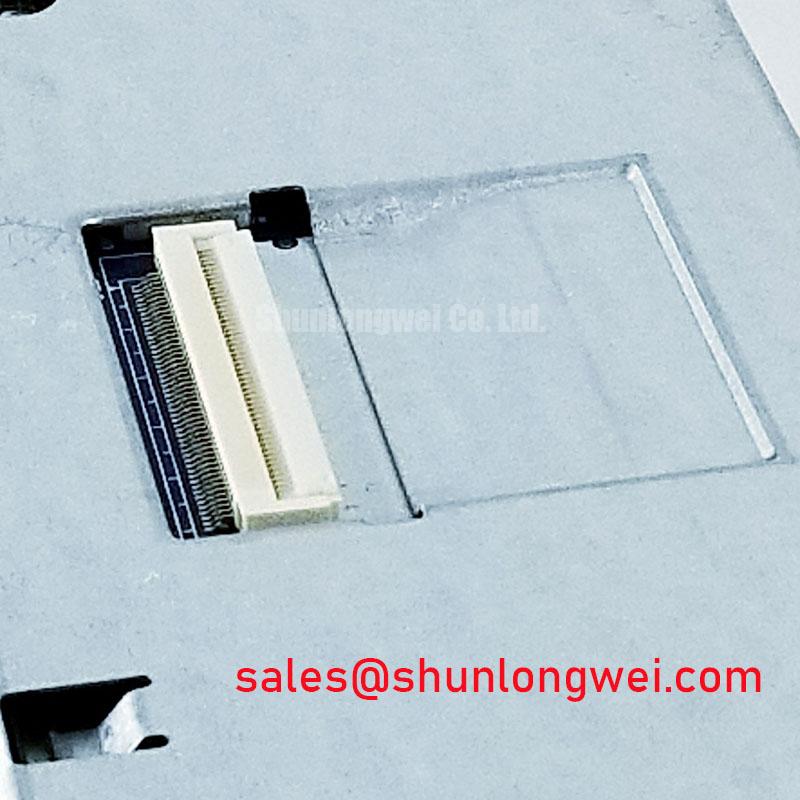
Before power is applied, photograph the original cable orientation and mark pin one on the board and panel sides. Where an FPC connector is used, check whether it is top-contact or bottom-contact, whether the FPC enters from the same direction, and whether any locking bar is fully released before insertion. A cable that appears seated while the latch is only partly engaged can produce intermittent lines, color errors, or a split image during vibration.
Use the known-good instrument as the reference for supply rise, reset behavior, display-enable timing, and data activity, as applicable to the documented interface. An oscilloscope comparison at the panel connector is more useful than relying on a generic timing template. Look for a stable logic rail, a consistent enable sequence, and data activity that begins in the expected relationship to the panel’s startup control signals. If the display remains white, blank, or divided, compare the panel-side signals with the reference unit before changing firmware or cabling.
If the documented interface is LVDS, routing should preserve pair symmetry, controlled return paths, and separation from noisy switching nodes. A nominal 100-ohm differential routing target is a common design consideration for LVDS systems, but the exact stackup, trace geometry, connector discontinuity, cable construction, and receiver requirements are system-dependent. The board designer should validate the complete channel rather than applying a single impedance number to an unknown host layout.
Pixel mapping errors require a different check from signal-integrity loss. If colors are consistently exchanged, inspect the selected data mapping and signal assignment. If the picture is unstable, intermittently divided, or changes with cable movement, inspect connector retention, signal continuity, grounding, and waveform quality. Do not infer a specific JEIDA or VESA mode from the model number alone. Where applicable, confirm the mode used by the original controller board.
Skew compensation should be based on the measured channel and receiver tolerance. For a confirmed differential interface, keep differential pairs length-matched according to the interface design rules and avoid sharp routing transitions near the panel connector. When testing a repaired instrument, use a repeatable image containing fine text, vertical bars, grayscale steps, and moving edges. This pattern reveals data errors and timing margin problems more effectively than a single photographic image.
💡 Bench Tip: Disconnect power before inserting or removing the display cable and protect the connector from ESD. Where an FPC locking bar is used, close it only after the FPC is fully parallel with the connector body and correctly seated.
For field replacement planning, the LQ64D343 may be reviewed as a separate display reference, but its dimensions, interface, optical characteristics, and timing must be checked independently. The correct choice is determined by the instrument’s electrical and mechanical interface, not by diagonal size alone.
Mitigating Gray-to-Gray Response Escalation during Cold-Start Machine Power-Up
Evaluate cold-start image behavior by comparing a moving grayscale pattern, fine text, and a static white field at the actual equipment startup temperature. Liquid-crystal response can change with temperature, and a slow transition may appear as motion smear or a temporary gray-level delay rather than a failed panel. The test should distinguish a repeatable thermal response from a power-sequencing or signal-integrity problem.
The provided baseline for LQ070Y3DG05 does not establish an operating temperature range, storage range, Gray-to-Gray response specification, sealant construction, or qualified thermal-cycle limits. Those values should not be assigned to the module as product facts. In an industrial test instrument, the enclosure, heater strategy, airflow, mounting pressure, and controller startup profile all influence the observed image during a cold start.
At low temperature, allow the instrument and panel to reach the same controlled condition before comparing results. Keep testing within the documented operating limits. Record the first visible image, the time required for stable grayscale transitions, and whether any residual image clears during normal operation. A slow response that improves as the panel warms is a different engineering issue from a persistent white screen, which can involve enable timing, missing data, or an incorrect supply sequence.
Power sequencing should follow the original panel documentation and host service procedure. The controller should not be allowed to drive an undefined interface while the panel supply is outside its approved state. Designers should verify the order and timing of panel power, reset, display enable, and video data, where applicable, with the actual controller board. The practical objective is to prevent startup artifacts and residual images without imposing an unverified voltage or timing prescription on this model.
Mechanical installation also matters during thermal transitions. The bezel should retain the module without concentrated pressure on the active area, connector region, or flexible cable. Differential expansion between the instrument frame and display support can change the contact condition as temperature moves. Inspect the panel after a cold-to-warm cycle for new line defects, edge brightening, frame marks, or cable strain. Any change should be correlated with mounting condition and temperature rather than assigned to one internal cause.
Long-duration static images in measurement equipment should be managed at the system level. Use approved screen updates, display blanking, or controlled image rotation where the instrument’s human-machine interface permits it. These are design considerations for reducing visible retention risk; they are not a guaranteed characteristic or a claimed burn-in rating for LQ070Y3DG05.
For equipment qualification, engineers can consult the Industrial Display and HMI Solutions reference for broader integration considerations, while Sharp Devices Europe Industrial Display Solutions provides manufacturer-oriented context for industrial display evaluation.
Before approving a replacement in a precision electronic test and measurement instrument, compare the active image area, mounting geometry, connector orientation, host interface, backlight arrangement, and startup behavior against the removed unit. The Sharp LQ070Y3DG05 should be integrated only where those interface conditions match the equipment design and the applicable panel documentation.

