



Content last revised on September 13, 2026
Logic Supply Voltage Sequencing and Driver Interface Checks
Before inserting the FFC or LVDS cable, compare the original panel documentation with the controller board schematic and identify the required logic supply voltage. The available information for this listing does not establish whether the LQ084S3LG03 installation uses a 3.3 V rail or a 5.0 V rail, so the system integrator should verify the required supply voltage from the original panel documentation. Applying a guessed voltage can damage the panel electronics or create a misleading no image condition.
Power sequencing should be checked at the panel connector with an oscilloscope rather than inferred from a multimeter reading. Confirm the order of logic supply, display enable, reset, and backlight control signals against the source equipment design. The timing range described in the integration brief, including a logic supply rise time between 0.5 ms and 10 ms, is a Design Consideration for the host system and is not an official LQ084S3LG03 factory rating. The actual limits must come from the applicable Sharp documentation and the controller board requirements.
When a CNC operator panel shows a white screen, split image, intermittent startup, or an image that appears only after repeated power cycling, record each rail and control line during startup. These symptoms can involve power sequencing, connector contact, panel enable logic, controller configuration, or signal integrity. A disciplined comparison with a known good signal path is more useful than assigning one cause to the symptom.
High speed differential routing also requires system-level review. The suggested 100 ohm differential characteristic impedance is a Design Consideration for LVDS routing, not a confirmed characteristic of this Sharp module. Keep the differential pair geometry consistent through the board and cable transition, avoid unnecessary stubs, and maintain the return path around the interface. The controller configuration must also match the panel's documented JEIDA or VESA data mapping. Incorrect mapping may produce swapped colors, abnormal pixel groups, split-screen artifacts, or unstable graphics.
Backlight control deserves a separate check. If the host uses PWM, the integrator should verify the panel's accepted control method, polarity, amplitude, and frequency from the panel and driver documentation. The 200 Hz to 1 kHz range supplied in the design brief may be evaluated as a Typical Starting Point for system bench testing only. It does not establish a model-specific PWM specification. Observe luminance uniformity, camera-visible flicker, audible behavior from the driver, and brightness response across the duty-cycle range.
The LMS700KF01-001 can be reviewed as a related display solution when tracing the backlight driver and display power topology. It should not be treated as an automatic substitute for the LQ084S3LG03. Connector pinout, enable behavior, current regulation, and optical output still require direct documentation checks.
Constant Luminance Control and Backlight Fault Diagnosis
In an industrial HMI, brightness stability affects alarm visibility, operator response, and the ability to read diagnostic text under changing cabinet illumination. The LQ084S3LG03 listing identifies the product as a TFT-LCD display module, but the supplied factory data does not confirm a specific luminance value, LED half-life rating, L70 or B50 result, optical surface treatment, or backlight electrical architecture. These values must not be inferred from the model name or from another Sharp panel.
When integrating the module, first determine whether the installed backlight is driven directly by the host equipment or through a separate current-controlled driver. Compare the connector pinout and wiring polarity with the original documentation. For a no-backlight condition, inspect the supply at the driver input, the enable command, the protection status output if provided, and the cable continuity with the equipment isolated. A backlight open circuit, short circuit, driver shutdown, connector fault, or control mismatch can produce similar field symptoms.
Use the driver documentation to establish whether an open LED string should cause a protected shutdown, a fault indication, or a restart attempt. Do not bridge a suspected LED output or increase the drive voltage as a diagnostic shortcut. During bench work, monitor current and voltage with equipment appropriate to the circuit, and compare readings with the documented driver limits. A protection event should be recorded as evidence for further isolation, not as proof that the LCD glass itself has failed.
Localized heating near the display edges can affect luminance uniformity and may accelerate degradation of materials in the surrounding display assembly. A suitable heat spreader arrangement is a Design Consideration when the enclosure leaves narrow hot areas near the panel edge. The spreader, cabinet airflow, driver losses, and mounting structure should be assessed together. Do not assume that an aluminum rail or a particular thermal interface material is part of the Sharp module construction unless the official mechanical documentation states it.
Brightness control should be checked at several commanded levels instead of only at maximum output. Look for visible stepping, delayed response, flicker, uneven illumination, and a brightness value that changes after the enclosure warms. If the host uses PWM, evaluate duty-cycle linearity as a system behavior and verify the selected frequency against the actual driver and panel requirements. A stable command signal does not by itself prove stable optical output.
Claims about L70 or B50 operating life require a published test condition, temperature, drive current, sample definition, and failure criterion. No such life-test figures are established in the supplied model data. Maintenance teams should record operating hours, cabinet temperature, brightness setting, and the location of any luminance change so that future service decisions rely on measured history rather than an assumed lifetime.
Thermal Cycling, Polarizer Stress, and Gasket Integrity
Inspect the bezel, perimeter seal, cushioning material, and mounting frame before fitting the display into a CNC operator panel or robot teach pendant. The gasket should contact evenly around the opening without folds, gaps, contamination, or compression concentrated at one corner. The LQ084S3LG03 product information supplied here does not confirm a factory sealing rating, adhesive type, polarizer construction, or operating temperature range. Enclosure protection must therefore be validated at the equipment level.
Temperature changes can alter liquid crystal response, polarizer stress, adhesive behavior, cable flexibility, and the mechanical relationship between the display and its bezel. At sub-zero temperatures, increased liquid crystal viscosity may be considered a general display behavior, but the exact gray-to-gray response of this model under a particular temperature profile requires the applicable Sharp test data. If the panel is used in a cold environment, the integrator should measure startup image quality, gray transitions, touch response, and recovery after temperature stabilization.
A heater strip may be evaluated where the equipment design requires controlled warm-up or condensation management. Its placement, control algorithm, insulation, and maximum surface temperature are system design matters. The heater should not create a local hot spot or load the panel frame unevenly. Confirm the thermal profile with sensors placed at representative bezel, rear-surface, and enclosure locations, then compare the results with the panel's official environmental limits.
Condensation is a separate risk from low temperature. A display that has moved from a cold storage area into a warmer humid cabinet should not be energized until the equipment procedure confirms that moisture is controlled. Inspect the connector area for moisture ingress, residue, and loss of contact pressure. Where the enclosure uses a gasket, check for aging, hardening, displacement, and damage after service access. A compromised gasket can allow dust or moisture into the display opening even when the LCD remains electrically functional.
Mounting stress can appear as pressure marks, localized brightness variation, edge nonuniformity, or image changes when the frame is tightened. Use the original fastener arrangement and tighten progressively in a balanced pattern. Any mounting torque value must come from the equipment or panel mechanical specification; a generic fastener torque is not an official LQ084S3LG03 parameter. Keep the display aperture aligned so that the bezel does not press directly on an active viewing area.
Maintenance Note: Inspect the cabinet airflow path and display gasket during scheduled service, especially after repeated door opening, washdown exposure, or panel replacement.
The The Ultimate Guide to Industrial TFT-LCD Technology provides broader background for evaluating interface, optical, thermal, and mechanical factors. For this specific model, the installed equipment drawings and Sharp documentation remain the controlling sources for acceptance limits.
Radiated Noise, Cable Shielding, and Grounding Evaluation
When the display is installed near a variable frequency motor drive, begin troubleshooting by separating image noise from a panel failure. Capture the display behavior while the motor drive is disabled and enabled, then inspect the LVDS or FFC cable path, connector seating, cabinet bonding, and controller supply ripple. Horizontal bands, pixel jitter, color disturbances, or intermittent image loss may involve common-mode coupling, an incomplete return path, cable movement, power disturbance, or a configuration issue.
A 360-degree cable shield termination can be considered where the cable and connector system supports it. The termination method must preserve the intended return path and must be compatible with the equipment's protective earth and functional ground arrangement. A multi-point or star-grounding scheme on the backplate is a Design Consideration, not a guaranteed compliance method for this module. The final grounding topology should be tested in the complete cabinet, including the drive, controller, display frame, cable shield, and enclosure.
Common-mode ferrite suppression may be evaluated when conducted or radiated interference remains after cable routing and bonding have been reviewed. Select the component based on the cable construction, signal bandwidth, current, and measured interference profile. Adding a ferrite without checking its effect on the differential signal can create a new impedance discontinuity. Verify the eye pattern, error behavior, and image stability under the actual switching conditions.
The LQ084S3LG03 itself must not be described as independently certified to CISPR Class A or Class B. EMC compliance belongs to the completed equipment and its test configuration. Designers should verify emissions and immunity performance using the final enclosure, cable lengths, grounding, motor drive settings, and display brightness controls. The result can change after a cable is rerouted or a panel gasket is replaced.
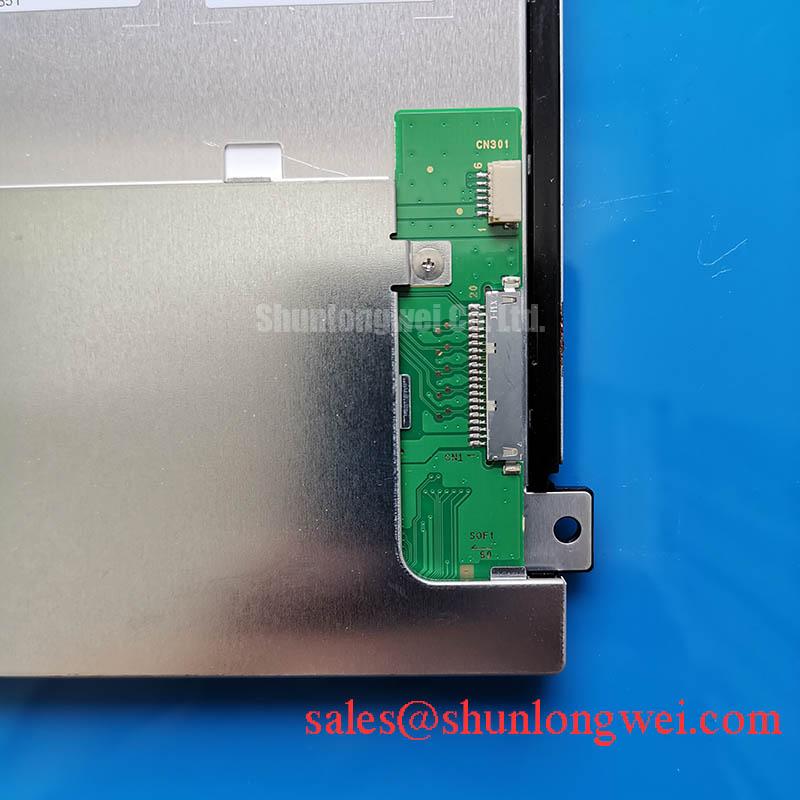
For service replacement, document the original cable orientation before removal, isolate power sources, and confirm that the connector latch is fully released before extraction. After installation, test image startup, full-screen color fields, text readability, brightness control, touch interaction where fitted, and operation during representative machine states. The LM64P10 may be used as a same-size or same-resolution reference during compatibility research, but its electrical and mechanical data must be compared independently before any substitution decision.
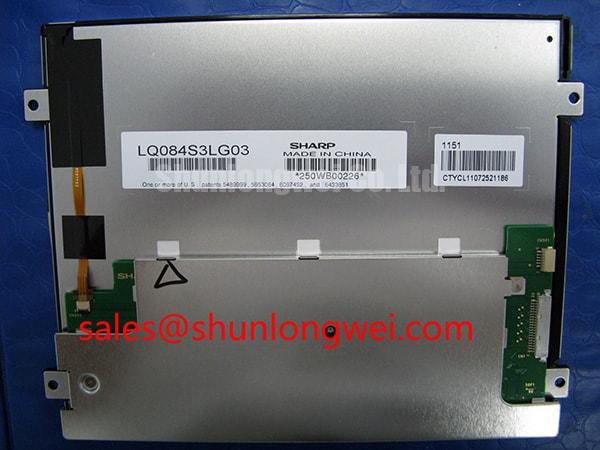
For procurement and repair records, retain the complete marking LQ084S3LG03, manufacturer identification Sharp, the equipment model, connector photographs, controller revision, and the acceptance test results. This information gives the next maintenance engineer a traceable basis for checking display compatibility without treating unconfirmed values as factory specifications.