
Content last revised on October 11, 2026
Chassis M3 Fastener Torque Sizing for Optical Mura Control
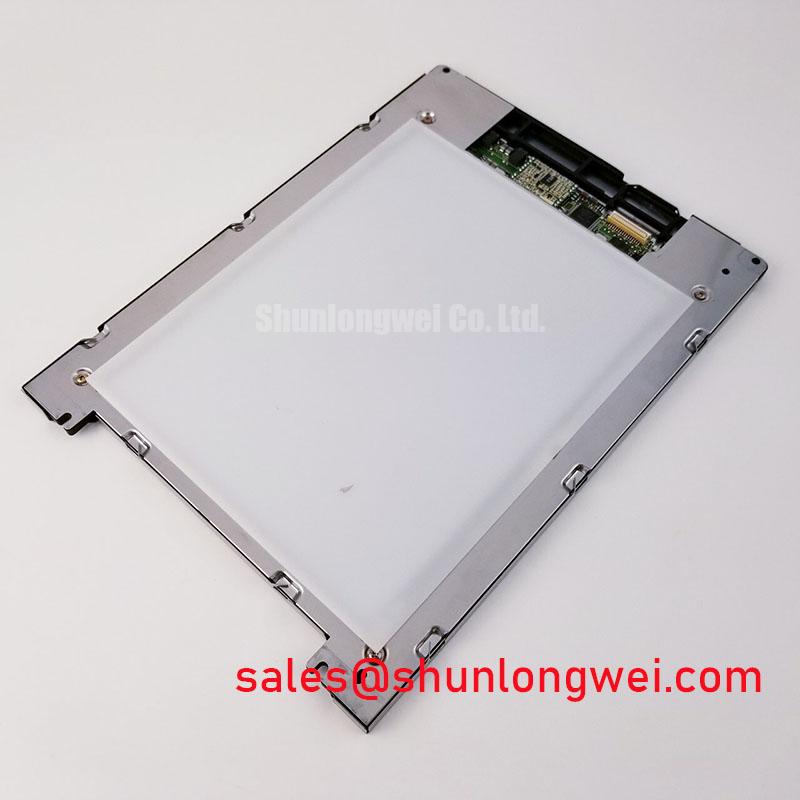
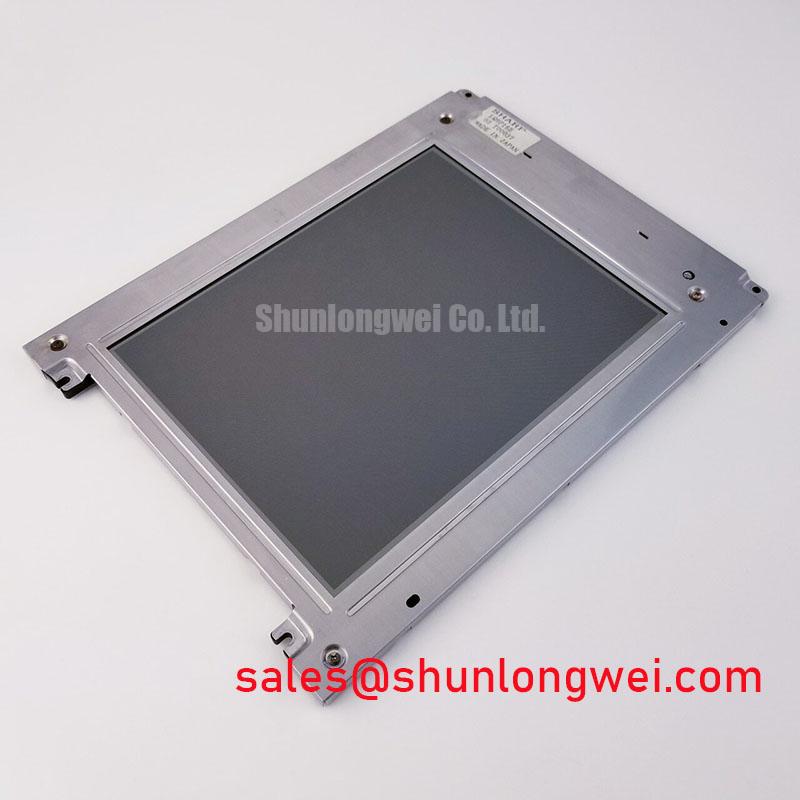
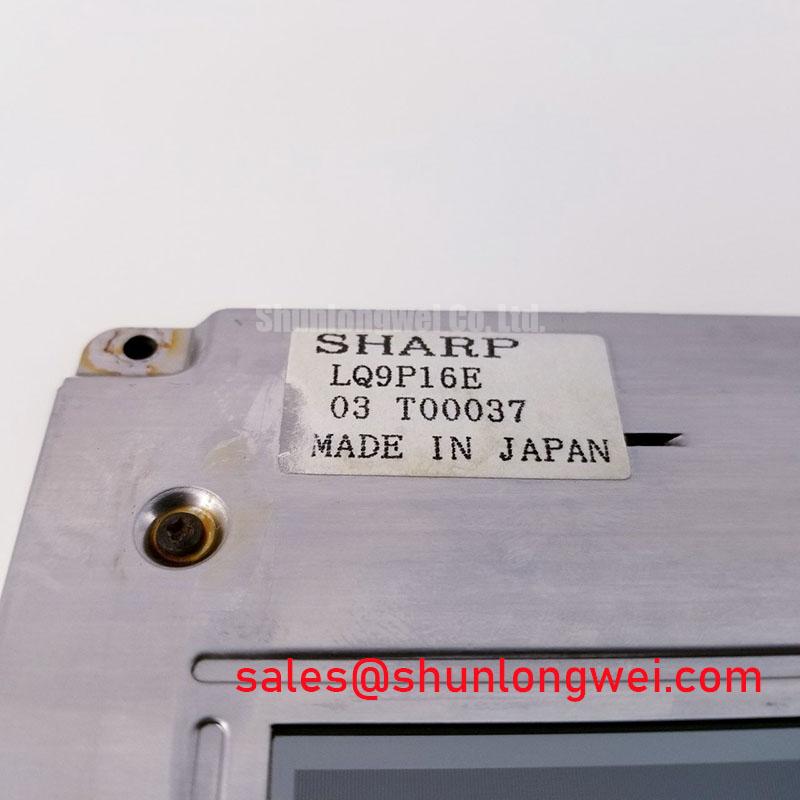
Localized dark regions after installation should first be assessed as a mechanical loading issue rather than treated as an immediate panel electronics failure. A replacement display must sit evenly within the host bezel, with no corner lift, frame twist, cable pinch, or uneven contact along the mounting rails. The LQ9P16E listing identifies a standard form factor, but it does not provide a verified outer-bezel envelope, active-area dimensions, hole pattern, or factory-approved fastener torque. These mechanical values therefore belong to the equipment assembly drawing, not to the product identity stated here.
Design Consideration: Where the host chassis uses M3 fasteners, a cross-pattern tightening method with a low torque window such as 0.35–0.45 N·m may be used as a starting point for bezel evaluation, provided that the equipment manufacturer permits it. This is a general assembly reference, not an official LQ9P16E specification. Tighten progressively while observing a white, gray, and black test field. A corner that darkens as the frame is secured may indicate local mechanical stress, bezel interference, or uneven support. Release the fastener pressure and inspect the contact surfaces before changing any display timing or backlight setting.
The optical inspection should compare the center, corners, and narrow edge zones at consistent camera exposure. A dark-field pattern can reveal pressure-related mura that is difficult to see on a normal user interface. The check is especially important when the panel is installed behind a rigid medical console fascia, because the fascia may impose load even when the screws appear correctly tightened. Avoid adding foam or shims until the original support geometry has been documented; an improvised spacer can transfer force directly into the display perimeter.
Signal routing deserves separate treatment from mechanical mounting. If the host uses a high-speed differential display link, the carrier board should preserve the transmitter and receiver requirements stated in the original panel documentation. A commonly used design reference is controlled differential impedance near 100 Ω ±10% with low pair-to-pair skew, but these are host-layout considerations rather than confirmed LQ9P16E specifications. In a high-EMI factory environment, inspect connector seating, reference-plane continuity, cable shielding, and the return path before modifying the display drive parameters. Where a design target includes a skew budget of 50 ps or less, confirm it through the system signal-integrity process rather than assuming the installed panel guarantees that value.
The same replacement assessment can include the related LQ9D152 as a neutral comparison point when the original equipment drawing allows an equivalent-size and interface review. Mechanical interchangeability still depends on the enclosure, cable, controller, and optical stack.
Wide Symmetric Viewing Cone Assessment for Multi-Angle Consoles
Viewing-angle evaluation should be performed with the display mounted in its actual console position, because a panel that appears uniform on a bench may show contrast or color changes when viewed through a protective window. The LQ9P16E is categorized as a TFT-LCD active-matrix color display module, while the supplied product identity does not confirm a Super-IPS or MVA cell mode. A viewing cone of 85°/85°/85°/85° must therefore be treated as an application comparison criterion unless it is stated in the original panel datasheet.
For a multi-angle surgical navigation or ultrasound workstation, examine grayscale patches from the operator position, the assistant position, and the side access position. TN displays can show grayscale inversion or rapid contrast changes as the viewing angle moves away from normal. IPS and MVA technologies are generally evaluated for wider angular consistency, but the actual result depends on the cell design, polarizer stack, surface treatment, controller settings, and viewing environment. Do not assign a panel technology to LQ9P16E without a manufacturer document confirming it.
Ambient light changes the inspection result. An anti-glare surface can reduce reflected overhead lighting and improve operator readability, while aggressive surface scattering may soften fine diagnostic detail. Check the panel with the enclosure window, protective cover, and normal room lighting installed. A bright white field helps reveal reflection nonuniformity; medium gray and skin-tone test images are more useful for judging subtle contrast shifts. For medical display equipment, image acceptance criteria should be established by the system owner rather than inferred from the replacement part number.
Interface timing should be evaluated at the panel connector and at the controller output. If the host uses TTL or LVDS signaling, confirm the documented pin assignment, clock polarity, data mapping, clock frequency, and power-sequencing requirements before connecting the cable. Clock jitter and data hold margin are system-level timing properties. They should be checked across the intended operating-temperature window with the correct probe method and a known-good signal path. A stable image at room temperature does not by itself confirm timing margin during cold start or enclosure heating.
For a field replacement, photograph the original cable orientation and identify the keyed side before disassembly. 💡 Bench Tip: Use ESD protection and press the display cable fully parallel to the connector before locking it; inserting at an angle can create intermittent image faults that resemble a controller problem.
Gray-to-Gray Response During Cold-Start Power-Up
Cold-start evaluation should use moving grayscale and mid-tone images rather than a static logo. Liquid-crystal viscosity generally increases at low temperature, which can lengthen gray-to-gray transitions and produce visible motion trailing. The LQ9P16E product information supplied here does not confirm a GTG response-time rating, a heater system, or a guaranteed operating range of −30°C to +85°C. Those values must not be presented as factory ratings for this model.
As a Design Consideration, an equipment engineer evaluating operation between approximately −20°C and −30°C may monitor image transition behavior during the complete power-up sequence. Capture the first image, the time to stable contrast, and the behavior of moving edges while the enclosure reaches its normal thermal condition. A slow transition during cold operation should be separated from a signal-lock problem by checking whether the displayed image is correctly framed and whether the controller continues to deliver valid timing.
Power sequencing also matters during replacement testing. The system integrator should verify the required supply voltage, enable order, reset behavior, and backlight control from the original panel documentation. Applying the backlight before the controller and panel logic are ready can produce a temporary white screen, unstable image, or residual image after shutdown. These symptoms require comparison with the host controller timing and a known-good assembly rather than a single-cause diagnosis.
For equipment with a cold-start requirement, a heater strip may be considered by the system designer, but it should not be assumed to be part of the LQ9P16E. If heating is used in the enclosure, its control loop must be evaluated for thermal uniformity, condensation risk, and interaction with the display frame. The perimeter seal and bonding materials should be inspected after thermal cycling for lifting, haze, edge contamination, or moisture ingress. No specific epoxy composition, optical bonding construction, or seal qualification is established by the supplied product data.
Long-duration HMI screens also require operating practice that limits unnecessary static imagery. Alternate diagnostic pages, use approved screen-saving behavior, and verify the host controller’s image-retention handling when the same status bar or waveform remains on screen for extended periods. This is a system-use recommendation, not a stated lifetime guarantee for the LQ9P16E.
Edge Heat Spreader Evaluation and Thermal Interface Placement
Thermal inspection should begin at the narrow display edges, connector region, backlight area, and adjacent chassis rails. Uneven heat can create visible brightness variation and may accelerate aging of optical and backlight components. The LQ9P16E listing identifies the unit as a TFT-LCD active-matrix color display module, but it does not provide LED backlight construction, thermal resistance, optical plate material, L70 or B50 life data, or an approved heat-spreader design.
A chassis designer may evaluate aluminum spreader rails when a measured hot spot is concentrated near an edge or controller area. The rail should contact only the approved mechanical support surfaces and must not press against the active display area, flexible cable, or optical stack. Thermal interface material should be applied as a thin, continuous layer only where the mechanical drawing allows it. Excess material can alter panel seating, while an air gap can reduce the intended thermal path. The final arrangement should be verified through temperature mapping under the real image load and backlight setting.
Thermal uniformity must be considered together with optical performance. A localized warm region may appear as brightness drift, edge shading, or color nonuniformity, while a mechanical clamp can create a similar visual symptom. Compare a cold image, a stabilized image, and a full-brightness test image with the same camera position. Do not convert one observed hot spot into a predicted L70 or B50 service life without an applicable manufacturer test report.
Display-link routing remains relevant near heat spreaders and metal rails. Keep differential pairs away from avoidable discontinuities, preserve the reference plane, and prevent the spreader from contacting exposed conductors or connector shells in a way that changes shielding or grounding. If the host design specifies approximately 100 Ω ±10% differential routing and a controlled skew budget, verify those requirements at the board and cable level. They are system implementation targets, not confirmed electrical specifications of LQ9P16E.
For enclosure reviews involving high-precision surgical or ultrasound diagnostic displays, the The Ultimate Guide to Industrial TFT-LCD Technology provides a practical reference for panel selection, optical evaluation, and integration checks. Final acceptance should use the host equipment’s approved mechanical drawing, interface documentation, image criteria, and environmental test plan.