Content last revised on October 3, 2026
Controlled Differential Impedance and Flex Routing for Stable Image Data
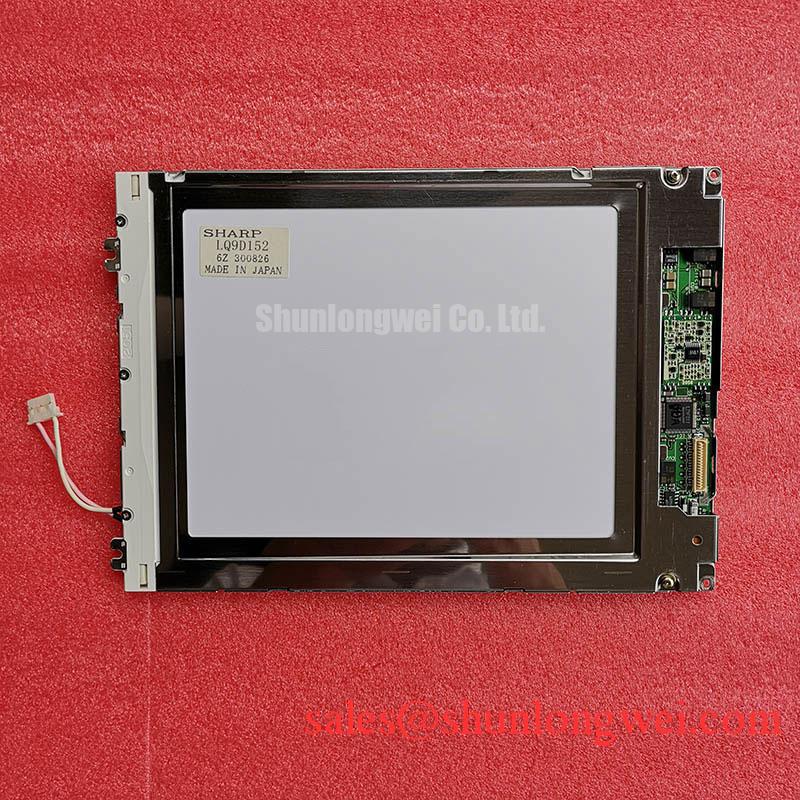
Start at the equipment connector rather than assuming that every industrial TFT-LCD uses the same video interface. Trace the host cable to the panel connector, confirm pin numbering and identify the specified logic supply and signal format in the original documentation. The system integrator should verify the required supply voltage from the original panel documentation. Applying a supply inferred from a similar-looking module is not an acceptable compatibility test.
If the documented interface uses differential data, maintaining the cable and board geometry specified for that interface is a Design Consideration for reducing reflections and timing uncertainty. A 100 Ω differential characteristic impedance is a common interface design reference, not a verified LQ9D152 factory requirement; the host specification must determine the actual target. If the documented interface is not differential, that reference does not apply. Confirm connector orientation and conductor assignment before investigating impedance or clock quality.
On a powered bench, a stable full-screen test image provides a useful baseline. Intermittent bands, displaced color regions or a split image may indicate a data, mapping or timing problem, but none identifies the panel as the sole cause. Compare the suspect path with a known-good host signal where available, observe the supply during startup and check whether the disturbance changes when the cable is gently repositioned without stressing the connector. JEIDA and VESA mapping should be checked only if the confirmed host interface and panel documentation call for that distinction.
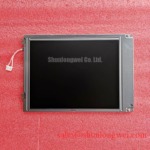
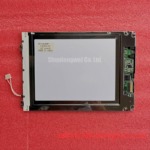
For procurement evaluation, compare the documented connector, active area, mechanical envelope and host timing before considering another display. The LMS700KF01-001 can be included in a separate comparison, but its product listing alone does not establish electrical or mechanical interchangeability with LQ9D152.
Backlight Drive, Dimming Noise and Visible Uniformity
Test the image path and illumination path independently. With a documented, correctly connected drive arrangement, display a white field, then neutral gray and black fields at repeatable brightness settings. Record dark regions, edge falloff, color tint and visible flicker from the same viewing position. This gives the repair engineer a reproducible observation without treating a visual impression as a factory brightness or color-temperature specification.
The supplied product data do not establish the LQ9D152 backlight technology, ignition requirements, driver current, dimming method or rated brightness. Verify these in the original panel documentation before pairing a driver with the module. Acoustic noise during dimming may come from the driver assembly or other nearby power components; its location and relationship to the control setting should be checked before assigning a cause. PWM frequency and dimming range are system-dependent settings, not LQ9D152 ratings established here.
When evaluating a display for a substation protection terminal or SCADA dispatch console, check legibility under the equipment’s actual ambient light and front-window arrangement. Anti-glare treatment, sunlight contrast and backlight service life cannot be inferred from the industrial product category. Compare measured appearance against the equipment acceptance criteria and the applicable panel specification rather than promising a particular contrast or lifetime.
The LQ150X1LG11 is another display-module listing that may be examined when documenting a system’s display and power architecture. Its presence in a comparison does not establish a shared backlight driver, supply rail or connector with the LQ9D152.
Glass Support, Connector Seating and Primary-Color Inspection
Place the module on a clean, stable support that carries its frame without twisting it. Inspect the viewing area in ambient light before fitting it to the equipment; photograph scratches, pressure marks and edge damage so that later powered observations have a physical reference. Check that the host enclosure does not force the frame out of plane when fasteners are tightened. Mounting force and clearance must come from the equipment and panel mechanical documentation, not from a generic screw-size rule.
After confirming the documented electrical connections, run a controlled sequence of red, green and blue full-screen images, followed by white, black and gray. The primary-color fields make fixed pixel anomalies and color-channel irregularities easier to locate; gray and white fields help reveal nonuniform illumination. Note whether a mark remains at the same screen coordinates across patterns, changes with brightness or appears only at particular viewing angles. Keep the test source and brightness setting consistent when comparing a suspect module with a known-good assembly.
A low-angle flashlight examination of an unpowered screen can help document surface marks and shadows, but it cannot establish the condition of an internal driver connection. Likewise, a persistent vertical line has several possible causes across the panel and host signal path. Avoid attributing it to a particular internal fracture without supporting electrical and mechanical evidence.
💡 Bench Tip: Disconnect power and use appropriate ESD precautions before handling the flex cable, then seat it squarely and secure its latch without forcing it.
For fault-isolation context beyond this product page, The Ultimate Guide to Industrial TFT LCD Technology explains the display principles that can help separate image-path observations from illumination and mechanical issues.
Cold-Start Response and Host Timing Checks
At a cold start, watch moving test content as well as a static image. Slower gray-to-gray transitions can make motion appear smeared even while fixed text remains readable. Temperature-related response change is a Design Consideration for liquid-crystal displays generally; the supplied LQ9D152 data provide no verified response-time curve or operating-temperature endpoints. Use the original panel specification and the equipment’s measured ambient conditions to decide whether a cold-start result is acceptable.
If the equipment has an enclosure heater, verify its control behavior against the equipment design before associating a display symptom with temperature. Record panel-area temperature, time since startup and the image pattern used. Repeat the observation after thermal stabilization while keeping the video source unchanged. An improvement after warm-up is useful diagnostic evidence, but it does not by itself identify a defective panel or justify changing heater settings.
Gray-level faults should also be separated from motion lag. If stationary gradients show banding or incorrect tones after the unit has stabilized, check the host output and any documented timing-control and gamma settings before replacing the display. A timing-control board or particular internal gamma architecture has not been established for this model by the supplied data. During switching tests, verify that supply sequencing and video activity meet the original panel documentation; then compare the image at the panel connector and at the host output where safe access permits. Record the exact condition under which the defect appears so the next technician can reproduce it without guessing at an undocumented rating.