

Content last revised on October 3, 2026
AUO M190EG02-V1 Inspection Considerations
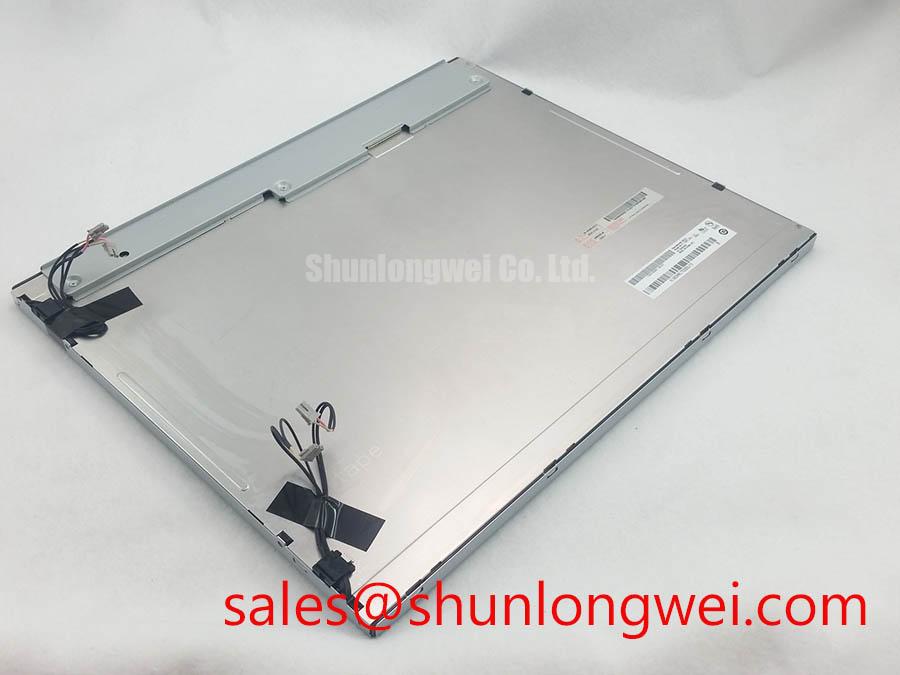
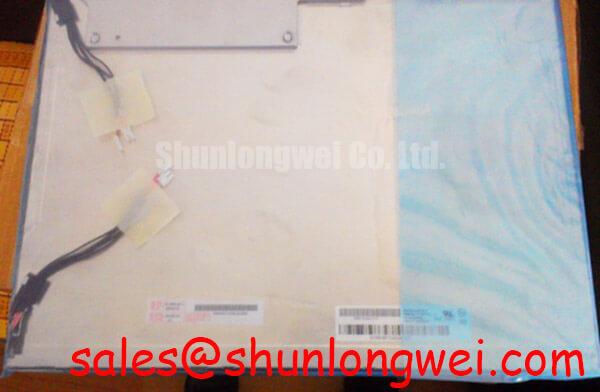
Inspect the connector, display surface and module label of the AUO M190EG02-V1 before applying power, then compare the label and cable orientation with the equipment’s original panel documentation. This TFT-LCD display module is identified in the supplied factory product information as an industrial LCD/HMI panel. That identification does not, by itself, establish its supply voltage, interface pinout, backlight technology or mechanical interchangeability. For an incoming inspection or repair, those details must be checked against the original panel specification and the host equipment drawings.
Logic Supply Sequencing and Image Data Checks
Start at the host connector, not at the picture on the screen. Record the connector position, cable exit direction and pin-one marking before disconnecting the existing panel. Inspect the cable for creases near the contact area, uneven insertion marks and damage to its locking features. Compare the host harness and the M190EG02-V1 connector using the original drawings; a physically similar cable is not evidence of a matching pinout.
The system integrator should verify the required supply voltage from the original panel documentation. The same document should establish the permitted power-up and power-down sequence, signal levels and any required relationship between logic power, image data and backlight enable. As a Design Consideration, capture the supply at the panel connector during startup rather than relying only on a bench supply reading. A drop across the harness or a poorly seated contact can make a nominally correct host supply behave differently at the module.
When an image is split, shifted or filled with repeating color patterns, preserve a photograph of the fault before disturbing the cable. Then check connector seating, source configuration and the specified data mapping in that order. If the documented interface uses differential signaling, examine its clock and data paths with suitable measurement equipment and compare them with a known-good host path. Clock instability, cable damage and an incorrect source format can produce overlapping symptoms; the image alone does not isolate one cause. Any impedance or timing target used for a replacement cable must come from the documented interface and be confirmed in the assembled equipment, rather than treated as a universal M190EG02-V1 rating.
💡 Bench Tip: Remove power and use ESD protection before reseating the display cable, then check that it enters the connector squarely before closing the lock.
For a repair assessment, log the host board revision and cable identification alongside the panel model. That record matters when two machines appear identical from the front but use different display harnesses. It also keeps a useful distinction between a panel fault and a source-board fault: a stable test image from a documented, compatible source is stronger evidence than an image produced by an unverified adapter.
Polarizer and Optical Inspection in Direct Lighting
Run a full-screen pattern sequence after the panel has reached a stable operating state. Use uniform black, white and primary-color images to note fixed bright points, dark points, colored subpixels, stains and illumination changes. Mark observations on a coordinate sheet or photograph rather than estimating them from memory. Acceptance limits for pixel defects must come from the applicable purchase or inspection specification; the product identification supplied here does not state an allowable defect count.
Inspect the powered display both straight on and from the viewing positions the equipment operator will use. A dark tone that changes noticeably with viewing direction warrants comparison with the optical characteristics in the original panel documentation. Do not infer a particular liquid-crystal mode or a symmetric viewing-angle rating from the model name. For an AGV or forklift telematics display evaluation, the relevant question is whether warnings and small text remain legible at the actual installed angle, subject to the enclosure window and mounting position.
Direct overhead lighting can hide faint defects or create reflections that look like surface damage. Repeat the inspection with the external light repositioned, keeping the displayed pattern and camera exposure consistent. View the unpowered surface at a shallow angle to distinguish visible surface marks from artifacts that appear only when the display is lit. If an enclosure adds a protective window, inspect the panel before and after it is fitted; reflections or pressure introduced by the assembly should not be attributed to the bare module without that comparison.
Backlight uniformity deserves its own observation. With a uniform image displayed, compare the center and edges under fixed camera settings or with a calibrated optical instrument where the inspection plan requires one. Record the drive conditions and warm-up state with every measurement. The supplied product information gives no official luminance, color-temperature uniformity or backlight-life figure for M190EG02-V1, so an observed reading should be reported as a test result under stated conditions, not as a factory rating. Likewise, a brightness trend seen in service cannot establish a lifetime prediction without a defined test method and supporting source data.
Keep handling pressure away from the active display area during this work. As a Design Consideration, check that the enclosure supports the module at its intended mounting points and does not twist it when fasteners are secured. A change in the visible image after assembly calls for inspection of fit, cable strain and the front window before any conclusion about the panel itself.
Noise Investigation and Chassis Connection Checks
If horizontal bands, intermittent pixels or image jitter appear only when nearby equipment operates, reproduce the observation under controlled conditions. Photograph a stable test pattern with the neighboring equipment off and on, while recording the host display settings and cable arrangement. Noise coupled into a harness is one possibility, but a marginal connector, source timing or supply disturbance can look similar on screen. Checking those paths separately is more useful than assigning every moving line to electromagnetic interference.
Trace the display cable from the host board to the M190EG02-V1 connector. Look for tight bends, abrasion at chassis openings and changes from the routing used by the original equipment. Where the documented assembly includes shielding or chassis connections, verify their physical continuity using the equipment drawings and an appropriate inspection method. Do not add a ferrite or change a ground termination solely because a band is visible; such changes should be evaluated by the system engineer against the complete installation and its applicable test requirements.
For a source that uses a documented differential display interface, inspect both members of a signal pair and the associated clock path rather than probing only one convenient conductor. Compare suspect waveforms with a known-good signal path using probes and fixtures suited to the interface. As a Design Consideration, cable routing and termination should preserve signal integrity in the presence of nearby switching equipment; the acceptable margin is determined by the documented interface and verified on the complete system. No standalone EMC compliance claim follows from the panel’s product category.
During service planning, a listing for M185XW01 VE can be used as a separate candidate for dimensional and interface comparison, not as an assumed replacement for M190EG02-V1. Confirm active area, mounting geometry, connector position, pinout, source timing and backlight requirements from both panels’ original documentation before considering interchange. For broader enclosure and integration questions raised by recurring display faults, Industrial Display & HMI Solutions provides additional engineering context; the panel-specific checks still govern the repair decision.
Backlight Startup and Driver Fault Isolation
When the screen appears dark, first determine whether image data is present. Observe the panel under suitable external illumination while displaying a known test pattern, and check the host’s display-enable state. A faint image can help direct attention toward the illumination path, but it does not identify a failed driver or panel on its own. Measure the relevant supplies and control signals at the documented test points, then compare their startup behavior with the equipment’s service information.
The backlight circuit must be identified from the original M190EG02-V1 documentation before selecting a test driver or interpreting a startup measurement. The supplied factory product information does not specify its backlight technology, driver ratings, ignition behavior or dimming method. Applying values associated with a different LCD assembly would turn a useful diagnostic test into an uncontrolled one. For the same reason, a blank screen should not be used as evidence for a particular backlight type.
If the host controls brightness, record whether the fault changes as the brightness command changes. Compare the command at the source with the signal received at the documented panel or driver connection. Flicker, audible noise and uneven brightness should be assessed under the actual host settings and supply conditions; none establishes a single failure cause. A proposed dimming change should be tested for visible behavior and electrical compatibility in the assembled system, with its operating limits taken from the applicable documentation.
Finish the fault isolation with a repeatable power-cycle test using the equipment’s approved procedure. Note whether image data, illumination and brightness control become stable at the same stage on each cycle. If a fault appears only after the module is secured in its enclosure, recheck connector engagement, harness strain and mechanical clearance before changing the driver or panel. Those observations give the repair engineer evidence tied to the installed TFT-LCD module, without substituting undocumented backlight ratings for measurements.