Content last revised on October 3, 2026
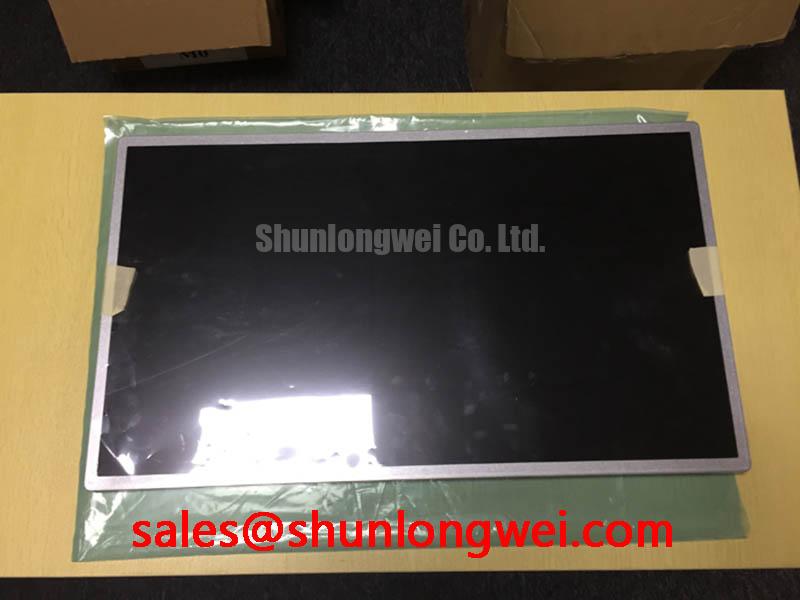
BOE MV215FHM-N01 Identification and Pre-Installation Check
Before connecting a replacement panel, compare the label on the removed display with MV215FHM-N01 and photograph its connector, cable orientation, and mounting points. The supplied product identification names BOE as the manufacturer and describes this model as a TFT-LCD display module for industrial LCD/HMI evaluation. It does not establish the panel’s electrical ratings, optical performance, dimensions, or connector pinout. Those details must come from the matching factory documentation before power is applied.
Assessing Surface Treatment for High Ambient Readability
A bright image on a bench does not establish readability at an operator console. Reflections from overhead lighting, nearby windows, and the equipment enclosure can obscure alarm text even when the backlight is operating normally. For MV215FHM-N01, the surface treatment, luminance, contrast ratio, and viewing-angle figures have not been established by the supplied specifications. Anti-glare etching, anti-reflective treatment, and any particular optical performance should therefore remain verification items, not assumed product features.
As a Design Consideration, inspect the actual viewing surface under the lighting expected at the installation site. Compare legibility from the seated and standing positions used by operators, including positions near the edges of the enclosure opening. A change in perceived contrast with viewing angle can be relevant when assessing display technology, but it is not evidence that this specific panel uses TN, IPS, or MVA construction. The integrator should obtain the BOE optical specification before setting acceptance criteria for contrast or viewing angle.
A high-voltage substation protection or SCADA dispatch console is one possible compatibility assessment, not a confirmed application for this model. In that setting, check whether reflections obscure small status labels as well as whether the image appears bright. If the existing console has an external protective window, test the display behind that window: its reflections and spacing affect the installed result.
Thermal Cycling, Polarizer Edges, and Enclosure Seal Integrity
Inspect the perimeter of a removed module before attributing a poor image to the LCD alone. Discoloration near an edge, a changing gap at the bezel, or a mark that appears only after the enclosure warms can help direct the next check. These observations do not, by themselves, identify a failed polarizer adhesive or panel seal. They call for comparison against a known-good image and inspection of how the panel is supported.
Cold conditions can slow liquid-crystal response, while temperature changes can alter the stress imposed by the surrounding enclosure. That is a Design Consideration, not a verified operating-temperature or response-time rating for MV215FHM-N01. The supplied product information does not confirm a cold-start limit, a Gray-to-Gray response figure, or an integrated heater. Obtain the model-specific temperature and optical test conditions before deciding whether a cold image is outside specification. Any proposed enclosure heating should be assessed as a system design choice, with its effect on the panel checked against the factory limits.
Separate the panel perimeter from the enclosure’s environmental seal during diagnosis. A gasket fitted to the cabinet can change compression on the module without being part of the module itself. For broader discussion of enclosure and display evaluation, see Industrial Display & HMI Solutions. It does not replace the model-specific ratings needed to approve continuous operation.
Logic Supply Sequencing and Image Data Alignment
Trace the existing display cable to its controller and identify the connector orientation before comparing signal names. The required supply voltage, pin assignment, interface type, and power sequence for MV215FHM-N01 are not confirmed in the supplied parameters. The system integrator should verify each against the original panel documentation and the host schematic; a voltage associated with another BOE panel is not a safe basis for energizing this one.
Where the documented interface uses differential signaling, compare the host’s clock and data assignments with the panel pin table, then inspect the cable and PCB route as a complete signal path. 💡 Pro Tip: Keep paired display signals routed consistently to limit timing skew, and confirm the finished link with the intended controller and cable. The applicable routing targets must be set from the verified interface specification and system tests, rather than assumed for this model.
Color errors, repeated image regions, or a split image warrant checks of the host configuration, cable seating, and documented data mapping before a panel fault is declared. JEIDA and VESA mapping are relevant only if the verified interface documentation calls for those formats. If an oscilloscope check is appropriate, compare the suspect path with a known-good assembly under the same operating conditions rather than treating one visual symptom as a definitive diagnosis.
Backlight control deserves a separate check from image data. Confirm the module’s documented backlight connections and driver requirements before testing dimming. Constant-current operation, dimming behavior, and open- or short-circuit protection depend on the verified backlight arrangement and its driver; none should be inferred solely from the TFT-LCD category. If the display shows a faint image under external light, investigate backlight power and control alongside the panel connection.
Flush-Mount Bezel Fit and Perimeter Gasket Support
Measure the removed module and the enclosure opening before approving MV215FHM-N01 for a flush-mounted repair. Check the outer envelope, active viewing area, mounting locations, connector clearance, and cable bend space against the factory mechanical drawing. The supplied identification does not include dimensions, hole locations, fastener sizes, or a mounting torque, so none should be treated as an official specification for this model.
As a Design Consideration, support the module evenly and verify that any enclosure gasket does not concentrate pressure at the visible image boundary. Inspect a uniform test image after the bezel is fitted, then compare it with the image before final fastening. A new dark patch or uneven brightness may warrant a fit and pressure check, but it does not establish a single cause. Fastening method and torque should follow the verified mechanical documentation and the enclosure design.
For a cross-model repair assessment, LQ201U1LW31 can be reviewed as a separate display candidate, not presumed to be a drop-in substitute. Compare its drawings and electrical documentation with the existing assembly before considering a change. Connector fit alone cannot confirm image mapping, backlight compatibility, or opening alignment.
Disconnect panel and backlight power before reseating the display cable. After assembly, check the image at the intended viewing positions and through the host’s normal brightness range. Record any uneven illumination, intermittent cable response, or bezel-contact marks with the operating condition in which they appear; that record gives the repair team a concrete basis for the next measurement.