Content last revised on October 6, 2026
Micro-Twist Mechanical Stress Fracture Prevention on Glass Substrate Driver Bumps
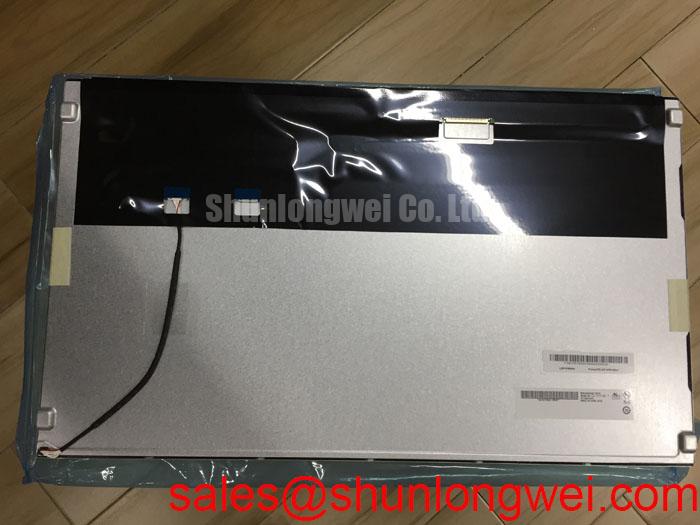
Begin a replacement check by isolating power from the host equipment, recording the panel label, and comparing the physical module, connector position, and original interface documentation before removing the installed display. The MV215FHM-N20 is identified in the supplied factory data as a BOE TFT-LCD Display Module for industrial HMI use. The available verified information confirms the manufacturer, product category, and display-module construction, but it does not establish a universal interface pinout, backlight type, touch layer, resolution, viewing angle, luminance rating, or operating-temperature range.
That distinction matters during emergency replacement work. A panel can appear mechanically similar while requiring a different timing controller, power sequence, connector assignment, or backlight drive arrangement. For a high-voltage substation protection or SCADA dispatch console, the replacement decision should therefore be based on the original equipment documentation and a controlled bench comparison rather than model-family assumptions.
| Parameter | Verified information |
|---|---|
| Model | MV215FHM-N20 |
| Manufacturer | BOE |
| Product category | Industrial Grade LCD/HMI Panel |
| Construction classification | TFT-LCD Display Module |
| Specification status | Official Factory Spec Verified |
| Interface, resolution, backlight, touch, and optical ratings | Verify from the original panel documentation and equipment service records |
Place the removed display on a clean, electrically insulated bench and inspect the bezel, mounting points, connector housing, flex area, and visible glass edges before applying power. Do not flex the panel to reproduce a fault. A change in image caused by pressing, twisting, or lifting one corner may indicate a mechanical connection problem, panel damage, or a host-side contact issue, but it does not identify one cause by itself.
A useful field sequence is to check the panel with a known-good host signal, observe the image with normal room lighting, and then use an oblique flashlight to inspect dark areas and non-uniform illumination. A three-colour test pattern can help separate image-generation faults from illumination faults: examine red, green, and blue fields individually, then compare them with a neutral gray field. A dark image that still reveals a faint picture under angled light may require investigation of the backlight path, while fixed lines, localized bands, or a split image require comparison of the signal path and timing-controller behavior. These observations should be recorded before disturbing the connector.
The supplied data does not confirm a particular chip-on-glass or chip-on-film construction for this model. For that reason, internal driver-bump geometry, adhesive structure, and glass-substrate fracture limits should not be treated as product specifications. The practical design consideration is to keep the module flat, support it across its mounting area, avoid point loading, and prevent the enclosure from forcing the glass or bezel into alignment. Fasteners should be tightened only to the equipment manufacturer’s documented torque and sequence.
When a console shows intermittent dark bands after cabinet maintenance, compare the panel while stationary, then inspect the mating connector and cable retention without applying side load. Use the original display as the reference for cable orientation and latch position. A service record should identify whether the symptom follows the panel, the cable, or the host controller. This method is more reliable than treating a single image symptom as proof of a fractured internal connection.
⚠️ Field Alert: Disconnect the equipment power and allow the documented discharge interval to expire before inserting or removing the display cable.
For selection work involving another display of related industrial use, engineers may also review LQ201U1LW31 as a separate comparison point, while verifying mechanical dimensions, interface mapping, optical performance, and electrical requirements independently.
VESA vs. JEIDA Data Mapping Alignment & Even/Odd Channel Signal Integrity
The MV215FHM-N20 supplied information does not state the panel resolution, LVDS or TTL assignment, connector pinout, logic-supply requirement, power-on timing, or JEIDA/VESA mapping. Those values must be taken from the original BOE documentation or the host equipment service manual. The system integrator should verify the required supply voltage from the original panel documentation rather than assuming a familiar display voltage.
Begin the electrical check with the host switched off. Photograph the connector orientation, cable keying, shielding arrangement, and any printed board references. Then compare the replacement panel’s connector count and physical key position with the removed unit. A connector that fits mechanically is not proof of matching data mapping. Even and odd channel assignment, clock polarity, bit order, and color-depth configuration should be confirmed from controlled documentation before energizing the replacement.
For high-EMI control rooms, the design consideration is to route differential display pairs as a controlled, continuous transmission path with a suitable characteristic impedance defined by the system designer. Maintain a consistent reference plane, avoid unnecessary stubs, control return-current discontinuities, and keep the display cable away from high-current switching conductors where the enclosure layout permits. The final routing and termination arrangement must be validated against the actual cable, controller, connector, and enclosure rather than copied from a generic LVDS diagram.
Oscilloscope verification is useful when the panel powers but shows flicker, unstable colors, a divided image, or repeated loss of synchronization. Compare the clock and data waveforms at the known-good reference point, then check whether the abnormality changes when the cable is moved within its permitted service position. Excessive ringing, a distorted clock, or unequal channel behavior may indicate an impedance or grounding problem, but the result should be correlated with the host controller and cable assembly before a panel replacement is declared necessary.
Power sequencing also belongs to the host-system validation plan. Confirm the order in which logic power, display enable, video data, and backlight control are applied according to the original documentation. Do not infer timing limits from another BOE display. If the panel is being considered for a substation protection or SCADA dispatch console, the system designer should test startup, shutdown, brownout, and recovery behavior while monitoring the display supply and video link.
A related display-system component can be reviewed through LQ10D321 when evaluating a broader panel and driver topology. Its presence in a similar equipment architecture does not establish interchangeability with the MV215FHM-N20.
Thermal Cycling Degradation of Polarizer Adhesives & Sealant Gasket Integrity
Do not assign an industrial temperature range to the MV215FHM-N20 without the panel’s original environmental specification. The supplied factory data confirms the module category but does not provide a rated operating range, storage range, thermal-cycle profile, response-time value, or sealant qualification. These limits are especially important when the display is installed behind a sealed SCADA console door or near equipment that produces continuous cabinet heat.
During a temperature-related fault investigation, record the cabinet temperature, display surface condition, startup state, and time required for the image to stabilize. Compare a cold start with a warm restart only when the equipment procedure allows it. Slow gray transitions, temporary image retention, uneven illumination, or a change in contrast can have several possible contributors, including panel temperature, controller behavior, supply instability, condensation, or cable contact. A controlled comparison with the host’s known-good display path is needed before attributing the symptom to liquid-crystal behavior.
Temperature management should begin with the enclosure rather than an assumed heater or cooling accessory. Check airflow, nearby heat sources, the position of the display relative to power converters, and whether the mounting frame blocks the manufacturer’s intended dissipation path. If a heater strip, fan, or thermostatic control is proposed, its electrical noise, local heat distribution, startup behavior, and effect on the panel’s documented limits must be evaluated by the system designer.
Polarizer appearance, perimeter bonding, and gasket condition should be inspected without scraping or lifting the display layers. Blisters, edge lifting, haze, or localized discoloration may require comparison with a controlled reference unit and an environmental history review. The available product information does not support a claim about a particular adhesive, sealant, or internal layer construction.
Touch performance also requires careful boundary control. The verified information identifies a TFT-LCD display module, but it does not confirm a resistive or capacitive touch layer. Therefore, glove operation, water tolerance, touch sensitivity, controller compatibility, and calibration behavior cannot be stated as features of this model without separate documentation. If the SCADA console uses a touch overlay, the integrator should verify whether that overlay is a separate assembly and should test it with the installed bezel, gloves, protective window, and expected moisture conditions.
For a broader explanation of panel selection, signal architecture, environmental considerations, and common display integration errors, consult The Ultimate Guide to Industrial TFT-LCD Technology.
Optical Luminance Degradation Curve & CCFL-to-LED Modernization Retrofit Pathways
The supplied information does not identify the backlight technology, luminance rating, dimming method, rated half-life, or replacement-driver requirements of the MV215FHM-N20. It is therefore unsafe to describe this model as a CCFL or LED panel, to assign a specific brightness-decay curve, or to promise a particular service-life figure. The backlight must be identified from the original panel documentation and the installed equipment’s driver assembly.
Start an optical fault check by comparing the display at the same image level and viewing angle as the known-good reference. Inspect the entire screen for edge darkening, corner falloff, bands, color shift, and localized hot areas. A faint image with reduced illumination should be investigated through the backlight supply and enable path, while a fully bright screen with incorrect colors or missing regions may require signal and timing-controller checks. The same symptom can result from more than one system condition, so measurements should be taken at the relevant connector and driver points rather than relying on visual judgment alone.
If a retrofit from one backlight technology to another is being considered, treat it as a system modification rather than a simple lamp substitution. Verify the electrical interface, current regulation method, enable and dimming signals, mechanical clearance, optical uniformity, heat generation, and electromagnetic behavior. A constant-current LED driver must be matched to the actual replacement assembly, and any dimming implementation must be validated for visible flicker, controller compatibility, and fault recovery. The original display documentation should determine whether the existing inverter, cable, and control signals can be retained.
For industrial operator panels, uniform thermal distribution is as important as nominal brightness. Inspect the rear of the display and the enclosure around the driver for trapped heat, obstructed airflow, or concentrated heat near cables and seals. Do not add a higher-power driver to compensate for a dim image unless the panel, optical assembly, wiring, and enclosure have been evaluated together. A luminance measurement made at the center alone may miss edge degradation or a localized overheating condition.
EMC evaluation also belongs to the completed equipment. The display module itself should not be described as independently certified to an enclosure-level EMC standard. The integrator should test the assembled SCADA console with its actual display cable, backlight driver, grounding arrangement, switching supplies, and nearby protection equipment. Any improvement in image stability must be verified during the relevant operating and switching conditions rather than assumed from the panel model number.