Content last revised on September 24, 2026
Dynamic Contrast Ratio Stabilization and Liquid Crystal Birefringence Temperature Tracking
Start the optical evaluation with a known test image rather than judging the replacement from a live SCADA screen. Display a dark field, a mid-level grayscale pattern, and a high-contrast alarm interface while observing the panel from the normal operator position. Record changes in shadow detail, grayscale transitions, and viewing-angle behavior at the actual enclosure lighting level. The factory information supplied for NL6448BC20-30C does not specify whether the panel uses TN, IPS, MVA, or another liquid crystal mode, so a particular viewing cone or birefringence response must not be assumed.
Industrial dispatch consoles can combine bright overhead lighting with dark control-room graphics. A surface treatment may reduce reflected light, but the exact anti-glare construction and optical performance for this model require confirmation from the original panel documentation. Engineers should evaluate the installed bezel, protective window, and any touch overlay together because each layer can change contrast, reflections, and apparent color balance. If the replacement is installed behind a glass window, inspect the display at the same angle and illumination used by operators rather than relying only on a bench test.
Temperature testing should also be based on the documented limits of the original system. Liquid crystal response can change as the panel approaches a low-temperature boundary, which may appear as slower grayscale transitions or temporary image behavior during cold startup. The available verified data does not provide a specific operating temperature range, response-time value, heater requirement, or contrast curve for this model. A system integrator should therefore verify those values before adding a heater strip or changing the enclosure thermal design.
For a practical replacement assessment, compare the cold-start image with a known-good unit, monitor the transition from power application to stable display, and check whether the host controller maintains the expected timing during the full temperature sequence. This separates panel behavior from controller timing, cable contact, and power-rail settling. Any heater control should be selected by the system engineer after reviewing the panel documentation, enclosure heat transfer, condensation risk, and the equipment’s own startup sequence.
Optical Luminance Degradation and CCFL to LED Modernization Retrofit Pathways
Do not assume the backlight technology from the model number alone. The supplied factory parameters identify a TFT LCD display module but do not confirm whether this exact unit uses CCFL, LED, a dedicated inverter, or a particular dimming interface. Before a retrofit, trace the original backlight wiring, identify the controller output, and compare the replacement electrical requirements with the host board. A CCFL inverter output and a constant-current LED driver are different circuit functions and should not be connected interchangeably.
For a high-voltage substation protection or SCADA console, optical aging should be checked using the same brightness setting, image pattern, and ambient light used in service. Inspect for uneven illumination, slow ignition, visible flicker, acoustic noise, and brightness changes after warm-up. These observations can result from the backlight, inverter, driver, cable, or power supply, so the repair record should identify the tested subsystem instead of assigning the symptom to the LCD glass alone.
The supplied data does not provide a luminance rating, half-life figure, MTBF value, CCFL ignition voltage, LED current, PWM range, or rated service life for NL6448BC20-30C. Those values must not be presented as model specifications. If an LED modernization is being considered, the design team should verify optical uniformity, driver compatibility, dimming behavior, conducted and radiated emissions, thermal loading, and the mechanical position of the light source. The retrofit should preserve the operator’s ability to read alarm colors and trend graphics under the original enclosure lighting conditions.
Signal integrity also needs to be evaluated at the equipment level. If the host uses a differential display interface, route the pair as a controlled transmission path, maintain consistent reference conditions, and minimize unnecessary stubs. A commonly used differential target in display systems is 100 ohms, but the correct value, tolerance, data format, and skew allowance must come from the controller and panel documentation. When the interface is parallel TTL, differential-pair rules do not apply in the same way; the integrator should instead verify edge rate, return paths, simultaneous switching behavior, and ground reference quality.
💡 Pro Tip: Keep the display clock and data paths physically separated from high-current switching conductors, and verify timing at the panel connector with an oscilloscope before closing the cabinet.
For additional system-level design context, engineers evaluating a display in demanding industrial HMI enclosures can consult Industrial Display and HMI Solutions. The guide should support design review, not replace the model-specific NEC documentation.
Full-Screen Primary Color AOI Screening, Stuck Sub-Pixels, and Background Uniformity Audit
After installation, run a controlled visual inspection with full-screen red, green, blue, white, black, and neutral gray images. Use the same display scaling and signal source for every test. Look for fixed bright points, dark points, vertical or horizontal lines, shaded regions, flicker, and areas that change appearance when the viewing angle changes. These observations can help separate pixel-level behavior from backlight uniformity, cable faults, or image-processing artifacts, but they do not establish a single cause without comparison testing.
A dark-room check can be supplemented by a low-angle flashlight inspection around the bezel and display surface. The light should be used to reveal external marks, reflections, pressure points, or contamination, not to infer an internal failure mechanism. If a line defect remains fixed with different test images, compare the panel with a known-good signal path and inspect the connector seating. If the defect changes with the image source or cable position, the controller and interconnect deserve equal attention.
Automated optical inspection can be useful when multiple replacement panels are being assessed. The inspection fixture should control camera exposure, viewing angle, ambient light, image pattern, and acceptance criteria. The supplied factory data does not define pixel defect limits, luminance uniformity limits, color coordinates, LED lifetime, or an AOI threshold for this model. Procurement and quality teams should therefore obtain the applicable NEC inspection criteria before assigning a pass or fail decision.
When the panel is fitted with an external resistive or capacitive touch overlay, test the overlay separately from the LCD image. The available model information does not confirm an integrated touch function, glove operation, wet-finger sensitivity, controller protocol, or protective glass construction. The system integrator should verify the touch controller, mounting pressure, active area alignment, and enclosure opening before treating the display as a complete touchscreen assembly.
For material replacement planning, the NL10276BC16-06 may be evaluated as a separate display option when its electrical interface, mechanical dimensions, optical characteristics, and host timing are confirmed against the original installation. It should not be treated as a drop-in substitute solely because it belongs to a related industrial display category.
Display Interface Synchronization and Logic Power Rail Verification
Begin electrical integration by identifying the actual interface on the host board and matching every signal by function, polarity, timing, and connector position. The available official product information does not confirm that NL6448BC20-30C uses a 24-bit TTL RGB bus, LVDS, or another interface. Do not apply a presumed 3.3 V or 5 V supply, and do not reuse a cable based only on connector appearance. The system integrator should verify the required logic supply voltage from the original panel documentation.
For a TTL implementation, inspect the pixel clock, data groups, synchronization signals, enable control, and ground returns at the panel connector. For an LVDS implementation, verify pair polarity, lane order, clock relationship, common-mode range, and the expected data mapping. JEIDA and VESA arrangements are not interchangeable assumptions; a mapping error can create incorrect colors, split-screen effects, unstable imagery, or a display that remains blank while the backlight is active.
Power sequencing should be checked with the host controller, panel logic supply, backlight control, and display enable signal visible on the same measurement record. The correct rise time, delay, reset behavior, and shutdown order are system and panel specific. The supplied data does not define a power-on interval or logic threshold for this model, so values such as a fixed millisecond window should not be assigned without a source. If the image fails only during startup, compare the panel supply at its connector with the known-good unit and review the controller’s initialization sequence.
In high EMI installations, cable routing and reference continuity deserve the same attention as nominal voltage. Keep display wiring away from inverter outputs, relay coils, and high-current contactors where the cabinet layout permits. Confirm shielding termination according to the equipment grounding architecture, then test the display while the relevant switching loads operate. Any EMC result belongs to the complete equipment assembly; the LCD module itself should not be described as independently certified to an installation-level EMC standard.
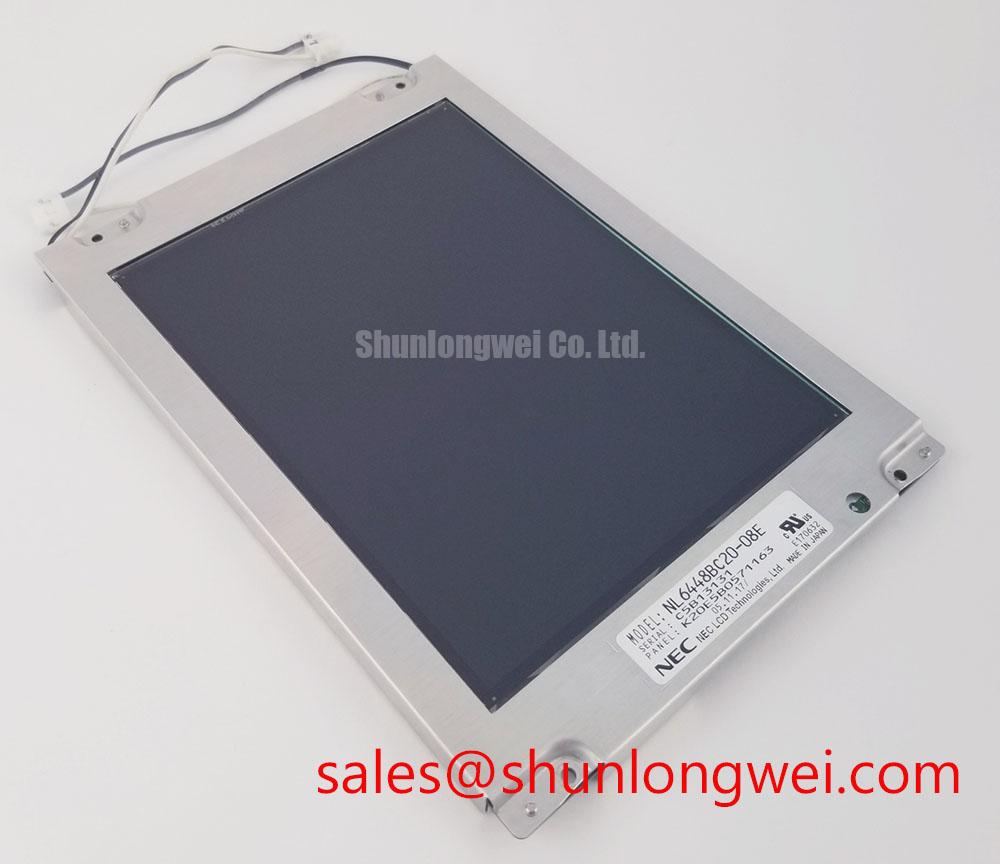
Before approving NL6448BC20-30C for a SCADA dispatch console, document the mechanical opening, connector orientation, host interface, logic supply, backlight arrangement, optical acceptance criteria, and startup sequence. The verified identity remains NEC TFT LCD Display Module, while all system-dependent values require confirmation against the original panel records and the target equipment design.