

Content last revised on September 25, 2026
Viewing Direction and Grayscale Behavior Review
Before accepting a replacement panel for an existing operator terminal, inspect grayscale behavior from the actual installed viewing position. The supplied product classification confirms a TFT-LCD display module, but it does not establish a specific liquid-crystal mode, optical viewing cone, anti-glare treatment, contrast specification, or viewing-direction rating. Those characteristics must be confirmed from the original NEC panel documentation or from a controlled comparison against the removed working assembly.
In practical inspection, display a stepped grayscale pattern and observe it from the normal operator position, then from the vertical and horizontal angles likely to occur when personnel approach the console. A change in perceived shade order, loss of low-level detail, or visible color shift may indicate that the panel orientation, host timing, optical configuration, or viewing condition needs review. It should not be assigned to one cause without comparison to a known-good screen and the correct timing source.
High ambient illumination near dispatch desks can make reflected light as important as nominal screen brightness. Inspect the powered screen with a black field, a mid-gray field, and text over neutral backgrounds. Note reflections from overhead fixtures, window light, and nearby annunciators. If an enclosure includes a front filter, protective window, or bonding layer, retain the original stack-up where possible because a change in the outer optical path can alter perceived contrast and glare.
Display data routing is a Design Consideration for the host electronics, not an official module parameter stated here. Where the original interface uses differential signaling, controlled impedance and pair-to-pair timing alignment help preserve the received data eye in electrically noisy cabinets. The host board designer should verify routing against the transmitter, receiver, cable, connector, and original panel documentation. A distorted image, intermittent vertical artifacts, or loss of synchronization may indicate an interface integrity issue and should be checked with appropriate instrumentation against a known-good signal path.
For a same-class reference during mechanical and interface review, engineers may also compare the documented requirements of the NL10276BC16-06. This is a reference point for evaluation only; matching model designation, connector arrangement, electrical interface, timing, outline dimensions, and optical requirements must be verified before any substitution decision.
Logic Supply Voltage and Power-Sequencing Review
The original host documentation must determine the required logic supply voltage for the NL6448BC26-27F. The values 3.3 V and 5.0 V are often encountered in display systems, but neither value is confirmed here as an official supply requirement for this NEC module. Do not apply either supply assumption solely from a controller board marking, a visually similar panel, or a generic connector family.
During repair intake, identify the host-side display connector, trace the relevant supply rails through the equipment schematic where available, and confirm the original panel pinout before reconnecting the module. Verify that the display controller, panel interface, and backlight control circuit are all in their intended states during power-up and shutdown. Power-sequencing behavior is system-dependent, and the correct order, ramp behavior, signal enable state, and backlight enable relationship must follow the original equipment requirements.
💡 Bench Tip: Disconnect system power and use ESD protection before handling the display cable, then insert the flex or harness evenly so the connector is fully aligned before closing its retention feature.
Split-screen artifacts, repeating columns, color-channel errors, or unstable images can arise from several conditions, including incompatible data mapping, incomplete connector engagement, host timing configuration, or signal integrity degradation. JEIDA and VESA mapping are interface conventions rather than confirmed settings for this model. The repair technician should verify the selected mapping from the original panel and controller documentation, then compare the displayed color bars and pixel pattern with a known-good assembly.
Backlight dimming must also be treated as an external system function unless the original panel documentation confirms its control method. PWM dimming frequency, duty-cycle behavior, enable polarity, and driver response are determined by the backlight driver and host implementation. When flicker is reported, inspect the dimming control waveform, driver supply stability, and panel behavior under multiple brightness settings. Audible noise or visible modulation may originate in the external driver, its passive components, mounting conditions, or the control signal rather than the TFT-LCD panel itself.
The requested focus on long service duration and LED current regulation cannot be converted into a lifetime or MTBF claim for this module without an official source. No specific operating-hour, brightness-retention, failure-rate, or backlight endurance figure is stated here. For maintenance planning, record observed brightness uniformity, startup consistency, and behavior at the intended setpoint over a controlled test interval rather than relying on an unverified endurance estimate.
Thermal Cycling and Panel/Enclosure Inspection
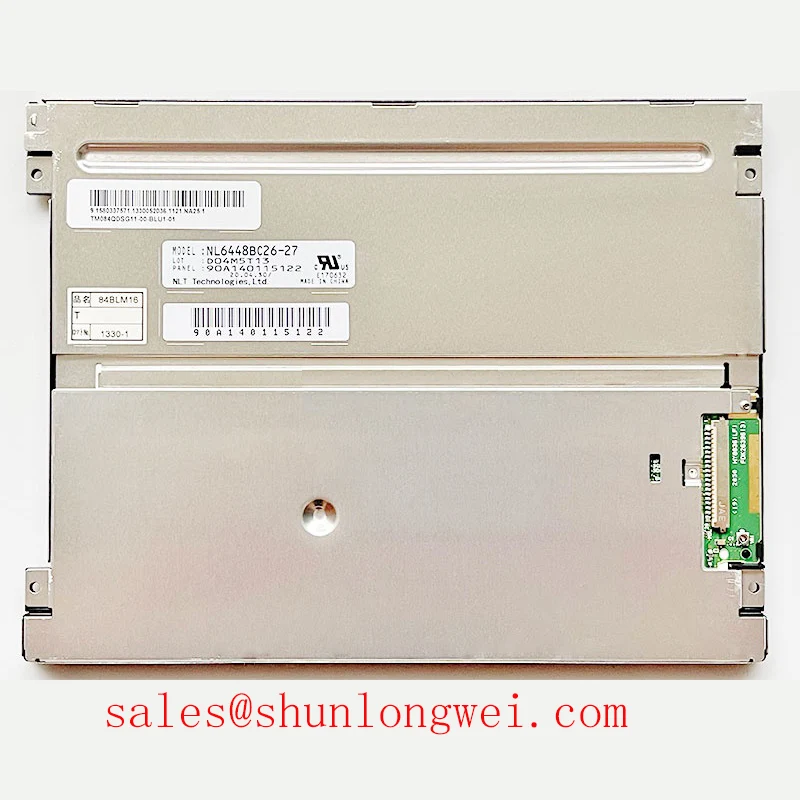
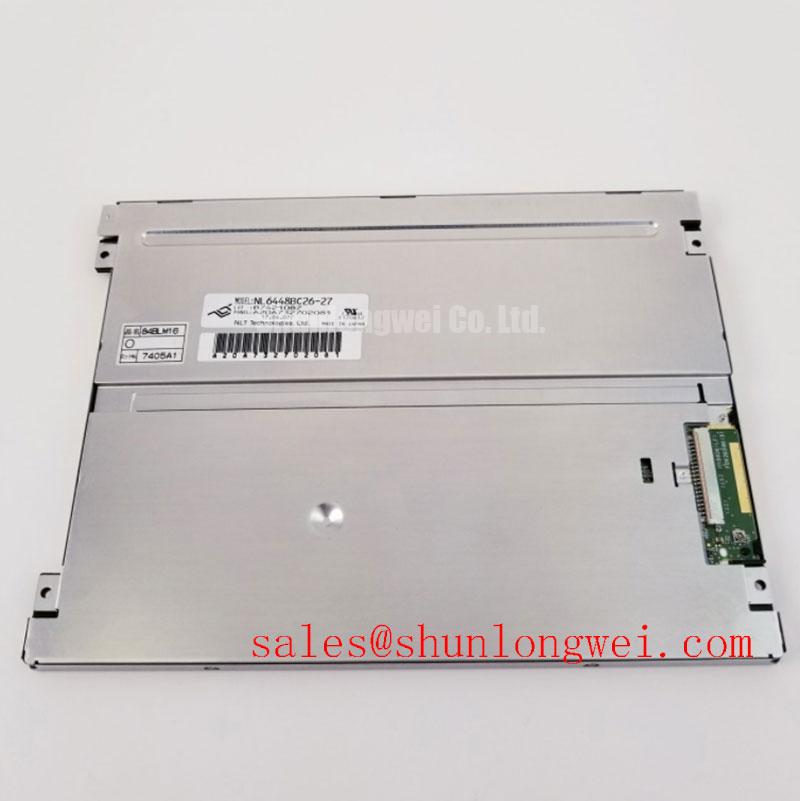
The official information provided identifies the NL6448BC26-27F as an industrial-grade NEC TFT-LCD display module, but it does not confirm an operating temperature range, storage range, response-time limit, polarizer construction, adhesive formulation, or perimeter seal specification. The stated range of negative 30 degrees Celsius to positive 85 degrees Celsius must therefore not be presented as an official rating for this specific panel without the original NEC datasheet.
Temperature-related display observations should be documented as test results, not assumed product characteristics. At lower temperatures, an LCD may show slower visual transitions depending on its specified technology and operating conditions. If response lag is observed in the equipment, allow the panel and host electronics to stabilize at the actual ambient condition, then compare moving grayscale patterns, text scrolling, and alarm-page changes with the original acceptance behavior. Confirm that the host timing and supply rails remain stable during the test.
Examine the outer panel perimeter, bezel contact surfaces, and any enclosure gasket for evidence of mechanical stress, moisture ingress paths, contamination, or pressure concentration. These checks are especially relevant where an HMI is installed in a cabinet with large ambient changes. Do not infer internal adhesive or sealant composition from external appearance. If optical defects occur after environmental exposure, isolate whether the condition follows the panel, the front filter, the mounting frame, the backlight driver, or the host video source.
For a protection relay terminal or SCADA console, enclosure-level thermal and ingress performance belongs to the finished equipment, not to the display module alone. Designers should assess ventilation, cabinet heat sources, front-window stack-up, condensation exposure, grounding practice, and service access as part of the equipment-level validation. Useful maintenance and test practices for these environments are discussed in Industrial Display & HMI Solutions.
A full-screen white pattern is useful for revealing brightness nonuniformity, while a black pattern can reveal unwanted light leakage or pressure-related changes. A grayscale ramp helps identify delayed transitions or tonal discontinuity. Record test conditions, source resolution, controller configuration, ambient conditions, and observed behavior so that future service personnel can distinguish a repeatable panel condition from a system-level change.
Mechanical Fastener and Optical Mura Inspection
Mechanical mounting should begin with confirmation of the original chassis drawing, panel outline, mounting-hole pattern, fastener type, spacer stack, and bezel clearance. The stated 0.35–0.45 N·m range is a general Design Consideration for M3 fasteners and is not an NEC factory torque specification for the NL6448BC26-27F. The correct fastening method must follow the original panel documentation and equipment mechanical design.
Uneven bezel loading can affect optical appearance, particularly when the display is clamped against a front window or when a frame applies force near the active area. Use a cross-pattern tightening sequence where the mechanical design permits it, advancing fasteners gradually while checking that the module sits flat on its intended support surfaces. After installation, inspect a black screen, white screen, and mid-gray screen from the normal viewing position. Localized brightness variation can be associated with mounting stress, but it can also be related to the optical stack, external illumination, panel condition, or backlight circuitry.
The chassis should not force the panel into position through connector tension. Confirm that the cable routing permits full seating without side load and that service loops do not pull against the display connector after the cover is closed. Where a protective window is used, verify that its support features contact only the intended bezel or gasket surfaces defined by the equipment design.
Clock jitter, data hold timing, and transmitter compatibility are properties of the complete source-to-panel signal path. They are not confirmed factory parameters in the provided information for this model. When an image is intermittently unstable across changing cabinet temperature, examine supply regulation, connector retention, cable shielding and routing, controller timing configuration, and the signal path with a suitable oscilloscope. Compare results with the equipment’s documented waveform requirements and a known-good assembly before deciding whether the panel is responsible.
For final acceptance, run a controlled display sequence after the chassis is fully assembled rather than only during bench operation. Check startup image stability, full-field uniformity, grayscale transitions, color rendering, text legibility, and any brightness-control behavior available in the original system. This process keeps the evaluation tied to the actual NEC module, the host electronics, and the mechanical environment in which the panel will operate.