

Content last revised on September 25, 2026
Single Vertical Hairline Defect and Sub-Pixel Column Driver Open-Circuit Localization
| Parameter | Verified information |
|---|---|
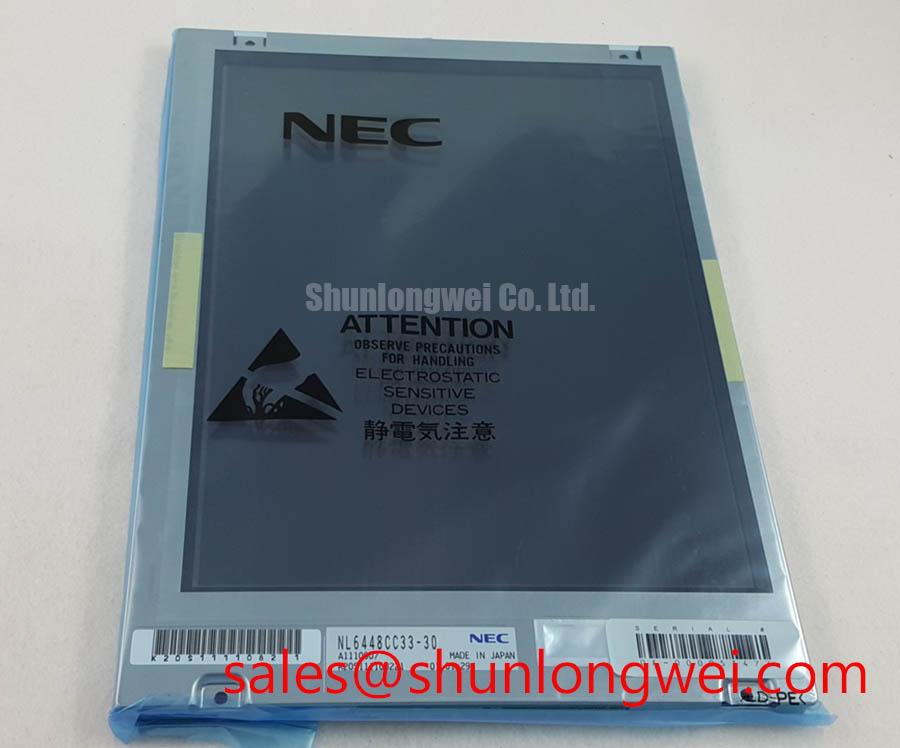
| Model | NL6448CC33-25 |
| Manufacturer | NEC |
| Product category | Industrial Grade LCD/HMI Panel |
| Construction | TFT LCD Display Module |
| Specification status | Product identity verified; detailed specifications require confirmation from the original documentation |
Begin a failed-panel inspection by disconnecting system power, checking the module label against the maintenance record, and examining the bezel, display window, flexible cable, and connector lock for mechanical damage. The verified product information identifies the NEC NL6448CC33-25 as an industrial TFT LCD display module, but the available factory data does not establish its supply voltage, interface pinout, resolution, dimensions, backlight type, contrast ratio, response time, or operating-temperature limits. Those values must be confirmed against the original panel documentation before electrical replacement or enclosure modification.
This distinction matters when the display is being considered for an industrial HMI, a process monitoring terminal, or a hazardous petrochemical Zone 2 operator station. A replacement panel may fit mechanically while remaining electrically incompatible with the host controller. Verify the original display drawing, cable orientation, connector keying, power sequence, display timing, and backlight interface before applying power. The product category and manufacturer identity are confirmed; system compatibility remains an engineering verification task.
A single vertical line should first be reproduced under controlled image conditions. Display a uniform red field, then a uniform green field, a uniform blue field, and finally a neutral white or gray field. Record whether the line remains fixed in position, changes color, widens, or disappears when the image content changes. This three-color bench check helps separate a panel-side column addressing fault from a backlight or host graphics problem without assuming a particular internal construction.
Inspect the signal cable while the display is unpowered. Look for incomplete insertion, a displaced locking bar, contamination, or a bend radius that places continuous stress on the flexible section. After reconnection, compare the suspected unit with a known-good signal path using the same controller and cable where the system documentation permits that test. An oscilloscope may help identify unstable timing or signal integrity problems, but the measurement should be made against the documented interface limits rather than against a guessed voltage threshold.
An angled flashlight inspection can reveal whether a dark vertical region is caused by missing illumination or by an image-forming defect. Illuminate the front surface obliquely while displaying a white field and observe whether image information is still visible in the affected area. If picture information remains visible but the region appears darker, investigate the backlight path, diffuser condition, and driver output. If the line follows image data and remains sharply positioned across several primary colors, panel-side addressing or connection damage becomes a consideration. This is a diagnostic direction, not a single-cause determination.
The supplied product record does not verify a contrast-ratio value, sunlight performance above a specified lux level, or an anti-glare coating for this model. Do not publish those values as product specifications without the original NEC datasheet. For outdoor or high-illumination operator stations, the system integrator should evaluate readability with the complete bezel, window, ambient-light condition, and installed backlight. A replacement selection should also consider whether the host controller expects the same timing and interface arrangement.
For maintenance planning, document the defect location with a photograph, note the image pattern used during testing, and retain the cable and connector observations. A compatible part such as NL10276BC16-06 may be evaluated as a separate sourcing option when its own mechanical, electrical, optical, and interface documentation matches the equipment requirements. It should not be treated as an automatic substitute for the NEC panel.
Chassis M3 Fastener Torque Sizing and Optical Mura Control
Before changing fastener torque, remove the display from the machine frame and inspect the bezel opening, mounting tabs, gasket, spacer stack, and screw alignment. Optical mura can be influenced by uneven mechanical loading, but the verified product information does not specify an M3 torque value, bezel tolerance, glass thickness, or mounting-hole pattern for the NL6448CC33-25. The commonly proposed torque range of 0.35 to 0.45 N·m must therefore be treated as a general design consideration only, not as an NEC factory requirement.
Use a cross-pattern tightening sequence only when the original mechanical drawing permits it. The objective is to distribute frame loading evenly while avoiding local pressure on the display edges. The system designer should establish the final torque from the fastener size, thread material, bracket stiffness, gasket compression, and the panel manufacturer’s mechanical guidance. After installation, inspect a black field and a mid-gray field at several viewing angles. A change in brightness near the frame may indicate mechanical loading, optical stack interference, or a backlight issue, so the panel should be rechecked in a relaxed fixture before the fault is classified.
Cold operation requires the same restraint. Liquid crystal response can become slower at low ambient temperature, and a display may show visible image persistence or gray-level lag during a cold start. The available verified information does not define a temperature range, gray-to-gray response specification, heater requirement, or temperature compensation method for this model. If the equipment operates below the documented panel range, designers should verify start-up behavior using the complete enclosure and controller while monitoring the actual panel temperature.
When a heater strip or enclosure heater is considered, its thermal effect should be evaluated as part of the assembled product. The heating method must not create local hot spots, cable softening, condensation movement, or an unsafe surface temperature. Any control threshold, ramp rate, and placement are system design decisions that require validation against the enclosure, insulation, hazardous-area certification, and the original display documentation.
Field Alert: Disconnect power before inserting or removing the display cable, because contact during an active power or signal sequence can damage the panel interface or host electronics.
For vibration and impact service, the mounting structure should support the panel without forcing the glass or flexible cable into a load-bearing role. Use the original mounting interfaces where possible and verify that the cable remains secured after enclosure movement. A display module alone cannot establish compliance for the complete operator station, especially where Zone 2 equipment certification, ingress protection, EMC, or mechanical shock qualification applies.
Backlight Inverter and Ignition Debugging
Do not assume that the NL6448CC33-25 uses a particular backlight technology from the model number alone. The supplied verified record identifies a TFT LCD display module but does not confirm CCFL tubes, LED arrays, inverter topology, ignition voltage, dimming method, backlight current, or service-life data. The system integrator should verify the required backlight supply and control method from the original panel documentation before connecting an external driver.
When a screen is dark but image content can be seen under oblique light, inspect the backlight power path, enable signal, connector seating, and driver protection status. If the panel shows no image at all, check the host supply and display interface independently. A dark screen can result from several conditions, including a disabled backlight, missing panel power, lost timing, cable contact problems, or a panel fault. Use the controller’s documented test points and compare measurements with a known-good assembly rather than applying a generic ignition-voltage assumption.
For equipment originally fitted with a high-voltage lamp inverter, the technician should confirm the inverter output using an appropriately rated differential probe and the manufacturer’s safety procedure. High-voltage starting behavior is not a safe basis for identifying this model unless the panel documentation explicitly confirms it. If the equipment instead uses a constant-current LED driver, verify the current regulation, enable logic, dimming waveform, open-load response, short-circuit response, and fault reporting against the driver documentation.
PWM dimming should be evaluated for visible flicker, camera interaction, acoustic noise, and control-loop stability. The suggested frequency range of 200 Hz to 1 kHz is a general engineering consideration, not a verified specification for this panel. The final frequency and duty-cycle limits depend on the backlight driver, optical response, controller timing, and the user’s visual requirements. Designers should validate the complete assembly with a photometric measurement method suitable for the intended application.
Do not assign a 50,000-hour half-life or MTBF value to this NEC module without a manufacturer source that defines the measurement conditions and failure criterion. Backlight aging depends on temperature, drive current, duty cycle, enclosure airflow, and driver behavior. Maintenance teams should record brightness change, start-up behavior, and driver fault output during service inspections, while avoiding unsupported predictions about field lifetime.
Humidity Storage and Delamination Prevention
Storage and transport controls should begin with the original panel packaging guidance. The available factory record does not verify a humidity rating of 60 degrees Celsius at 90 percent relative humidity, a thermal-cycle range from minus 30 to plus 85 degrees Celsius, a perimeter sealant type, or a delamination qualification for the NL6448CC33-25. These conditions must not be presented as official ratings. If the panel has been stored in a cold or humid location, allow the complete assembly to reach a controlled temperature before energizing it and inspect for condensation, haze, edge separation, and connector moisture.
High humidity can affect exposed contacts, cable interfaces, optical layers, and the surrounding enclosure. The correct response is to identify the moisture path, examine the gasket and cable entry, and verify the enclosure’s environmental design. Do not apply sealant directly to the display edge unless the panel documentation permits it. Added material can change bezel pressure, obstruct thermal expansion, or interfere with service access.
Cold starts deserve a separate test record. At low temperature, increased liquid-crystal viscosity may produce longer gray-level transitions or temporary image retention. This behavior should be measured with the actual controller, backlight, enclosure, and intended image patterns. A heater or controlled warm-up sequence may be considered where the system requires immediate readability, but the setpoints and timing must be derived from the documented operating range and validated through environmental testing.
For a petrochemical operator station, the display assembly should be evaluated as one part of the certified system. The panel itself should not be described as independently explosion-proof, EMC certified, or moisture sealed unless an applicable certificate or manufacturer specification explicitly says so. Enclosure sealing, cable glands, viewing-window construction, grounding, purge arrangements, and temperature classification belong to the complete equipment assessment.
Engineers reviewing harsh-environment HMI integration can also consult the Industrial Display and HMI Solutions engineering guide for broader design considerations. For this specific model, final acceptance should remain tied to the original NEC documentation, measured system behavior, and the mechanical and environmental requirements of the host equipment.