Content last revised on October 5, 2026
Mechanical Stress and Image-Fault Isolation at the Panel Edge
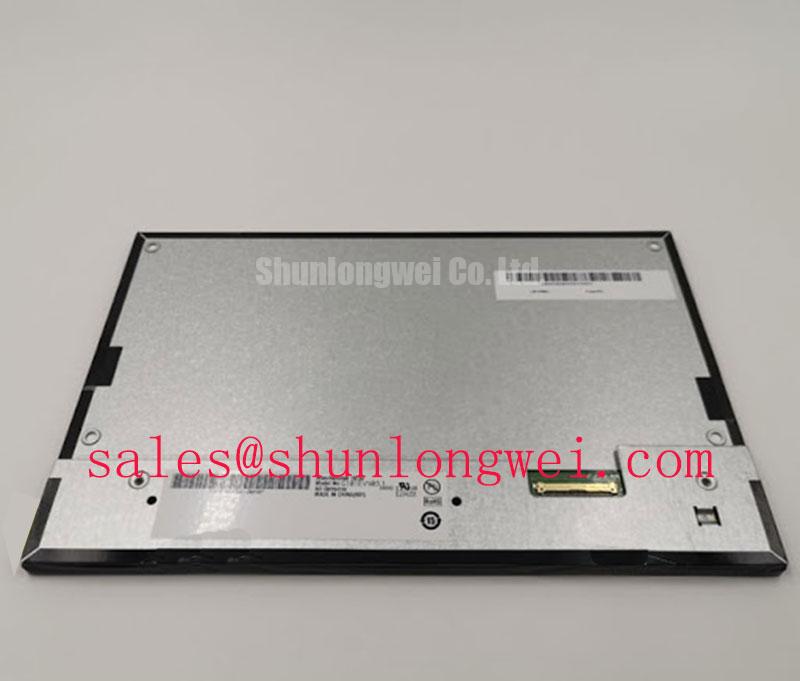
Inspect the TV101WUM-NL4 for connector damage and glass-edge stress before applying power, then compare its label and outline with the removed panel and the equipment drawings. The supplied factory identification establishes BOE as the manufacturer and classifies this part as an industrial-grade TFT-LCD display module. It does not establish the supply voltage, interface pinout, optical mode, backlight type, dimensions or environmental limits. Those details must be checked against the original panel documentation before an installation decision.
Start a bench assessment with the module supported evenly rather than held by a corner. Inspect the connector, mounting points and visible glass perimeter under oblique light. An enclosure opening that bears against the panel edge can transfer load into the display assembly; a bezel that conceals the active image can instead look like a panel fault. As a Design Consideration, compare the replacement’s outline, active-area position, connector location and mounting clearances with the equipment drawings before tightening the enclosure.
Once the documented power and signal connections are confirmed, display solid red, green and blue test images in sequence. Record whether a line, dark region or color error stays in the same position across all three images. Then illuminate the dark screen with a flashlight held at an oblique angle. A faint image visible under external light may direct attention toward the illumination path, while a fixed line visible during the color test warrants investigation of the signal path, panel drive circuitry and connections. Neither observation alone identifies an internal fracture or proves a failed backlight.
Check the host output against a known-good signal path before assigning the fault to the module. Pixel data errors, an unstable clock and poor connector contact can produce different patterns at the glass. As a Design Consideration, capture the transmitter clock and data at the relevant connector during operation, including the equipment’s specified temperature extremes, and compare jitter and data-hold margin with the applicable interface documentation. Do not treat an assumed TTL or LVDS connection as a confirmed TV101WUM-NL4 specification.
Contrast, Grayscale and Viewing-Angle Checks
Evaluate contrast at the viewing positions the operator station actually uses, not only from directly in front of the panel. Rotate a grayscale image and look for tonal reversal, color shift or loss of distinction between adjacent shades. Those observations can help assess equipment suitability, but they cannot establish whether this model uses TN, IPS or MVA technology. The optical mode, viewing angles, surface treatment and contrast ratings require confirmation from the original TV101WUM-NL4 documentation.
When an image looks washed out, separate ambient-light effects from electrical behavior. Reflections on the cover window, contamination between the window and display, and an unsuitable viewing position can alter perceived contrast without changing the incoming image data. If a host offers gamma or color controls, first restore its documented settings and compare a known test image. As a Design Consideration, any gamma adjustment should be assessed across grayscale levels and operating temperatures; a setting that improves one image can obscure detail elsewhere.
A replacement evaluation also needs a physical and electrical comparison, not a visual comparison of product photographs. The TCG084SVLQAPNN-AN30-S is another display-model reference for sourcing review, not an established direct substitute for TV101WUM-NL4. Verify each candidate’s active area, mounting geometry, connector, pin assignment, timing and illumination requirements against the equipment design before considering interchangeability.
Humidity, Temperature and Illumination Assessment
Inspect a panel removed from a humid enclosure for moisture traces around the connector, visible staining and changes in image uniformity. Record the enclosure condition as well as the screen condition: condensation on a cover window can be mistaken for a display-surface defect. No humidity-storage rating or thermal-cycle limit is supplied here for TV101WUM-NL4, so neither should be inferred from its industrial-grade classification.
At a cold start, compare moving images and grayscale transitions only after the host has reached a stable signal state. Liquid-crystal response can change with temperature as a general display-design consideration, but a measured delay must be compared with this panel’s documented limits before it is called abnormal. Repeat the same image test as the assembly warms, noting whether the effect tracks temperature, the video source or a particular region of the screen. Avoid attributing a localized change to perimeter sealing or another internal material without supporting inspection or manufacturer evidence.
For a screen that is dim or uneven, measure the illumination-driver output using the equipment’s service procedure and compare it with the original design records. Where the documented assembly uses an externally controlled LED backlight, check the specified current-control and dimming behavior; do not assume that backlight arrangement for this model without its documentation. Inspect ventilation and nearby heat sources for conditions that could create local hot spots. Backlight lifetime and brightness-decay figures cannot be assigned to TV101WUM-NL4 from the supplied identification alone.
A separate display such as NL10276BC30-18 can be useful when reviewing display and driver arrangements across equipment designs, but its electrical or backlight requirements should not be transferred to this BOE module. For an operator station in a hazardous petrochemical area, treat enclosure suitability and operating margin as system-level checks, with the applicable installation documentation taking priority; Industrial Display & HMI Solutions provides additional integration context.
Logic Supply Sequencing and Video-Interface Verification
Trace the equipment harness before connecting TV101WUM-NL4. The system integrator should verify the required supply voltage, connector pin assignments, power-on sequence and video interface from the original panel documentation. Applying a supply value borrowed from a different display risks an invalid test and possible damage. With the documented connections established, observe the logic rail and incoming video signals during startup, then compare their order and timing with the panel requirements.
If the confirmed interface is LVDS, assess differential-pair continuity, routing and termination against the host design and panel specification. If the confirmed interface is TTL, assess the relevant clock and data relationships instead. For either interface, inspect the transmitter timing at the connector under representative operating conditions: an image that breaks up only during startup or temperature change calls for a timing comparison, not an immediate panel diagnosis.
💡 Pro Tip: Keep confirmed differential video pairs matched through the replacement harness, then verify clock and data integrity at the panel connector rather than judging the harness by continuity alone.
Color swaps, split images or incorrect grayscale can also follow a mismatch between the host’s data mapping and the receiving panel. Verify any applicable JEIDA or VESA mapping against the documented interface before changing firmware settings. Finish the integration check with the enclosure assembled: confirm that the cable is not strained, the image remains stable through the specified startup sequence, and the visible area clears the bezel at the intended operator viewing positions.