Content last revised on October 6, 2026
Polarizer Durability and Optical Film Inspection under Industrial Lighting
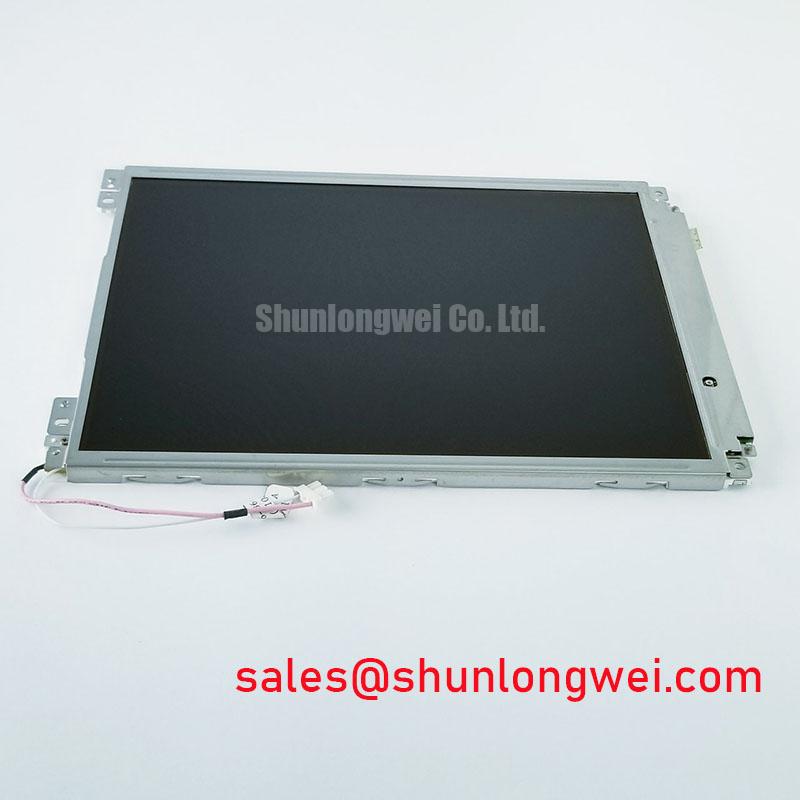
Inspect the TM101DDHG05 connector and display surface under clean, angled light before connecting it to a test fixture. Record any visible marks, check that the cable seats evenly, and compare the module label with the equipment service record. This Tianma TFT-LCD display module is identified in the supplied factory information as an industrial-grade LCD/HMI panel. That information does not establish its resolution, supply voltage, interface pinout, backlight type, mounting dimensions, or optical ratings, so those details must be checked against the original panel documentation before power is applied.
Start optical inspection with the module unpowered. View the surface from the front and at oblique angles under diffuse and directional lighting. Separate removable contamination on an accessible outer surface from marks that remain in the displayed image after cleaning under the equipment maker’s approved procedure. Do not infer polarizer construction, anti-glare treatment, or optical-film durability from how the surface looks on the bench; the relevant specification or assembly drawing is needed to identify those features.
Once the documented power and signal conditions have been established, run full-screen black, white, and primary-color patterns at a controlled viewing position. Note bright or dark pixel defects, uneven illumination, color shifts, and defects that appear only after warm-up. Repeat observations from the operator’s expected viewing angles. Grayscale inversion associated with some display modes and the broad viewing behavior associated with others are useful comparison concepts, but neither establishes the technology or viewing cone of TM101DDHG05 without a model-specific specification.
For a panel being evaluated in a brightly lit enclosure, compare a displayed test image with the screen off, then on, under the same ambient lighting. Reflections can obscure text even when the illuminated image appears uniform in a dim room. Treat sunlight readability, contrast in high ambient light, and any anti-glare or anti-reflection claim as unverified until supported by the original optical data and a test in the intended enclosure. If the display will serve a substation protection or SCADA dispatch console, that enclosure-level check should use the actual viewing position and cover window.
Backlight aging is another measurement question, not a presumed lifetime figure. A technician can log luminance at consistent locations while holding the documented drive conditions and ambient conditions steady. A change in one region calls for examination of the optical stack, electrical drive, and external loading before it is assigned to backlight wear. No backlight decay curve or operating-life rating is established by the supplied module information.
Chassis Fastener Loading and Optical Mura Inspection
Before fastening a replacement panel, compare the chassis drawing, bezel opening, connector clearance, and attachment points with the original assembly. The available factory information identifies the product as a TFT-LCD display module, but supplies no verified envelope dimensions, fastener size, or mounting torque. Use the equipment and panel drawings to establish those limits rather than applying a generic torque figure to this module.
Check the display first while it is supported without chassis pressure. Then inspect the same full-screen patterns after installation. A new bright or dark patch near a mounting point may be associated with mechanical loading; it is not, by itself, proof of a particular internal defect. Confirm that the bezel does not press unevenly on the active area and that the cable is not being pulled by the rear cover. The assembly engineer should set the fastening method from the approved mechanical documents and verify the finished image under representative operating conditions.
Use a dark-field image to locate nonuniform regions, then repeat the observation with a mid-gray image and normal task content. Record where each feature appears relative to the chassis, whether it changes with viewing angle, and whether it was present before assembly. This gives repair and procurement teams a more useful comparison than an unsupported pass-or-fail claim about optical mura. It also keeps a mechanical fit issue distinct from a panel-selection issue.
When comparing another display for a repair, treat G104VN01 V1 as a separate candidate requiring its own dimensional, electrical, optical, and cable checks, not as a confirmed direct replacement for TM101DDHG05. Matching the visible screen area alone does not establish connector compatibility or safe operation.
Signal Margin and Cable Integrity in Vibration-Prone Bays
Trace the existing display cable from the host board to the panel connector before changing any wiring. Photograph its orientation, latch position, and routing; then compare the connector and pin assignment with the original service documentation. The supplied factory information does not identify the TM101DDHG05 video interface, so an LVDS pinout, shield termination, or FFC arrangement must not be assumed from the module category.
If the installed system shows pixel jitter or horizontal bands, inspect cable seating and strain relief before attributing the symptom to electrical interference. With the documented interface identified, a technician can compare the affected signal path with a known-good path using suitable instruments and the equipment maker’s test conditions. Check whether the artifact tracks cable movement, display content, or nearby equipment operation. These observations narrow the investigation without turning one symptom into a single-cause diagnosis.
Shielding and common-mode suppression are system design considerations. Their effectiveness depends on the actual signaling standard, grounding arrangement, cable construction, and enclosure. Designers should preserve the intended return path and verify signal margins in the assembled equipment rather than adding a ferrite or changing shield connections by default. Bench Tip: Disconnect power and use appropriate ESD protection before reseating the display cable, then confirm that it is aligned and fully latched.
For recurring faults, retain the original cabling record alongside the display test images. The Industrial Display & HMI Solutions resource provides broader integration context; the final diagnosis still depends on measurements from the particular host and panel assembly.
Backlight Supply and Ignition Circuit Debugging
Identify the backlight technology from the original TM101DDHG05 documentation and the installed assembly before connecting a driver. The supplied factory information does not confirm a CCFL inverter, an LED driver, a striking voltage, a dimming method, or a backlight connector pinout. A high-voltage ignition test is therefore inappropriate as a default panel check.
Begin at the host-side power diagram. Confirm the documented panel supply, backlight supply, enable sequence, and control signals; then measure them at the specified points under the equipment maker’s procedure. If the image is present but illumination is absent, compare the commanded backlight state with the measured supply and any documented driver status output. An absent image calls for a separate check of panel power and video signaling. Keep these paths distinct until measurements show where the fault lies.
For a documented constant-current backlight system, evaluate brightness uniformity and dimming in the assembled enclosure while monitoring the driver’s specified electrical limits. For a documented inverter-based system, use the service procedure and appropriately rated instruments to investigate ignition behavior. Driver efficiency, protection thresholds, dimming range, acoustic behavior, and backlight life cannot be assigned to this panel from the information available here.
The LMS700KF01-001 page describes another display product that can be reviewed during a wider equipment-level display assessment; it does not establish the backlight topology or electrical compatibility of TM101DDHG05. Before returning the equipment to service, repeat the full-screen inspection with the final cable routing, enclosure closed, and brightness controls operated through their documented range.