Content last revised on October 4, 2026
Radiated Emissions Checks Around the Display Backplate
When horizontal bands or unstable pixels appear near a motor drive, first separate a display fault from a system-level interference problem. Compare the image with the motor drive idle and operating, while keeping the test pattern and display settings unchanged. If the disturbance tracks drive operation, examine cable routing, shield termination and chassis bonding against the equipment schematic. A ferrite or a revised ground connection is a Design Consideration, not a specified feature or guaranteed remedy for the TM121SV-02L11A.
Do not assume that this panel uses an LVDS cable or a particular shield arrangement. Identify its actual video connector and mating cable from the original panel documentation before probing signals. Check that the cable enters its connector evenly, its latch is fully engaged, and its route does not place sustained tension on the panel connection. A comparison with a known-good signal path can help determine whether noise originates at the source, along the cable or at the display input.
Radiated-emissions compliance belongs to the completed equipment and its test configuration; the display module alone cannot establish a CISPR class. Likewise, direct-sunlight readability, contrast at a stated ambient illuminance and an anti-glare treatment cannot be claimed without optical specifications for this model. For an enclosure assessment, display a full-screen grayscale sequence under the intended ambient lighting and record whether reflections or image washout obscure the actual HMI text. The broader Industrial Display & HMI Solutions guide provides context for evaluating display integration under demanding conditions.
Flush-Mount Bezel Fit and Perimeter Support
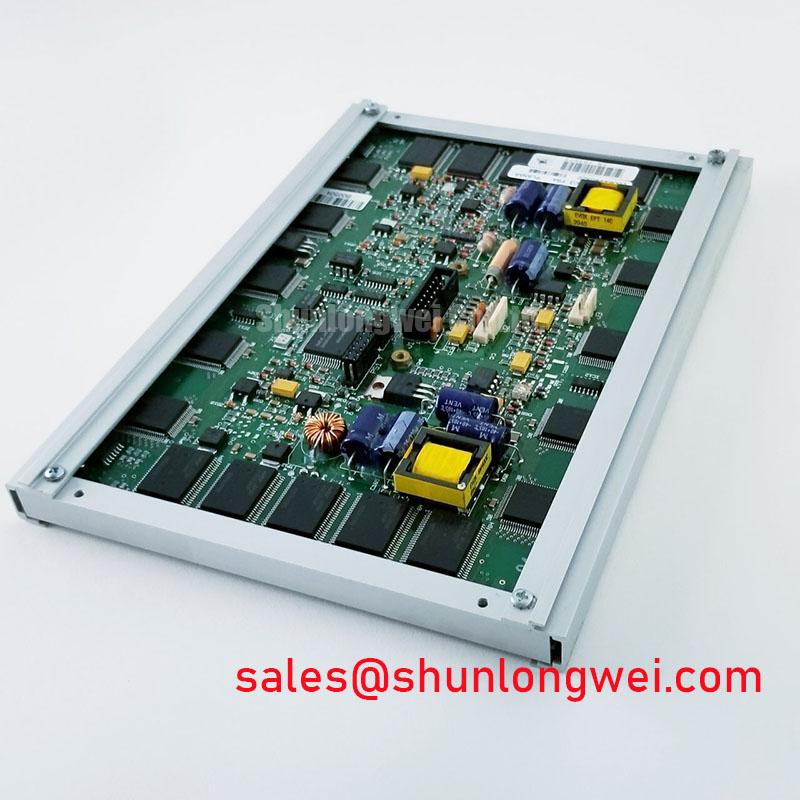
Before tightening a replacement panel into an open-frame assembly, compare its mounting features, connector clearance and visible area with the removed unit and the equipment drawing. The supplied product information does not provide a chassis envelope, mounting-hole pattern or fastener torque for the TM121SV-02L11A. Treat gasket selection and tightening sequence as Design Considerations governed by the enclosure design rather than as factory instructions for this module.
Use a uniform full-screen image to inspect for bright and dark spots, lines, and localized unevenness before installation; repeat the inspection after the bezel is secured. A change that appears only after mounting warrants a check of frame contact and uneven loading, although it does not by itself establish the cause. Observe the image from the normal operating position as well as close to the panel: an enclosure edge can obscure useful display area without affecting the electrical test.
For equipment exposed to vibration, support the cable so that chassis movement is not transferred directly to the display connector. Keep the cable bend and latch access consistent with its own drawing, and confirm that adjacent hardware cannot abrade it. 💡 Bench Tip: Disconnect power and use ESD protection before reseating the cable, then verify that it sits squarely in the connector before closing the latch.
Cold-start image response should be evaluated at the temperatures specified for the complete assembly. Liquid-crystal response can slow in cold conditions as a Design Consideration, but no operating-temperature range or low-temperature response time is established here for this model. If the equipment includes a heater, verify its control and placement against the equipment documentation rather than assuming the panel requires or incorporates one. A railway passenger-information terminal or cab display is a possible compatibility assessment case, subject to the equipment’s mechanical, environmental and approval requirements.
Backlight Uniformity and Supply Integration
Drive a white image, a dark image and several intermediate gray levels to examine brightness uniformity across the active area. Record any edge shading, flicker or color variation under consistent viewing conditions. These observations are useful incoming-inspection evidence, but they are not a substitute for a published luminance, color-temperature or lifetime specification. The available product information does not identify the TM121SV-02L11A backlight technology or its electrical drive requirements.
Trace the backlight supply separately from the display logic supply on the original equipment schematic. Confirm the connector assignment and required power sequence from the panel’s exact documentation before energizing either circuit. If illumination is absent while image data appears to be present, check the equipment’s enable command, supply path and mating connection; do not attribute the symptom to the panel without isolating those paths. A different Tianma display such as the LMS700KF01-001 can inform a separate display-system comparison, but its power arrangement must not be transferred to this model.
For thermal integration, inspect whether the host chassis blocks ventilation or presses against the display perimeter. Allow the equipment designer to determine any heat-spreading arrangement from measured assembly temperatures and the verified panel limits. Internal light-guide material, edge-rail construction and LED lifetime classifications are not established by the supplied specification, so they should not be used as acceptance criteria for this module.
Long-duration static HMI screens also deserve an equipment-level check. Alternate the intended interface with neutral test images during evaluation and note any temporary image retention after the content changes. Screen-management decisions should follow the actual operating pattern and the panel manufacturer’s documented limits; a short bench observation cannot predict service life.
Data Mapping, Cable Integrity and Power Sequencing
A split image, misplaced colors or intermittent lines calls for a connector-by-connector comparison with the original equipment drawing. Establish the TM121SV-02L11A interface type, pin assignment and required logic supply from documentation for the exact revision. Do not apply a presumed VESA or JEIDA map, differential termination, clock limit or supply voltage simply because another TFT-LCD module uses it. Those values are not present in the supplied factory-verified product information.
Begin signal checks at the source output and continue along the cable to the panel input, using a known-good path where available. If a line changes when the cable is gently repositioned, inspect connector seating and strain relief before drawing conclusions about the display electronics. Probe only at points and with methods permitted by the equipment service procedure; an oscilloscope comparison can distinguish a source-side disturbance from one introduced along the interconnect.
Observe startup and shutdown with the installed controller, backlight supply and panel connected as intended. A white screen at startup or a lingering image after shutdown can have several causes, including control timing, an unverified supply sequence or an interrupted data path. Record which supply and enable signals change first, then compare the trace with the original panel and host documentation. Rise-time and PWM figures must be taken from those documents or established through system validation, not assigned to this model without evidence.
For procurement comparison, the G104VN01 V1 provides a separate display reference, not an established drop-in substitute. Verify active area, outline, mounting, connector, pinout, power, optical performance and environmental limits individually before considering any alternative. That comparison is especially important when the existing enclosure and cable harness cannot be changed.