

Content last revised on October 8, 2026
Thermal Expansion Clearance Sizing across Heavy Industrial Metal Enclosure Cutouts
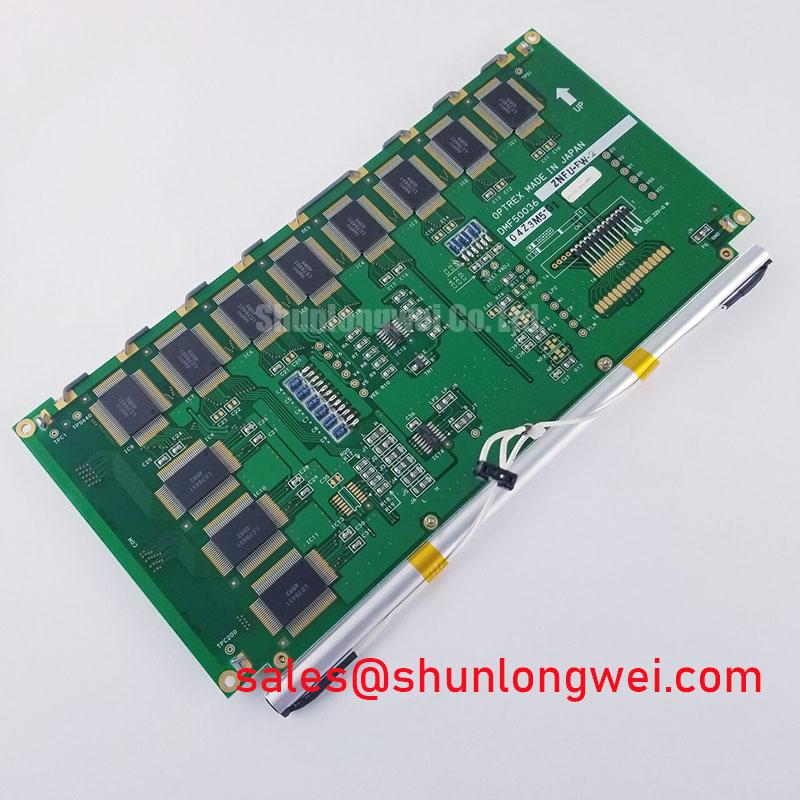
With the operator station isolated, check the label on the removed panel against DMF-50036ZNFU-FW-BBN before disturbing its display cable or mounting hardware. The identified product is a Kyocera / OPTREX industrial TFT-LCD display module. Its model identification and module category are the supplied official specifications; numerical dimensions, electrical ratings, interface assignments and backlight details have not been provided here. Keep the original panel documentation and host wiring record beside the replacement unit during evaluation rather than treating connector appearance as proof of compatibility.
Start the mechanical assessment with the enclosure, not the screen image. Look for witness marks where a metal cutout, retaining bracket or gasket has pressed against the display frame. Check whether the module sits flat with its fasteners loosened and whether the visible dark area changes when pressure is removed. A pressure-sensitive dark patch can suggest mounting stress, but it does not establish which internal optical layer is affected. Confirm the cause by inspecting the stack-up and comparing the image with the module supported without enclosure pressure.
The DMF-50036ZNFU-FW-BBN is identified as a TFT-LCD display module, but no official bezel envelope, mounting-hole tolerance or fastener torque is available in the supplied specifications. A cross-pattern tightening sequence is a Design Consideration for distributing clamp load, not a model-specific mounting instruction. Measure the actual unit, inspect the original mounting drawing and verify that the selected gasket compression and cutout clearance remain suitable across the equipment’s operating temperature range. The enclosure designer must determine acceptable movement and fastening force from the complete assembly.
If the display is white after installation, separate mechanical pressure from a start-up fault. Observe whether the host reaches a valid video state before the panel is expected to display an image, then compare supply, reset and video activity at the connector with the original equipment documentation. The required supply voltage and power sequencing must come from that documentation; they cannot be established from the model name. On shutdown, note whether an image persists briefly or leaves an unusual residual pattern, and check the host’s specified power-down sequence before attributing the symptom to the LCD.
Timing checks also need an identified interface. Do not label this module TTL or LVDS solely because a cable resembles one used elsewhere. Trace the host transmitter to the original pin assignment, then use an oscilloscope to examine clock quality and data timing under the temperatures the equipment actually encounters. Clock jitter and data hold time are properties of the working host-to-panel link and must be judged against its documented timing limits, rather than against an assumed value for this panel. If no original timing information is available, the measured waveform remains a diagnostic observation, not a verified pass result.
Industrial EMI Noise Immunity, Chassis Shielding Continuity & Common-Mode Ferrite Chokes
For horizontal noise bands or intermittent pixels, first establish whether the disturbance appears on the source video signal, at the panel connector, or only after the cable enters the metal enclosure. Inspect connector seating, latch engagement, cable routing and chassis bonds while the equipment is safely isolated. A display cable routed beside a motor-drive output can be exposed to switching noise; that observation alone does not prove EMI is the cause. Compare the fault with the drive inactive and active, and examine the relevant signal and supply paths with suitable instruments.
Shield termination and common-mode ferrites are Design Considerations for an identified cable and interface. Neither a continuous shield nor a ferrite is a universal repair for pixel jitter. Check the host wiring diagram before changing a ground connection: an improvised chassis bond can alter the intended return path. If a shielded cable is specified, inspect its termination for continuity through the enclosure entry as well as at the connector. The system designer should validate any routing or suppression change with the enclosure assembled and the actual noise-producing equipment operating.
Field Alert: Disconnect power and allow the host supply to discharge before releasing or reseating the display cable.
A black screen needs a separate backlight check from a missing video check. Under suitable lighting, inspect for a faint image, then measure the backlight drive at the points identified in the equipment service information. The supplied specifications do not establish this module’s backlight technology, drive requirements or connector pinout, so do not apply a supply taken from another panel. If the host uses a current-controlled backlight driver, compare its observed operation with the original system specification and inspect its connectors before judging the display module.
No manufacturer-backed brightness-decay curve or operating-life figure is supplied for DMF-50036ZNFU-FW-BBN. A dim image should therefore be documented with repeatable brightness observations, driver measurements and operating conditions rather than assigned a predicted remaining life. The same boundary applies to EMC: measures taken around a display cable do not establish compliance for the finished operator station. For a petrochemical operator station considered as a potential application, enclosure approval and installation suitability belong to the complete equipment assessment, not to this LCD model designation.
Diffuser Film & Prism Sheet Thermal Buckling Prevention under Continuous Full-Duty Operation
When a bright patch, dark edge or changing color cast appears after the terminal has warmed, record where it occurs and whether it clears after the assembly cools. Compare the image with a uniform test pattern and with the normal HMI screen. Check nearby power supplies, ventilation paths and enclosure contact points before assuming an internal optical film has buckled. The supplied product information does not identify the module’s diffuser, prism sheet, light-guide material or their construction, so a visible defect cannot be assigned to one of those parts without inspection data.
Heat-spreader rails are likewise an enclosure-level Design Consideration, not a documented accessory or requirement for this module. If a rail is being considered, the mechanical designer should assess whether it removes heat without introducing pressure at the narrow display edges. Temperature readings taken at repeatable external locations can help distinguish a local enclosure hot spot from a fault that follows the video signal. Record readings with the same screen content and equipment operating state so that a later comparison is meaningful.
Long-running HMI screens present another diagnostic trap: a persistent outline of a static alarm box can remain visible after the displayed content changes. Capture the screen state, substitute a varied test image if the host permits it, and observe whether the effect changes over time. Treat content rotation or idle-screen changes as an Engineering Recommendation for the host application when persistent imagery is a concern; they are not proof of a particular panel lifetime or recovery period. Keep the original fault record before changing the HMI software, since software changes can obscure an intermittent display symptom.
Cold-start behavior should be checked against the actual panel and equipment limits. Slower apparent transitions at a cold terminal may involve liquid-crystal response, host timing, backlight operation or condensation-related conditions. No official low-temperature limit or response-time figure is supplied for this model, and no heater-strip arrangement is established. If the enclosure has heating, verify its control and the panel’s documented operating range before testing at the site’s lowest anticipated temperature. For broader environmental assessment methods, consult Industrial Display & HMI Solutions while keeping the original module documentation as the authority for this model’s limits.
During reassembly, inspect the flexible cable where it leaves the panel and where it enters the host connector. Look for a tight fold, abrasion at a metal edge or a latch that does not close evenly. Cable flex life and connector retention cannot be inferred from the module designation. Route the cable so enclosure movement does not pull directly on the termination, then confirm stable image and backlight operation with the cover installed.
Dynamic Contrast Ratio Stabilization & Liquid Crystal Birefringence Temperature Tracking
Assess contrast complaints with known screen content before adjusting the host. Photograph a dark pattern and a midtone pattern from the operator’s normal viewing position, keeping ambient light and camera settings consistent. A change in apparent grayscale with viewing angle may reflect the panel’s optical characteristics, a protective window, software color settings or temperature. The supplied specifications do not identify this model as TN, IPS or MVA and do not provide a viewing-angle rating. Those distinctions require the original optical specification or controlled measurement.
Dynamic contrast is often controlled outside the LCD module. Check whether the host changes image levels or backlight command as scene content changes, then compare the displayed result with a fixed test pattern. An unstable backlight supply can also make contrast appear to wander. Record the command signal and observed light output together where the equipment provides accessible test points. Do not describe an observed contrast change as a factory-rated dynamic contrast ratio: no such ratio is supplied for DMF-50036ZNFU-FW-BBN.
Surface glare and a hazy image deserve different checks. Clean the accessible protective window according to the equipment procedure, inspect it from several angles, and determine whether the haze is on that window, at an interface within the assembled stack, or in the displayed image itself. No anti-glare treatment or optical-bonding construction is confirmed for this module. Optical bonding, moisture sealing and dust protection must be verified from the drawings and qualification records for the complete HMI assembly before they are relied on in an enclosure assessment.
For a proposed replacement in a hazardous-area petrochemical operator station, match the original module’s mechanical drawing, connector assignment, electrical requirements and optical acceptance criteria to the host records. The panel identification does not establish hazardous-area approval for the finished station. If the remaining complaint is intermittent, leave the equipment with a fault record that separates image generation, cable continuity, backlight drive and enclosure pressure; each can be checked against the known-good system path without assigning an unsupported failure cause to the LCD.