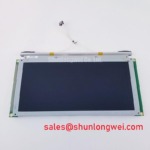
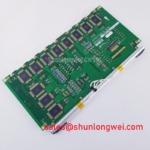
Content last revised on September 13, 2026
Preventing Localized Light Guide Plate Compression Warp on Dark Screen Fields
Start the mechanical inspection with the chassis opening, bezel contact surfaces, rear support points, and cable exit direction. If the installed assembly uses a light guide plate, uneven bezel pressure can create localized dark or bright areas that are unrelated to image data. A replacement should therefore be checked against the original panel’s visible-area position, frame depth, connector clearance, and screw-hole pattern before the fasteners are tightened.
The supplied factory information does not define the DMF-50036ZNFU-FW outer-bezel envelope, active-area dimensions, light-guide construction, or an approved fastener torque. The commonly quoted cross-pattern torque range for small display fasteners must not be presented as a factory requirement for this model. The system integrator should use the equipment manufacturer’s mechanical drawing and confirm that the bezel supports the frame without pressing directly on the optical stack. Tightening should proceed gradually in a cross-pattern while the panel is observed on a uniform dark field.
Mechanical compatibility also includes the flexible cable. The FPC or FFC should leave the connector without a sharp fold, twisting load, or contact with a metal edge. Connector locks need to close evenly across the cable width; a partially engaged lock can produce intermittent columns, unstable timing, or a completely absent image. After assembly, move the cable only within the equipment’s intended service clearance and inspect the display for changes during a controlled functional test.
For LVDS or TTL systems, the original transmitter format must be confirmed rather than inferred from the connector count. Data ordering may follow JEIDA or VESA conventions, and an apparently active panel can still show incorrect colors, unstable synchronization, or shifted pixels when the format is mismatched. Clock quality, data hold timing, and receiver tolerance should be checked across the equipment’s specified temperature range using the known-good signal path as the reference. These are system-level verification tasks, not published electrical specifications for this model in the supplied record.
Designers evaluating the unit for a heavy mining shovel or earthmoving equipment telematics display should also check vibration transfer through the bezel and the routing of the display cable. The display module can be mechanically suitable while the surrounding carrier introduces stress into the connector. Any optical bonding, sealing compound, or gasket used by the original equipment should be confirmed from the service construction because the supplied model data does not identify those internal or environmental features.
Flashlight Dark-Shadow Optical Diagnostic to Isolate Logic vs. Backlight Failure Modes
A dark screen should be tested without immediately assuming a failed LCD cell or a failed backlight. First confirm that the host controller is producing the expected enable, clock, and data activity. Next, inspect the panel under a controlled test image with primary colors and a neutral field. Red, green, and blue screens can reveal missing color channels, data-format errors, or unstable image transfer more clearly than a complex equipment interface.
With the display powered according to the original equipment sequence, place a flashlight at approximately a 45-degree angle to the front surface and look for a faint image or dark shadow in the reflective area. A visible image under this observation can indicate that image data is reaching the LCD while the illumination path requires investigation. No visible image does not establish a single cause; the technician should compare the panel enable state, backlight control signal, connector continuity, and a known-good assembly before assigning the fault to the logic board or the illumination system.
Line defects require a separate inspection. A narrow fixed line, a group of missing columns, or a region that changes when the frame or connector is disturbed may involve the cable interface, panel driver connection, or mechanical stress. These observations are diagnostic clues rather than conclusive failure signatures. Use magnification and controlled cable inspection, then compare the signal path with an oscilloscope where the equipment documentation identifies suitable test points.
Backlight control should be evaluated at the interface actually specified by the original panel documentation. Do not assume that a PWM input, analog dimming input, LED current input, or enable polarity is interchangeable between display families. If the system uses PWM, the selected frequency and duty-cycle behavior should be checked against the backlight driver and the viewing requirement. Excessive ripple, poor current regulation, or an unsuitable control frequency can create visible flicker or acoustic behavior, but the correct values remain system-dependent unless stated in the model’s factory data.
Supply quality deserves attention during this test. Ripple on the panel supply or backlight rail can affect image stability and illumination uniformity. The principles of equivalent series resistance and ripple current are described in this ESR and ripple current reference; the display engineer should apply those principles to the complete power network rather than treating the LCD module as an isolated load.
💡 Pro Tip: Disconnect power before inserting or removing the display cable, and verify the connector lock is fully seated before applying the equipment’s display supply.
Wide Temperature Operational Margin and Sub-Zero Liquid Crystal Viscosity
The supplied official record does not publish an operating-temperature range, storage-temperature range, gray-to-gray response time, LED lifetime, brightness-retention curve, or sealant specification for the DMF-50036ZNFU-FW. Consequently, the model should not be described as rated for a particular temperature window or as having a defined backlight lifetime without the applicable factory datasheet. A proposed replacement for outdoor or heavy-equipment use requires confirmation of those values from the original documentation.
At low temperature, liquid-crystal viscosity can increase and visible response can become slower. The practical evaluation is to run representative screens during a controlled cold-start and warm-up sequence, observing gray transitions, moving text, cursor motion, and camera or telemetry graphics. The result should be compared with the equipment’s operational requirement rather than judged by a generic response-time expectation. A panel that produces an image can still be unsuitable if the interface becomes difficult to read during rapid status changes.
Temperature cycling should include the complete assembly: panel frame, FPC, connector lock, backlight driver, bezel, gasket, and cable strain relief. Differences in expansion between the chassis and display frame can increase localized pressure or connector loading. When a sealed enclosure is involved, the integrator should verify condensation control, pressure equalization, and the compatibility of any gasket or adhesive with the actual service environment. Optical bonding and ingress protection must be confirmed from the equipment construction; they should not be inferred from the TFT-LCD classification alone.
Backlight performance is also affected by current regulation, thermal dissipation, brightness setting, and enclosure temperature. A claim such as a defined number of operating hours to a particular brightness level requires a manufacturer test condition and source. Without that source, the responsible engineering approach is to record brightness, current, temperature, and duty conditions during validation and to define acceptance criteria for the complete display assembly.
For a mining shovel or earthmoving equipment telematics display, the panel may be evaluated as part of a vibration-exposed operator interface, but the application itself does not establish a temperature or shock rating. Confirm the original equipment qualification, mounting structure, cable retention, and enclosure sealing before approving the module for field deployment.
Industrial EMI Noise Immunity, Chassis Shielding Continuity and Common-Mode Ferrite Chokes
Pixel jitter and horizontal noise bands should be investigated at the system level. Begin by separating signal, backlight, and motor-drive wiring as far as the equipment layout permits, then inspect the cable shield termination at both the display carrier and controller enclosure. A shield that is electrically present but interrupted by paint, a loose clamp, or an unsuitable pigtail can allow common-mode noise to couple into the display interface.
The DMF-50036ZNFU-FW product record supplied here does not specify an LVDS interface, TTL interface, cable impedance, shield construction, common-mode rejection, ferrite requirement, or EMC certification. The integrator should therefore verify the original interface before selecting a cable or filter. Where an LVDS connection is confirmed, pair routing, reference continuity, connector seating, and clock-to-data relationship should be checked against the controller documentation. Where TTL is used, edge quality and return-current routing require separate review.
Common-mode ferrite components can reduce conducted interference in some system layouts, but their effect depends on cable construction, frequency response, current, grounding, and the location of the noise source. They should be evaluated with the actual controller, display cable, backlight driver, and variable-frequency motor drive operating together. Adding a component without checking the resulting signal waveform can introduce unwanted distortion or reduce timing margin.
Clock jitter and data hold timing should be measured at the receiving interface under the equipment’s relevant thermal and electrical conditions. The acceptance limits must come from the interface specification and panel documentation. If an oscilloscope shows a disturbed clock or data eye, compare it with a known-good cable and panel before changing the display timing. This avoids assigning a system grounding fault to the LCD module without evidence.
Grounding continuity should extend through the metal carrier, cable shield, controller enclosure, and protective bonding network as required by the equipment design. The display itself should not be described as independently compliant with CISPR or other complete-equipment EMC requirements. Engineers can use the broader Industrial Display & HMI Solutions engineering resource when reviewing enclosure integration, signal integrity, and harsh-environment display practices.
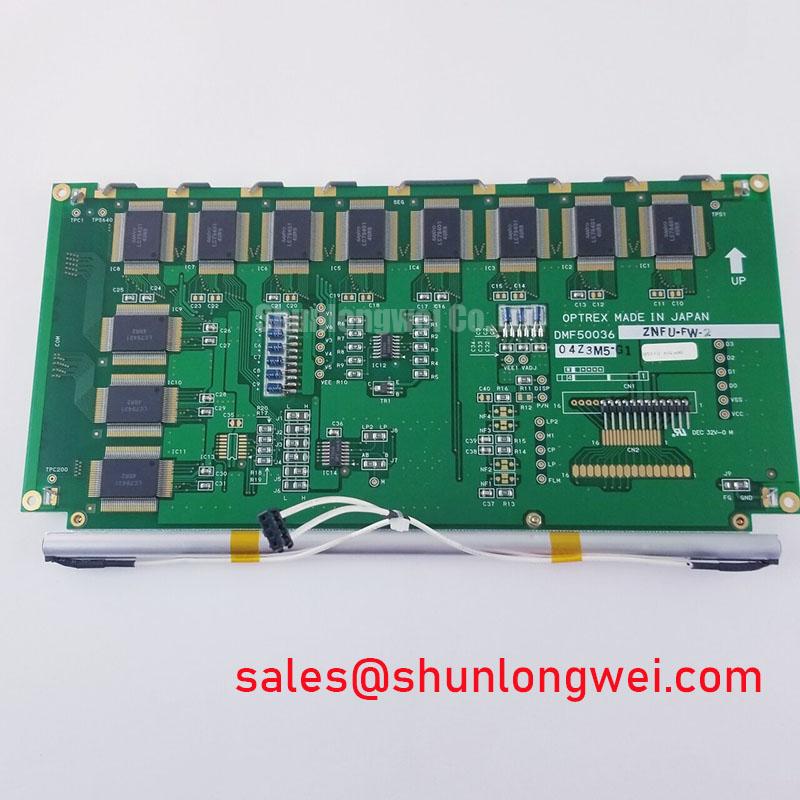
Before releasing a replacement for service, verify the image format, connector orientation, supply sequence, backlight control, mounting clearance, temperature behavior, and EMI performance on the actual equipment. The available factory identification supports the Kyocera / OPTREX DMF-50036ZNFU-FW model classification, while final interchangeability remains dependent on the host system documentation and measured interface compatibility.