Content last revised on October 9, 2026
Industrial Bezel Mechanical Envelope Tolerances and Mounting Screw Torque Optimization
| Model | G084SN05-V6 |
| Manufacturer | AUO |
| Product category | Industrial Grade LCD/HMI Panel |
| Display technology | TFT-LCD Active Matrix Color Display Module |
| Specification status | Decoded Baseline / Standard Form Factor |
| Electrical ratings | Consult the applicable AUO datasheet and original system documentation |
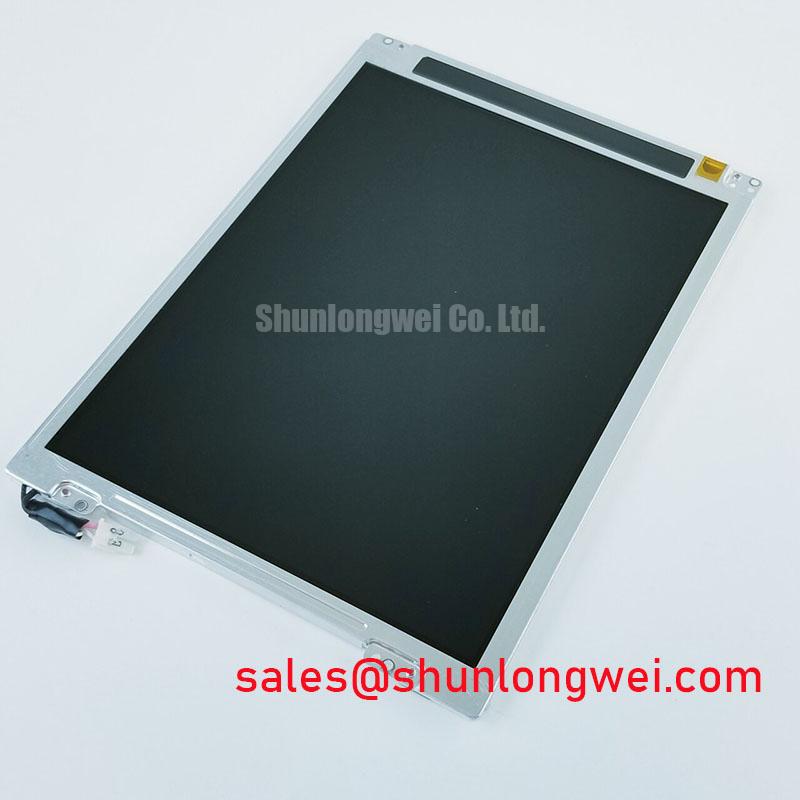
Start replacement work by comparing the G084SN05-V6 bezel envelope with the host chassis opening, mounting-hole pattern, connector clearance, and front-panel compression points. The model is identified as an AUO TFT-LCD Active Matrix Color Display Module in a standard form factor, but a standard form factor does not by itself confirm interchangeability with every 8-inch display assembly. The equipment drawing remains the controlling reference for cutout dimensions, fastener position, gasket thickness, and cable bend radius.
During a bench fit, place the panel into the enclosure without tightening the fasteners and check whether the bezel sits evenly against the mounting surface. Uneven contact can transfer mechanical stress into the display stack and create localized brightness variation, edge shadowing, or a dark-field mura pattern. These effects should be separated from image-generation faults by observing the panel before final compression and again after the bezel is secured.
Cross-pattern tightening is a useful Design Consideration for distributing bezel pressure. The exact torque must be taken from the original mechanical drawing or the system manufacturer’s assembly specification rather than inferred from the display model alone. Use fasteners and washers appropriate to the enclosure material, and prevent the screw head from contacting active optical areas or flexible cable routes.
Backlight control also belongs in the mechanical integration review because the host system may route the dimming signal through the same compact harness as display power and control lines. If the existing unit uses PWM dimming, confirm the driver’s supported frequency range, polarity, duty-cycle behavior, and open-load response before connecting the replacement panel. A controller that produces audible magnetics noise, visible flicker, or unstable brightness should be evaluated at the system level rather than corrected by changing the panel wiring without documentation.
For a potential marine radar or navigation bridge console installation, the enclosure designer should check the viewing window, sealing interface, salt-laden air exposure, and service access independently. The display module itself should not be treated as proof of enclosure-level ingress protection or marine certification. A useful reference for broader enclosure and HMI assessment is Industrial Display & HMI Solutions.
🔧 Bench Diagnostic: Disconnect display power before inserting or removing the signal cable, then inspect the connector alignment before applying power.
High-Humidity Storage Margins and Delamination Prevention Protocols
Humidity control begins before the module reaches the production line: store and transport the G084SN05-V6 in packaging that limits condensation, contamination, and mechanical loading on the bezel and flexible connections. The supplied product identity establishes an AUO active-matrix color display module, but it does not establish a universal humidity, thermal-cycle, optical contrast, or delamination rating. Those limits must be matched to the applicable documentation for the exact revision and the completed assembly.
When a panel has moved from a cold warehouse into a warmer service area, allow the assembly to reach a stable condition before energizing it. Condensation around connectors, control boards, or optical interfaces can create temporary image instability and may complicate later diagnosis. Inspect the front surface and perimeter for trapped moisture, lifting layers, pressure marks, or contamination under the viewing window. Avoid wiping forcefully across the display surface while it is cold or visibly damp.
Low-temperature operation can slow liquid-crystal response and make gray transitions appear less uniform. This is a display behavior to evaluate during the actual system temperature profile, not a basis for assigning a model-specific response time without the correct AUO specification. Record the test image, ambient condition, warm-up state, and backlight setting so that a service comparison distinguishes temperature-related response changes from signal timing or backlight-driver problems.
Direct sunlight introduces a separate optical challenge. A dark image that appears washed out in a bright bridge console may result from reflections, cover-window transmission, surface treatment, viewing direction, or display contrast under the installed illumination. The general optical behavior of LCD viewing angles is described in Viewing Angle Characteristics in LCDs, while background information on LCD polarizers and optical glass is available from Liquid-Crystal Display Polarizers and Optical Glass.
Anti-glare or anti-reflective behavior must be confirmed as part of the complete front-stack specification. Do not assume that a replacement module has the same surface treatment as the removed panel simply because the diagonal size and connector location appear similar. The system integrator should compare the original cover glass, optical bonding arrangement, bezel depth, and ambient-light performance before approving a field replacement.
For storage qualification, use the original manufacturer’s environmental limits and document humidity exposure, packaging condition, and inspection results. A visual inspection should include the perimeter seal area, connector region, flexible-cable transitions, and any adhesive-backed frame. These checks help identify handling or storage damage without assigning an unsupported service-life prediction to the display.
Incoming Benchtop Inspection: Panel-Edge Interconnect Integrity
Incoming inspection should first establish whether the module can produce stable primary-color fields across the active area. Display red, green, blue, white, black, and mid-gray test images from a known-good controller, then look for fixed lines, intermittent columns, localized color contamination, or image regions that respond differently when the signal is refreshed. A color-field test is more useful when the controller, cable, supply arrangement, and test image are recorded with the inspection result.
A 45-degree flashlight inspection can help separate surface contamination and optical shadowing from active-area defects. With the panel unpowered and handled without pressure on the front surface, sweep oblique light across the display and bezel. A surface mark generally changes with the illumination angle, while a persistent line or region that remains in the same image coordinates requires investigation of the signal path, panel edge connections, or display electronics. This observation is a screening method, not a conclusive diagnosis of a particular internal interconnect technology.
Panel-edge interconnect regions, including COG or TAB assemblies where present, are mechanically sensitive. Do not press the panel edge, flex the cable to force a connector fit, or use the bezel as a lifting point. A line defect that appears after handling should be compared with the initial powered test and checked for repeatability after the module returns to its neutral position. Intermittent symptoms may also arise from connector seating, controller timing, cable damage, or grounding conditions, so the inspection record should preserve the exact test configuration.
Backlight faults require a different path of investigation. If the image data is present but the screen is dark, examine the backlight enable signal, driver status, current regulation behavior, connector continuity, and protection response according to the host circuit design. An open LED string, a shorted branch, an overtemperature event, or a driver fault may cause the controller to reduce or remove backlight output. Do not bypass a protection function during field troubleshooting unless the responsible system engineer has defined a controlled test procedure.
The often-quoted LED backlight lifetime figures found in display markets are not interchangeable between modules, drive currents, temperatures, brightness targets, and acceptance criteria. A decay curve such as a stated percentage of initial brightness requires a manufacturer source and defined test conditions before it can be used for procurement or maintenance planning. For the G084SN05-V6, record measured luminance and operating conditions if the customer requires a service baseline, but do not convert a single bench reading into a lifetime guarantee.
When comparing alternatives, the TCG084VGLAAANN-AN51 may be reviewed as a separate same-size or similar-resolution option. Mechanical dimensions, interface format, optical stack, mounting details, and backlight control must be checked point by point; a similar product name does not establish a drop-in replacement.
TN Grayscale Inversion Mitigation and Optimal Viewing Direction Alignment
Viewing-direction evaluation should be performed with the display installed in the same orientation used by the operator. If the panel uses TN technology, it can show grayscale changes, contrast loss, or inversion when viewed away from its preferred axis. This is why a panel that appears acceptable on a flat bench may produce unacceptable low-level detail when installed above, below, or to the side of a radar or navigation console.
Use grayscale ramps, small text, alarm symbols, and dark-background status graphics during the assessment. Check the operator’s normal eye position first, then inspect the practical movement range without treating a single angular observation as a formal viewing-angle rating. The enclosure window, cover glass, reflections, and installed tilt can alter the perceived result. The relevant optical acceptance limits should therefore be defined by the equipment owner and compared with the exact panel documentation.
Signal integrity is equally important when small text or gray transitions appear unstable. Confirm that the host transmitter uses the interface format required by the panel, including the applicable TTL or LVDS electrical arrangement and JEIDA or VESA data mapping where specified by the original documentation. Do not assume that a physically compatible connector carries the same bit order, pixel clock polarity, lane assignment, or enable behavior.
During integration, review clock quality, data setup and hold behavior, cable routing, return-current continuity, and connector strain. Keep high-speed display wiring separated from noisy backlight switching paths where the enclosure permits, and validate the complete link at the expected temperature and brightness conditions. If the image shows sparkles, unstable columns, or periodic color errors, compare the signal at the transmitter and receiver sides against a known-good assembly before changing panel settings.
Backlight control should be evaluated alongside the image interface. A stable video link cannot compensate for an unsuitable constant-current driver, incorrect enable sequencing, or a dimming waveform outside the accepted behavior of the installed backlight system. The system integrator should verify supply requirements, signal definitions, startup order, and fault handling from the original panel documentation and host design records.
For a marine radar or bridge-console evaluation, position the display so that critical navigation information remains readable through the actual viewing window and under the expected ambient illumination. Salt exposure, condensation control, optical reflections, and enclosure serviceability remain system-level responsibilities. The AUO G084SN05-V6 should be approved only after its physical interface, signal mapping, backlight behavior, and viewing performance have been matched to the equipment requirements.