


Content last revised on October 4, 2026
AUO G133I1-L01 Identification and Replacement Checks
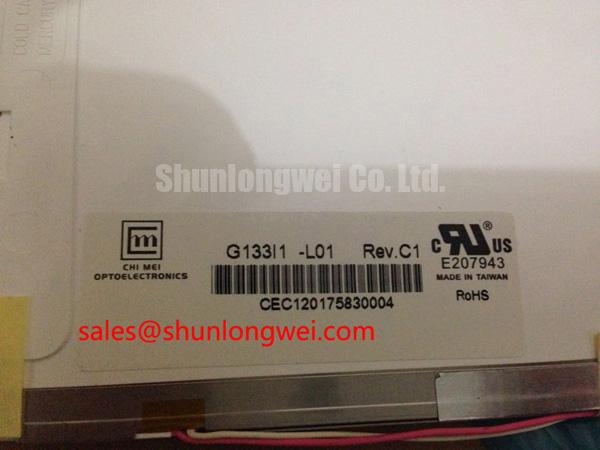
Inspect the replacement unit under controlled bench lighting before installation: confirm the label reads G133I1-L01, check the TFT-LCD glass and connector area for visible damage, and compare the mechanical envelope with the display removed from the CNC operator panel or robot teach pendant.
The AUO G133I1-L01 is an Industrial Grade LCD/HMI Panel supplied as a TFT-LCD Display Module. The available factory information identifies AUO as the manufacturer and records the specification status as Official Factory Spec Verified. The supplied product data does not confirm detailed electrical timing, interface mapping, backlight type, optical performance, dimensions, or mounting-hole geometry. Those values should be verified against the original panel documentation and the equipment service drawings before system integration.
| Model | G133I1-L01 |
| Manufacturer | AUO |
| Product category | Industrial Grade LCD/HMI Panel |
| Construction description | TFT-LCD Display Module |
| Specification status | Official Factory Spec Verified |
| Typical evaluation context | Industrial automation CNC operator panels and robot teach pendants |
For repair procurement, the correct replacement decision depends on more than screen size. The service engineer should compare the original panel’s connector position, active display area, fixing method, cable exit direction, controller compatibility, backlight drive requirements, and power sequencing behavior. A same-class display may still require mechanical or firmware changes if its data format or backlight control differs. The LMS700KF01-001 can be reviewed as a separate reference model during a compatibility study, but it should not be treated as an automatic substitute for the G133I1-L01.
Glass and Frame Stress Checks
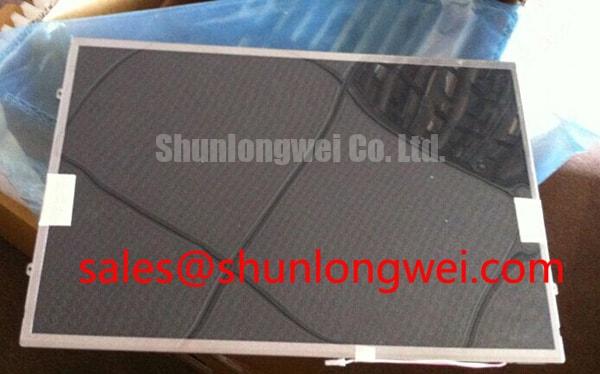
Begin incoming inspection with the panel lying on a clean, level, non-abrasive surface. Do not press the active area while routing the flexible cable or aligning the bezel. A glass display assembly can appear electrically functional during a brief test and still develop intermittent lines after uneven frame pressure, cable tension, or repeated handling. The mechanical evaluation should therefore include the display glass, edge bonding area, flexible interconnect, connector latch, and the supporting chassis rather than focusing only on the visible image.
A practical bench sequence is to display solid red, green, and blue fields, followed by a full white field and a dark field. Observe the image at normal viewing distance and then inspect the panel from an oblique angle. A narrow flashlight held at approximately forty-five degrees can reveal localized shadows, uneven illumination, edge leakage, or line-shaped artifacts that are difficult to distinguish under direct front lighting. This check is useful for separating a backlight uniformity concern from a possible driver-line or signal-path problem, but it cannot by itself identify a single failure mechanism.
When a line defect appears, compare it with the same location during each primary-color field. A defect that remains fixed in the same glass position should be documented with photographs and compared with the known-good signal path. A defect that changes with cable movement requires connector and flex inspection, while a defect that follows signal activity may require oscilloscope verification of the display interface. Avoid flexing the glass or pressing the bonded edge during diagnosis, because the test itself can change the fault condition.
The supplied factory information does not state a contrast ratio, sunlight performance, anti-glare coating specification, or driver-bond construction for this model. These characteristics should not be assumed from the industrial panel category. If the CNC operator panel is exposed to strong ambient light, evaluate readability with the actual front cover, window, protective film, and enclosure installed. Optical contrast should be measured under the intended lighting conditions when that value is important to the machine operator.
Frame alignment is equally important. A bezel that contacts the active area, a screw boss that sits higher than the display support, or a cable folded against a sharp chassis edge can introduce local stress. Use the original mounting reference points where possible and verify that the display rests evenly before tightening the surrounding hardware. The installation drawing for the equipment, not a generic LCD mounting practice, should determine the final mechanical arrangement.
Display Interface and Flex Routing Checks
Before applying power, identify the display interface from the original panel documentation and the machine controller schematic. The available G133I1-L01 product data confirms the panel category but does not specify whether the particular system connection uses LVDS, TTL, a serial display interface, or another electrical arrangement. The system integrator should verify the required supply voltage, signal assignment, data format, and backlight control method from the original panel documentation rather than selecting between possible voltage or interface options by assumption.
For an LVDS implementation, the cable and connector should be treated as one transmission path. Keep the differential pairs referenced to a suitable return structure, avoid unnecessary branch points, and maintain the pair relationship through the flex section and connector transition. If the equipment design specifies a controlled differential impedance, the cable vendor and PCB designer should verify that the complete path meets that requirement, including the connector, flexible section, and board launch. A nominal impedance value must not be presented as a confirmed G133I1-L01 factory parameter without the applicable interface datasheet.
JEIDA and VESA pixel-data mapping are not interchangeable assumptions. An incorrect mapping can produce abnormal colors, split-screen content, missing columns, or an image that appears synchronized but is visually corrupted. Confirm the bit order, pixel clock polarity, channel assignment, and panel timing against the original controller configuration. If the replacement display is used in a retrofit, compare the known-good panel waveform with the replacement panel while monitoring the differential clock and data behavior at the connector.
Power sequencing deserves the same attention. The host controller should follow the panel documentation for logic supply rise, reset behavior, enable timing, and backlight activation. The supplied product information does not verify a permitted rise-time window or a defined delay between logic power and illumination. White-screen behavior, a delayed image, or residual content after shutdown can involve power sequencing, controller firmware, discharge paths, or backlight control. Record the supply and enable waveforms during start-up and shutdown instead of assigning the symptom to the LCD module alone.
Backlight dimming must also be matched to the actual driver. Do not infer a PWM frequency range or duty-cycle linearity from the model number. If PWM control is used by the machine, verify the input logic level, frequency acceptance, polarity, minimum pulse behavior, and current-driver architecture in the original backlight documentation. A constant-current driver may be required, but the exact implementation remains system-dependent. Any perceived flicker or audible noise should be checked at the driver output and at the panel connector.
💡 Pro Tip: Keep the differential pairs together through the FFC transition and verify the complete cable path with the known-good display before changing controller timing.
FFC/FPC Cable Routing and Grounding
Inspect the FFC or FPC route with the machine unpowered and the display disconnected. Check whether the cable is fully inserted, whether the latch is evenly closed, and whether the copper contacts face the correct direction. A cable that is partially seated may produce intermittent pixels, horizontal noise, or a display that recovers when the enclosure is moved. These observations should be recorded as service evidence rather than treated as proof of one specific failure cause.
For equipment containing variable-frequency motor drives, contactors, or high-current switching assemblies, the display cable should be routed away from high-energy conductors where the enclosure permits. The shielding arrangement must be compatible with the connector shell, chassis bonding scheme, and controller board layout. A shield connected at one end, both ends, or through a dedicated chassis path can produce different results depending on the system topology. The correct method should be determined by conducted-noise testing and the equipment grounding design.
Common-mode suppression components may be useful in some display assemblies, but their electrical effect depends on the interface bandwidth, differential balance, connector geometry, and signal amplitude. They should not be added as a universal cure for pixel jitter. If noise is suspected, compare the display cable installed in its normal route with a controlled diagnostic route, then inspect the differential waveforms at the receiver. A horizontal band that changes with motor speed may point toward coupling or grounding interaction, while a fixed artifact may require examination of the panel timing and controller data path.
The G133I1-L01 factory information supplied for this page does not define a shielding construction, connector shell bonding method, ferrite requirement, or EMC qualification result. The display module should therefore not be described as independently certified for the completed CNC panel or robot teach pendant. EMC performance belongs to the assembled equipment, including the enclosure, cable routing, grounding, controller, power supply, and motor-drive environment.
Long-term serviceability also depends on cable strain relief. Leave the flexible cable supported so that connector insertion force and enclosure movement do not load the panel edge. Maintain the bend arrangement specified by the cable and display documentation. Repeated opening of a control cabinet or pendant can move a cable even when the original installation appeared correct. During preventive maintenance, inspect the latch condition and contact surface without scraping or polishing the exposed conductors.
For a broader explanation of display interfaces, optical behavior, and selection factors, engineers can consult The Ultimate Guide to Industrial TFT LCD Technology. The guide can support a system-level review, while the G133I1-L01 documentation remains the reference for model-specific electrical and mechanical compatibility.
Dark-Field Inspection and Bezel Pressure Checks
Dark-screen inspection should be performed after the display has reached a stable operating condition and after the front bezel, protective window, and cable route have been installed as they will be in the machine. Look for localized bright spots, dark patches, edge shadows, and pressure-shaped patterns. These effects may originate from the optical stack, frame loading, backlight uniformity, surface reflection, or image drive conditions. A panel should not be rejected or modified from a single observation without comparing it with the original unit and the approved acceptance criteria.
The available official product information does not specify the G133I1-L01 outer dimensions, light-guide construction, bezel clearance, screw-hole pattern, allowable compression, or backlight lifetime. Do not apply a generic bezel dimension or fastening torque as a model-specific requirement. The equipment mechanical drawing and the display manufacturer’s installation documentation should define the envelope, support points, fastener selection, and tightening method.
During a retrofit, first install the display loosely enough to confirm that the glass is centered and that no chassis feature touches the active area. Check the cable exit for interference with the rear cover. Then secure the panel using the documented sequence, observing the display while showing a dark field. If a localized optical mark appears only after the bezel is fitted, remove the mechanical load for comparison and inspect the support surface for burrs, contamination, or uneven seating. This procedure helps distinguish an installation effect from a display-internal optical variation.
Backlight operation should be evaluated through the actual current-control circuit. The supplied data does not confirm whether this model uses a particular LED arrangement, a specified current, a defined dimming range, or a factory lifetime rating. Do not describe a 50,000-hour brightness value as an official G133I1-L01 specification without the applicable AUO documentation. For equipment expected to show static menus for long periods, configure screen-saving behavior or periodic content movement only when supported by the machine software and acceptable to the operator workflow. Persistent image retention can involve the panel technology, drive conditions, temperature, and display content.
Humidity, dust, and condensation should be assessed at the complete enclosure level. The available model information does not verify optical bonding, ingress protection, sealing performance, or an independent environmental certification for the module. If the display is installed behind a sealed operator-panel window, the integrator should validate the gasket, pressure equalization, condensation control, and service access as an assembled design. The panel category alone does not establish the environmental rating of the finished CNC operator panel or robot teach pendant.
After installation, record the panel identification, controller revision, cable orientation, backlight behavior, and image test results in the maintenance file. This creates a practical reference for future service work without assigning unverified electrical or optical values to the AUO G133I1-L01.