Content last revised on October 4, 2026
Display Surface and Optical Inspection under Direct Industrial Lighting
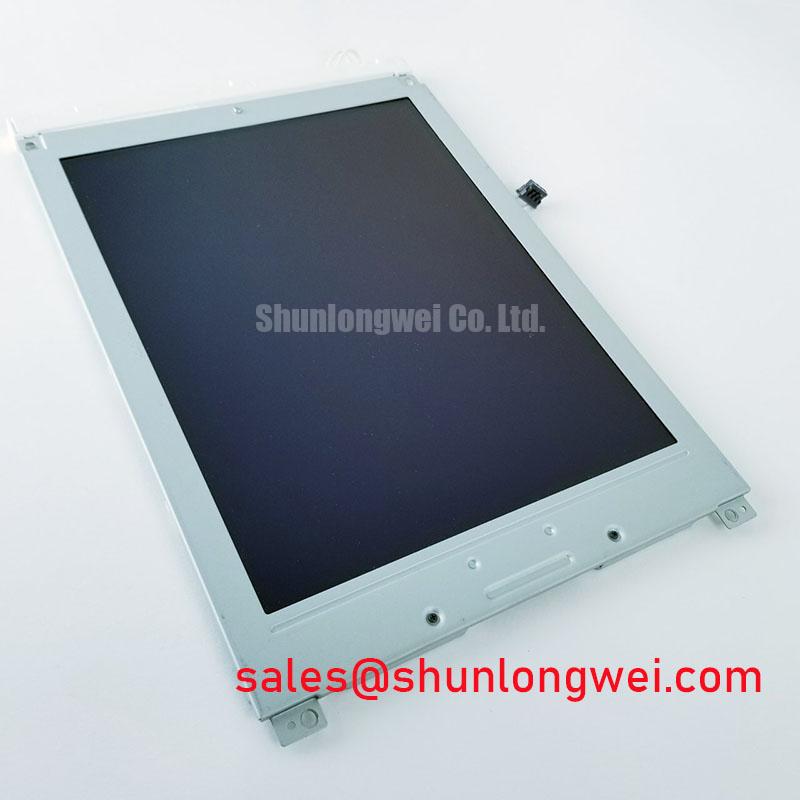
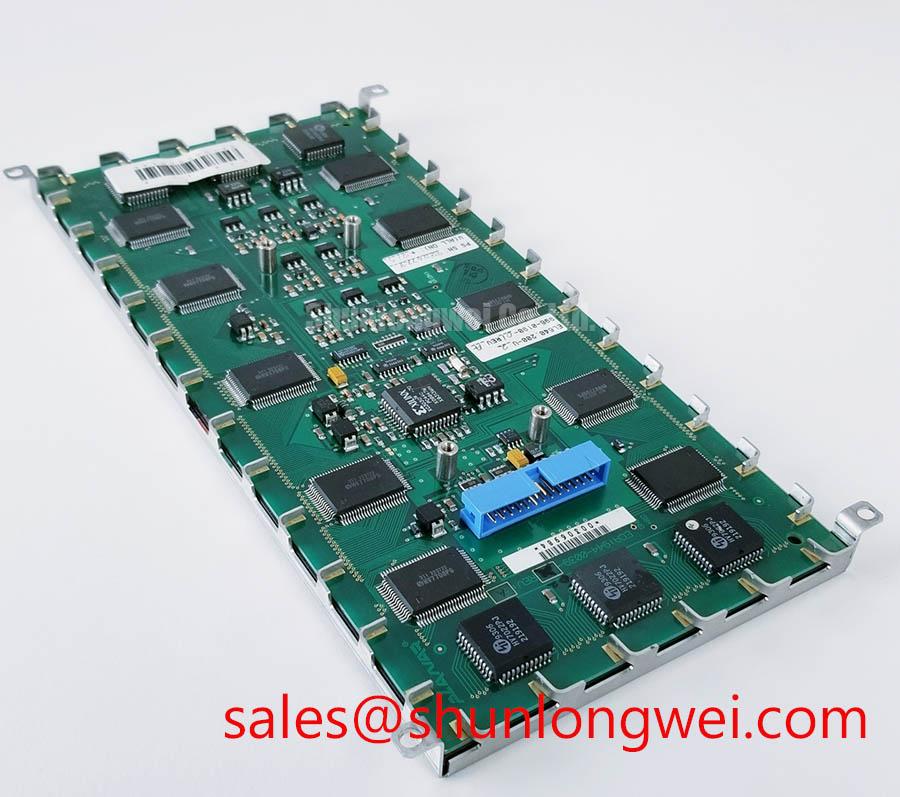
Inspect the NEC NL4827HC19-05A connector and display surface under angled light before connecting the module to a benchtop fixture. Record any bent contacts, pressure marks, scratches or uneven seating, then compare the connector arrangement with the equipment’s original panel documentation. The identified product is an industrial-grade TFT-LCD display module (Official Factory Specification); its model number alone does not establish its supply voltage, signal pinout, optical ratings or mechanical interchangeability.
Begin the optical inspection with the display unpowered. View the front surface under diffuse room light, then move a directional lamp across it at an angle. This makes scuffs, localized haze, pressure marks and changes in surface reflection easier to distinguish from image defects. Photograph each observation with the light position noted. A mark visible on the unpowered surface calls for a different follow-up than a mark that appears only when an image is displayed.
With the module operating in a verified test fixture, display uniform white, black and mid-gray fields. Inspect from the intended operator position before moving to oblique angles. A grayscale shift seen only off-axis can reflect the viewing characteristics of an LCD mode rather than a damaged pixel. Conversely, a patch that remains fixed in one location as the viewing angle changes deserves closer inspection for surface damage, illumination variation or an image-path fault. The available identification for NL4827HC19-05A does not establish whether it uses TN, IPS or MVA operation, nor does it establish a viewing-angle rating. Do not assign it the symmetric viewing cone associated with another panel.
Direct lighting in a CNC operator enclosure can make reflections look like reduced display contrast. As a Design Consideration, assess the panel with the actual cover window, lighting direction and operator sightline in place. Surface treatment should be verified against the original module documentation rather than inferred from a photograph. Compare a uniform gray image with the same image viewed through the enclosure window; changes introduced by that window should not be recorded as faults in the LCD.
For brightness checks, allow the fixture and display to reach stable operating conditions, hold the image and brightness command constant, and measure repeatable points across the visible area. Note whether any dim region follows the displayed pattern or stays in place as the pattern changes. Color temperature and luminance uniformity should be judged against the applicable acceptance criteria for the equipment, not an assumed factory limit for this model. No verified backlight lifetime curve or brightness-retention figure is provided here, so a present-day brightness reading cannot support a service-life prediction.
Thermal and Enclosure Inspection
Check the perimeter of the TFT-LCD module for lifting edges, visible gaps and changes in the display surface before considering environmental testing. Record the location of any concern without assigning an internal material failure from appearance alone. During integration, designers should also inspect how the host bezel contacts the panel: uneven clamping can change the image seen near an edge, and the enclosure may be the source of a mark that appears after assembly.
A cold display may respond differently from one tested at room temperature. To investigate a slow or smeared transition, use the same moving image pattern and capture method at each qualified test condition. Compare the observed gray-to-gray behavior after the panel has stabilized, while also checking that the source timing has not changed. The identified factory information does not provide a qualified operating-temperature range or a gray-to-gray response specification for NL4827HC19-05A. Thermal test limits must therefore come from the original panel documentation and the equipment qualification plan, not from a generic industrial LCD range.
If brightness is controlled by the host system, log the control setting alongside each optical measurement. Flicker, steps in brightness or audible noise may involve the controller, its wiring or the light source; none can be isolated from the symptom alone. As a Design Consideration, designers should evaluate dimming behavior at the brightness levels operators actually use, then determine control settings from the verified driver requirements and system tests. An assumed PWM frequency or duty-cycle rule would not establish a safe setting for this module.
For a CNC operator panel or robot teach pendant under compatibility evaluation, repeat the optical inspection after installation behind the intended protective window. Compare the same test image before and after enclosure assembly. This separates a panel observation from glare, mechanical pressure or reflections introduced by the finished equipment, without treating either application as a confirmed factory designation for the module.
Incoming Benchtop Inspection: Connector and Image Integrity
Set up the incoming test with the original equipment documentation at hand. Confirm the required supply, connector orientation, signal assignment, backlight connections and power sequence before energizing NL4827HC19-05A. Its product classification does not identify the internal driver attachment method, so a line defect should not be labeled an ACF, COG or TAB failure without supporting assembly documentation and further tests.
Run a red field, then green, then blue, photographing the full active area at each stage from a fixed camera position. Follow with black, white and gray fields. The primary-color sequence helps reveal pixels or columns that behave differently by color; black is useful for inspecting unwanted light and white for comparing illumination across the screen. Keep the source image and display settings unchanged while checking a suspected location. Record its position and behavior rather than assigning a cause from one frame.
When the screen appears dark, shine a flashlight obliquely across it while a known image is being sent. A faint image visible under the flashlight can guide the next check toward illumination and its external drive path, but it does not prove that the panel electronics are sound. If horizontal or vertical lines remain visible with different test patterns, compare them with a known-good source path and inspect the connector seating. A line that changes when an external cable is moved warrants investigation of that connection before any conclusion about internal panel construction.
💡 Bench Tip: Remove power and use ESD precautions before reseating a ribbon cable, then align it evenly with the connector before engaging its lock.
Examine the connector latch and contact area under magnification after the test, particularly if a defect changed during handling. Avoid pressing on the display glass to reproduce a fault. For repair material planning, NL10276BC16-06 can be assessed as a separate candidate, but it should not be treated as a drop-in replacement without matching documented dimensions, connector placement, electrical requirements and image timing. A purchasing comparison is most useful when those checks are recorded alongside the condition of the removed module.
Investigating Pixel Jitter & Horizontal White Lines Near 400V Motor Drives
When an operator display shows jitter or moving horizontal bands near a motor-drive installation, first establish whether the symptom follows the image source, cable route, enclosure arrangement or panel. Capture the same stationary test pattern with the drive inactive and active under the equipment’s approved test procedure. A change correlated with drive operation identifies a condition to investigate; it does not, by itself, prove electromagnetic interference inside NL4827HC19-05A. The 400V description refers to a possible adjacent drive environment, not a rating of the LCD.
Trace the host-to-display cable against the equipment drawing. Check for strained connectors, incomplete latch engagement and routing beside drive conductors. As a Design Consideration, preserving the intended return path and separating sensitive signal wiring from noisy power wiring can help limit coupling. Shield termination and common-mode filtering must be selected and verified at the system level; neither is a guaranteed cure for every horizontal-line symptom. A display module alone does not establish the electromagnetic compatibility of the assembled machine.
Do not assume the interface is LVDS or TTL from the product category. Obtain the original pin assignment and timing data, then compare the actual source signal at the connector with the documented requirements using suitable measurement equipment. If the documented interface uses differential pairs, inspect routing and termination against that interface specification. If the source waveform is clean but the picture remains unstable, continue testing with a verified fixture and examine supply behavior, connector contact and timing. Prescribing a characteristic impedance or clock-jitter allowance without the confirmed interface would risk directing the repair toward the wrong fault.
Separate timing-related artifacts from slower cold-temperature image transitions by repeating the same pattern after the display reaches a stable, documented operating condition. A lagging moving image and a stationary horizontal white line call for different measurements, even if both first appear during a machine startup. If the host equipment includes a heater, its control and placement should be reviewed against the equipment design; no heater configuration or sub-zero operating limit is established by the supplied model identification. For broader troubleshooting context, The Ultimate Guide to Industrial TFT LCD Technology explains the display principles that help frame these measurements, while the original NL4827HC19-05A documentation remains the authority for module-specific connections and limits.