Content last revised on October 24, 2026
Kyocera KCG057QV1DB-G54 Compatibility Checks
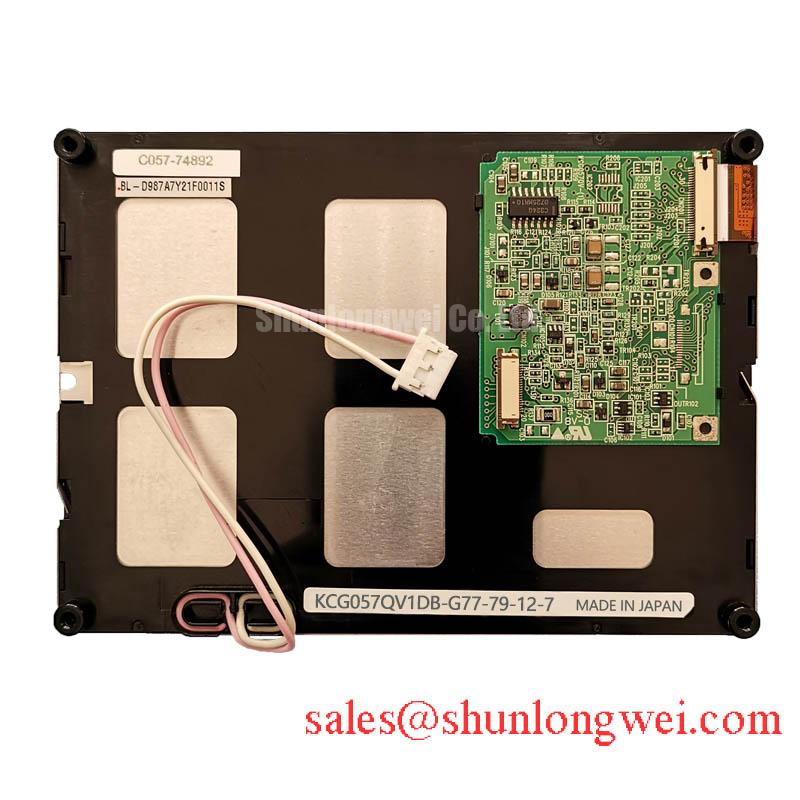
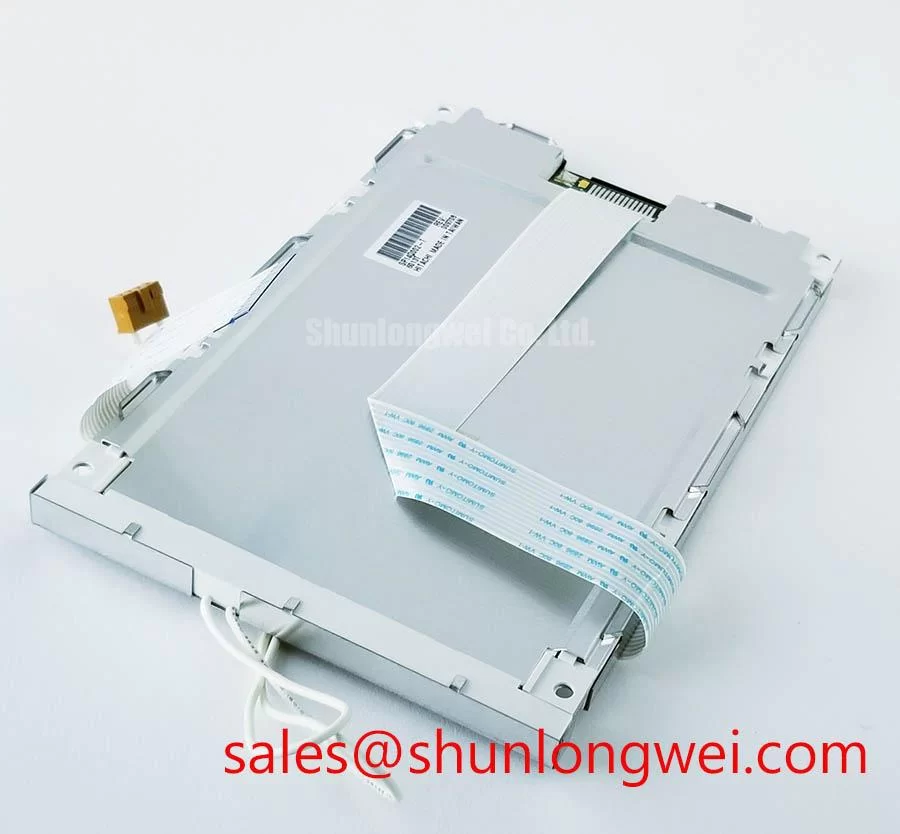
- Match the KCG057QV1DB-G54 label to the equipment bill of materials, then inspect the panel frame, mounting points, and cable contacts before applying power.
- Check the host cable against the 20-pin parallel interface assignment; connector fit alone does not establish electrical compatibility.
- Identify the existing CCFL backlight inverter and inspect its connections separately from the panel logic supply.
- Check enclosure clearance and confirm that the intended operating environment remains within 0 to 60 °C.
The Kyocera KCG057QV1DB-G54 is a 5.7-inch CSTN-LCD module with 320(RGB) × 240 QVGA resolution. Its normally black, transmissive operating mode, parallel data interface, and CCFL illumination define the main compatibility checks for an equipment repair. Treat the display controller, cable assembly, mechanical mounting, and backlight inverter as separate interfaces during evaluation.
| Parameter | Product specification |
|---|---|
| Manufacturer and model | Kyocera KCG057QV1DB-G54 |
| Diagonal size | 5.7 inches |
| Resolution | 320(RGB) × 240 pixels, QVGA |
| Panel technology | CSTN-LCD, LCM |
| Operating mode | STN, normally black, transmissive |
| Contrast ratio | 60:1 typical |
| Backlight | CCFL |
| Data interface | Parallel data, single channel, 8-bit, 20 pins |
| Logic supply, VDD | 3.3 V / 5.0 V typical; confirm the applicable configuration and limits in the model datasheet |
| Operating temperature | 0 to 60 °C |
| Storage temperature | −20 to 60 °C |
| Installation and timing details | Outline dimensions, mounting torque, connector pinout, optical acceptance limits, and sequencing: consult the model datasheet |
Thermal Expansion Clearance Sizing across Heavy Industrial Metal Enclosure Cutouts
Measure the enclosure opening against the panel drawing and inspect whether the bezel presses on the viewing surface or frame. As a Design Consideration, allow the mounting arrangement to accommodate differential thermal movement without transferring enclosure distortion into the display. The module’s diagonal size does not establish its outside dimensions, mounting-hole positions, or permissible clamping load.
Uneven brightness or dark patches that change when mounting pressure is released warrant examination of the bezel contact surfaces, gasket compression, and bracket flatness. Compare the image before installation and after fastening under otherwise equivalent conditions. This comparison helps identify assembly sensitivity without assigning every optical defect to mechanical stress. Fastener size and tightening torque must follow the actual mounting drawing; a generic screw specification cannot establish this module’s limits.
Route the parallel cable so that bracket installation does not tension the connector or sharply fold the conductors. As an Engineering Recommendation, evaluate clock and data timing at the receiving connector with the final cable arrangement across the intended operating temperature range. Cable loading, return-path continuity, and transmitter timing affect setup and hold margins. LVDS differential-pair rules do not describe this panel’s native parallel interface.
Normally Black CSTN Grayscale Visibility & Optimal Viewing Direction Alignment
Evaluate grayscale and color visibility using the panel’s actual normally black CSTN operating mode; normally white TN behavior is not its specification. Display a grayscale ramp and representative text while changing the observation angle and installed orientation. Record where low-contrast details become difficult to distinguish, particularly when the operator views the screen from above or below its center.
The 60:1 typical contrast ratio describes an optical characteristic, not guaranteed readability through an equipment window. As a Design Consideration, compare the assembled display under representative ambient illumination, including reflections from the protective cover. Any proposed anti-glare or anti-reflection treatment should be evaluated for its effect on text clarity and transmitted light; neither treatment is established here as a feature of this module.
The Kyocera Industrial TFT-LCD Display Technologies resource provides broader manufacturer context for display technology comparisons, while this model remains a CSTN module. Likewise, color gamut terminology distinguishes reproducible color range from contrast and viewing direction; it does not establish an NTSC, sRGB, or DCI-P3 coverage rating for this panel.
Assess illumination with the existing CCFL inverter and its documented control interface. LED constant-current driver efficiency curves and LED brightness-maintenance figures do not characterize this backlight. If brightness is weak or unstable, compare inverter input behavior, control signals, lamp connections, and illumination after warm-up. Lamp deterioration, inverter behavior, and optical losses require separate checks rather than a single assumed diagnosis.
Logic Supply Voltage Sequencing (3.3V/5.0V) to Reduce Driver IC Latch-Up Risks
Match the host supply configuration to the panel’s specified 3.3 V / 5.0 V typical VDD entry and verify the applicable operating limits before energizing the connector. Those nominal values do not authorize arbitrary supply selection or establish the permissible voltage on every signal pin. Review the schematic for power, ground, data, timing, and backlight-control connections.
As a Design Consideration, coordinate logic power and host signal enable so that active signals do not unintentionally feed an unpowered interface. Capture supply transitions and signal activity during startup, shutdown, and interrupted-power recovery. Sequencing should follow the panel and controller requirements; nominal VDD alone cannot establish a rise-time window or guarantee immunity from latch-up.
This module uses single-channel, 8-bit parallel data. JEIDA/VESA LVDS mapping and differential impedance targets apply to relevant upstream links, rather than directly defining its connector. If an adapter is present, trace the conversion through to the parallel output. Shifted colors, repeated image regions, or unstable frames can involve data ordering, timing configuration, cable integrity, or controller settings.
Pro Tip: Remove power before changing connections, then restore power to verify clock-to-data alignment at the panel connector using the final cable assembly and controller configuration.
For replacement assessment, compare the TCG057QV1AA-G10 across interface, timing, supplies, backlight arrangements, and mechanical drawings before considering interchangeability. In a railway passenger information terminal or cab signalling display, evaluation must also address equipment-level environmental and functional requirements. The −20 °C storage limit does not extend operation below 0 °C or establish railway qualification.
Full-Screen Primary Color AOI Screening: Stuck Sub-Pixels & Background Uniformity Audit
Run full-screen red, green, and blue patterns first, then inspect black, white, and grayscale fields with a stable controller configuration. Use consistent observation conditions and record defect locations against the pixel grid. Primary-color fields help reveal persistent color anomalies; grayscale and uniform fields expose other image-quality differences. Acceptance should follow the applicable inspection specification rather than an invented defect-count threshold.
For a dark screen, check whether an externally illuminated image remains visible while separately examining backlight operation. A visible image can help direct attention toward illumination, but it does not prove that the complete signal path is healthy. Persistent lines also require checks of the cable, connector, controller output, and panel behavior before assigning an internal failure mechanism.
As an Engineering Recommendation, inspect inverter fault indications against the inverter’s own documentation. Open-lamp protection, shutdown behavior, and diagnostic outputs belong to that circuit and must not be presumed to be integrated panel features. The Industrial Display & HMI Solutions reference supports broader investigation of enclosure, cable, and power interactions.
Complete the image audit within the specified operating range, checking cold startup, stabilized illumination, and representative screen transitions. Record temperature, mounting state, controller settings, and whether each anomaly persists after reconnecting the verified cable, so subsequent repair decisions follow repeatable observations.